Broadcast - Captivating Awardsceremony Landing Page Template
Broadcast is an awards ceremony live streaming landing page built for production teams, industry associations, and corporate communications teams. Its overlap and layered design creates an immersive, theater-like scroll experience. With a warm Parchment and Rust color system, a collage header, and a clear event registration flow, it turns first-time visitors into confirmed clients before the curtain rises.
by Rocket studio
Quick summary
Broadcast is a single-page landing page template designed for awards ceremony live streaming services. It uses a layered, overlap-driven layout to pull visitors into the production world from the first scroll. The warm Parchment and Rust palette, collage header, and RSVP-style registration form work together to build trust and drive event bookings.
Who this template is for
This template is built for professional live streaming teams that serve high-stakes, emotionally charged events. If your work centers on capturing and broadcasting ceremonies to large, distributed audiences, this page speaks directly to your ideal clients.
- Industry associations announcing annual honorees to members around the world
- Corporate communications teams streaming internal recognition galas to global offices
- Nonprofit boards turning fundraising dinners into worldwide watch parties
What problem this template solves
Most live streaming service pages feel technical and cold. They list equipment specs rather than evoking the feeling of being in the room. Potential clients cannot imagine what the final stream will look and feel like, so they hesitate to commit.
- The page lacks an emotional hook that matches the prestige of an awards ceremony
- Visitors have no way to preview production quality before filling out a contact form
- The registration process feels disconnected from the ceremony experience being sold
What you get with this template
You get a fully designed, single-page landing page that blends cinematic visual storytelling with a practical registration flow. Every section is built to move a visitor from curiosity to commitment.
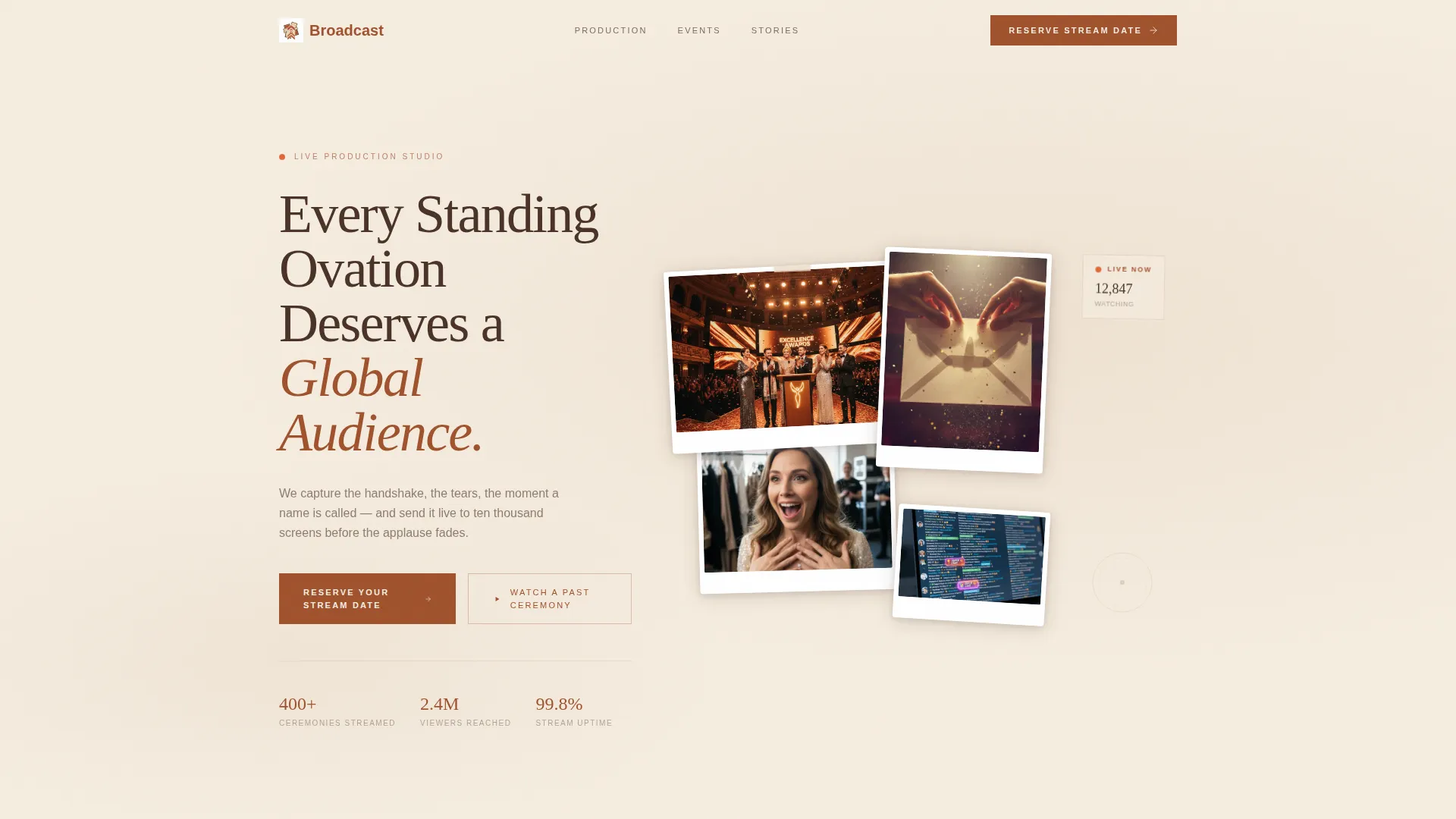
- A collage-style header with overlapping photo frames, a looping video reel, and a layered headline
- A multi-layer scroll experience where each section slides in as a new visual depth level
- A primary event registration form and a secondary path to a sixty-second highlight reel
Feature list
This template packages its visual and functional elements into a tight, purposeful set of components. Each one is grounded in the source brief and serves a clear role in the page flow.
Collage Scrapbook Header
The header arranges overlapping frames at slightly rotated angles, each showing a fragment of a live ceremony moment. A looping fifteen-second reel plays inside the largest frame. The headline sits layered between two collage pieces, as if tucked in by hand.
Layered Scroll Architecture
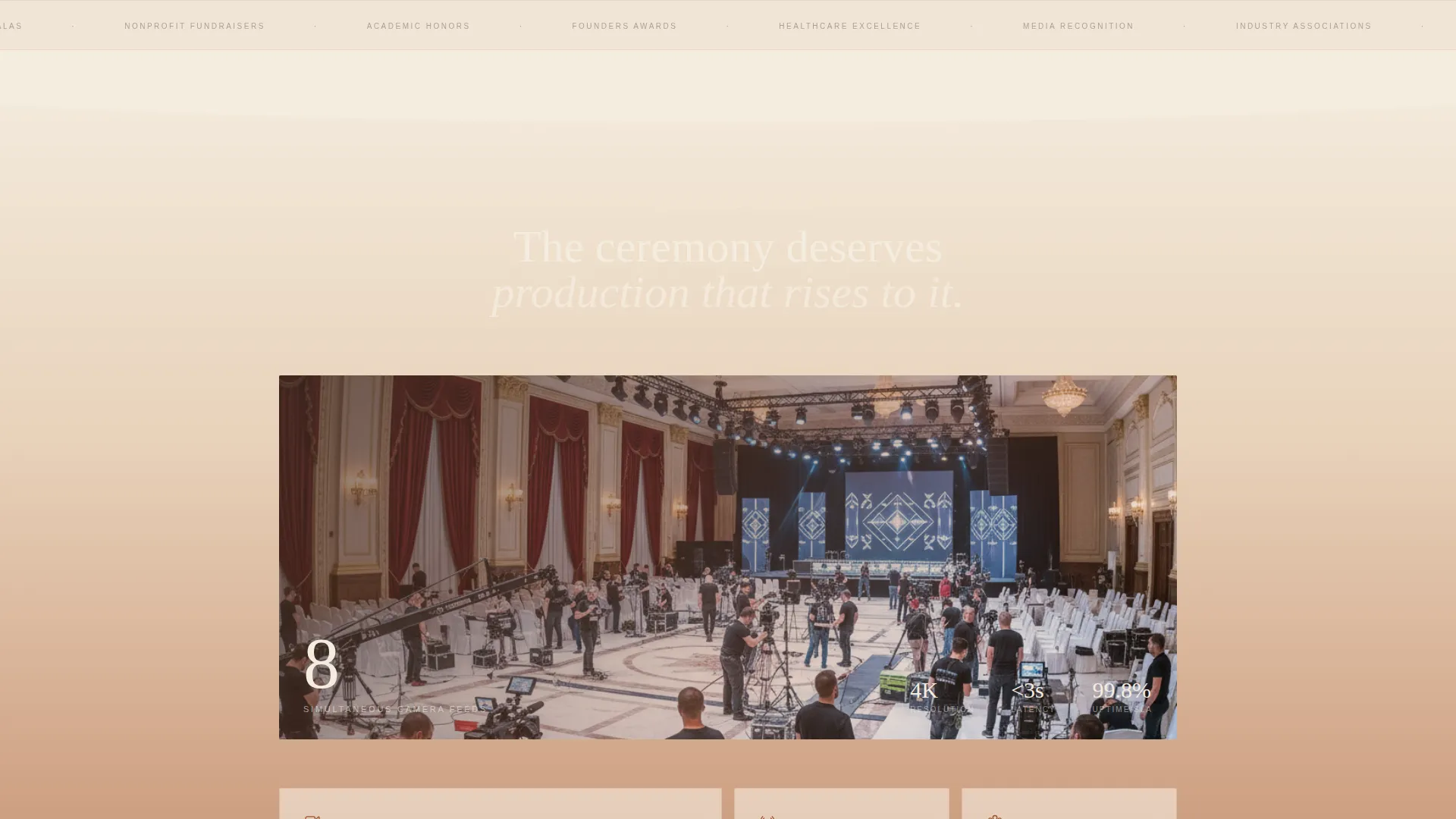
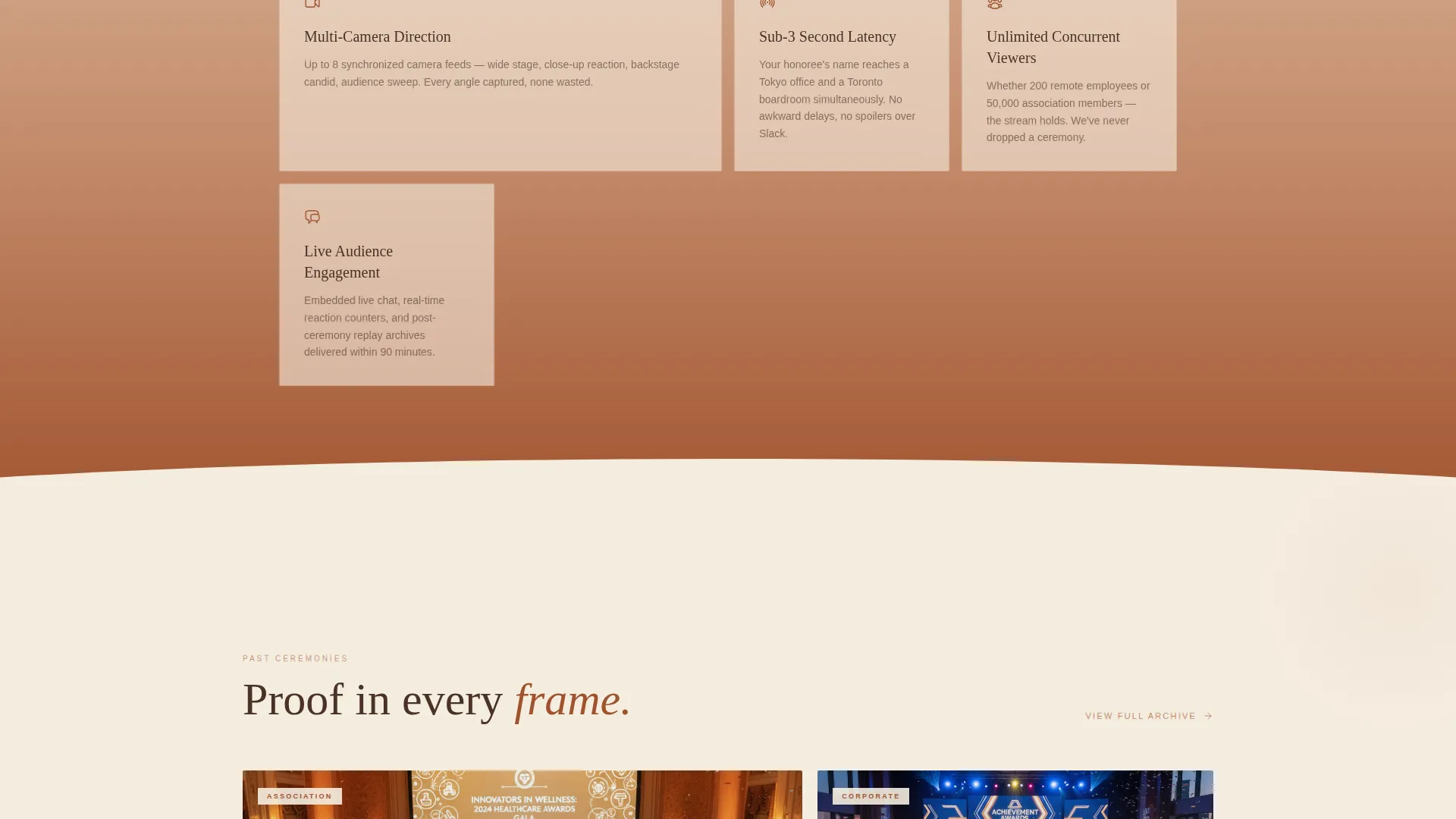
Each section of the page slides in as a new layer stacking atop the last. The depth builds deliberately, using parallax shifts and slow opacity transitions. By mid-page, the visitor feels surrounded by the production rather than reading about it.
Event Registration Form
The primary call to action reads "Reserve Your Stream Date" and appears first as a floating button after the header. It returns anchored inside a final section styled like an RSVP card. The form collects event name, ceremony date, estimated audience size, and whether multi-camera coverage is needed.
Secondary Highlight Reel Path
A second call to action, "Watch a Past Ceremony," links to a sixty-second highlight reel. This path lets hesitant visitors see production quality before committing. It earns the registration by proving the emotional stakes the stream will carry.
Viewership Counter Cards
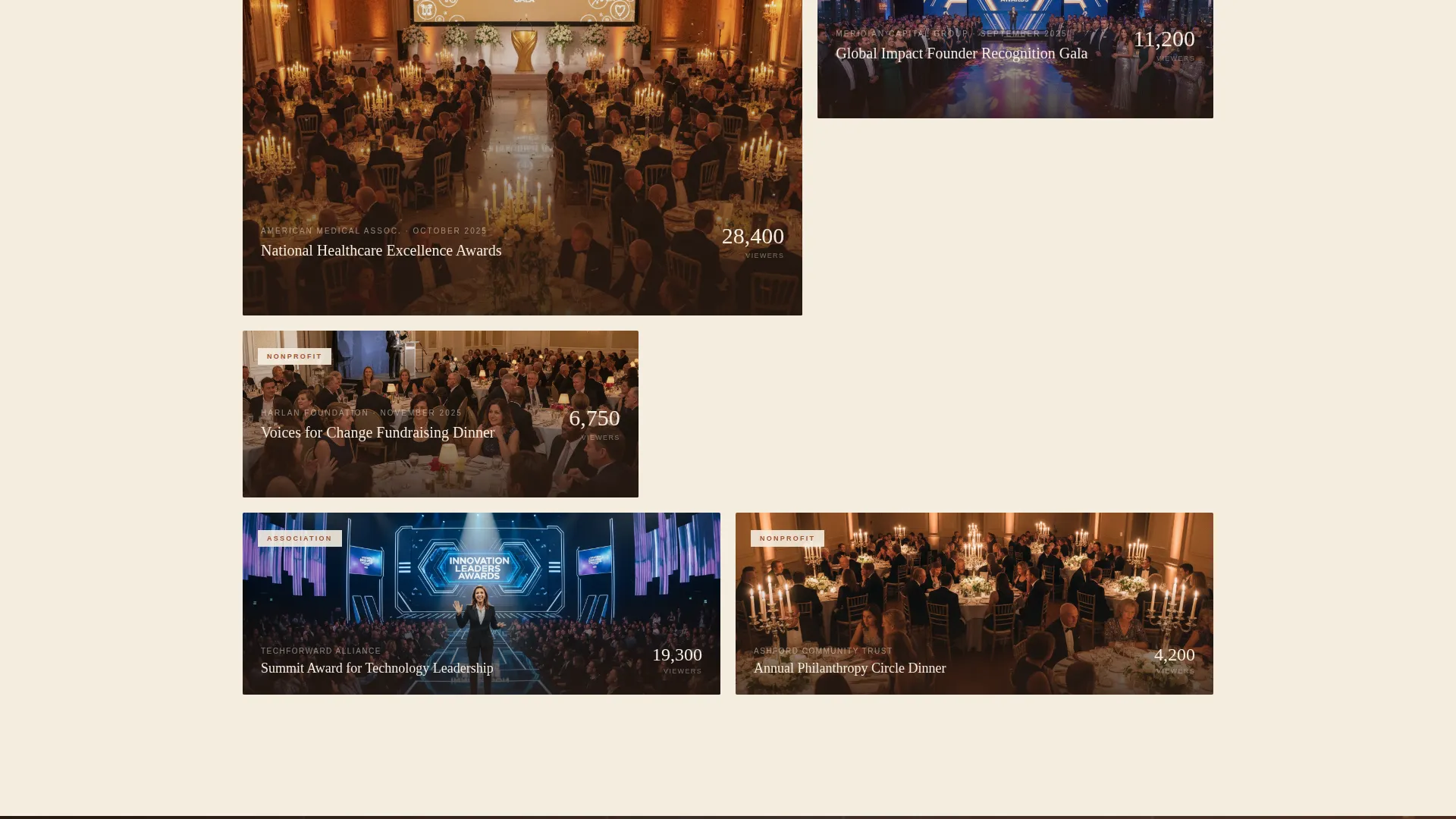
A narrower card layer displays past event stills with viewership counters ticking upward. These cards give prospective clients a concrete sense of reach and scale. They function as social proof without requiring written testimonials alone.
Testimonial Overlay Section
A translucent overlay carries client testimonials floating over a dimmed behind-the-scenes photograph. The overlay technique keeps the visual depth consistent with the rest of the page. Testimonials feel part of the production rather than bolted onto a separate section.
Page sections overview
| Section | Purpose |
|---|---|
| Collage header | Introduces the service with overlapping ceremony frames and a looping video reel |
| Floating call to action button | Prompts registration immediately after the header without interrupting the scroll |
| Multi-camera production | Presents production capabilities through a full-width gradient wash |
| Past event cards | Shows real event stills and viewership counters to build credibility |
| Testimonial overlay | Floats client quotes over a dimmed behind-the-scenes image |
| RSVP registration form | Closes the page with a styled form to reserve a stream date |
Design & branding system
The visual identity uses a Soft Gradient theme built on a Parchment and Rust color system. The palette feels like a printed invitation pulled from a linen envelope, warm and deliberate rather than cold and digital.
- Warm parchment cream (#F5EDE0) serves as the base canvas across all sections
- Oxidized rust (#A0522D) anchors headlines and key elements, while faded terracotta (#C48C6C) washes through gradient overlaps between sections
- Deep ceremonial bronze (#4A3228) is used for body text and navigation to keep reading comfortable
Mobile & speed optimization
The template is designed so that its layered visual depth translates cleanly to smaller screens. Motion elements are intentionally slow and measured, which reduces strain on both the viewer and the device.
- Parallax shifts are measured in millimeters, keeping motion subtle and smooth across screen sizes
- Opacity transitions last a full breath, roughly one second, so animations feel deliberate rather than jarring
- The collage header and card layers are structured to reflow gracefully on narrow viewports
How this template helps you convert
This page is built around a single, clear conversion goal: getting a prospective client to reserve their stream date. Every design and layout decision supports that outcome.
- The floating "Reserve Your Stream Date" button appears immediately after the header, catching visitors at peak interest before they scroll away.
- The "Watch a Past Ceremony" secondary path removes hesitation by letting visitors experience production quality firsthand, which earns trust before the form asks for a commitment.
- The RSVP-card-styled final section frames the registration as an exclusive, ceremony-appropriate action rather than a generic contact form, reinforcing the prestige of the service.
Other information about this template
This template sits within the Wedding and Events category, under the Awards Ceremony Event subcategory, with a specific focus on the awards ceremony live streaming niche. It is well suited for teams that need a page as polished as the events they broadcast.
- The template style is Overlap and Layered, meaning sections physically stack and reveal rather than scroll past each other in a flat line
- The header concept is Collage and Scrapbook, a distinct visual approach that differentiates this page from standard event service websites
- The landing page direction is Event Registration, so every design choice prioritizes moving visitors toward the booking form
Theme
Soft Gradient
Creative direction
Immersive Visual
Color system
Parchment & Rust
Style
Overlap/Layered
Direction
Event Registration
Page Sections
Collage Scrapbook Header with Looping Reel
Overlap and Layered Scroll Architecture
Dual Call-to-action Flow
Rsvp-styled Registration Form
Past Event Cards with Viewership Counters
Testimonial Overlay Section
Related questions
What type of live streaming businesses is this template built for?
Can I adjust the form fields to match my booking process?
Does the template include a section for showcasing past events?
How does the layered scroll effect work on this landing page?
Is this template suitable for an ongoing service or a single event?



