Brief - Powerful Solution Landing Page Template
Brief is a bento grid landing page template built for solution brief services targeting B2B buyers. It opens with a live ROI calculator, flows through an animated feature comparison matrix, and closes with a full-width conversion tile. The design uses a Slate and Sky color system with Dynamic Motion interactions to keep procurement-minded visitors engaged from first scroll to final click.
by Rocket studio
Quick summary
Brief is a single-page bento grid landing page template designed to market a solution brief production service. It leads with a working ROI calculator, builds trust through a kinetic feature matrix, and earns conversions with a before-and-after brief comparison and a focused email capture tile. Every section earns its space.
Who this template is for
This template is built for teams that sell complex enterprise software and need sharp, scannable sales collateral to support the buying process. It speaks directly to the people responsible for turning product capability into persuasive documentation.
- Business-to-business software product marketing managers managing multiple competitive deals
- Solutions engineers who need professional leave-behind documents that decision-makers actually read
- Chief Marketing Officers tired of watching high-value platforms get undersold through poorly designed PDFs
What problem this template solves
Most solution brief services struggle to prove their value before a prospect commits. Visitors land on a generic page, see vague quality claims, and leave without converting. This template solves that by leading with proof, not promises.
- Procurement committees need to see cost and quality comparisons quickly, not scroll through testimonial blocks
- Generic service pages fail to show the gap between a DIY brief and a professionally designed one
- No clear conversion path means visitors bounce before they ever engage with the offer
What you get with this template
You get a complete, ready-to-customize bento grid landing page built around comparison-led conversion. Every section is structured to move a skeptical B2B buyer from curiosity to action.
- A live, interactive ROI calculator embedded above the fold with animated cost comparisons
- An animated feature matrix with side-by-side capability tiles and a draggable before-and-after brief viewer
- A full-width conversion tile with a single-field email input, a brief upload or sample dropdown, and a secondary email capture inside the calculator
Feature list
This template delivers a carefully sequenced set of functional sections. Each one is designed to address a specific buyer objection before the next tile loads.
Live ROI Calculator Hero
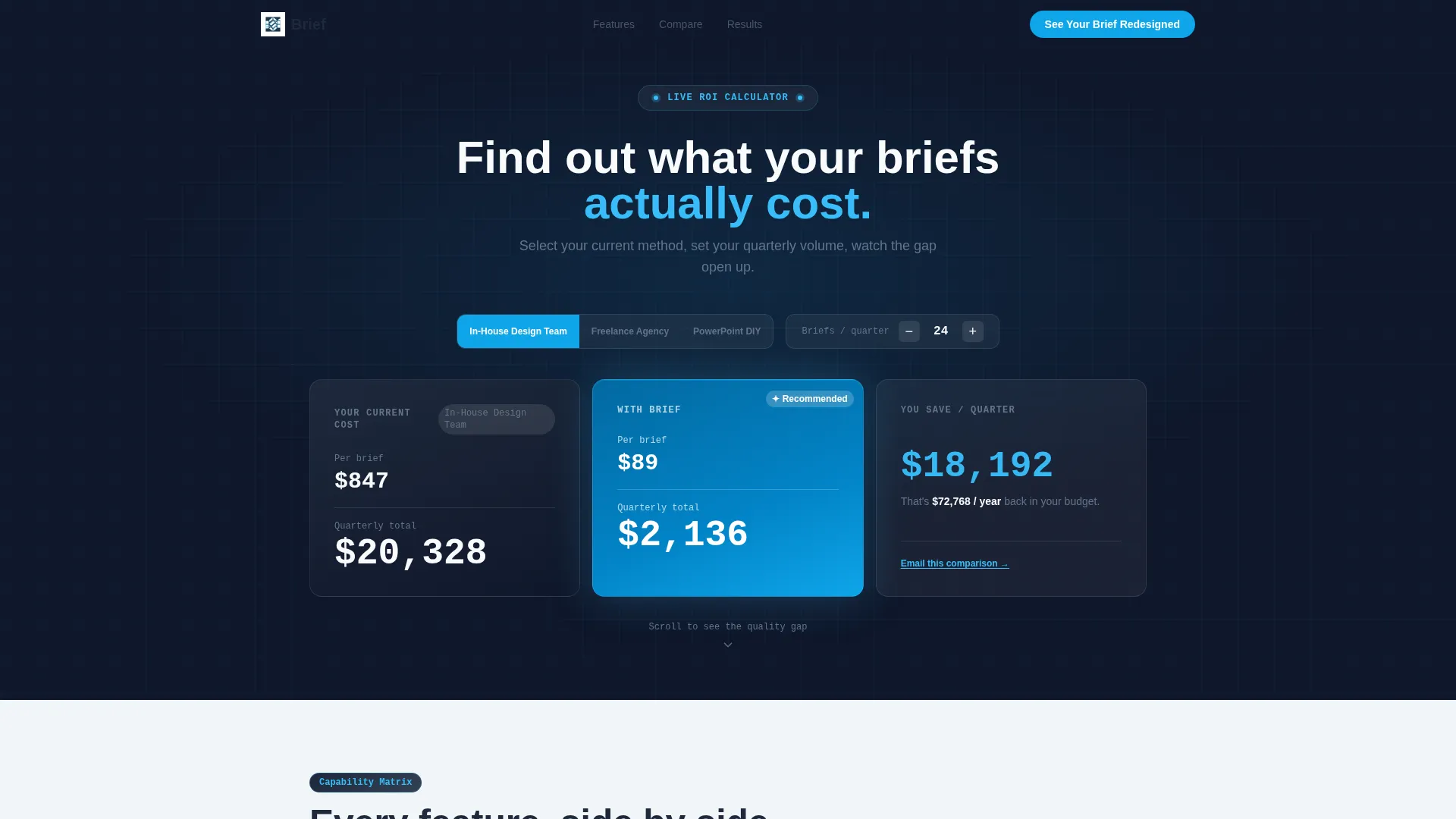
The header is a fully working cost estimator, not a static image. Visitors choose their current brief production method, input their quarterly brief volume, and watch animated cost columns update in real time. The "Your Current Cost" column glows in deep slate, the "With Us" column fires in sky blue, and the cost delta pulses in bold white type between them.
Animated Feature Comparison Matrix
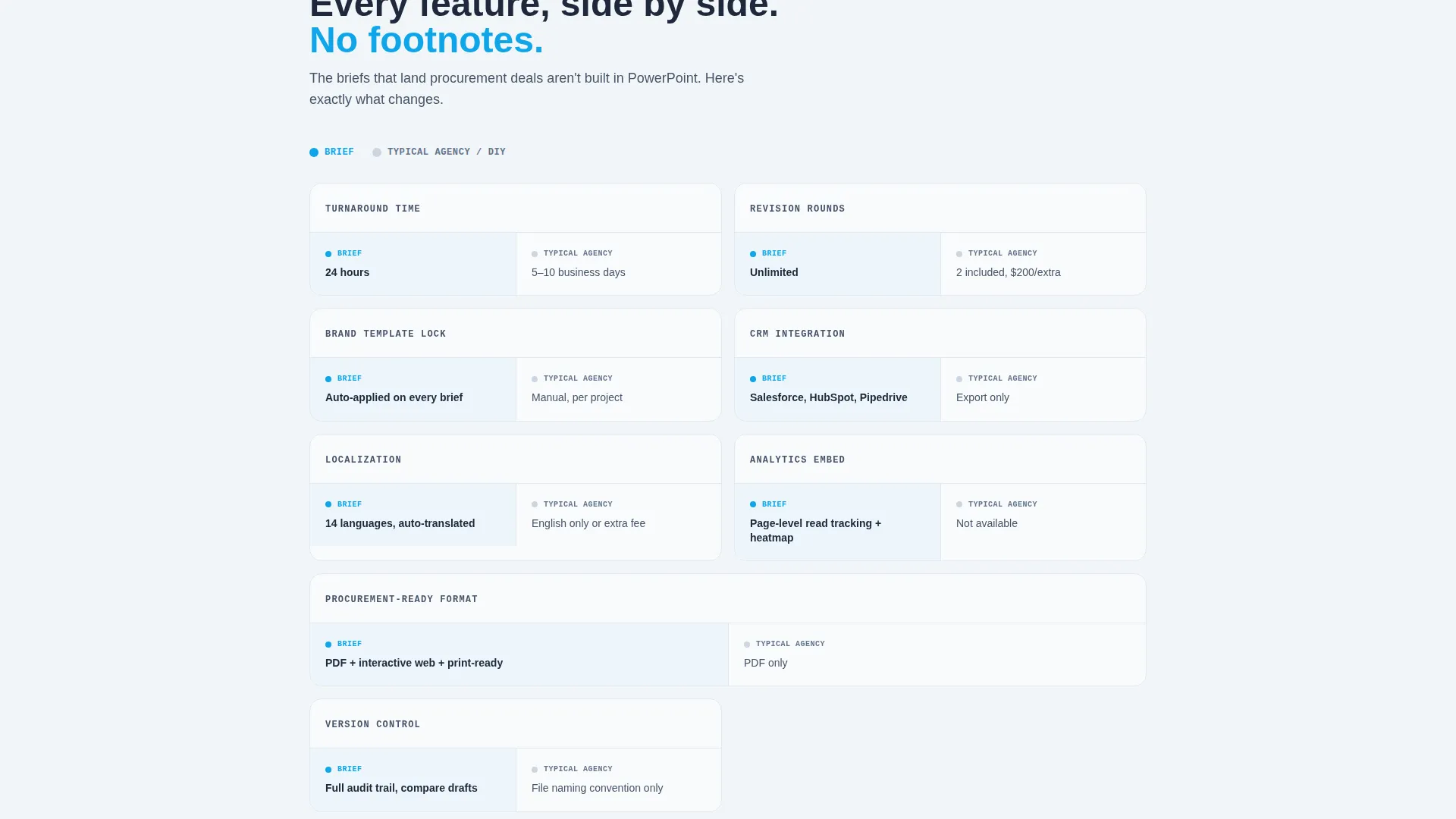
Below the calculator, a bento grid of capability tiles presents your service against the competitor default. Each tile covers a distinct capability such as turnaround time, revision rounds, brand-template lock, CRM integration, localization, or analytics embed. Tiles animate upward on scroll with a subtle fade, giving the grid a kinetic, breathing rhythm that keeps visitors scanning.
Draggable Before-and-After Brief Viewer
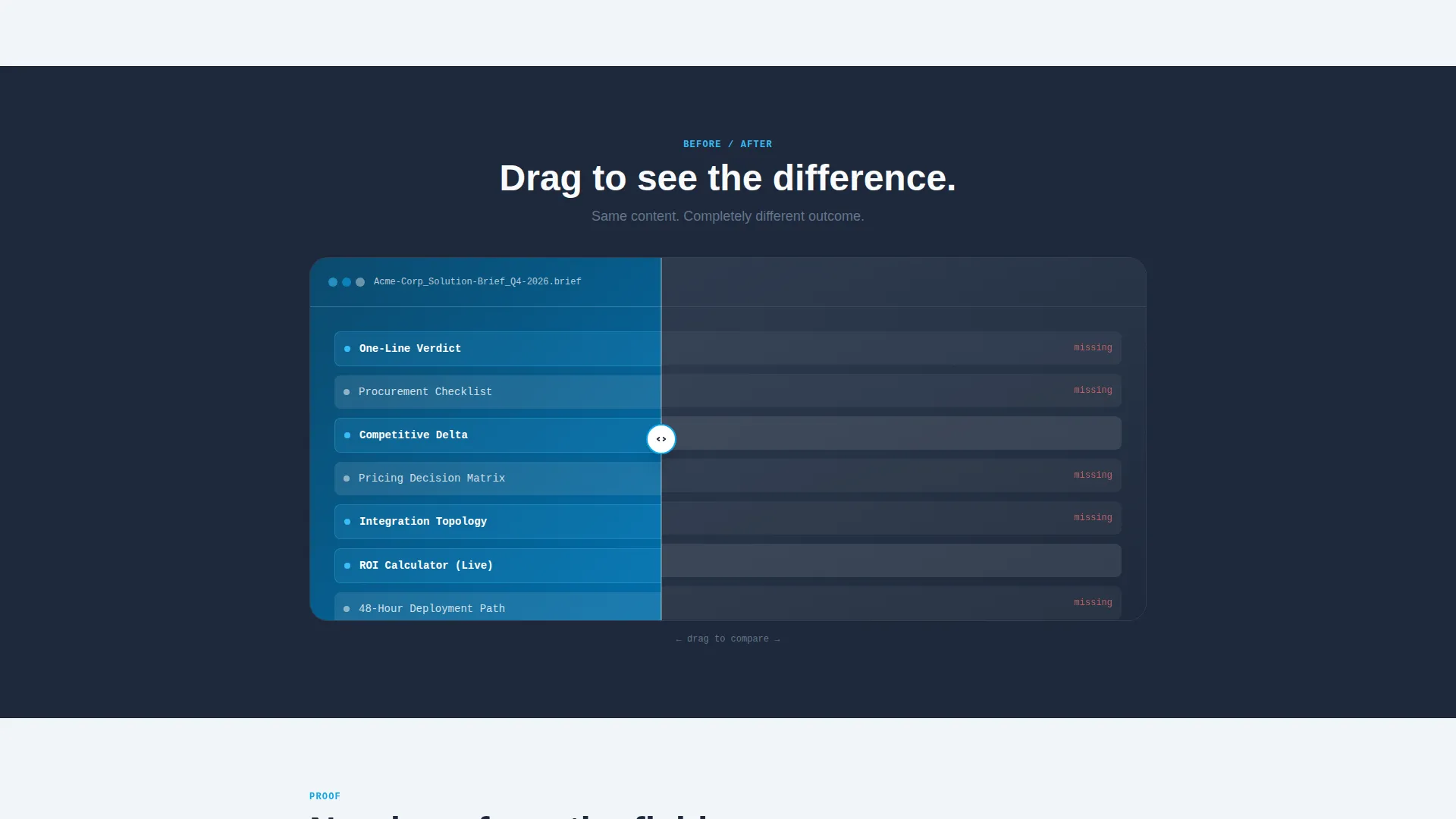
A full-width tile interrupts the grid midway to show a side-by-side brief transformation. The left side displays a generic PDF; the right side reveals the designed solution brief. Visitors drag the divider to reveal the difference at their own pace, making the quality gap tactile and immediate.
Secondary Email Capture Inside Calculator
Once a visitor completes the ROI estimate, a subtle "Email This Comparison" link appears. It trades their email address for a branded PDF of their own cost numbers. This secondary conversion path captures high-intent leads who are not yet ready to submit a brief but are clearly engaged with the pricing story.
Proof-Dense Grid Acceleration
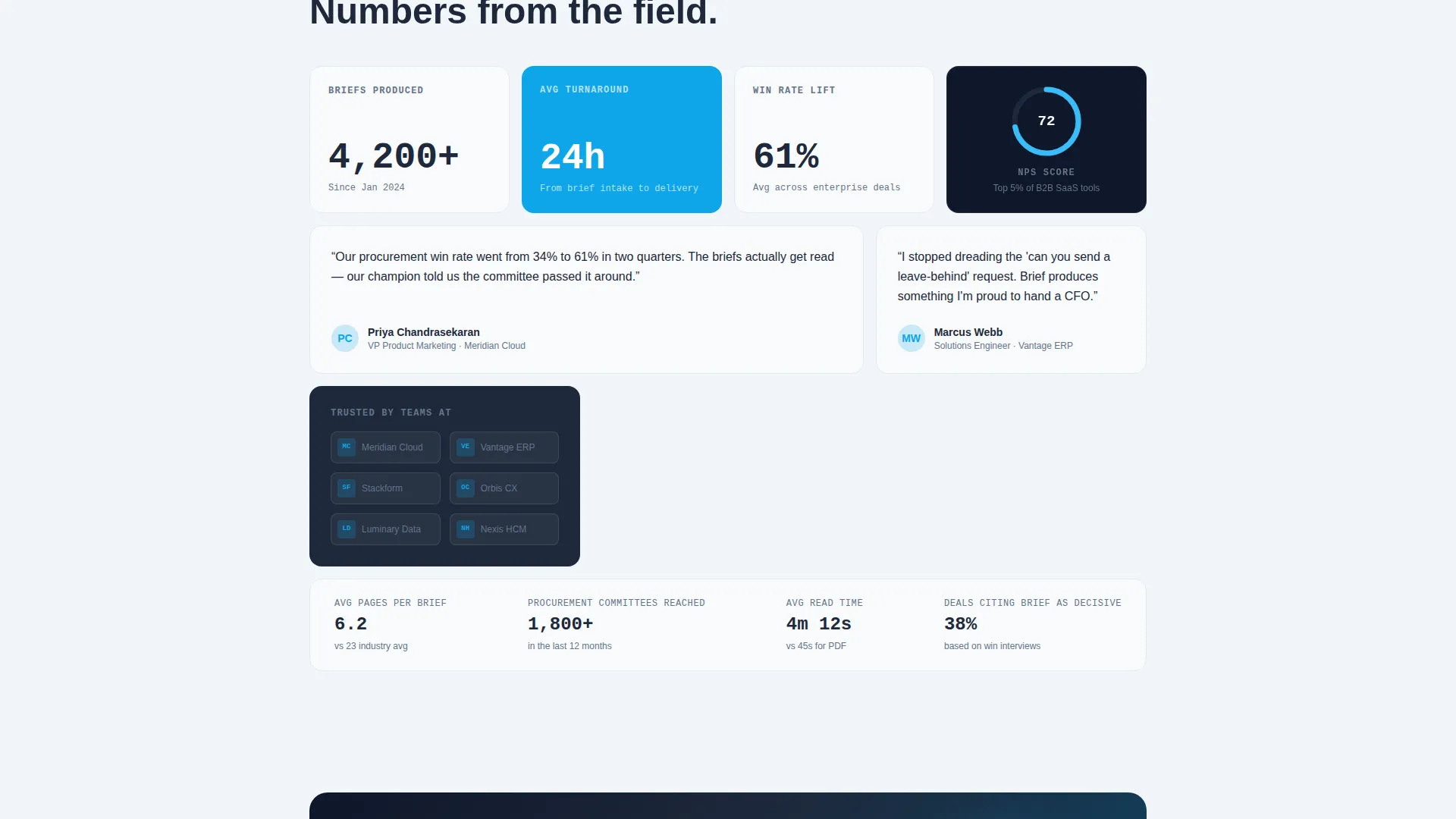
Toward the bottom of the page, tiles shrink and pack together, loading in client logos, turnaround statistics, and Net Promoter Score figures. The accelerating density creates a sense of momentum that funnels the visitor naturally into the final conversion tile.
Full-Width Conversion Tile
The page closes with a single wide tile containing the primary call to action: "See Your Brief Redesigned." It includes one email input field and a dropdown letting the visitor either upload their worst existing brief or use a provided sample. The ask feels like a natural next step after the cost and quality evidence already presented.
Page sections overview
| Section | Purpose |
|---|---|
| ROI Calculator Header | Show real-time cost comparison above the fold |
| Feature Matrix Grid | Compare service capabilities against competitor defaults |
| Before-and-After Viewer | Demonstrate brief quality gap with a draggable divider |
| Proof Acceleration Tiles | Pack in logos, turnaround stats, and satisfaction scores |
| Primary Conversion Tile | Capture email and brief submission with a focused call to action |
Design & branding system
The Slate and Sky color system gives every bento tile a clear visual role. The palette is technical and structured, then deliberately bright at the moments that matter most.
- Deep gunmetal slate (#1E293B) dominates grid cell backgrounds and body typography; mid-tone graphite (#475569) handles secondary labels and inactive states
- Open-sky blue (#0EA5E9) activates on hover states, toggle switches, and the winning comparison column; electric cyan (#38BDF8) pulses on interactive accents
- Cloud-break white (#F8FAFC) gives each tile interior breathing room and keeps the grid from feeling heavy or enclosed
Mobile & speed optimization
The bento grid layout is structured to reflow cleanly on smaller screens. Dense multi-column tiles stack into single-column cards without losing the visual hierarchy that makes the comparison readable.
- The calculator inputs and animated cost columns are designed to remain functional and legible at mobile viewport widths
- Tile animation sequences use subtle upward drift and fade effects that maintain visual interest without overloading the layout on constrained devices
How this template helps you convert
This template is built around a comparison-led conversion sequence. Every section adds a layer of evidence before making the ask, so the final click feels earned rather than pressured.
- The ROI calculator shows the cost gap first, giving visitors a personalized financial reason to keep reading before a single marketing claim appears
- The feature matrix and before-and-after viewer prove the quality gap visually, replacing vague copy with direct, draggable evidence that a procurement-minded buyer can trust
- The full-width conversion tile closes the sequence with a low-friction ask that lets visitors choose their own entry point, upload or sample, reducing hesitation at the final step
Other information about this template
This template sits at the intersection of the Documentation and Support category, the White Paper and Research subcategory, and the Solution Brief niche. It is purpose-built for teams marketing a brief production or document design service to enterprise buyers.
- The Dynamic Motion theme drives the kinetic tile animations, the rolling number display in the calculator, and the scroll-triggered grid reveals throughout the page
- The bento grid template style allows each section to occupy proportional space based on the weight of its evidence, rather than forcing equal-height rows
- The Comparison and Versus landing page direction is the structural backbone: every design decision from color assignment to tile density reinforces the message that the service outperforms the default
- No stock photography or illustration appears anywhere on the page; the interactive calculator and the data it generates serve as the visual centerpiece
Theme
Dynamic Motion
Creative direction
Feature Matrix
Color system
Slate & Sky
Style
Bento Grid
Direction
Comparison/Versus
Page Sections
Live ROI Calculator Hero
Animated Feature Comparison Matrix
Draggable Before-and-after Viewer
Secondary In-calculator Email Capture
Proof-dense Tile Acceleration
Full-width Primary Conversion Tile
Related questions
Can I customize the ROI calculator with my own pricing?
Does the template include the draggable before-and-after component?
Who is this landing page template best suited for?
Is this a single-page template or a multi-page build?
Can the secondary email capture inside the calculator be removed?



