Electrical Professional Website Template
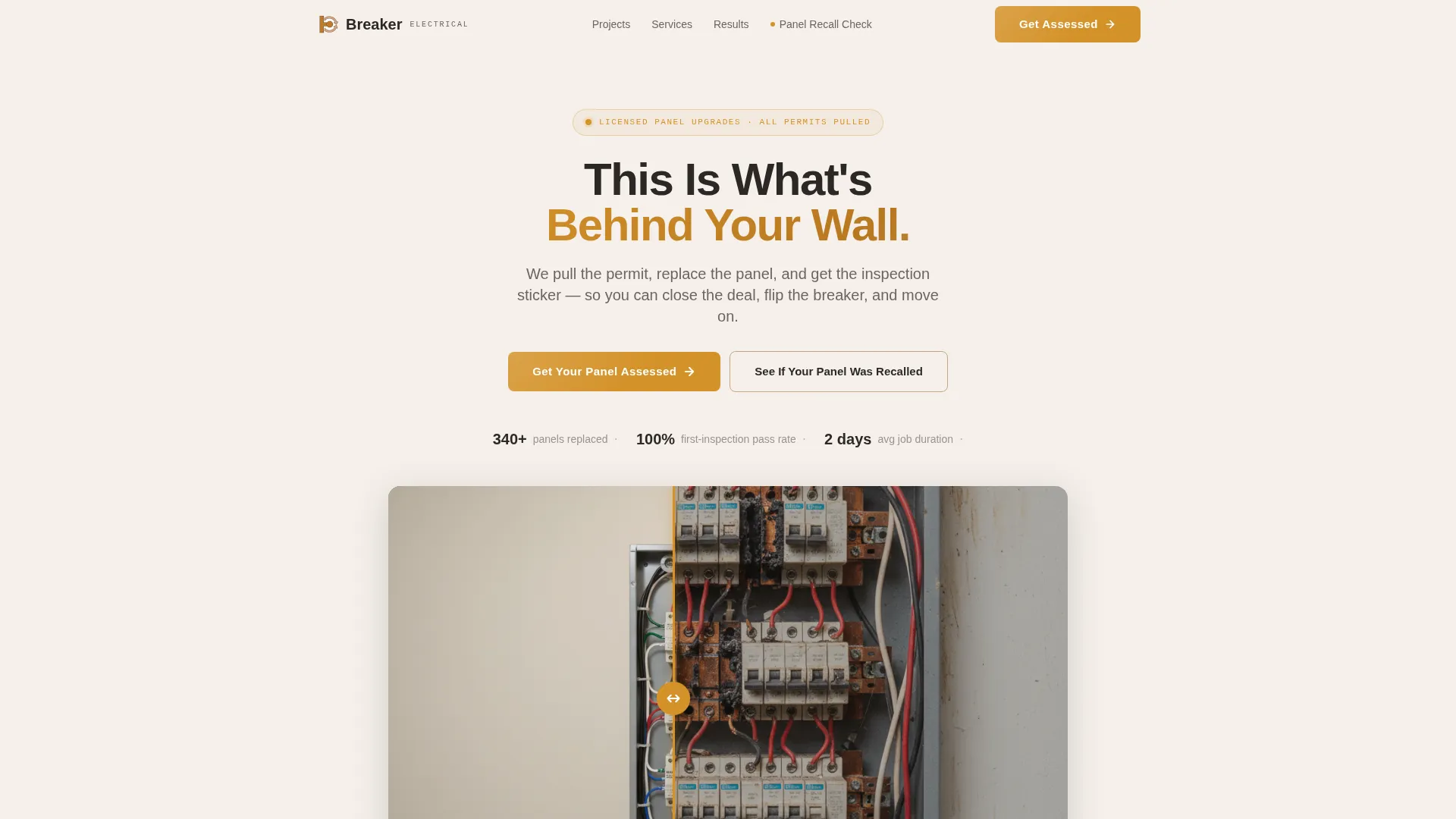
Breaker is a single-column lead generation landing page built for electrical panel upgrade and rewiring services. It opens with a Before/After slider that shows the real difference a panel replacement makes. The layout guides homeowners, landlords, and families through a trust-building scroll, ending with a focused assessment form that captures qualified leads without asking for a phone number upfront.
by Rocket studio
Quick summary
Breaker is a single-column flow landing page designed for electrical panel upgrade and rewiring businesses. It leads with a Before/After slider, builds trust through neighborhood-level project stories, and converts visitors with a low-friction assessment form. The Warm Stone color system keeps the layout honest and grounded, with amber reserved for every action point.
Who this template is for
This template is built for licensed electricians and electrical contracting teams who specialize in panel upgrades, full rewires, and residential compliance work. It speaks directly to the clients those crews already serve every week.
- Electrical contractors targeting homeowners flagged by a home inspector
- Rewiring specialists serving landlords who need compliance certificates
- Panel upgrade services working with families adding hot tubs, electric vehicle chargers, or other high-load appliances
What problem this template solves
Most electrical service pages look identical. They list services, show a logo, and ask for a call. That approach fails the visitor who is already anxious about what is inside their wall. This template solves the trust gap first.
- Homeowners do not know if their current panel is dangerous, outdated, or simply undersized
- Landlords and property investors need to move fast on compliance but rarely get clear answers from generic contractor pages
- Families planning appliance upgrades need reassurance, not a wall of technical jargon, before they fill out a form
What you get with this template
You get a fully structured single-page layout that takes a visitor from uncertainty to a submitted lead form. Every section has a job, and nothing is decorative for its own sake.
- A Before/After slider header with an amber drag handle and a fade-in headline
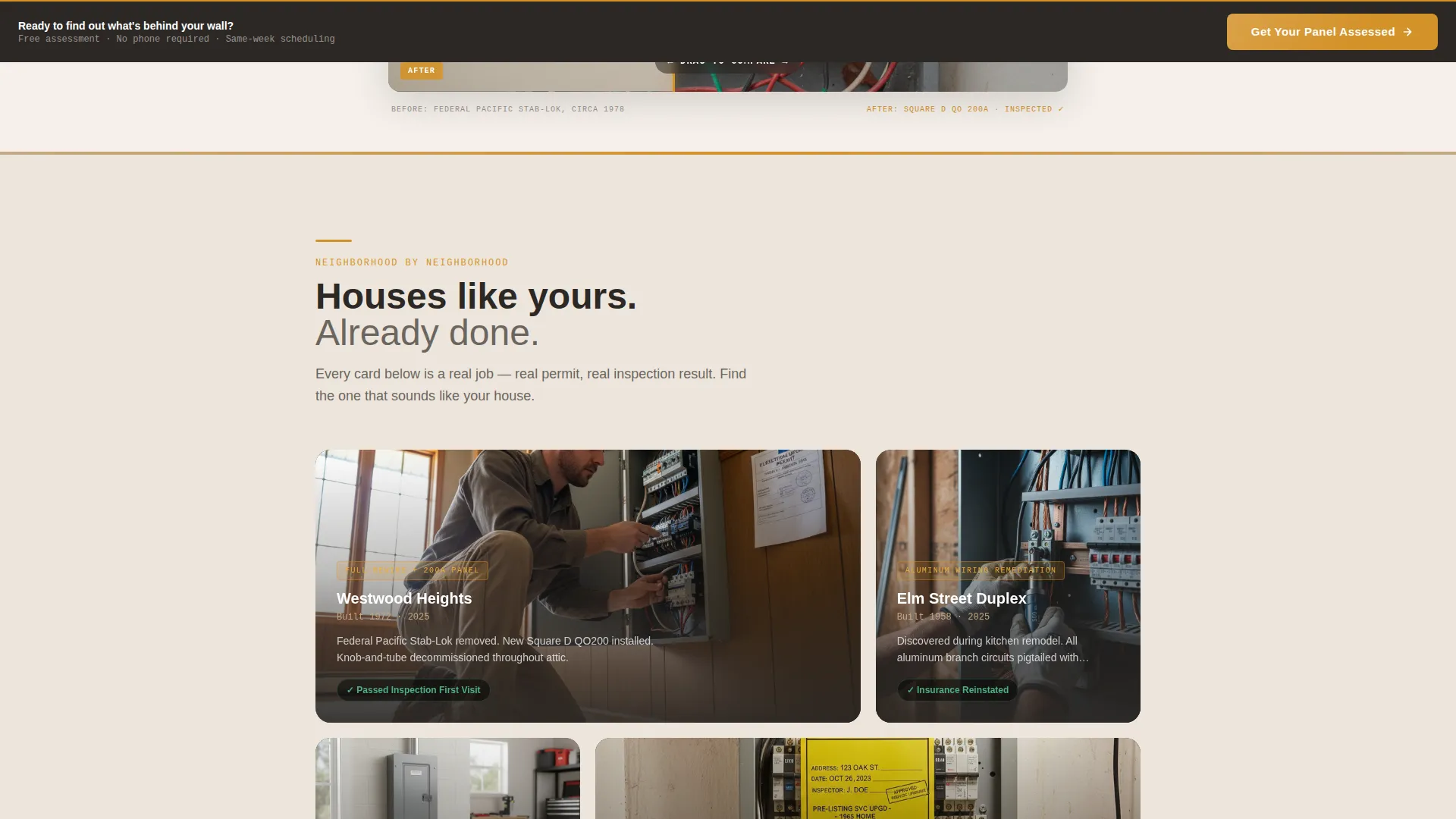
- Neighborhood-level project cards that name the scope, the street-level scenario, and the inspection result
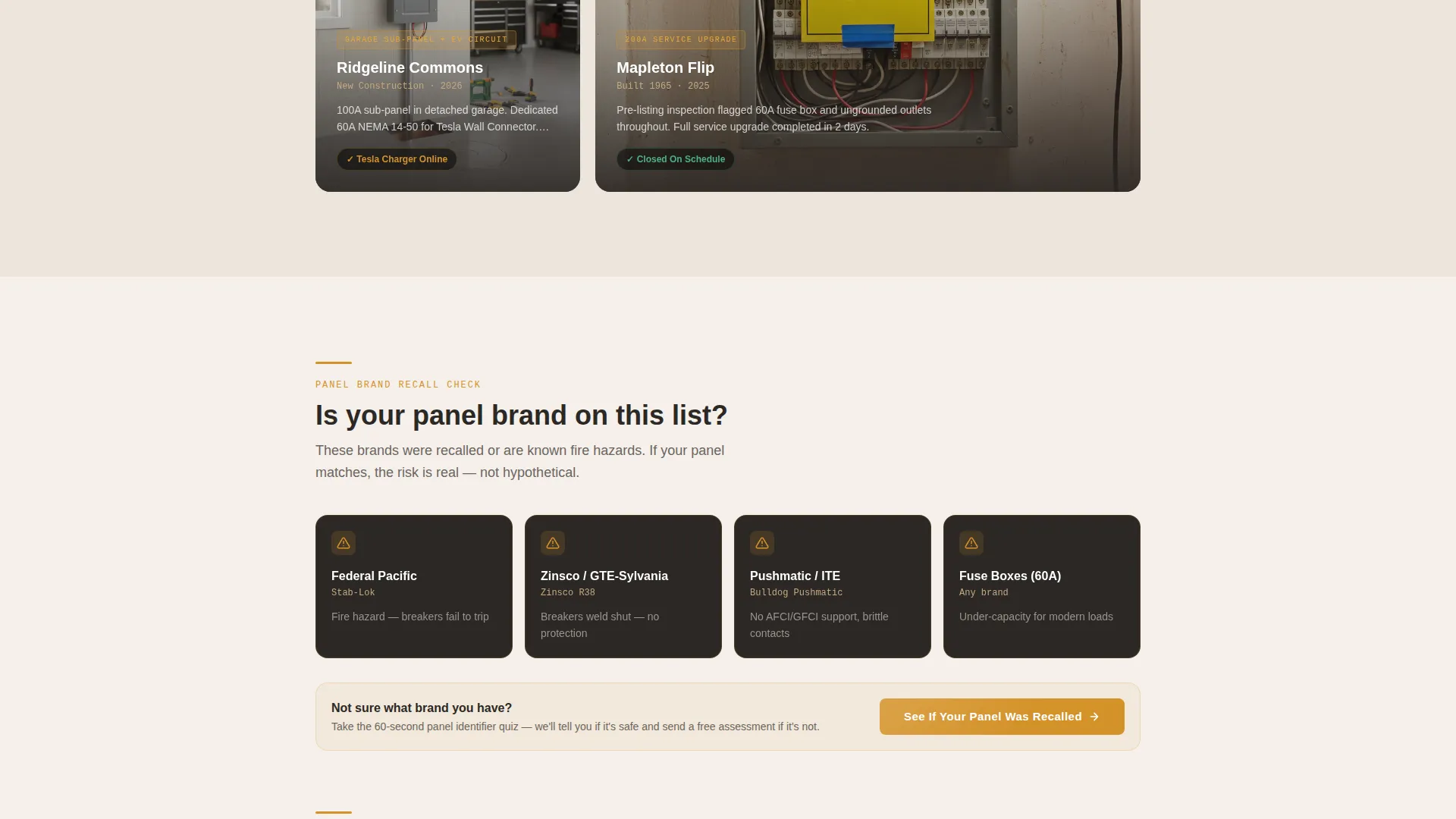
- A multi-field lead capture form with a secondary recall-checker quiz path that captures leads while delivering real value
Feature list
This section covers the core built-in components and interaction patterns included in the Breaker template.
Before/After Panel Slider
The header opens with a side-by-side interactive slider. The left side shows a crowded, outdated panel with double-tapped breakers, scorched bus bars, and ungrounded wiring. The right side shows a clean, labeled 200-amp panel with bundled wires and a fresh inspection sticker. The amber slider handle glows slightly, drawing the visitor to interact before reading a single word.
Fade-In Hero Headline
A single headline fades in above the slider: "This Is What's Behind Your Wall." The animation is purposeful, not decorative. It gives the visitor a half-second to absorb the visual before the message lands.
Neighborhood Project Cards
Each scroll section anchors to a real jobsite scenario. Cards name the neighborhood, describe the scope, and state the inspection result. Real-detail storytelling builds a block-by-block map of trust that makes visitors think the crew has already worked on a house like theirs.
Lead Capture Assessment Form
The primary form asks four targeted questions: home age, current panel amperage, reason for the upgrade, and zip code. No phone number is required at this stage. The confirmation page offers a callback scheduler, reducing form friction while still qualifying the lead.
Sticky Bottom call to action Bar
After the third scroll section, a sticky bottom bar appears with the primary call to action: "Get Your Panel Assessed." It stays visible as the visitor continues scrolling, keeping the next step accessible without interrupting the reading flow.
Panel Recall Quiz Path
A secondary conversion path lets visitors tap "See If Your Panel Brand Was Recalled." This links to a quick brand-identifier quiz that delivers immediate, useful information while capturing the lead. It serves visitors who are not yet ready to request an assessment but are clearly concerned about their panel.
Page sections overview
| Section | Purpose |
|---|---|
| Before/After Slider Header | Hook visitors visually and establish the core problem |
| Fade-In Headline | Land the central message before the visitor scrolls |
| Primary call to action Block | Drive first assessment form submission below the header |
| Neighborhood Project Cards | Build trust through specific, local jobsite stories |
| Sticky call to action Bar | Keep the assessment form accessible throughout the scroll |
| Panel Recall Quiz Link | Capture leads who need information before committing |
| Lead Capture Form | Collect home age, panel amperage, upgrade reason, and zip code |
| Confirmation Page Path | Offer a callback scheduler post-submission |
Design & branding system
The Warm Stone color system is the structural backbone of this template. It evokes a freshly mudded wall before the first coat of paint, honest and ready for the real work to begin.
- Foundation sandstone (#C4A882) and clean drywall white (#F5F0EB) alternate as section backgrounds, creating visual rhythm without distraction
- Mortar gray (#6B6560) carries all body text, keeping reading comfortable and grounded
- Live-wire amber (#D4922A) appears only on buttons, progress indicators, warning callouts, and the slider handle, so every amber element signals action
Mobile & speed optimization
The single-column flow layout is inherently suited to mobile browsing. No complex grid or multi-column structure needs to collapse or reorder on smaller screens.
- The sticky bottom call to action bar is especially effective on mobile, where it stays within thumb reach as the visitor scrolls
- Project cards and the lead form are designed for vertical reading, keeping the experience clean on phones without requiring layout changes
How this template helps you convert
The Breaker template is built around a specific conversion philosophy: reduce anxiety first, then ask for the lead.
- The Before/After slider answers the unspoken question before any headline does. Visitors see the difference immediately, and that visual proof does more work than a paragraph of credentials ever could.
- Neighborhood project cards replace generic testimonials with specific, named scenarios. When a visitor recognizes their situation in a project card, the trust transfer happens naturally and the form feels like a logical next step.
- The two-path conversion structure, primary form plus the recall quiz, means visitors with different levels of readiness both have a low-barrier entry point. Neither path dead-ends. Both capture contact information and move the lead forward.
Other information about this template
Breaker is designed for the electrical services niche inside the broader construction and home category. The template style is single-column flow, which keeps the visitor focused on one message at a time without sidebar distractions.
- The template fits the Service Utility theme, meaning layout decisions prioritize clarity and function over decorative complexity
- The Local and Neighborhood creative direction is baked into the project card structure, making it easy to swap in real photos from actual jobsites
- The lead form dropdown for home age (pre-1970, 1970 to 1990, 1990 to 2010, and 2010 onward) helps triage prospects before the first conversation
- The "not sure" option for current panel amperage is included by design; it reassures visitors rather than disqualifying them
- This template is well suited for contractors who have replaced older panel brands that are known to have recall or safety histories, as the recall quiz path creates a relevant entry point for that audience segment
Theme
Service Utility
Creative direction
Local & Neighborhood
Color system
Warm Stone
Style
Single Column Flow
Direction
Lead Generation
Page Sections
Before/after Panel Slider
Neighborhood-level Project Cards
Low-friction Lead Capture Form
Sticky Bottom Call to Action Bar
Panel Recall Quiz Path
Alternating Warm Stone Layout
Related questions
Who is the Breaker landing page template built for?
Does the lead form require a phone number?
Can I use my own jobsite photos in the project cards?
What is the secondary conversion path included in this template?
Is this template designed for one service area or multiple locations?