Cosmetic Surgery & Aesthetic Clinic Pricing Website Template
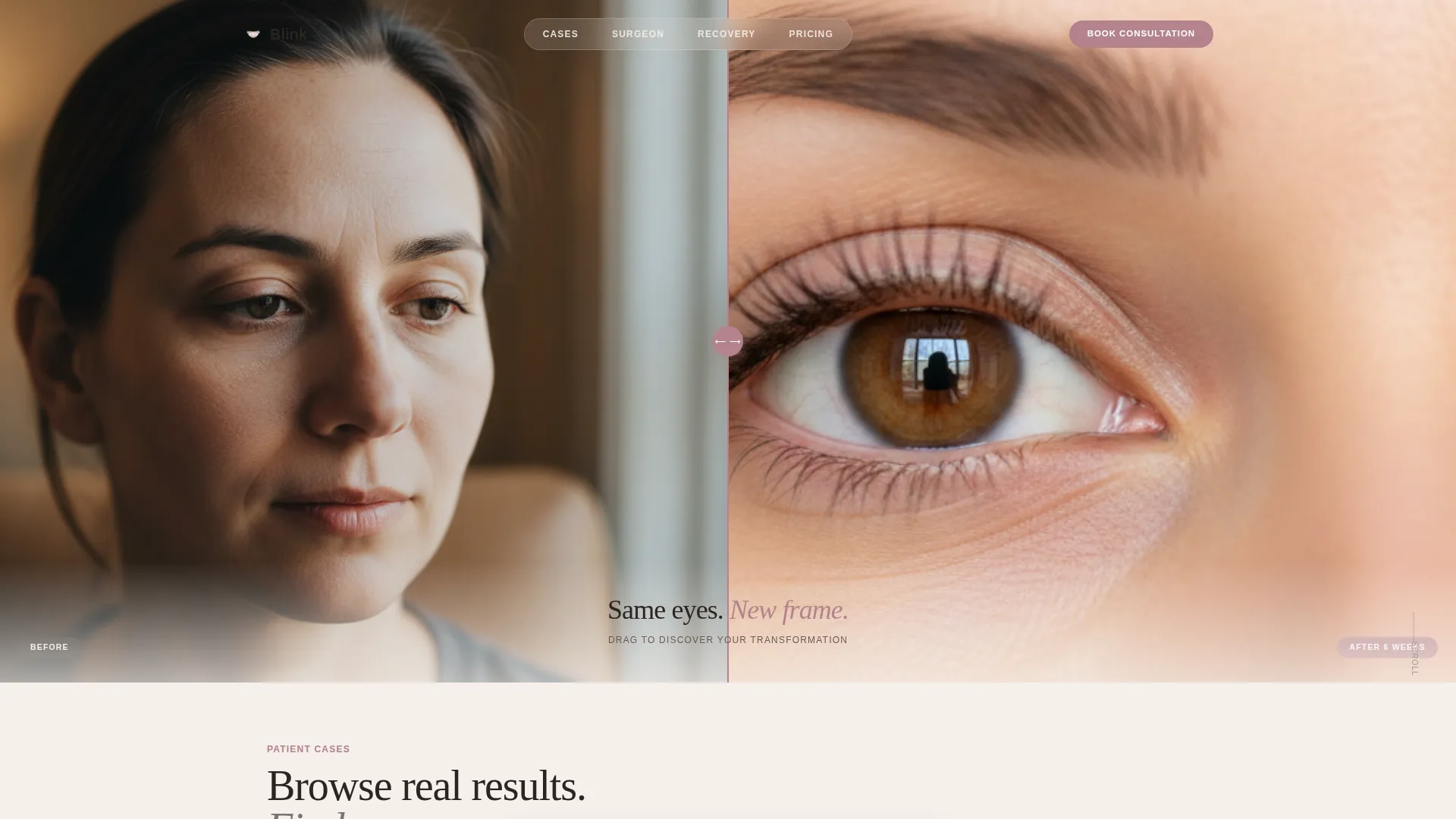
Blink is a masonry-style blepharoplasty landing page built for surgical eyelid practices. It opens with a full-viewport before/after drag slider, then flows into a browsable case-evidence grid with transparent pricing on every tile. The design uses a Soft Mist palette and editorial typography to balance medical authority with warm, approachable luxury.
by Rocket studio
Quick summary
Blink is a single-page template designed for blepharoplasty practices that want to turn patient cases into a browsable, trust-building experience. A full-viewport drag slider opens the page, followed by a cascading masonry grid of real procedure tiles. Transparent pricing, a sticky booking bar, and a lead-capture download path work together to move visitors from curiosity to consultation.
Who this template is for
This template fits surgical eyelid practices that rely on visual evidence to convert research-stage patients. It works equally well for a solo surgeon building a direct-to-patient presence and for a multi-provider cosmetic clinic showcasing a breadth of case results.
- Plastic surgeons and oculoplastic specialists offering upper or lower blepharoplasty
- Cosmetic clinics positioning eyelid surgery as a premium, transparently priced service
- Practices targeting patients who research extensively before making contact
What problem this template solves
Most surgical practice pages bury results behind contact walls and leave pricing entirely off the page. Prospective patients arrive curious and leave without answers. Blink removes those friction points by displaying evidence and investment side by side.
- Patients comparing surgeons need volume and variety of cases before committing to a consultation
- Hidden pricing creates doubt; transparent per-procedure costs shown on every case tile normalize the investment early
- A single generic contact form misses the research-mode visitor who is not yet ready to book
What you get with this template
The template delivers a complete, section-led landing page with every component already in place. You receive a structured layout that moves a visitor from first impression through social proof to conversion, without requiring any additional pages.
- A full-viewport before/after hero slider with a fade-in tagline beneath the image
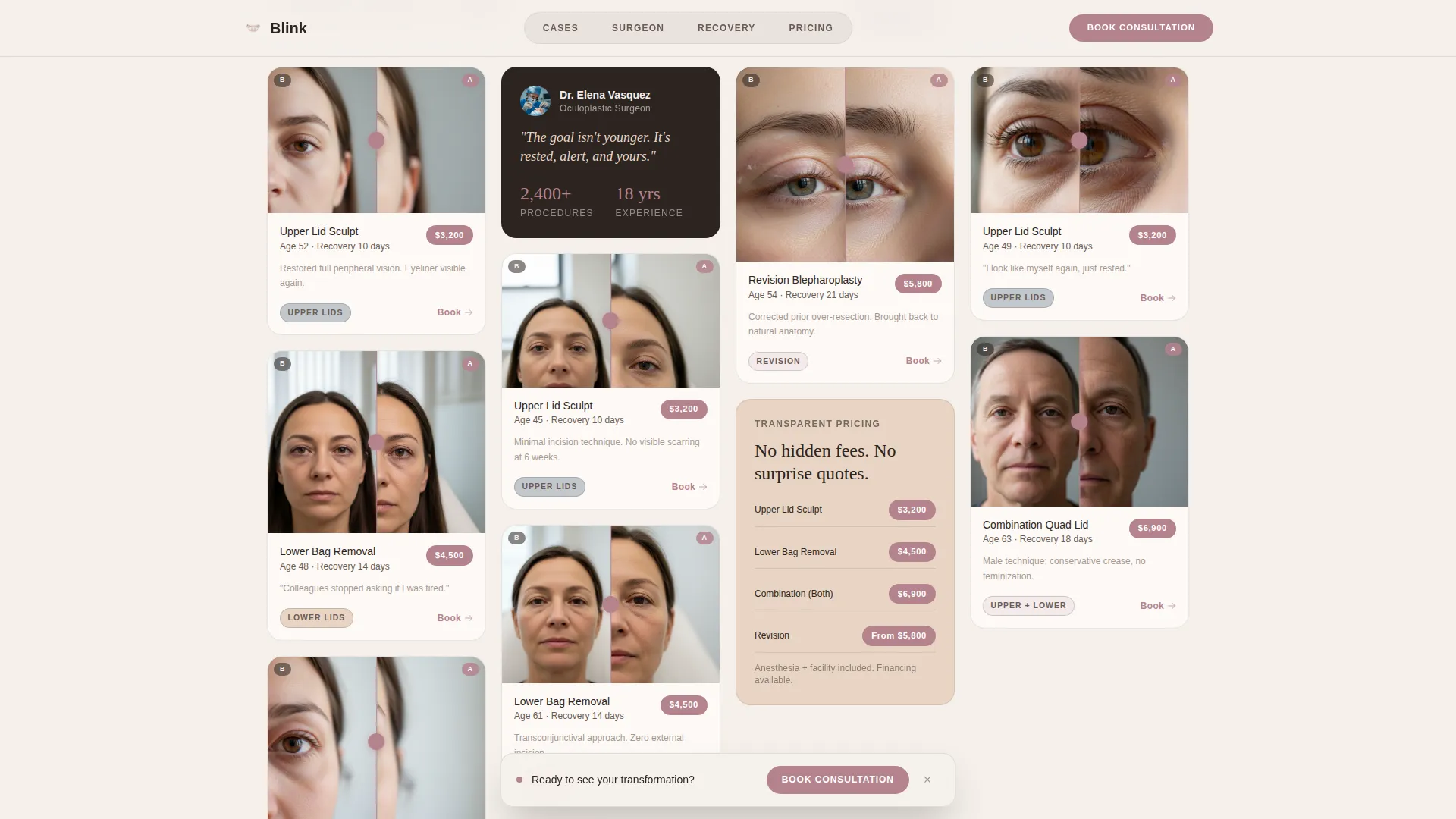
- A masonry case grid with draggable thumbnail sliders, procedure labels, age brackets, recovery timelines, and pinned pricing
- A sticky consultation booking bar, a three-field booking form, and a secondary email-capture path for a pricing guide download
Feature list
Full-Viewport Before/After Hero Slider
The hero fills the entire screen with a single tightly cropped pair of eyes. Visitors drag a thin rose-gold handle to reveal the post-operative result themselves, making the transformation feel personal. A single line of text fades in beneath the image once the interaction completes.
Cascading Masonry Case Grid
Patient case tiles populate a Pinterest-style masonry layout. Each tile carries a draggable before/after thumbnail, procedure type label, age bracket, recovery timeline, and a transparent price tag. The grid flows from upper-lid cases into lower-lid work and then combination procedures as the visitor scrolls deeper.
Surgeon and Technique Section
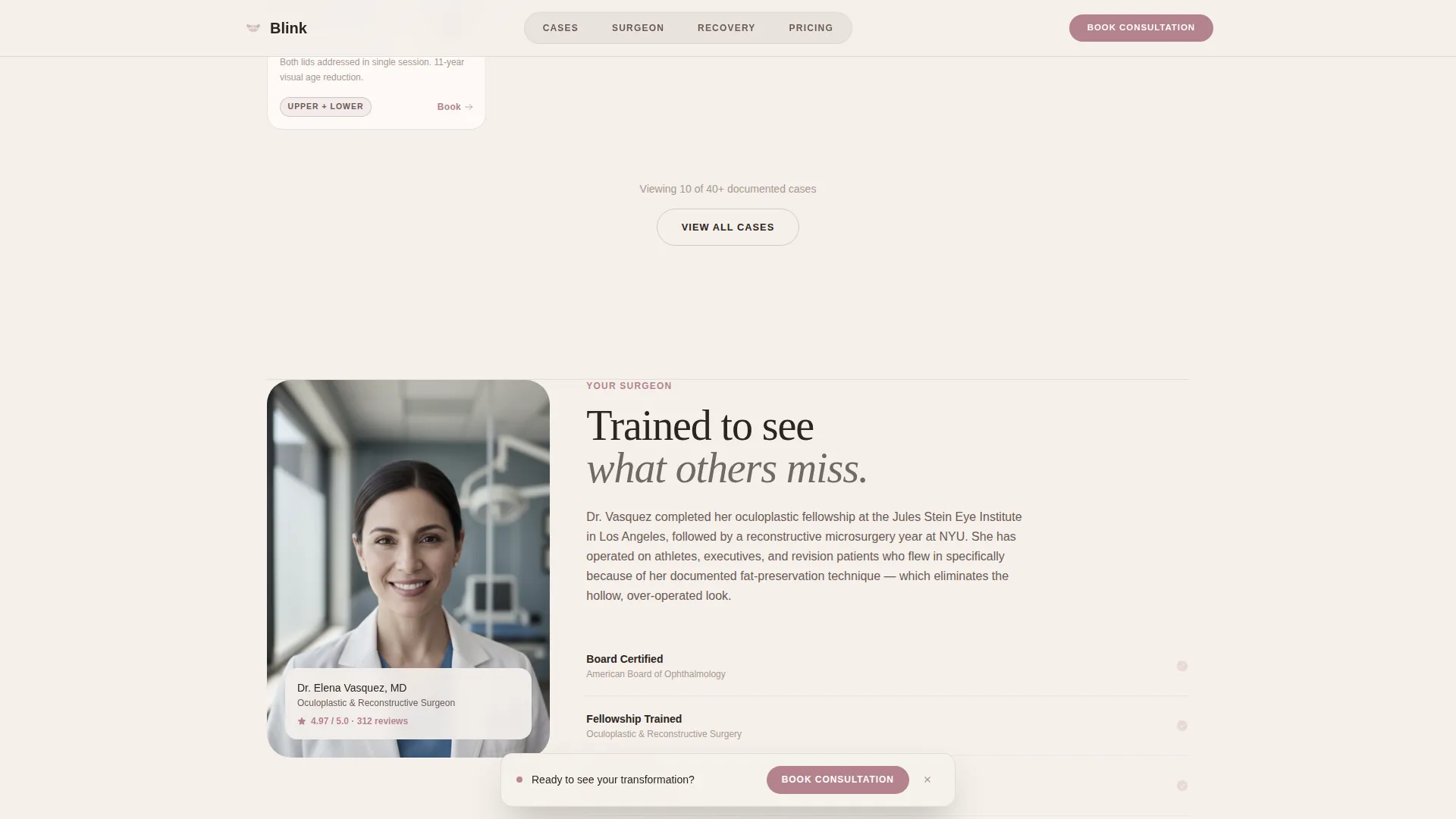
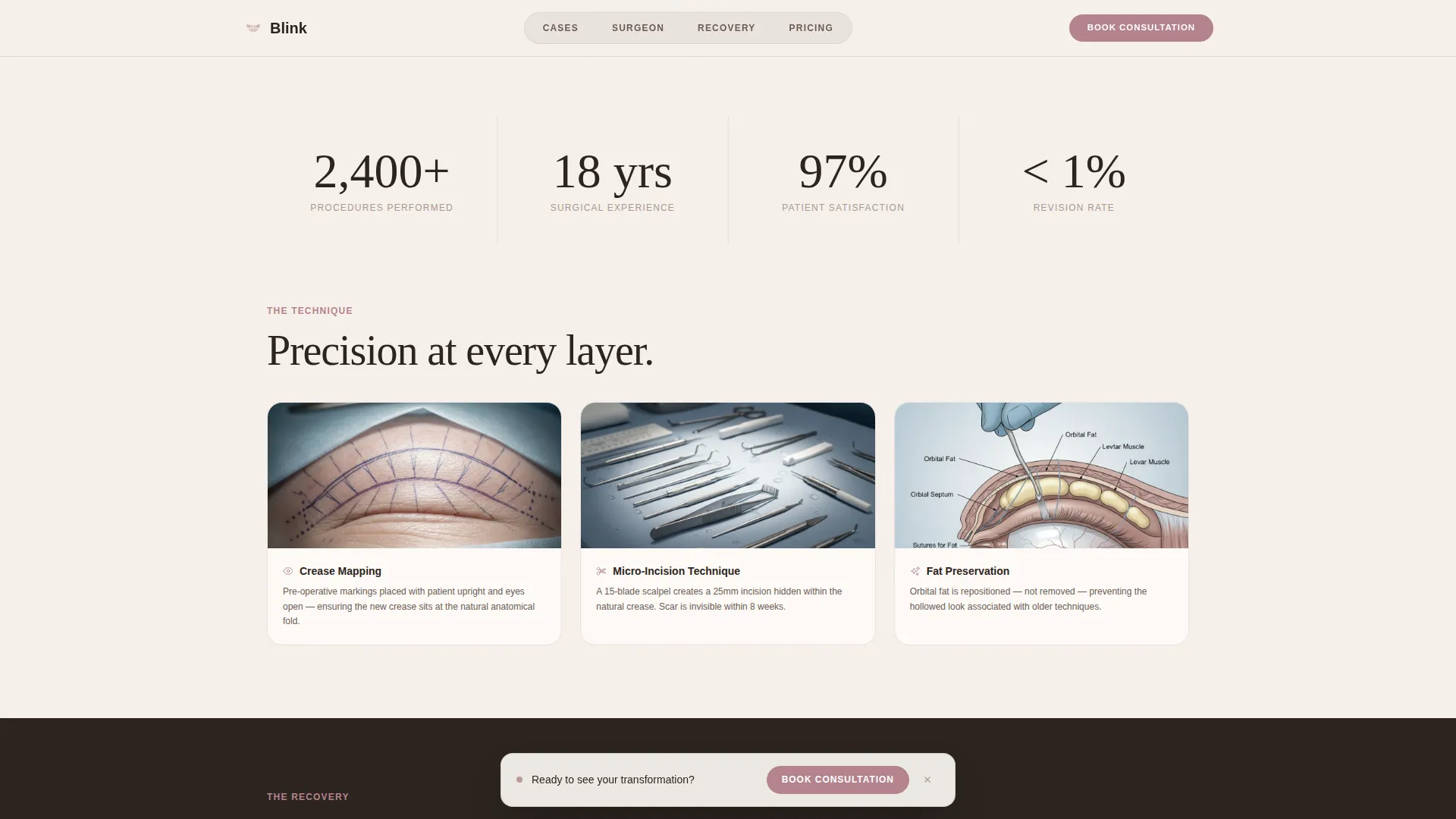
A dedicated credential card presents the surgeon's qualifications alongside close-up suture technique video thumbnails. This section grounds the visual evidence in professional authority and gives detail-oriented visitors the clinical context they want before booking.
Recovery Diary Strip
A horizontal snap-scroll gallery walks visitors through a day-by-day recovery sequence. The strip answers one of the most common pre-surgery concerns directly within the page, reducing hesitation without requiring a separate FAQ page.
Sticky Booking Bar and Consultation Form
After the visitor passes the third row of case results, a muted rose sticky bar appears with the primary call to action. The booking form asks for area of concern, age range, and preferred consultation format, keeping the entry barrier low and the data collection focused.
Pricing Guide Email Capture
A secondary conversion path offers a downloadable eyelid surgery pricing guide in exchange for an email address. This path captures visitors who are still in the research stage and provides a low-commitment way for the practice to follow up.
Page sections overview
| Section | Purpose |
|---|---|
| Hero Drag Slider | Opens with a full-viewport before/after eye transformation |
| Masonry Case Grid | Displays patient cases with pricing and recovery details |
| Surgeon Credentials Card | Establishes professional authority and technique context |
| Recovery Diary Strip | Shows a day-by-day post-operative snapshot sequence |
| Booking and Capture Form | Collects consultation requests and pricing guide leads |
| Footer | Linear single-row footer with practice contact essentials |
Design & branding system
The visual identity follows a Soft Mist color system that feels like the inside of a high-end dermatologist's office at golden hour. The palette flatters every skin tone displayed across the case grid while projecting quiet medical authority.
- Color palette: clinical porcelain (#F5F0EB) background, warm skin undertone (#E8D5C4), surgical steel whisper (#C2C8CE), and muted rose (#B5838D) reserved exclusively for calls to action and price tags
- Typography: DM Serif Display for editorial headlines paired with IBM Plex Sans for body text and labels
- Animations include masonry scroll reveals, grayscale-to-color hover effects on case tiles, and CSS-transform-only transitions throughout
Mobile & speed optimization
Blink is built desktop-first to match the mirror-browsing behavior of its target audience, but the layout carries full mobile support across every section. Images are lazy-loaded to keep the page responsive as the masonry grid expands.
- Lazy-loaded images prevent the large before/after assets from slowing initial render
- CSS transforms power all animations, keeping motion smooth without heavy scripting
- The masonry grid and horizontal snap-scroll gallery reflow cleanly on smaller screens
How this template helps you convert
The page is structured so that trust accumulates naturally before a visitor ever sees a form. Each section adds a layer of evidence or reduces a specific objection, moving the visitor progressively closer to booking.
- The hero slider creates an immediate emotional connection before any text is read, anchoring the visitor's attention and establishing the quality of results on offer.
- Transparent pricing pinned to every case tile removes the most common hesitation point, allowing the visitor to self-qualify before committing to a consultation call.
- The sticky booking bar and secondary pricing guide download offer two commitment levels, capturing both ready-to-book visitors and those still weighing their options.
Other information about this template
This template is part of the Marketplace Grid theme family and uses the Before/After Reveal creative direction to structure its content flow. It is designed specifically for the eyelid surgery niche within the cosmetic surgery and aesthetic clinic category.
- Template style: Masonry/Pinterest layout with a Marketplace Grid theme
- Creative direction: Before/After Reveal with a Before/After Slider header concept
- Landing page direction: Direct Sales, with pricing normalized before any booking friction is introduced
- Localization defaults: United States, USD pricing, English language
- Footer pattern: Linear Single-Row
Theme
Marketplace Grid
Creative direction
Before/After Reveal
Color system
Soft Mist
Style
Masonry/Pinterest
Direction
Direct Sales
Page Sections
Full-viewport Before/after Hero Slider
Cascading Masonry Case Grid
Surgeon Credentials and Technique Section
Horizontal Recovery Diary Strip
Sticky Booking Bar and Consultation Form
Pricing Guide Email Capture Path
Related questions
Can I customize the pricing shown on each case tile?
Does the before/after slider work on mobile devices?
Can I add or remove case tiles from the masonry grid?
Is the pricing guide email capture connected to any email platform?
Who is the ideal patient profile this landing page is built for?