Industrial Shipping Container Leasing Landing Page
Berth is a split-screen landing page template built for shipping container leasing operations. It leads with hard stats, uses a charcoal and amber industrial palette, and guides visitors toward a quote configurator through a click-through funnel. Freight forwarders, construction firms, and mid-market importers will find a page that earns trust before asking for anything.
by Rocket studio
Quick summary
Berth is a single-page, split-screen landing page template designed for industrial shipping container leasing. It pairs a panoramic port aerial header with stats-first scroll sections, a sticky call-to-action bar, and a secondary fleet-specs download link. The charcoal and amber color system communicates utility and credibility at first glance.
Who this template is for
This template is built for container leasing businesses that need to convert skeptical, time-pressed buyers. The layout speaks directly to people who lease containers by the day, month, or year and need to justify that decision quickly.
- Freight forwarders managing seasonal cargo surges who need fast availability confirmation
- Construction and project firms that require weatherproof on-site storage at short notice
- Mid-market importers who cannot justify purchasing containers outright but need volume reliably
What problem this template solves
Container leasing buyers arrive with specific, urgent needs. They compare vendors quickly and leave if trust is not established fast enough. Most leasing pages bury proof behind forms or generic marketing language.
- Visitors need scale, speed, and reliability data before they are willing to click through to a quote
- High-intent prospects want a fleet specification document before committing to a configurator
- The page must earn confidence across multiple buyer types without losing focus or clarity
What you get with this template
You get a fully structured, single-page click-through funnel built around proven industrial visual design. Every layout decision supports one goal: move the visitor from first impression to quote request.
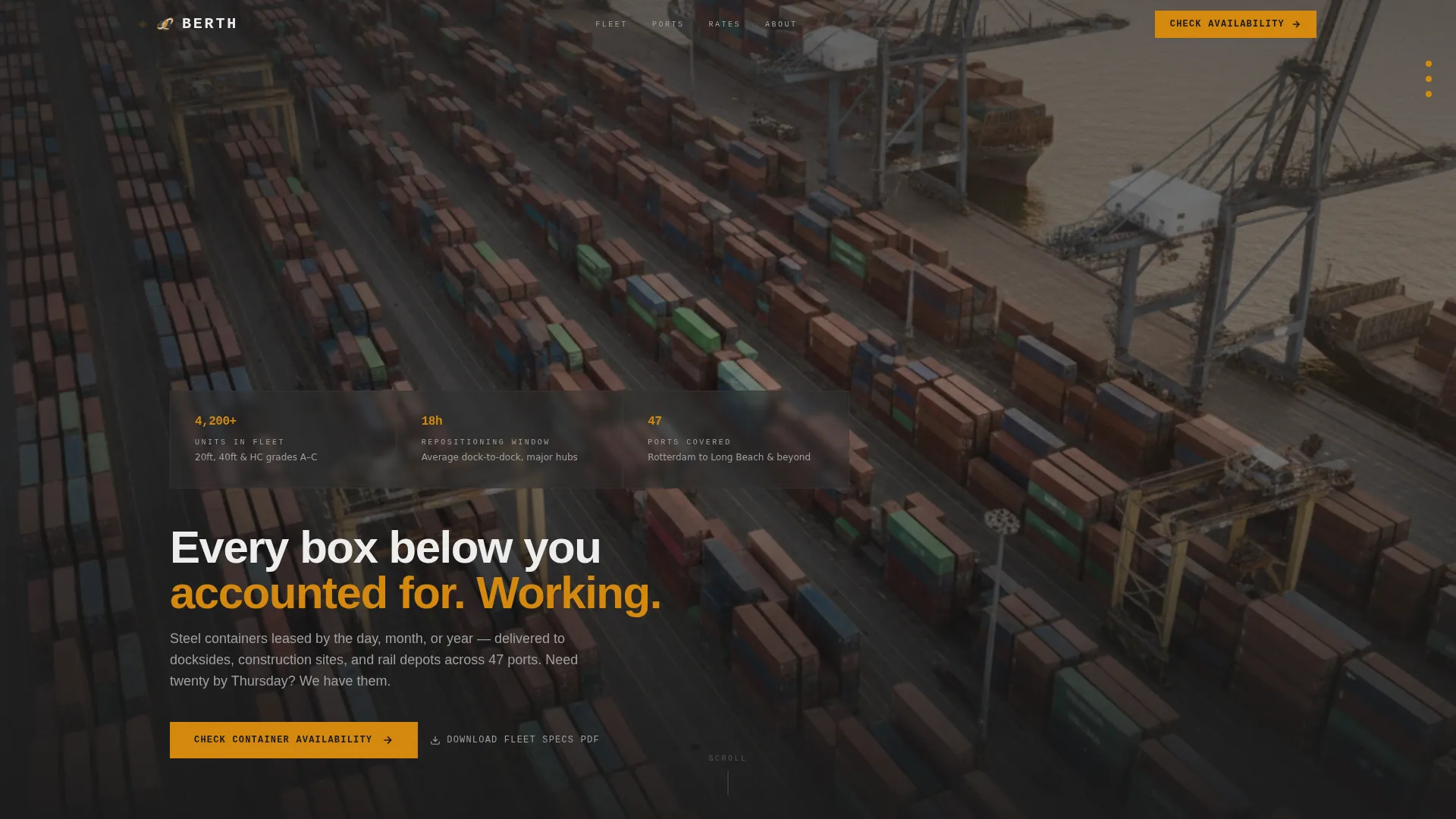
- A panoramic header with three oversized amber stat counters and a primary call-to-action button
- A series of 50/50 split-screen scroll sections where each left half leads with a hard number
- A sticky bottom call-to-action bar that follows the visitor throughout the entire page scroll
Feature list
This template includes purpose-built components designed for a container leasing audience. Each section is structured to deliver proof before asking for action.
Panoramic Stats Header
The header stretches edge to edge with an aerial container yard photograph at golden hour. Three oversized amber stat counters for fleet size, average delivery window, and ports covered load immediately above the headline. The primary "Check Container Availability" button sits within the header itself.
50/50 Split-Screen Scroll Sections
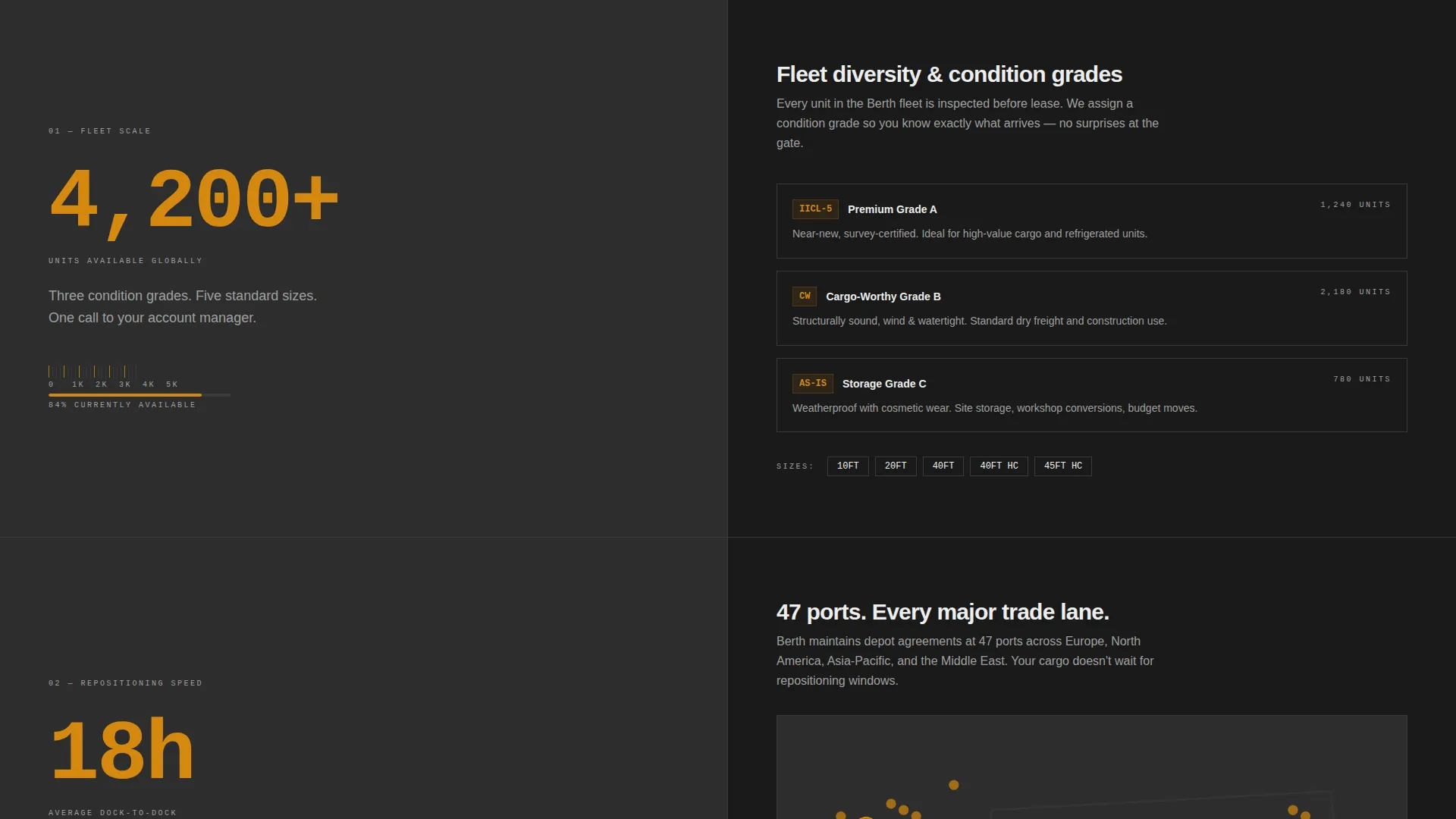
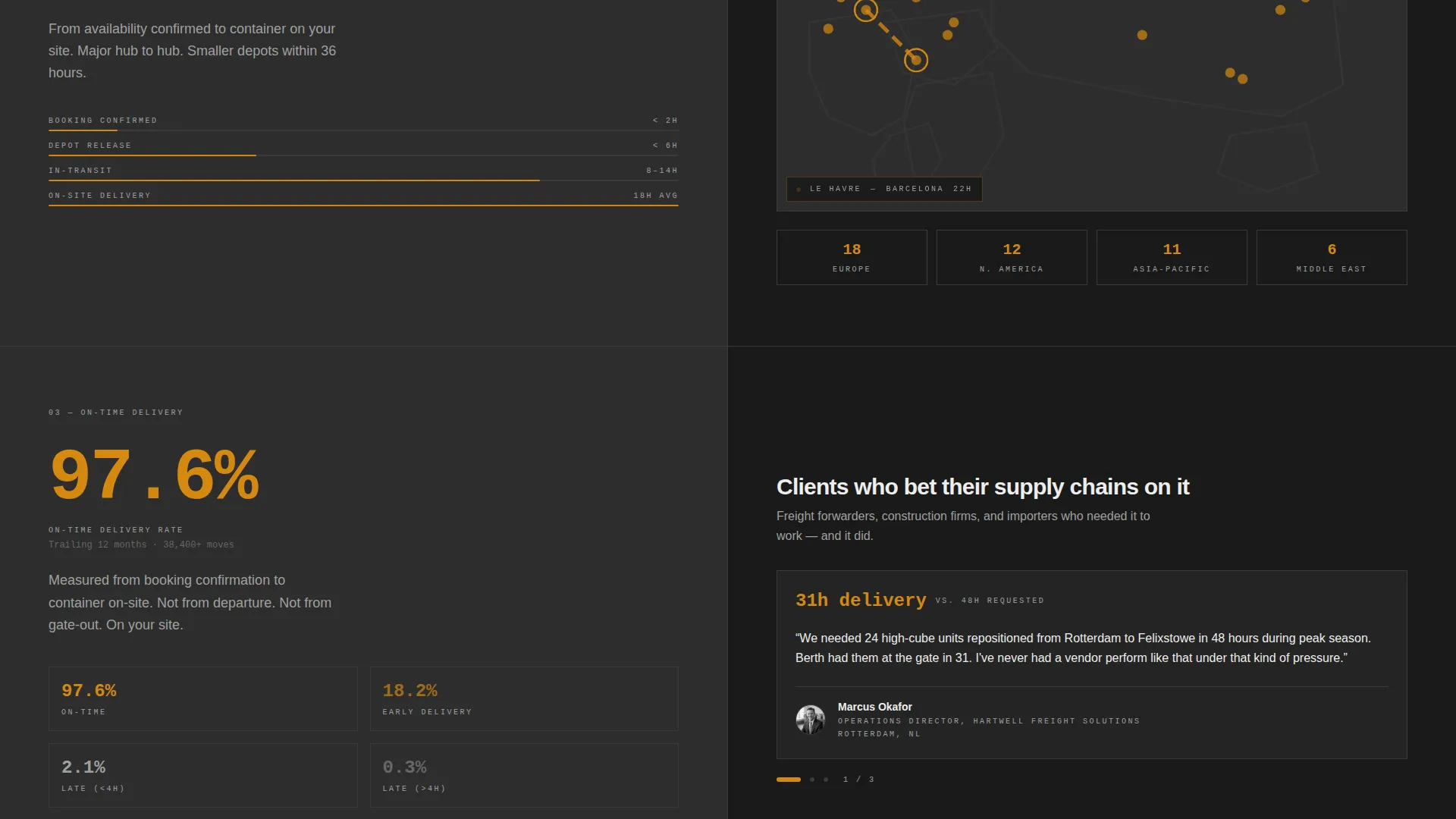
Each scroll section divides the screen evenly. The left half presents a single hard number in large amber type. The right half explains the context in a short paragraph, a simplified route map, or a named client testimonial. This layout builds a mental case for leasing before any form appears.
Stats-First Content Hierarchy
Numbers escalate in emotional weight as the visitor scrolls. Scale comes first, then speed, then reliability. The progression is intentional: by the time the visitor reaches the bottom call-to-action, they have already processed three strong reasons to trust the operation.
Sticky Click-Through Call-to-Action Bar
A persistent bottom bar carries the primary call-to-action through every scroll position. It ensures the visitor always has a clear path to the quote configurator without needing to scroll back to the header.
Secondary Fleet Specs Download Link
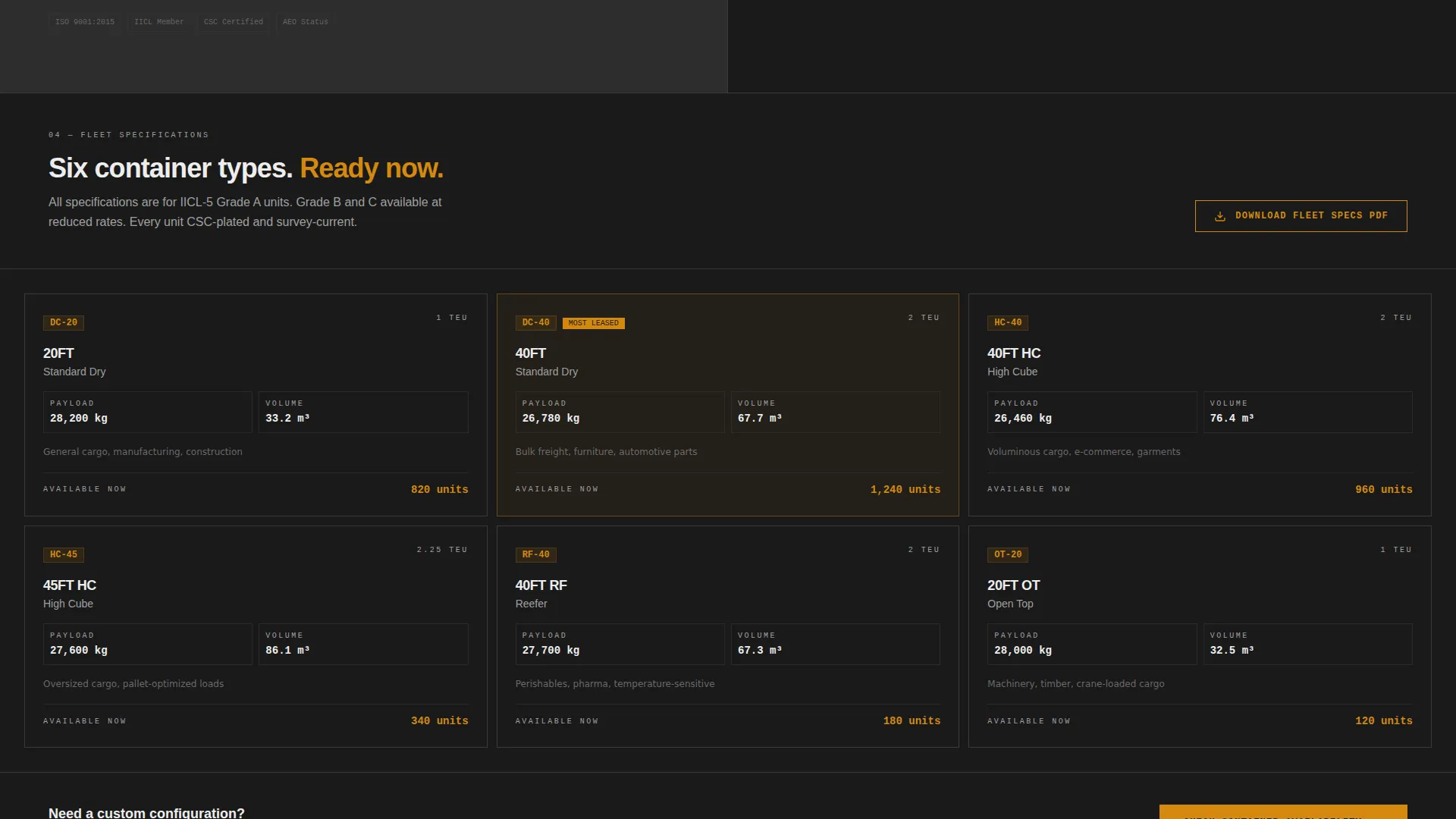
A text link offering a downloadable fleet specifications document captures higher-intent visitors who need to compare options before committing. It sits as a secondary action, separate from the primary button, so it does not dilute the main conversion path.
Service Utility Color System
Deep container gray, dock asphalt, stencil-mark amber, and cargo manifest white are applied consistently across backgrounds, data labels, interactive elements, and body text. The palette is functional by design and reinforces the industrial credibility of the brand.
Page sections overview
| Section | Purpose |
|---|---|
| Panoramic Stats Header | Establishes scale and invites the first click |
| Fleet Size Split | Communicates container volume and condition grades |
| Repositioning Speed Split | Shows 18-hour repositioning with a simplified route map |
| On-Time Delivery Split | Pairs reliability stat with a named logistics testimonial |
| Sticky call to action Bar | Keeps the quote configurator one tap away at all times |
| Secondary Download Link | Converts high-intent visitors who need fleet spec detail |
Design & branding system
The visual identity follows a Service Utility theme. Every color choice reflects the physical environment of a working container yard under sodium lights.
- Deep container gray (#2D2D2D) and dock asphalt (#1A1A1A) dominate all backgrounds and section dividers
- Stencil-mark amber (#D4890E) fires on every stat counter, number callout, and interactive element
- Cargo manifest white (#EDEDED) keeps body text and data labels legible against the dark backgrounds
Mobile & speed optimization
The split-screen layout is structured to reflow cleanly across screen sizes. Stat counters and call-to-action elements remain prominent regardless of viewport.
- The sticky bottom bar adapts to smaller screens so the primary action is always visible
- Each 50/50 section stacks vertically on mobile without losing the number-first visual hierarchy
- The panoramic header image is composed to retain impact even when cropped to a narrower viewport
How this template helps you convert
The entire page is architected as a click-through funnel. No form fields appear on the landing page itself. Trust is built first; the ask comes only after proof has been delivered.
- The header loads with three credibility stats and a clear primary button before the visitor reads a single word of body copy
- Each subsequent split-screen section adds one more layer of proof, moving from fleet scale through delivery speed to named client reliability data
- The sticky call-to-action bar ensures the path to the quote configurator is always present, reducing the friction between intent and action
Other information about this template
This template is categorized under Logistics and Supply Chain, within the Packaging and Shipping subcategory, and is specifically designed for the shipping container leasing niche. It is part of the Berth template series.
- The template style is Split Screen (50/50), making it well suited for operations that lead with data and want visual contrast between proof and explanation
- The landing page direction is Click-Through, meaning the page does not contain a form itself but routes visitors to a separate quote configurator
- The header concept is Panoramic and Wide, requiring a high-quality aerial container yard image to achieve the intended visual impact
- The creative direction is Stats-First Impact, so real operational numbers are essential for the layout to perform as designed
Theme
Service Utility
Creative direction
Stats-First Impact
Color system
Charcoal & Amber
Style
Split Screen (50/50)
Direction
Click-Through
Page Sections
Panoramic Stats-driven Header
50/50 Split-screen Sections
Stats-first Scroll Hierarchy
Sticky Click-through Call to Action Bar
Secondary Fleet Specs Download
Industrial Charcoal and Amber Palette
Related questions
What type of business is this template designed for?
Does the landing page include a quote form?
Can I use this template if I do not have all three stats ready?
What does the secondary download link do?
Is the split-screen layout suitable for mobile visitors?