Benchmark - Remote Compensation Landing page Template
This remote and distributed compensation benchmarking landing page template is built for HR leaders, founders, and finance teams who need real salary data by role, region, and seniority. It combines a bold stats-first layout, an interactive comparison table, and an email-gated benchmark tool to turn anonymous visitors into qualified leads.
by Rocket studio
Quick summary
A single-page compensation benchmarking template built for distributed teams. It opens with a jaw-drop headline and animated live counters, moves through an interactive comparison table and savings stat, and closes with a gated benchmark tool that captures emails. The design is deep charcoal with ember orange, violet, and magenta data highlights.
Who this template is for
This template is designed for HR and people-ops professionals who build or communicate compensation decisions at distributed companies. If you are tired of losing candidates because your offers feel disconnected from market reality, this page structure was made for you.
- Heads of People at 50-to-500-person distributed companies managing offer alignment
- Finance leads building their first formal compensation bands without a data foundation
- Talent acquisition managers whose candidates go quiet over misaligned salary offers
What problem this template solves
Distributed hiring teams regularly set salaries without reliable, role-specific, region-specific data. That guesswork costs real hires. This template gives you a page that leads with proof before it asks for anything.
- Candidates ghost offers because pay expectations and reality are far apart
- Founders and HR leads have no structured way to show candidates that their ranges are grounded in real market data
- Finance teams building comp bands from scratch have nowhere to anchor their numbers
What you get with this template
You get a complete, conversion-focused landing page built around a stats-first rhythm. Every section earns the reader's trust with a data point before it explains anything. The page is designed to feel like a peer community sharing real numbers openly, not a vendor pitching a product.
- A hero section with a giant centered headline, animated counters, and a primary call-to-action button
- An interactive comparison table with role, region, and seniority toggles and violet-highlighted differentials
- A savings impact section, a testimonial table with before-and-after offer-acceptance rates, and an email-gated benchmark tool
Feature list
This template is built around five high-impact sections that move together in a deliberate punch-then-context rhythm.
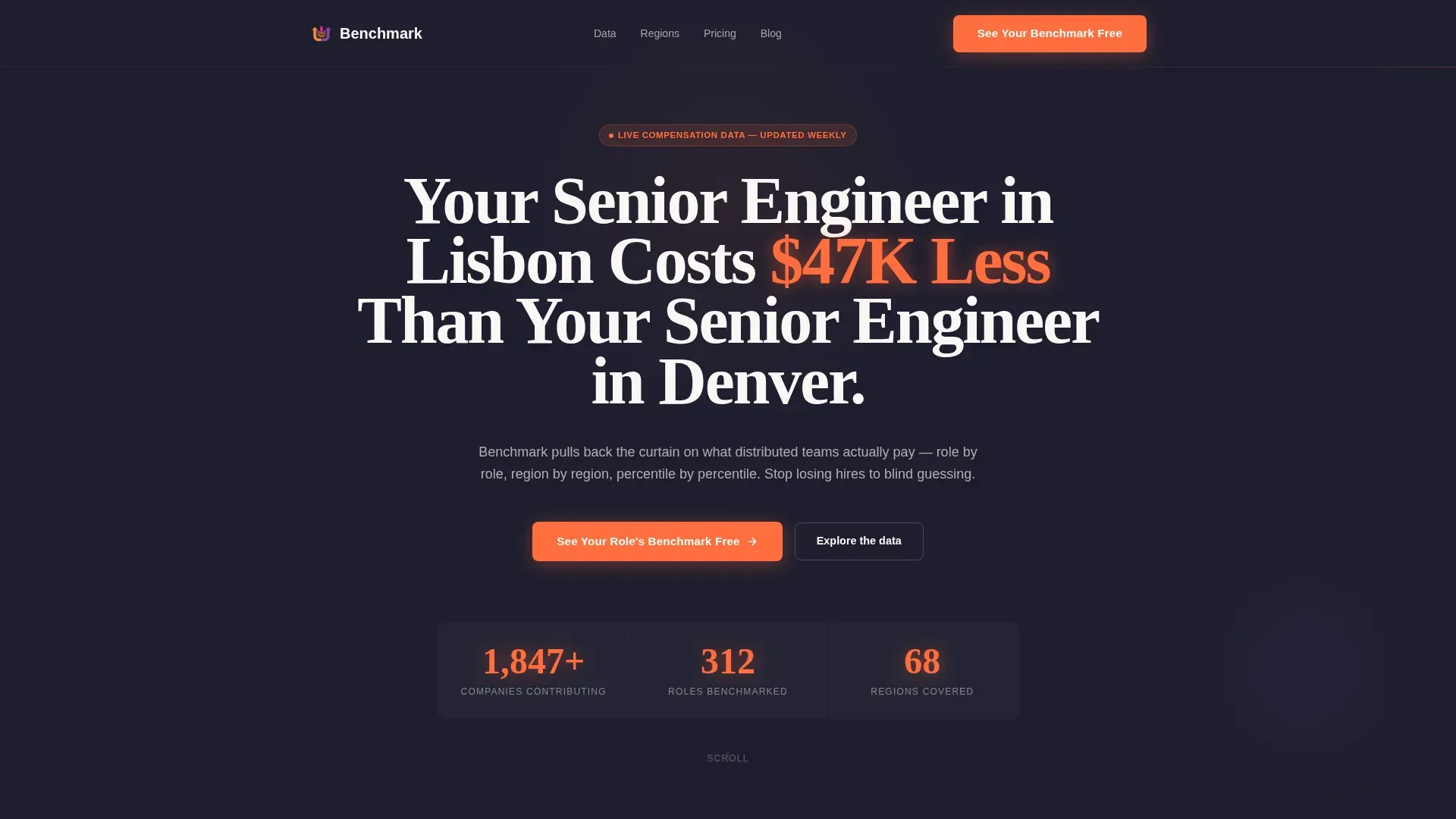
Giant Headline Hero Section
The hero opens with a single enormous white headline on a deep charcoal background. No image, no illustration. An animated counter beneath it cycles through live contributor counts, roles benchmarked, and regions covered, each number pulsing in ember orange. The emptiness around the headline is intentional and carries the weight of the message.
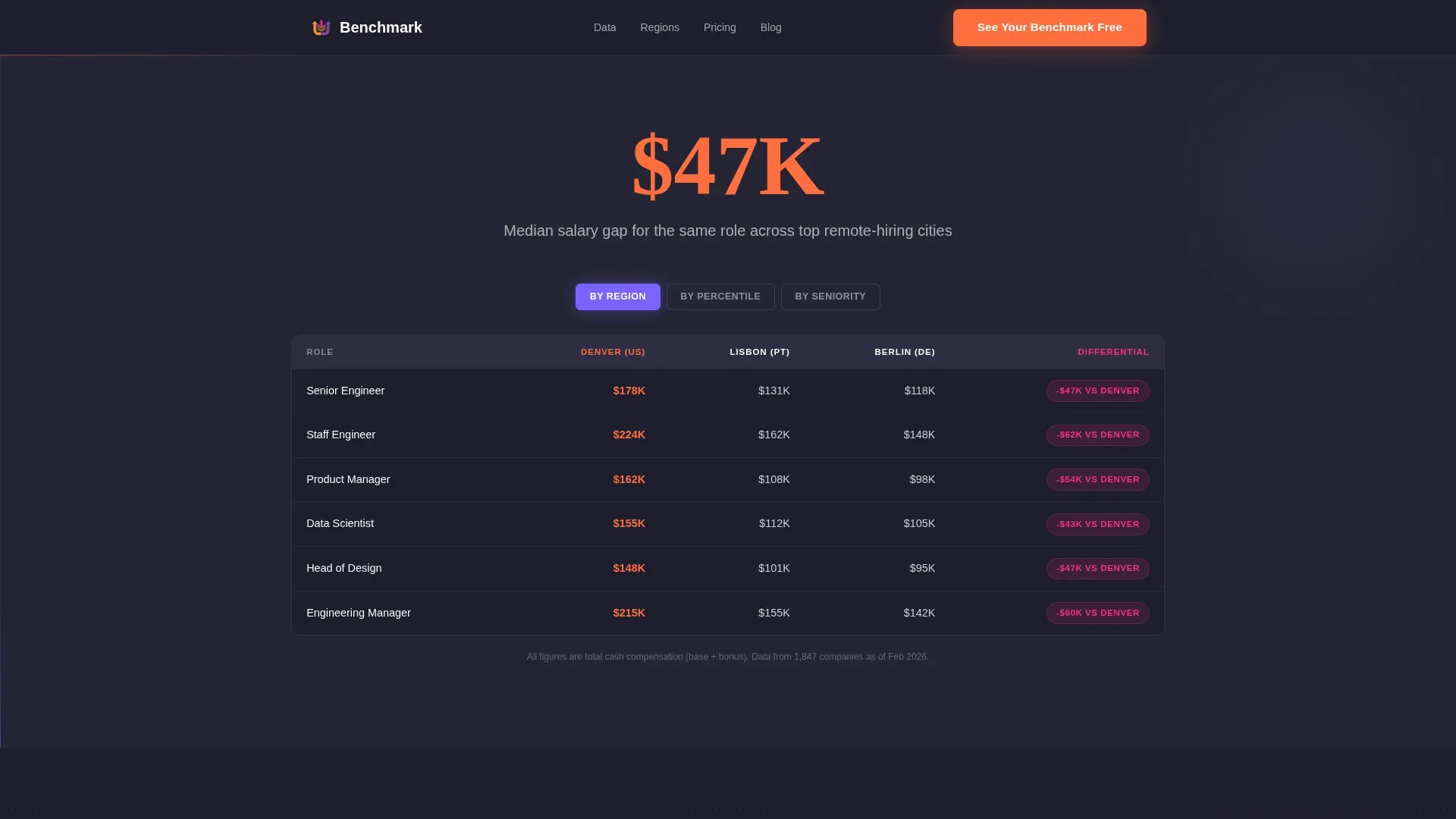
Interactive Comparison Table
A three-column comparison table sits at the center of the page. Visitors toggle between regions, roles, and experience levels using interactive controls. Violet-highlighted differential cells make pay gaps immediately visible without requiring any manual calculation.
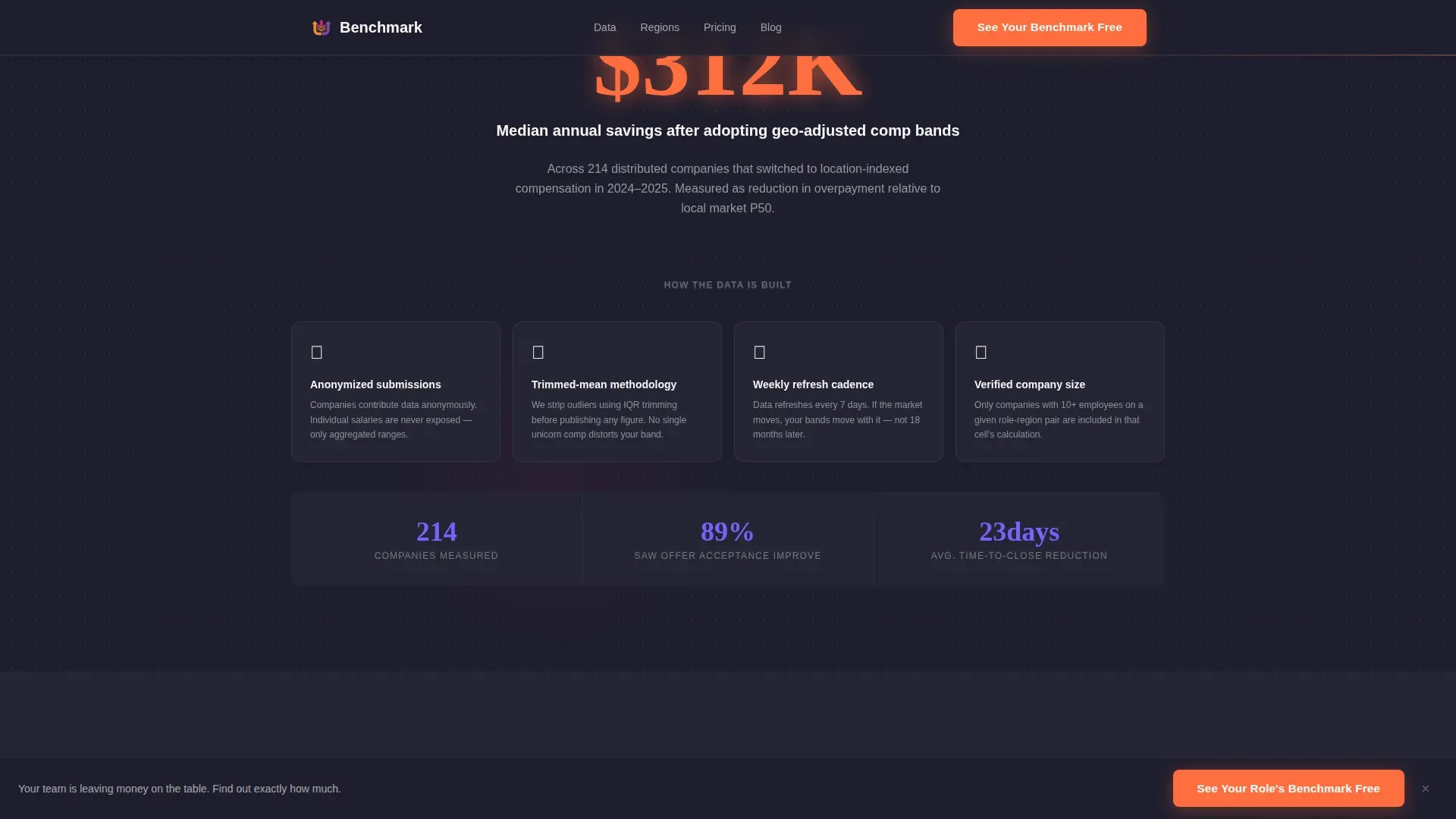
Savings Impact Section
This section leads with a single median savings figure before any methodology copy appears. The stat-first placement holds attention and makes the explanatory text feel earned rather than assumed.
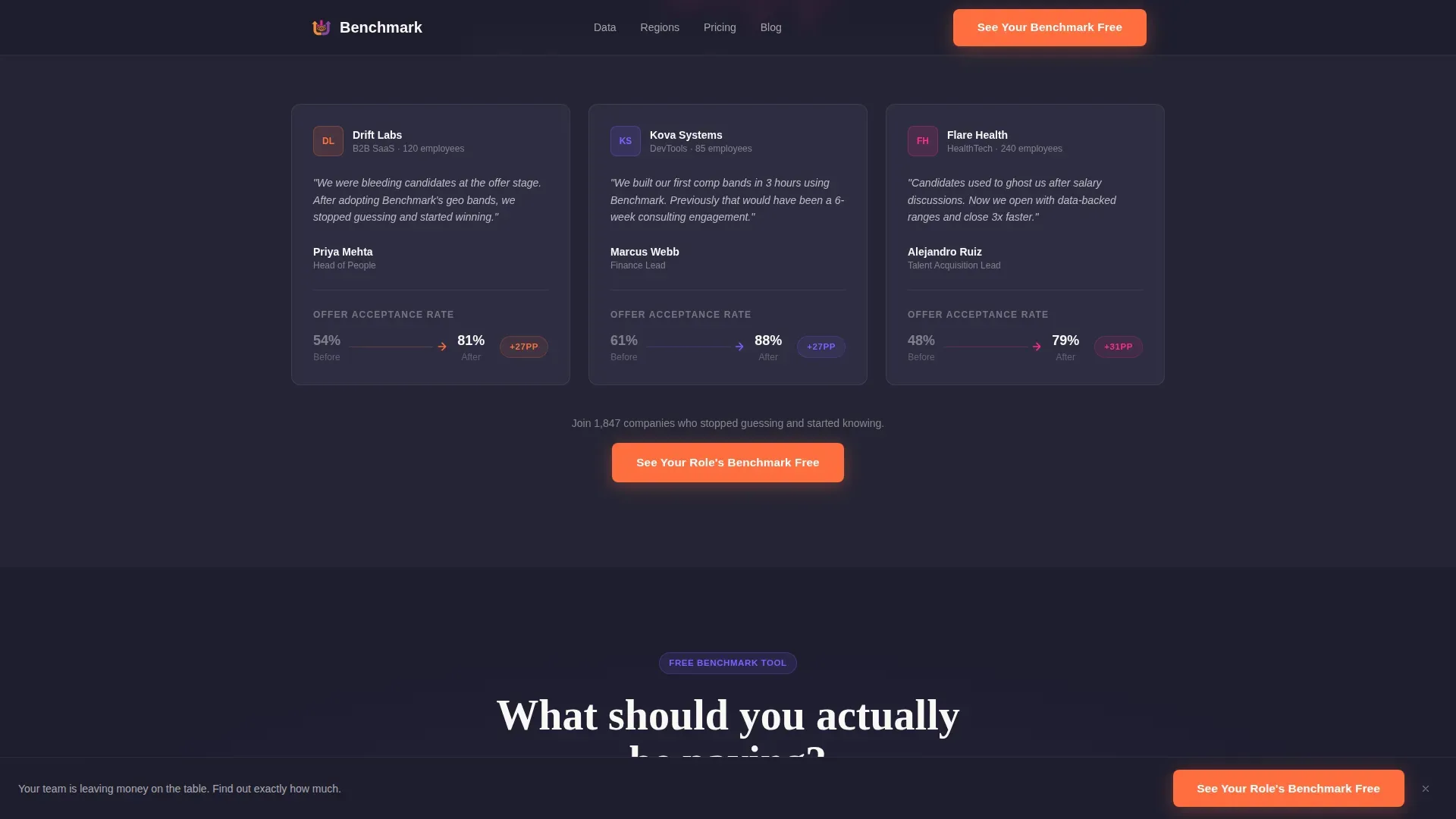
Testimonial Table with Delta Arrows
Three company logos appear alongside their before-and-after offer-acceptance rates. Magenta arrows mark the delta, making the improvement concrete and scannable at a glance. Social proof lands as data, not as quotes.
Email-Gated Benchmark Tool
A one-screen embedded tool lets visitors select a role title, seniority level, and region from three dropdowns. They receive a personalized compensation range immediately. The full percentile breakdown is released after an email address is provided, creating a low-friction lead capture moment.
Page sections overview
| Section | Purpose |
|---|---|
| Hero headline | Anchors attention with a bold regional pay gap stat and animated data counters |
| Primary call-to-action | Ember orange button routes visitors to the benchmark tool immediately |
| Comparison table | Toggleable role, region, and seniority data with violet differential highlights |
| Savings impact | Leads with a median savings figure, then provides methodology context |
| Testimonial table | Shows three companies' before-and-after offer-acceptance rates with magenta delta arrows |
| Benchmark tool | Three-dropdown comp range preview gated behind email for full percentile data |
| Sticky call-to-action bar | Reappears after second scroll, keeping the primary action always accessible |
| Footer | Linear single-row pattern with minimal links |
Design & branding system
The visual identity follows a Community Hearth theme expressed through a Dopamine Pop color system. Deep charcoal dominates all backgrounds, creating a focused, high-contrast canvas. Bright accent colors are used sparingly and always in service of the data, never decoration.
- Deep charcoal (#1E1E2E) for all backgrounds, ember orange (#FF6D3F) for key stats, headers, and call-to-action buttons
- Electric violet (#7B61FF) for interactive table toggles and hover states, hot magenta (#FF2D8A) for delta arrows and accent pops
- Soft marshmallow white (#FAF7F5) for body text and generous white-space breathing room around dense comparison data
Mobile & speed optimization
The template is designed desktop-first to suit finance and HR professionals reviewing compensation data at their desks. The layout remains fully responsive for mobile visitors without sacrificing readability.
- Interactive table toggles and dropdown tools are built for desktop use but adapt cleanly to smaller screens
- Sticky call-to-action bar and animated counters are implemented as client-side components for smooth interaction without blocking static content
- Server components handle all static page sections, keeping the non-interactive parts of the page lightweight and fast to load
How this template helps you convert
The page is structured around a clear conversion goal: email capture through a free compensation benchmark. Every section is sequenced to build trust before asking for anything.
- The hero stat and animated counters prove the data is real before any copy tries to explain the platform, earning the first click on the primary call-to-action.
- The comparison table and savings impact section deepen credibility so that by the time the benchmark tool appears, visitors already trust the numbers behind it.
- The email gate unlocks the full percentile breakdown only after the visitor has already received a personalized compensation range, making the exchange feel fair and low-pressure.
Other information about this template
This template is categorized under HR and Hiring, specifically within the Remote and Distributed HR subcategory and the Remote and Distributed Compensation Benchmarking niche. It is built for B2B software-as-a-service (SaaS) use cases in HR technology and compensation intelligence.
- Typography uses DM Sans for body copy and Fraunces for display numbers and headlines, reinforcing the data-forward visual personality
- Animation intensity is high across the template, including animated counters, beam borders, table toggle transitions, and a sticky call-to-action bar
- The localization defaults to United States dollars (USD) and English, with global regions included in the comparison data structure
- The footer follows a linear single-row pattern for a clean, uncluttered close to the page
Theme
Community Hearth
Creative direction
Stats-First Impact
Color system
Dopamine Pop
Style
Comparison Table
Direction
Click-Through
Page Sections
Stats-first Hero with Animated Counters
Toggleable Compensation Comparison Table
Median Savings Impact Section
Social Proof Testimonial Table
Email-gated Benchmark Tool
Sticky Call-to-action Bar
Related questions
Who is this landing page template designed for?
Does the benchmark tool require any back-end setup?
Can I change the compensation data shown in the comparison table?
Is this a single landing page or a multi-page website?
Can I use this template for roles outside the United States?



