Benchmark - Healthcare Compensation Landing page Template
This healthcare compensation benchmarking landing page template is built for health system leaders who need real salary data fast. It features a scrolling hospital logo marquee, an animated cost-of-vacancy counter, a blur-to-reveal comparison, and a live interactive benchmark demo. The freemium conversion flow captures qualified leads in two focused steps.
by Rocket studio
Quick summary
This single-column landing page template is designed for a healthcare compensation intelligence platform. It opens with a hospital logo marquee, moves through a Problem→Solution Arc, and delivers an interactive benchmark demo before asking for a single click. Every section is built to replace guesswork with data confidence for VP-level compensation analysts, CFOs, and HR directors at regional health systems.
Who this template is for
This template is built for teams that work with physician and clinical staff compensation data daily. It speaks directly to the people who carry the cost of a wrong offer or a lost candidate.
- VP Compensation Analysts and HR Directors at regional health systems who need specialty-level benchmark data quickly
- CFOs approving physician contracts who need cost-of-vacancy math and clear market positioning
- HR Directors at critical access hospitals competing against larger academic medical centers without comparable resources
What problem this template solves
Healthcare compensation teams often make high-stakes contract decisions without reliable, current peer data. The gap between what your system offers and what the hospital across the street pays can cost you candidates quietly and repeatedly.
- Compensation committees lose qualified candidates to competitors because internal pay scales are not benchmarked against real regional medians
- HR teams waste time sourcing fragmented salary surveys that do not show specialty-level or percentile-level breakdowns
- CFOs and analysts face contract approval decisions without a clear picture of what signing bonus ranges or work relative value unit (wRVU) rates actually look like in their market
What you get with this template
You get a fully structured, single-column landing page that carries a visitor from problem awareness to a freemium conversion in one continuous scroll. Every section is purposeful and ready to populate with your platform content.
- A scrolling hospital logo marquee, an animated cost-of-vacancy stat counter, and a blur-to-reveal comparison panel for the hero and problem sections
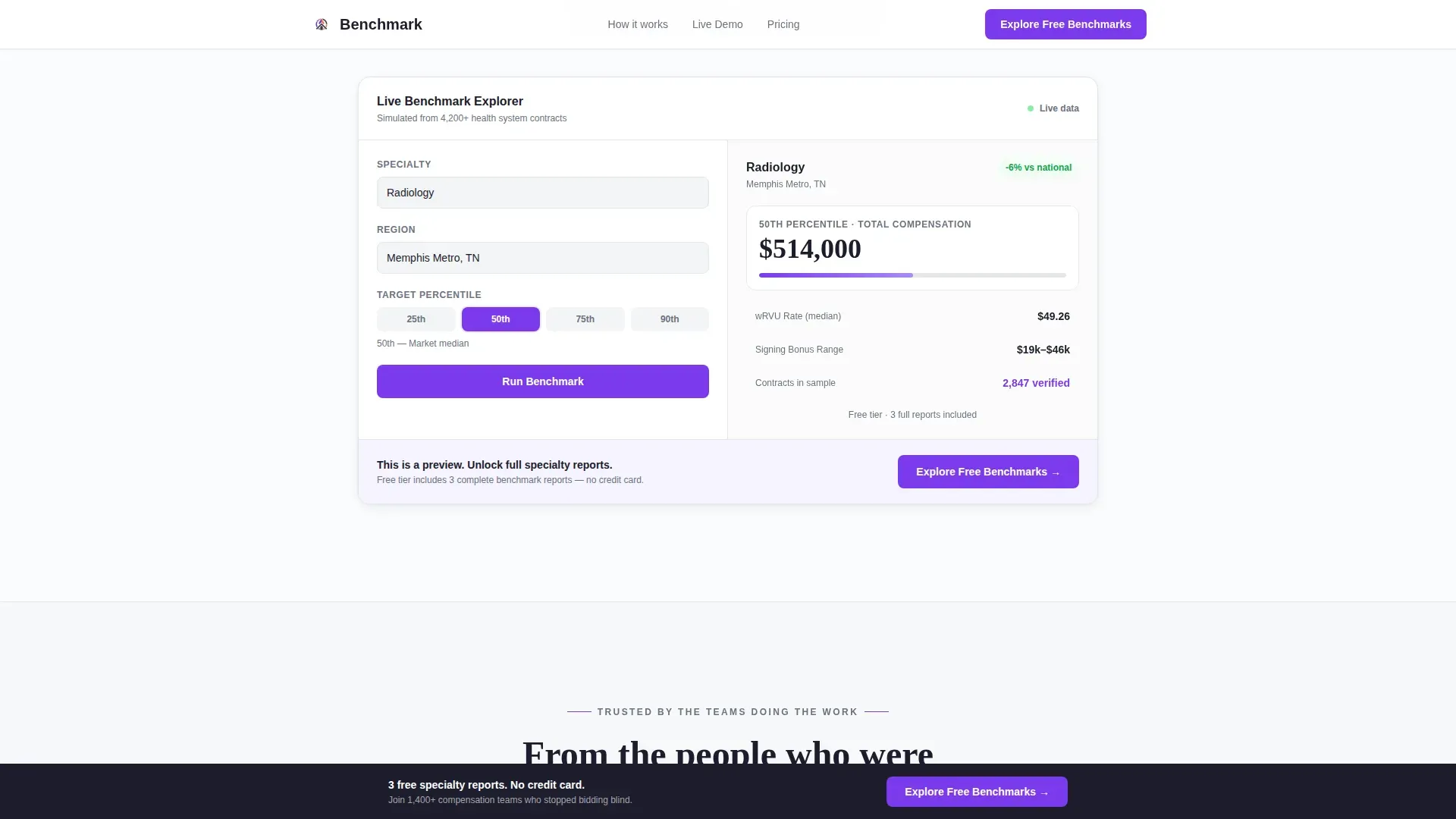
- An interactive mini-demo block with a specialty selector, region picker, and percentile slider that populates a simulated benchmark card
- A two-step freemium conversion form, a sticky bottom call-to-action bar, and a linear single-row footer
Feature list
This template includes purpose-built components that match the specific workflow of healthcare compensation professionals. Each one is grounded in the platform's core value: showing what competing hospitals actually pay.
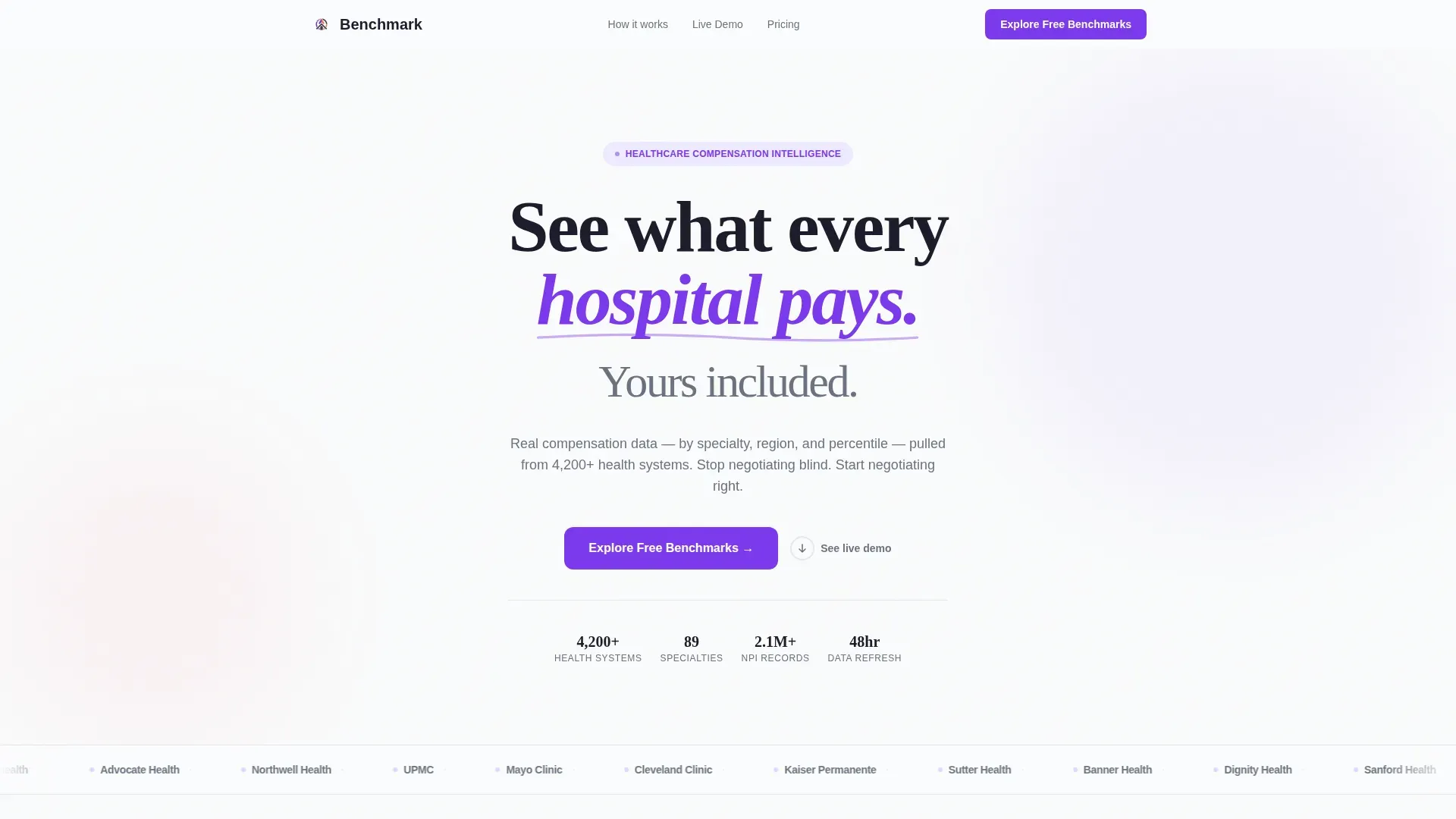
Scrolling Hospital Logo Marquee
A slow, continuous horizontal ribbon of recognizable hospital system logos scrolls against a clean white background. No hero photography is needed. The logos provide immediate proof density and establish data credibility before a visitor reads a single headline.
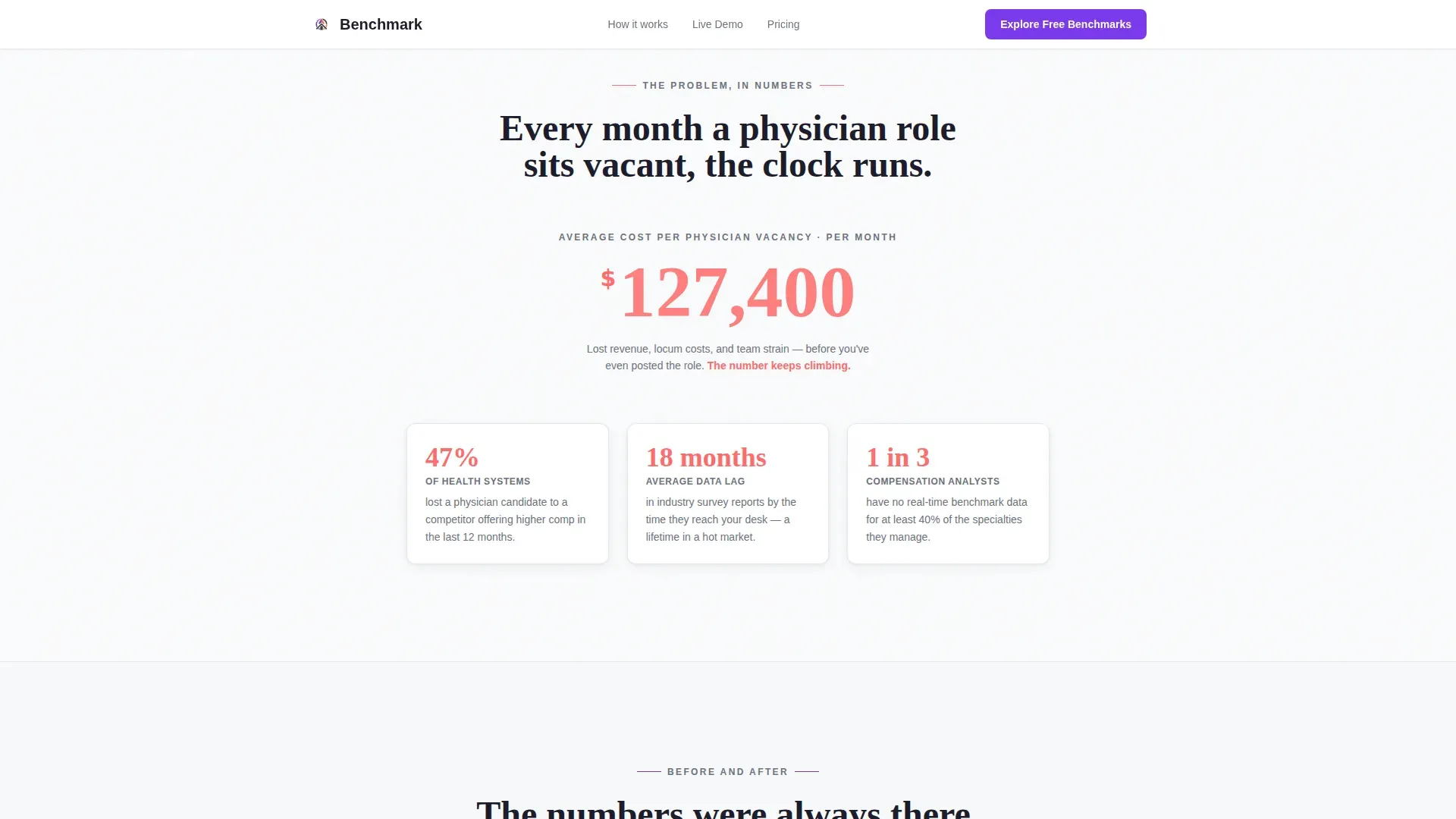
Animated Cost-of-Vacancy Counter
A scroll-triggered stat counter displays the financial cost of a misaligned physician compensation package per vacancy month. The number climbs in real time using the hot coral alert color, making the cost of inaction visible and emotionally immediate.
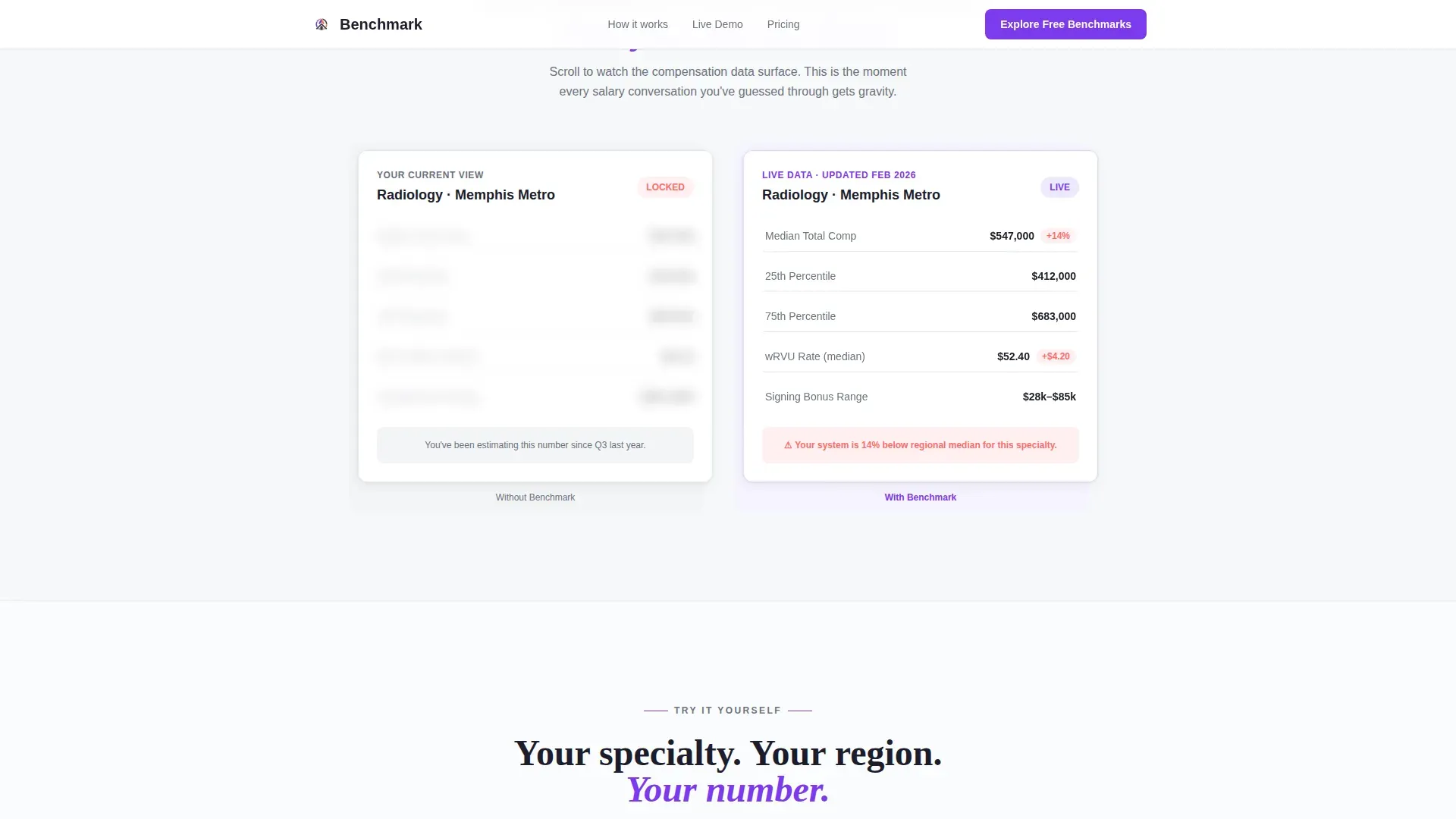
Blur-to-Reveal Comparison Panel
A side-by-side panel shows a blurred legacy compensation report next to the platform's clean, filterable interface. As the visitor scrolls, the blur lifts progressively, revealing specialty-level data. The animation turns a product feature into a felt experience.
Interactive Benchmark Demo Block
Visitors select a specialty, a region, and a percentile target. A simulated benchmark card then populates with median total compensation, wRVU rates, and signing bonus ranges. The demo proves the data is real before any sign-up friction appears.
Two-Step Freemium Conversion Form
Step one collects work email and health system name, with auto-suggest from the National Provider Identifier (NPI) database. Step two asks for primary specialty of interest and team size. The low-friction sequence qualifies leads while keeping the path to the free tier fast and clear.
Sticky Bottom Call-to-Action Bar
After the page midpoint, a persistent bottom bar carries the primary call-to-action label "Explore Free Benchmarks." It stays visible as the visitor scrolls through social proof and pricing tiers, maintaining conversion presence without interrupting the reading flow.
Page sections overview
| Section | Purpose |
|---|---|
| Logo Marquee Bar | Establish data credibility with recognizable hospital system names |
| Hero Headline Block | Deliver the core promise: visibility into what every hospital pays |
| Cost-of-Vacancy Counter | Make the financial pain of misaligned pay tangible in real time |
| Blur-Reveal Comparison | Show the contrast between opaque legacy reports and clean platform data |
| Interactive Demo Block | Let visitors experience specialty, region, and percentile benchmarking live |
| Social Proof Section | Reinforce trust with role-specific quotes and data coverage metrics |
| Pricing Tiers Block | Surface the freemium path and implicit upgrade journey |
| Sticky call to action Bar | Maintain conversion presence across the lower half of the page |
| Linear Footer | Provide a clean, single-row close with essential navigation links |
Design & branding system
The visual identity follows a Directory and Discovery theme using a Dopamine Pop color system. The palette is designed to feel like a clinical dashboard that has absorbed the urgency of a financial data tool. It is sterile enough to be trusted with sensitive compensation data, and vivid enough to make a meaningful data gap feel like a discovery.
- Clinical white (#FAFBFC) dominates the background; deep charcoal (#1D1D2C) anchors all body text and data labels; electric violet (#7C3AED) covers every button, toggle, and active state
- Hot coral (#FF6B6B) is reserved for alert badges, delta indicators, and animated counters where data demands immediate attention
- Typography pairs Fraunces, a serif typeface used for headlines, with Manrope, a clean sans-serif used for data labels and interface copy
Mobile & speed optimization
The template is built desktop-first to match the real working environment of VP-level analysts reviewing data on large monitors. It is responsive for mobile viewing without compromising the interactive demo or conversion form experience.
- Scroll-triggered animations use Intersection Observer so components activate only when they enter the viewport, keeping the page smooth during navigation
- The blur-lift comparison and benchmark card population use CSS transitions, which keep the interactive moments lightweight and browser-friendly
- The two-step modal form and sticky call-to-action bar are designed to remain functional and readable at smaller screen sizes
How this template helps you convert
Every section of this template is sequenced to reduce hesitation and build earned confidence before the conversion moment arrives. The visitor does not click because of pressure. They click because the demo already showed them something real.
- The animated cost-of-vacancy counter opens the pain loop early. Visitors see a coral number climbing before they have read a full paragraph, creating immediate emotional relevance for compensation professionals.
- The blur-to-reveal comparison and the interactive demo close the pain loop with proof. By the time the "Explore Free Benchmarks" call-to-action appears, the visitor has already experienced the platform's value firsthand, so the click feels like a continuation rather than a commitment.
Other information about this template
This template is categorized under Healthcare and Hospital HR, sitting specifically within the Healthcare and Hospital Compensation Benchmarking niche. It is suited for any platform that surfaces physician compensation data, clinical staff salary benchmarks, or regional pay equity intelligence for health system decision-makers.
- The freemium model surfaces three specialty benchmark reports on the free tier, with the upgrade path appearing naturally after the user reaches the paywall
- Social proof is structured around role-specific testimonials from compensation VPs alongside data coverage metrics including hospital count, specialty coverage, and NPI record volume
- The footer follows a linear single-row pattern, keeping the page close clean and focused without secondary navigation clutter
Theme
Directory & Discovery
Creative direction
Problem→Solution Arc
Color system
Dopamine Pop
Style
Single Column Flow
Direction
Freemium/Trial
Page Sections
Scrolling Hospital Logo Marquee
Animated Cost-of-vacancy Counter
Blur-to-reveal Comparison Panel
Interactive Benchmark Demo Block
Two-step Freemium Conversion Form
Sticky Bottom Call-to-action Bar
Related questions
What types of users is this landing page template designed for?
How does the interactive demo work within this template?
What does the freemium conversion flow include?
Is this template built for desktop or mobile users?
Does the form connect to the NPI database by default?



