Retaining Wall Contractor Landing Page Template
Batter is a single-column landing page built for retaining wall contractors. It opens with a before-and-after case study, walks visitors through five engineered build phases, and drives them toward a dedicated estimate request. The Forest Trust color system and Engineering Blueprint theme give every section the visual weight of a real job site.
by Rocket studio
Quick summary
Batter is a single-column landing page template designed for retaining wall contractors. It leads with a split before-and-after case study, then guides visitors through five construction phases before pushing them toward an estimate. The Engineering Blueprint theme and Forest Trust palette make the page feel grounded, competent, and ready to earn trust from day one.
Who this template is for
This template is built for contractors whose work holds the earth back. It speaks directly to crews that engineer and build retaining walls for residential and commercial clients.
- Retaining wall contractors serving homeowners with failing or eroded slopes
- General contractors who need a reliable sub for grading projects with tight deadlines
- Property managers dealing with bowing or deteriorating retaining structures
What problem this template solves
Most retaining wall contractors look identical online. A photo gallery and a phone number do not explain engineering competence to a homeowner staring at a crumbling hillside.
- Visitors arrive with urgency but leave when a page cannot show proof of process
- Generic contractor pages fail to separate engineered retaining work from simple landscape block stacking
- No clear call to action means research-mode visitors never convert to estimate requests
What you get with this template
You get a fully structured single-column landing page that demonstrates technical credibility through a visual build sequence. Every section earns the next click by showing real process, not just finished photos.
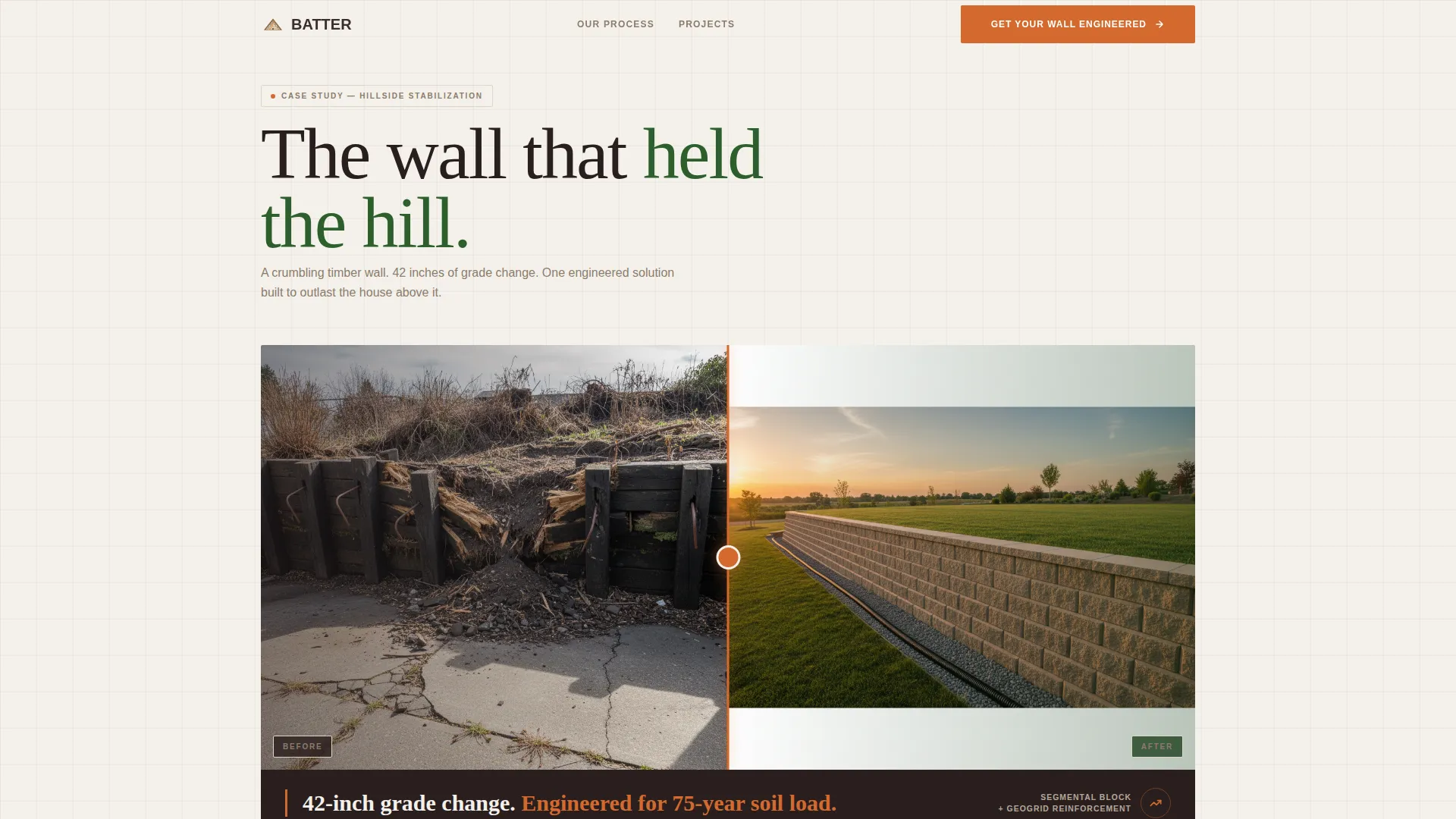
- A split case study header with a before-and-after retaining wall project image and a bold project stat
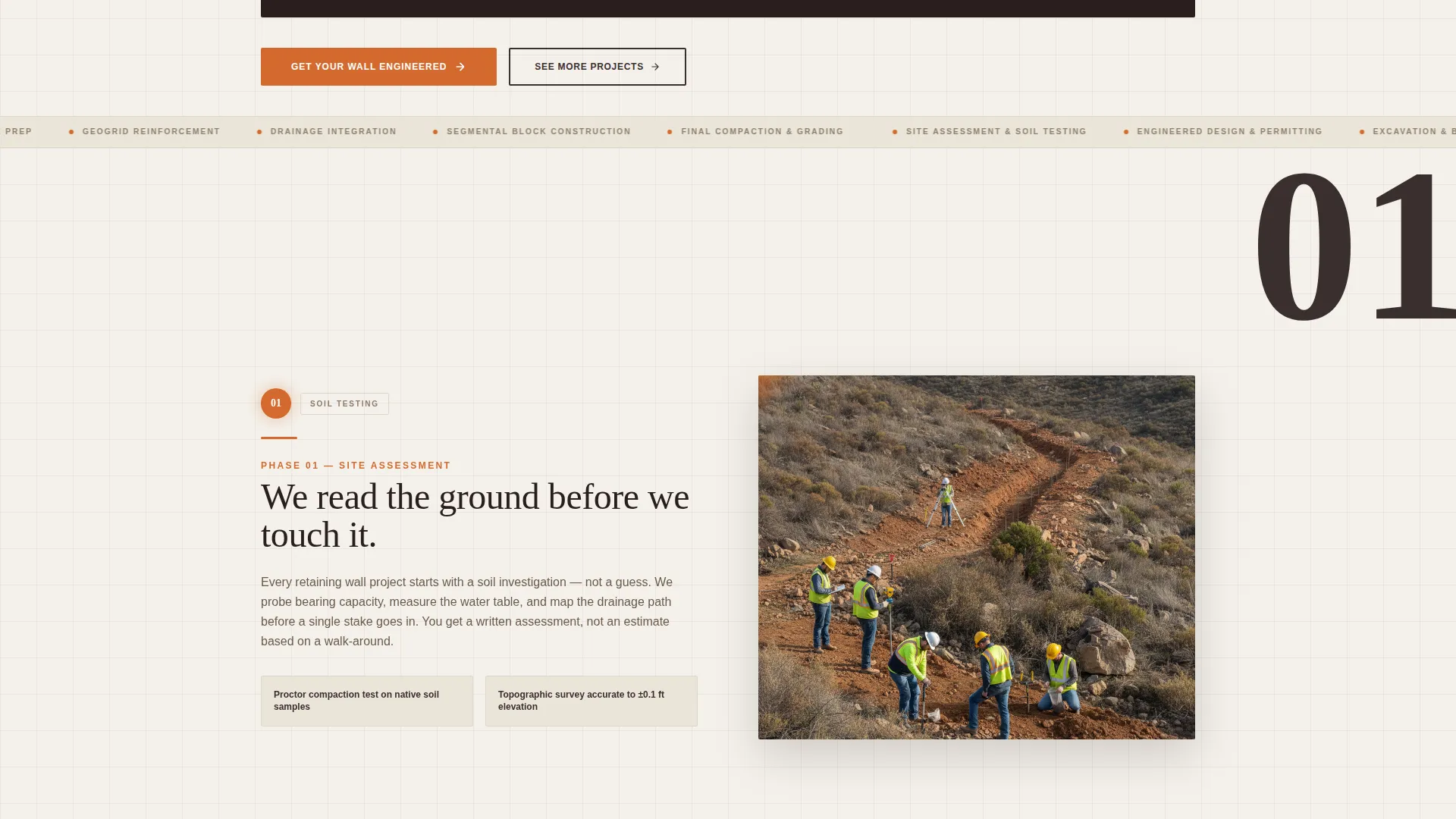
- A five-phase step-by-step construction guide, one viewport per phase, each anchored by a large numbered circle and a jobsite photo
- Two primary calls to action, a sticky mobile bottom bar, and a secondary gallery link for visitors still in research mode
Feature list
This template is built around four core capabilities that work together to move a hesitant visitor toward an estimate request.
Split Before-and-After Case Study Header
The header shows a single retaining wall project in a brutal side-by-side split. The left half shows the failed slope; the right half shows the finished engineered wall. A surveyor-orange dividing line separates the two halves, and a bold project stat sits below the image.
Five-Phase Build Sequence
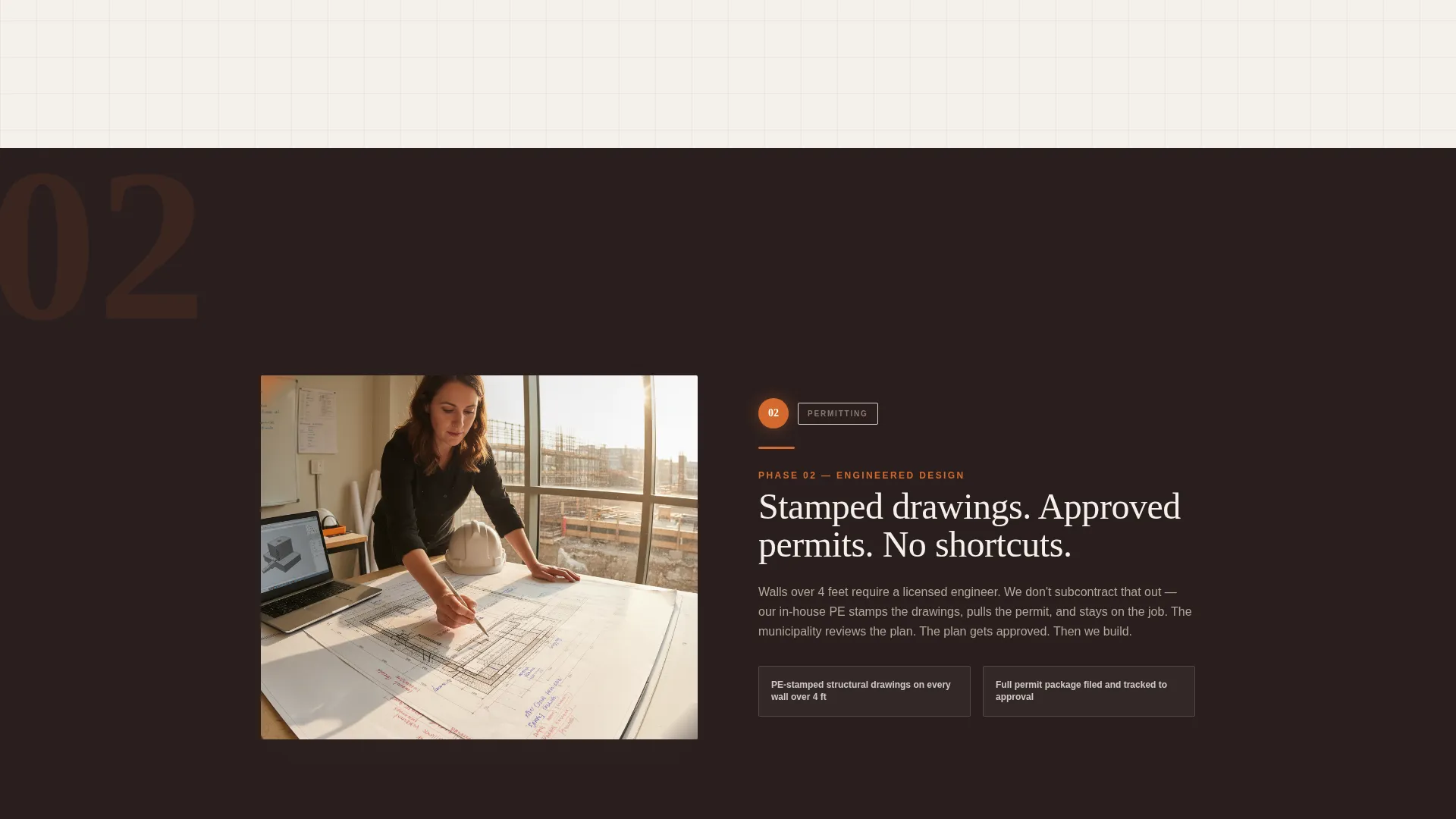
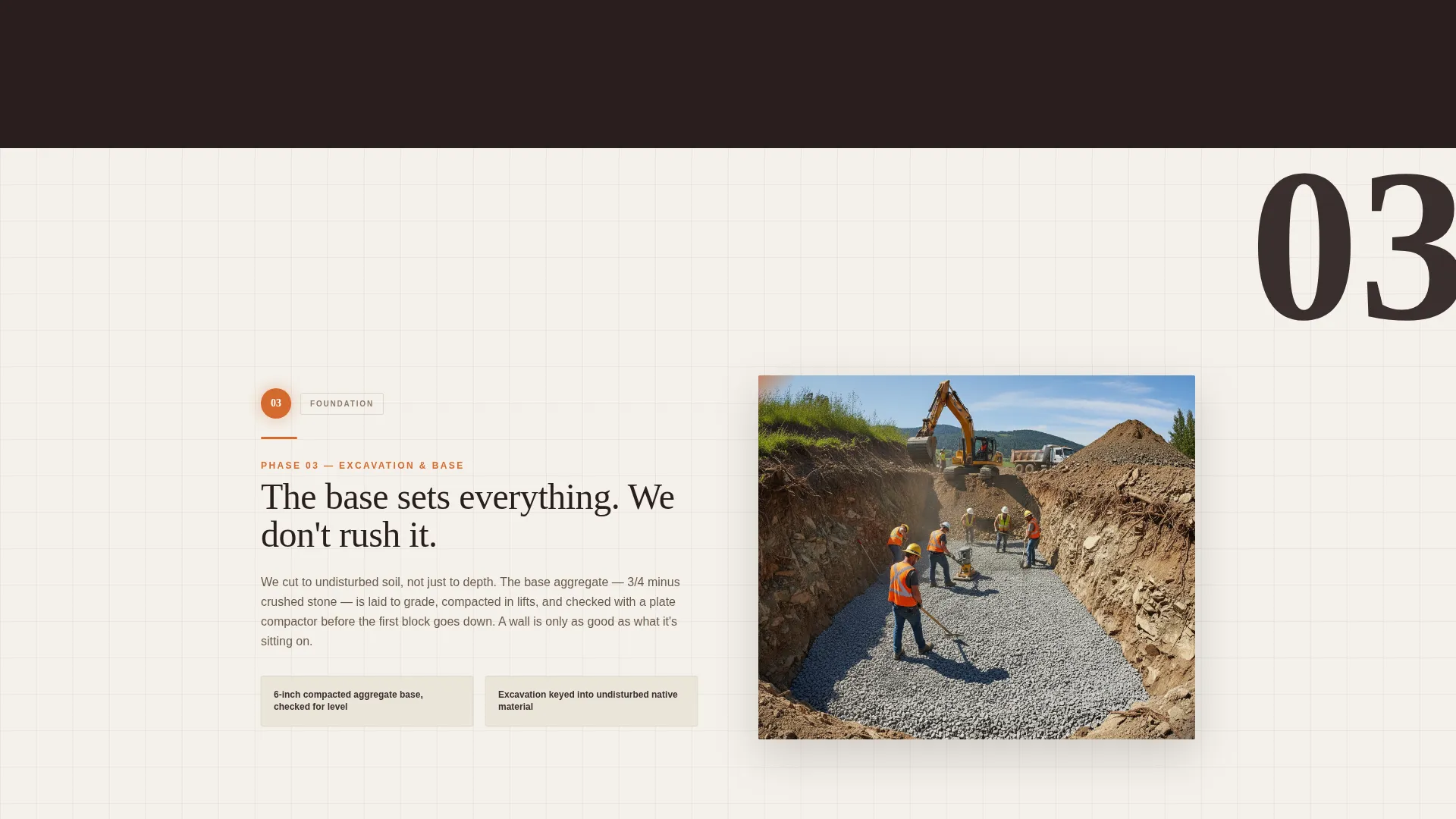
Scrolling down walks the visitor through site assessment and soil testing, engineered design and permitting, excavation and base preparation, block-by-block construction with geogrid reinforcement, and final grading with drainage integration. Each phase fills one full viewport with a numbered circle, a jobsite photo, and two to three plain-spoken sentences.
Repeating Primary Call to Action
The "Get Your Wall Engineered" call to action appears first beneath the case study header and repeats after the final build phase. Both instances link to a dedicated estimate request page, so the conversion path is always visible.
Sticky Mobile Bottom Bar
On mobile devices, a fixed bottom bar carries the primary call to action at all times. It stays within thumb reach no matter how far down the visitor has scrolled.
Secondary Research Path
A "See More Projects" link gives visitors who are still comparing options a direct route to a project gallery. This keeps them on the contractor's own content rather than sending them back to search results.
Engineering Blueprint Visual Theme
The page uses structured layout lines, a precision-driven grid feel, and a palette that reads like a site plan. Visual weight builds as the visitor scrolls, reinforcing the idea that this is engineered work, not decorative landscaping.
Page sections overview
| Section | Purpose |
|---|---|
| Case Study Header | Opens with before-and-after project proof and a bold engineering stat |
| Phase 1: Site Assessment | Explains soil testing and initial site evaluation |
| Phase 2: Design and Permitting | Covers engineered design process and permit requirements |
| Phase 3: Excavation and Base Prep | Shows the cut, compaction, and base layer work |
| Phase 4: Block Construction | Details block-by-block build with geogrid reinforcement |
| Phase 5: Drainage and Grading | Closes the build sequence with drainage and final grading |
| Primary call to action Repeat | Drives estimate requests after the full build sequence |
| Secondary Gallery Link | Offers a research path for visitors not yet ready to convert |
Design & branding system
The design system draws from an Engineering Blueprint theme layered over a Forest Trust color palette. The result feels like unrolling a site plan at dawn: earth tones grounded by precision lines, with a single flash of accent color directing the eye.
- Deep loam brown (#3B2F2F) and Douglas fir green (#2D5F2D) form the dominant palette, giving the page a grounded, site-ready feel
- Surveyor's stake orange (#D46A2E) is used exclusively for calls to action, accent lines, and the dividing line in the case study header
- Blueprint vellum (#F4F1EB) serves as the background, keeping the page light and readable while evoking a technical drawing surface
Mobile & speed optimization
The template is structured for single-column mobile reading from the start. No layout reflow is needed because the single-column flow translates directly to any screen width.
- The sticky bottom bar keeps the primary call to action visible on mobile without interrupting the scroll experience
- Each build phase occupies one full viewport, which keeps the reading rhythm consistent across devices of different sizes
How this template helps you convert
The page is built as a click-through landing page with a clear, linear path from proof to action. It earns the estimate click by demonstrating competence before asking for anything.
- The before-and-after header creates immediate credibility. Visitors see real project scale and a specific engineering stat before reading a single line of marketing copy.
- The five-phase build sequence removes uncertainty. By the time a visitor reaches the final call to action, they have seen drainage details, geogrid layers, and the compaction process, and they understand the difference between engineered construction and basic landscaping work.
- The sticky mobile bar and the repeated primary call to action ensure the conversion path is never more than one tap away, regardless of where the visitor pauses in the scroll.
Other information about this template
This template sits within the Construction and Home category under the Concrete and Masonry subcategory. It is designed specifically around the retaining wall contractor niche.
- Template style: single-column flow, built for linear top-to-bottom reading on both desktop and mobile
- The step-by-step creative direction makes this layout suitable for any contractor who needs to explain a multi-phase process to a non-technical client
- The Forest Trust color system and Engineering Blueprint theme can be recolored to match a contractor's existing brand while keeping the structural layout intact
- The Intersection Match Score for the retaining wall contractor niche in this category is 13, indicating strong alignment between the template design and the intended audience
Theme
Engineering Blueprint
Creative direction
Step-by-Step Guide
Color system
Forest Trust
Style
Single Column Flow
Direction
Click-Through
Page Sections
Split Before-and-after Case Study Header
Five-phase Build Sequence
Repeating Primary Call to Action
Sticky Mobile Bottom Bar
Secondary Research Path
Engineering Blueprint Visual Theme
Related questions
Who is this landing page template designed for?
Can I change the colors to match my own brand?
Does the template include the actual project photos?
How many calls to action does this template include?