Dog Advanced Directory Website Template
The Avionics Certified Defense landing page template is built for avionics system providers targeting defense prime contractors, airline fleet managers, and OEM program directors. It uses a Dashboard Pro theme with a Monochrome Steel color system to project technical authority. A data-driven Industry Report layout builds credibility through delivered metrics before asking for contact information.
by Rocket studio
Quick summary
This single column flow landing page template is designed for avionics system providers operating in the defense and commercial aviation sectors. It opens with a cinematic full-bleed cockpit header and scrolls through a structured capability briefing. Data callouts, system diagrams, and a gated PDF offer replace emotional storytelling with engineering credibility.
Who this template is for
This template is purpose-built for avionics companies whose buyers read technical standards documents before they read sales brochures. It speaks directly to engineering-led procurement and program management audiences who evaluate vendors on certification depth and delivery history.
- Defense prime contractors sourcing Military Standard 1553 (MIL-STD-1553) databus modules for next-generation platforms
- Regional airline fleet managers retrofitting aging glass cockpit systems
- Original Equipment Manufacturer (OEM) program directors who need a certified avionics partner locked into their development timeline
What problem this template solves
Avionics vendors often lose credibility with technical buyers because their web presence looks like a general technology company rather than a certified systems integrator. This template solves that mismatch by leading with evidence, not promises.
- Buyers arrive skeptical after working with vendors who could not complete Design Assurance Level A (DAL A) certification review
- No standard template presents program-level data points, qualification timelines, and system architecture diagrams in a single coherent flow
- Generic contact forms fail to qualify leads by program name, platform type, or procurement role
What you get with this template
You get a fully structured, single-page layout that reads like a classified capability briefing and converts like a sales asset. Every section is arranged to accumulate proof before requesting engagement.
- A cinematic panoramic header with mono-spaced type overlay and a persistent "Request Technical Briefing" bottom bar that activates on scroll
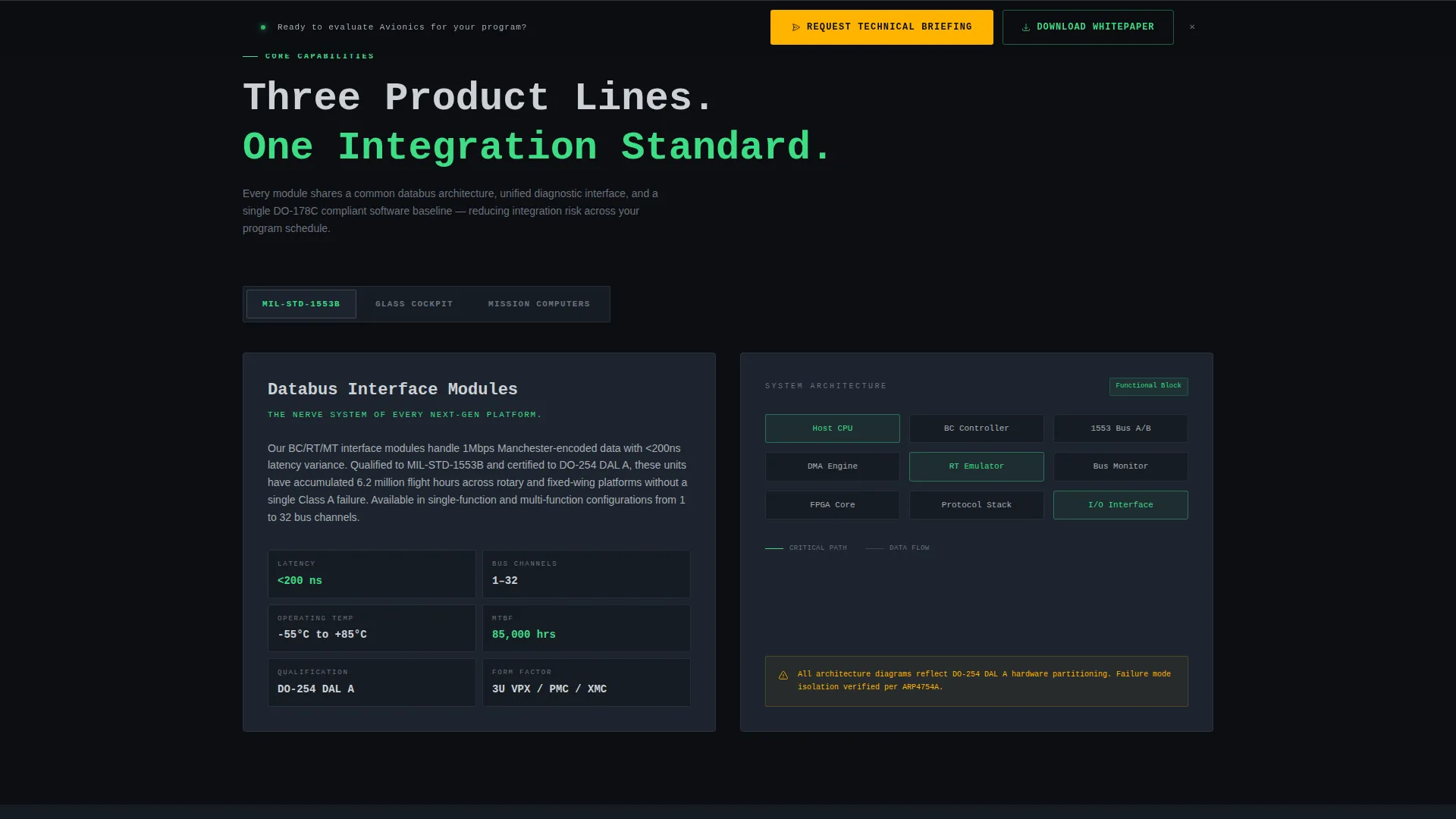
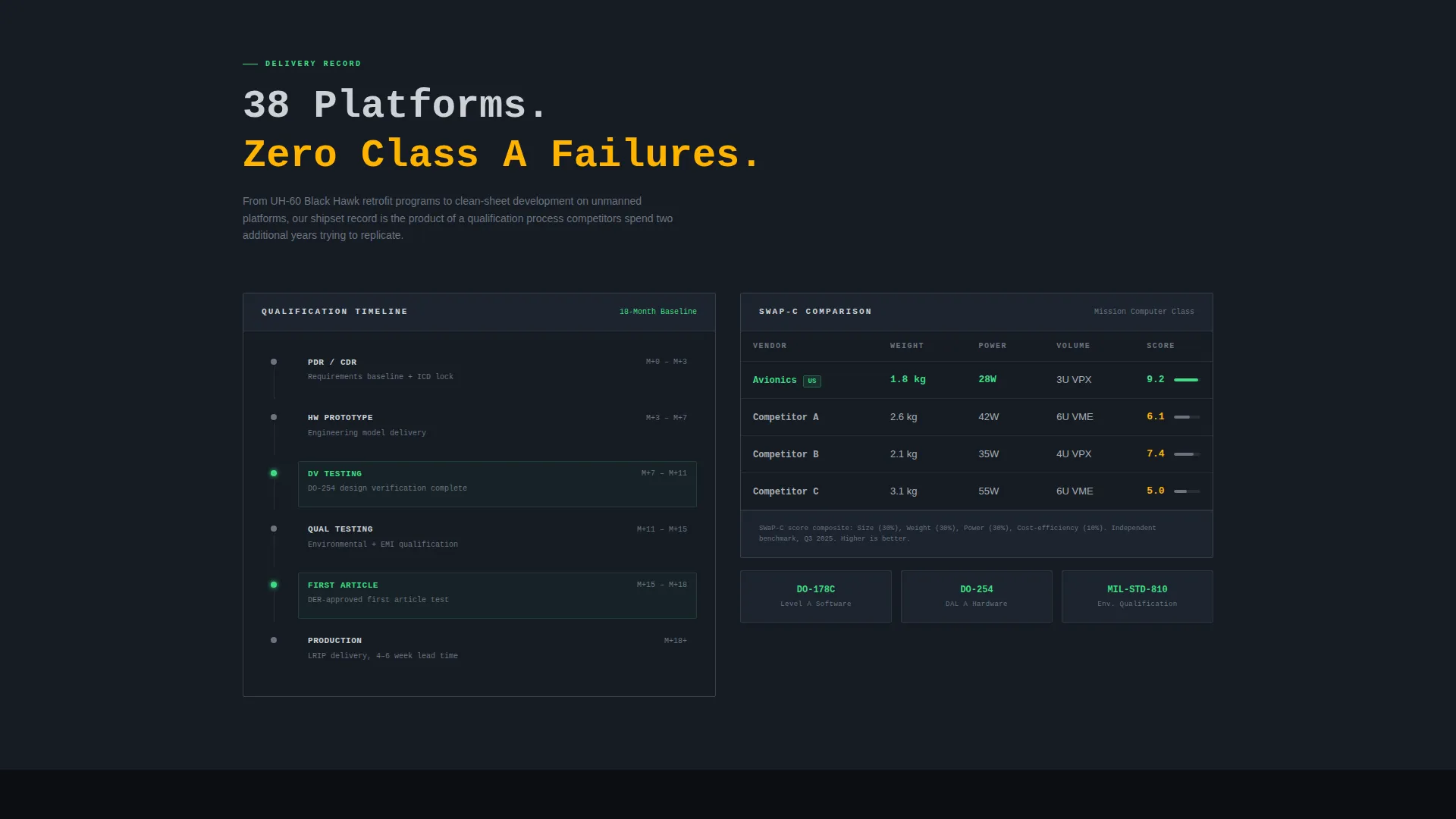
- Infographic-style sections for system architecture maps, qualification test timelines, and Size, Weight, Power, and Cost (SWaP-C) comparison tables
- A dual conversion path: a direct engagement form and a gated PDF download for leads not yet ready for a briefing call
Feature list
This template packs a focused set of structural and visual capabilities grounded in the source brief.
Cinematic Panoramic Header
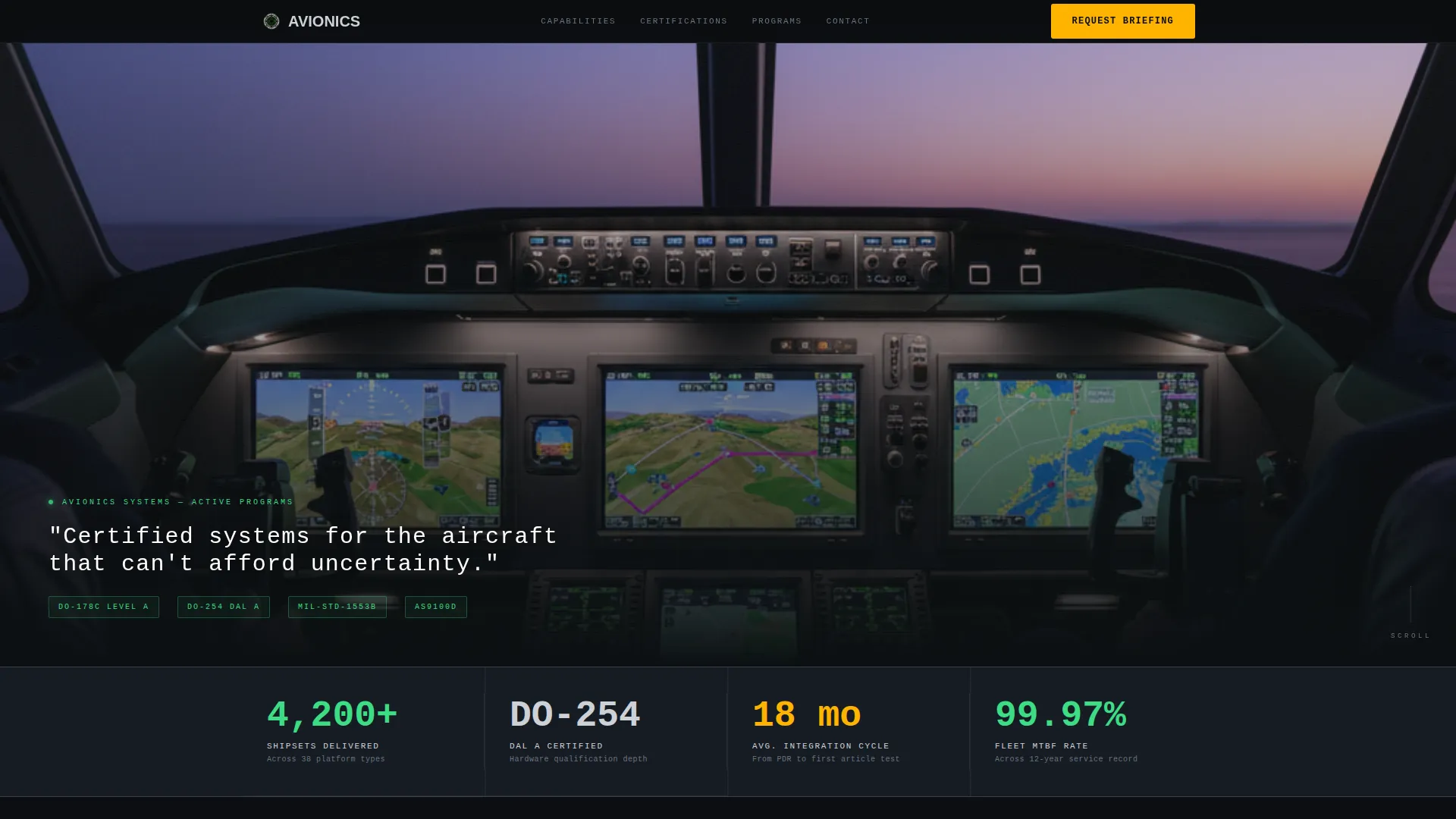
A full-bleed, ultra-wide cinematic header at approximately 21:9 ratio shows a modern glass cockpit at dusk. A single line of white mono-spaced type fades in over the glare shield, setting tone before the visitor reads a single data point.
Bold Data Callout Cadence
Each section opens with a large-rendered data point such as "4,200+ shipsets delivered" or "18-month average integration cycle." A concise paragraph follows to contextualize the number against industry benchmarks and competitor gaps.
Persistent call to action Bottom Bar
Once the visitor scrolls past the header, a persistent bottom bar keeps "Request Technical Briefing" visible at all times. This ensures the primary conversion action is never more than a glance away.
Dual Conversion Form System
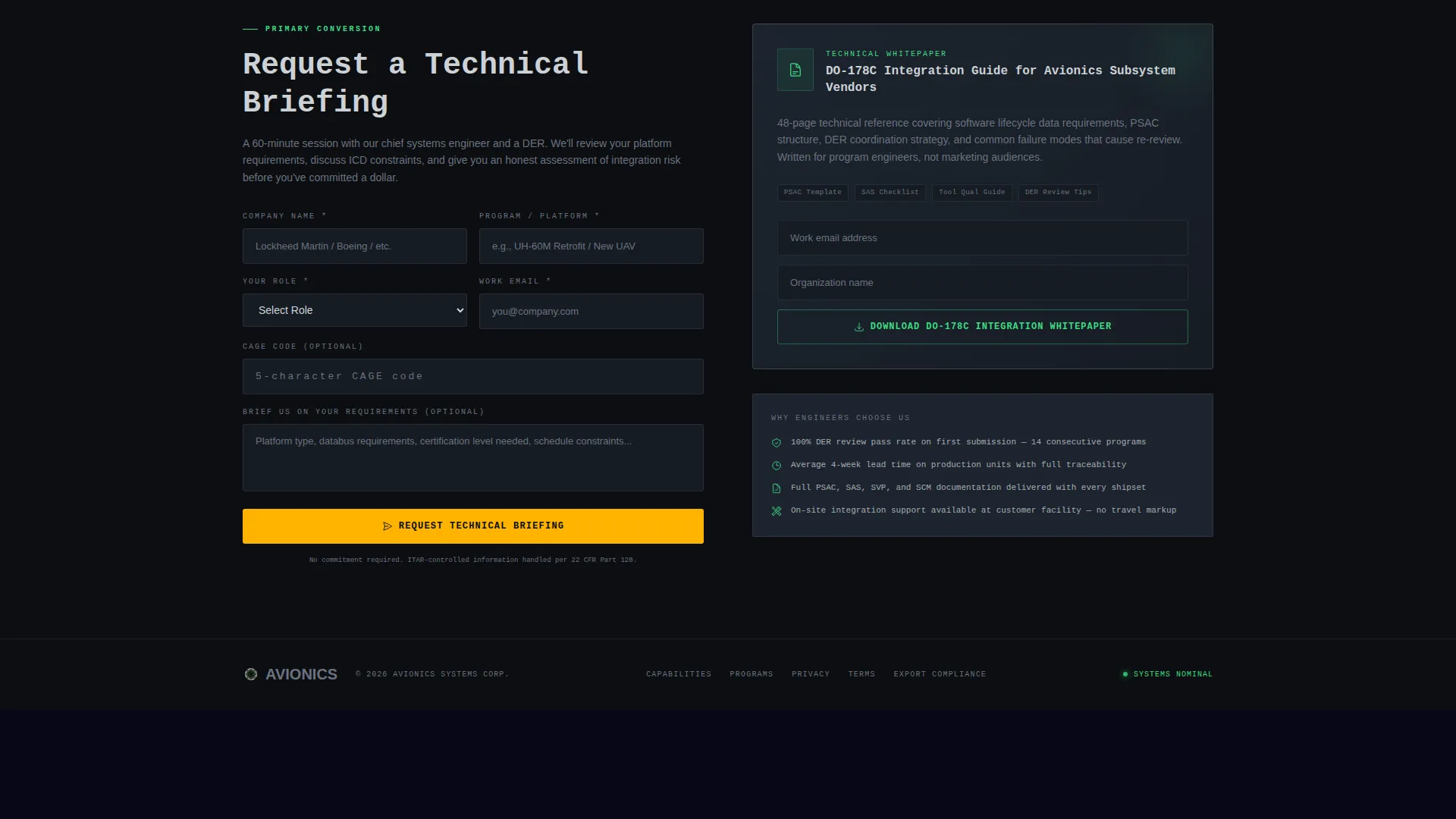
The primary form collects company name, program name or platform type, a role selector (Program Manager, Systems Engineer, Procurement, Executive), and an optional Commercial and Government Entity (CAGE) code field. The secondary path offers a gated PDF download capturing email and organization.
Infographic Diagram Sections
System architecture maps, qualification test timelines, and SWaP-C comparison tables replace stock photography throughout the page. All diagrams render in the Monochrome Steel palette with annunciator green and caution amber highlighting critical values.
Industry Report Scroll Rhythm
The page is structured as a scrollable capability briefing. Evidence accumulates section by section, building vendor trust through data density before any call to action appears.
Page sections overview
| Section | Purpose |
|---|---|
| Panoramic Cockpit Header | Establish authority with cinematic visual and headline |
| Data Callout Block | Lead each section with a bold, large-scale metric |
| Capabilities Overview | Describe flight deck, navigation, and mission computer offerings |
| System Architecture Diagram | Show integration depth with infographic-style architecture map |
| Qualification Timeline Infographic | Illustrate DO-254 and DO-178C test milestone sequence |
| SWaP-C Comparison Table | Compare size, weight, power, and cost against benchmarks |
| Delivery History Section | Contextualize shipset count and integration cycle data |
| Technical Briefing Form | Capture qualified leads with program-level form fields |
| Gated PDF Download | Convert early-stage leads with whitepaper offer |
| Persistent Bottom Bar | Repeat primary call to action after header scroll threshold |
Design & branding system
The Dashboard Pro theme applies a Monochrome Steel color system that mirrors a powered-up primary flight display in a darkened cockpit. Color is never decorative here. Every hue that is not steel earns its place by conveying status or demanding action.
- Deep cockpit black (#0B0E11) as the base canvas, brushed titanium (#A8ADB3) for secondary text and structural elements
- Annunciator green (#3DDC84) reserved for status indicators and confirmed data values
- Caution amber (#FFB300) used strictly for calls to action and critical data callouts
Mobile & speed optimization
The single column flow layout is inherently well-suited to narrower viewports. The linear scroll structure keeps the briefing cadence intact on any screen size without requiring users to navigate between sections.
- The single column structure collapses cleanly across tablet and mobile breakpoints without disrupting the data callout rhythm
- Cinematic header imagery and infographic diagrams are framed to remain legible and impactful at reduced widths
- Form fields and the persistent call to action bottom bar remain prominent and accessible on smaller screens
How this template helps you convert
This template earns the click before it asks for one. The page is structured so that proof arrives before the ask, which is essential for a buyer audience that has been burned by vendors who failed certification review.
- The data callout cadence front-loads credibility, so by the time the "Request Technical Briefing" form appears, the visitor has already absorbed shipset delivery counts, certification standards met, and integration cycle benchmarks.
- The dual conversion path captures two distinct buyer stages. Decision-ready program managers submit the full briefing form. Researchers and early-stage evaluators download the DO-178C Integration Whitepaper, giving the sales team a qualified email before a direct conversation begins.
Other information about this template
This template is designed specifically for the aerospace and defense vertical within the aircraft and aviation subcategory. It fits the Avionics System Provider niche and aligns with a Partnership and Business-to-Business (B2B) engagement direction.
- The template style is Single Column Flow, using the Dashboard Pro theme and Monochrome Steel color system
- The creative direction follows an Industry Report cadence, which suits technical procurement audiences in defense and commercial aviation
- The header concept is Panoramic and Wide, delivering a cinematic first impression consistent with the visual authority expected by defense-sector buyers
- The intersection match score for this template is 13, reflecting a high degree of alignment between the design system, creative direction, and target niche
Theme
Dashboard Pro
Creative direction
Industry Report
Color system
Monochrome Steel
Style
Single Column Flow
Direction
Partnership/B2B
Page Sections
Cinematic Panoramic Cockpit Header
Bold Data Callout Section Rhythm
Persistent Request Technical Briefing Bar
Dual Conversion Form and Gated PDF
Infographic Diagram Layout Sections
Related questions
Who is the target buyer for this landing page template?
What certification references does this template support visually?
Can I customize the form fields for my program intake needs?
Does the page include a secondary conversion path for early-stage leads?
What makes this different from a general B2B technology landing page?



