Autovault - Engineered Fleetstorage Landing Page Template
Autovault is a precision-engineered, card grid landing page template built for automotive and vehicle storage facilities. It presents three storage tiers, Climate Vault, Covered Fleet, and Open Yard, in a scannable spec-card comparison layout. Dealership managers, collectors, and fleet operators can review hard specifications, select tiers, and reserve bays directly from one structured page.
by Rocket studio
Quick summary
Autovault is a desktop-first landing page template for vehicle storage and fleet staging operations. It leads with a facility management dashboard hero, then drives visitors through a modular tier comparison grid packed with hard specs. Every section is built for the buyer who reads every number before making a call.
Who this template is for
This template is built for automotive and vehicle storage businesses that serve professional, high-stakes clients. It speaks directly to operators who need to earn trust through data, not marketing language.
- Dealership general managers managing overflow inventory on 30-day rotation cycles
- Private collectors storing high-value, matching-numbers vehicles with zero-compromise requirements
- Corporate fleet managers staging 200 or more sedans for pre-delivery inspection readiness
What problem this template solves
Most storage facility pages bury their specs in fine print or leave pricing vague. That forces serious buyers to call before they can evaluate. This template solves that by publishing every tolerance upfront.
- Buyers cannot compare tiers without a clear, side-by-side spec format
- Fleet managers need vehicle count, duration, and tier fields before they can request a reservation
- Collectors need proof of climate control precision before they trust a facility with a six-figure car
What you get with this template
You get a fully structured, single-page layout that turns storage specifications into a conversion tool. Every section is designed to move a spec-reading buyer closer to a reservation.
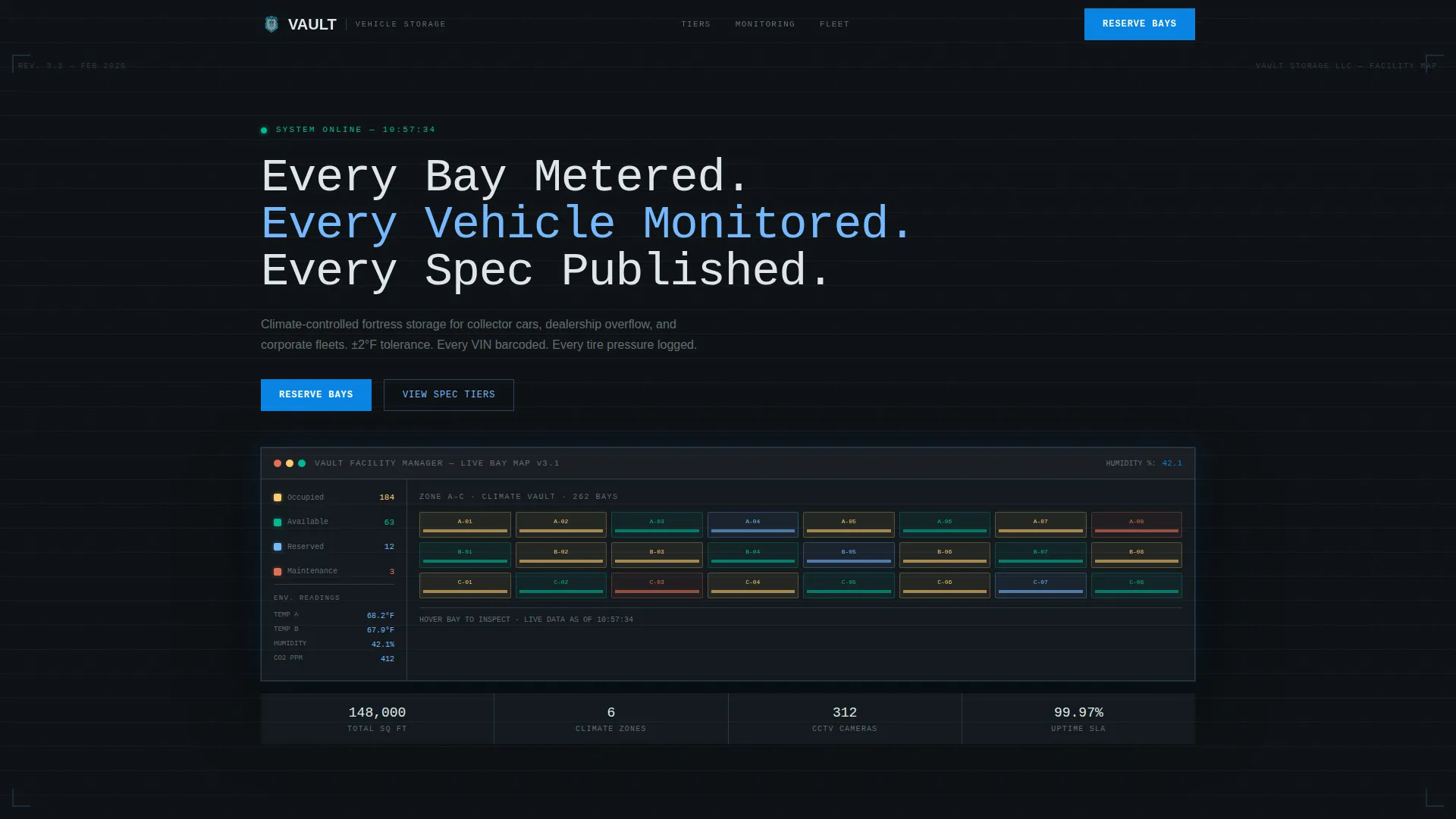
- A dashboard-style hero with a monospaced headline and isometric grid background
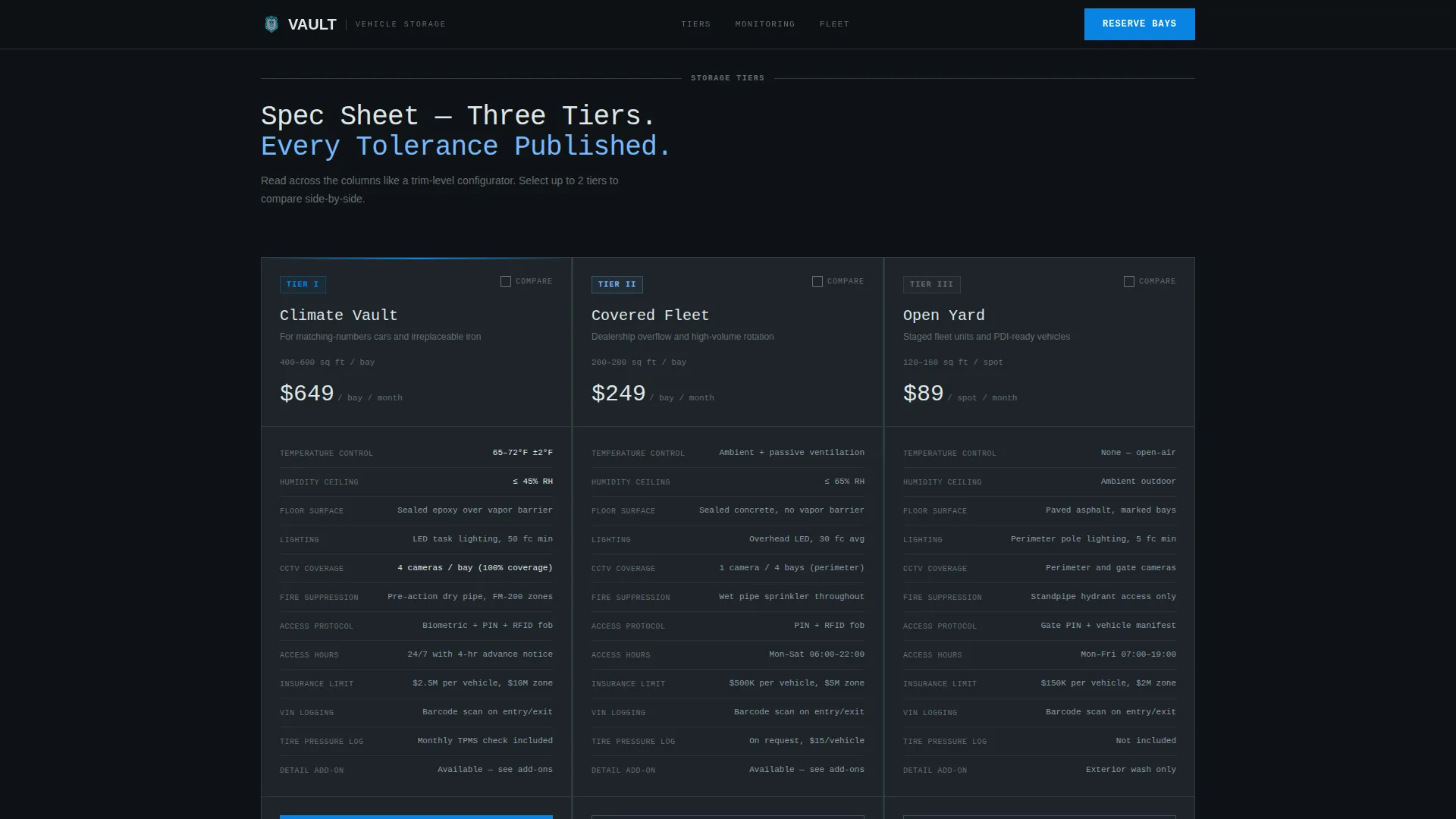
- Three modular tier cards, Climate Vault, Covered Fleet, Open Yard, each surfacing square footage, temperature range, humidity ceiling, CCTV coverage ratio, fire suppression type, access protocol, and monthly rate
- A reserve bays form with fields for vehicle count, storage tier, and estimated duration, plus a secondary PDF download path for email lead capture
Feature list
This template includes a focused set of built-in components matched to the needs of a spec-driven vehicle storage landing page.
Dashboard Hero with Live Bay Map Visual
The header presents a top-down facility management dashboard screenshot showing color-coded occupied and available bays, real-time temperature and humidity readings, and a vehicle count ticker. It sits on a subtle isometric grid background with faint blueprint ruling lines and a monospaced headline.
Modular Tier Comparison Cards
Three storage tier cards, Climate Vault, Covered Fleet, and Open Yard, are arranged in a comparison grid. Each card surfaces hard specifications so visitors can scan across columns the way they would read a trim-level configurator sheet.
Sticky Comparison Bar with Overlay
As visitors scroll and select tiers, the three cards lock into a sticky comparison bar at the bottom of the viewport. A "Compare Selected Plans" button opens a side-by-side overlay for a full spec review.
Reserve Bays Conversion Form
Each tier card carries a primary call to action: "Reserve Bays." The form collects vehicle count, preferred storage tier, and estimated storage duration, giving the sales team qualified, structured lead data.
PDF Spec Sheet Lead Capture
A secondary conversion path, "Download Full Spec Sheet (PDF)", captures an email address from prospects who are not yet ready to commit. The capture is tied to the tier the visitor was reviewing, giving the sales team warm, intent-specific follow-up context.
Scroll-Reveal Spec Depth
As visitors scroll deeper, specifications become more granular. Insurance coverage limits, detailing add-ons, and transport logistics appear in sequence. This rewards the thorough reader and keeps high-intent buyers engaged through the full page.
Page sections overview
| Section | Purpose |
|---|---|
| Hero Dashboard | Establish authority with a facility management dashboard visual and precision headline |
| Tier Comparison Grid | Let visitors scan Climate Vault, Covered Fleet, and Open Yard specs side by side |
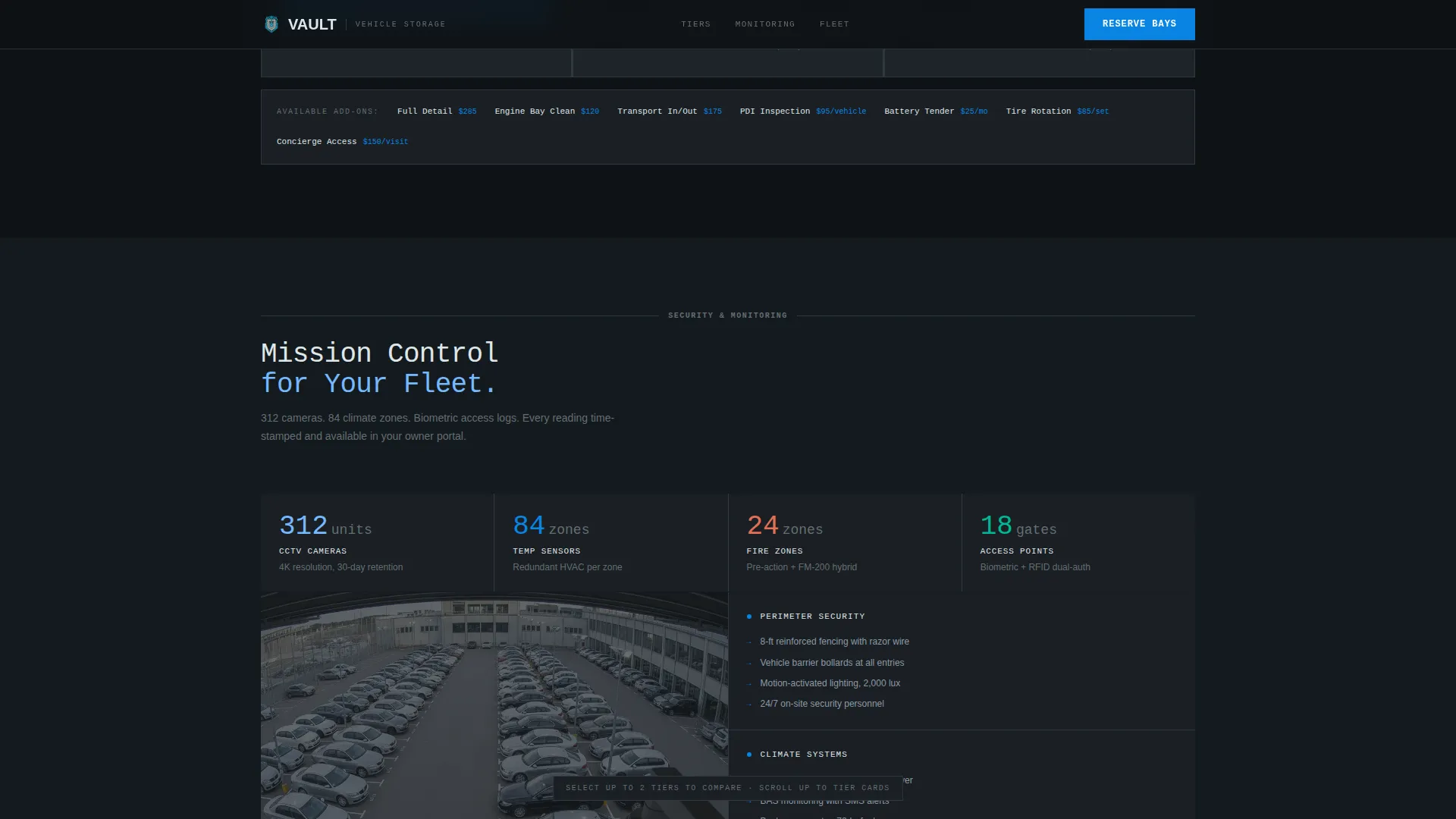
| Monitoring and Security | Surface live bay map, CCTV coverage ratio, and temperature and humidity specifications |
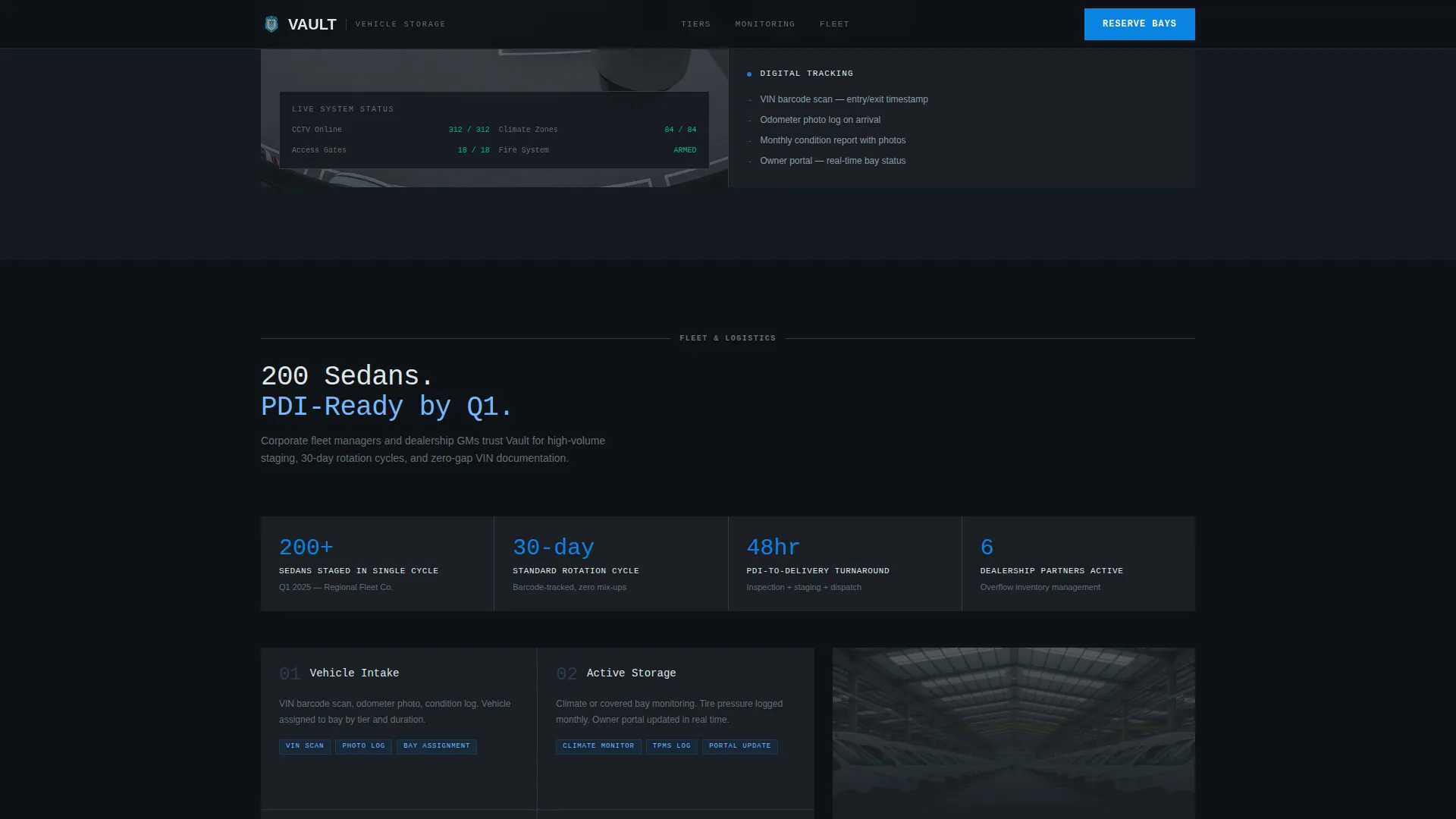
| Fleet Logistics | Detail VIN barcoding, pre-delivery inspection staging, and transport coordination |
| Reserve Bays Form | Collect vehicle count, tier choice, and duration, with a secondary PDF download path |
| Footer | Single-row linear footer with essential links and contact information |
Design & branding system
The visual identity follows an Engineering Blueprint theme. The palette feels like unrolling a technical drawing under a fluorescent shop light, precise, cool, and institutional.
- Color system uses structural graphite (#2D3436), drafting-table slate (#636E72), open-sky blue (#74B9FF), and technical white (#DFE6E9) for card surfaces, with blueprint cyan (#0984E3) reserved for hover states and data highlights
- Typography pairs JetBrains Mono for headlines and spec callouts with DM Sans for body text, reinforcing the engineering aesthetic without sacrificing readability
- Card surfaces use technical white against a graphite base, making each spec block visually distinct and easy to scan across the comparison grid
Mobile & speed optimization
The template is built desktop-first, reflecting the spec-reading behavior of its core audience. General managers and fleet managers typically evaluate storage options on desktop screens where comparison grids are most legible.
- The comparison grid and sticky bar are optimized for wide-viewport layouts where column scanning is natural
- The hero dashboard screenshot and isometric grid background use a static asset approach, keeping initial load clean while medium scroll-reveal animations layer in on interaction
- Client-side comparison logic handles tier selection and the side-by-side overlay without requiring a server round-trip
How this template helps you convert
Every layout decision in this template is built around the behavior of a high-intent, detail-oriented buyer who reads before they call.
- The dashboard hero and monospaced headline establish facility credibility in the first three seconds, before a visitor scrolls a single pixel
- The tier comparison grid and sticky comparison bar reduce friction by letting buyers self-qualify and select without waiting for a sales call
- The dual conversion path, "Reserve Bays" for ready buyers and "Download Full Spec Sheet (PDF)" for research-stage prospects, captures leads at two different intent levels from the same page
Other information about this template
This template is part of the Autovault product family, designed specifically for the automotive and vehicle warehouse and storage niche within the broader logistics and supply chain category. A few additional details worth noting:
- The template targets United States-based operations, with pricing displayed in USD and measurements in imperial units
- Client type callouts, collector, dealership general manager, and fleet manager, serve as social proof signals built into the page structure rather than added as afterthoughts
- Animation is set to a medium intensity level: scroll reveals activate spec depth, the dashboard ticker animates on load, and the comparison bar becomes sticky on tier selection
- Interactivity is high by design: tier selection, the comparison overlay, and the reservation form all engage the visitor before they ever reach the footer
- The footer uses a linear single-row layout pattern, keeping the page exit clean and uncluttered
Theme
Engineering Blueprint
Creative direction
Spec Sheet
Color system
Slate & Sky
Style
Card Grid (Modular)
Direction
Comparison/Versus
Page Sections
Dashboard Hero with Bay Map Visual
Modular Tier Comparison Cards
Sticky Comparison Bar and Overlay
Reserve Bays Conversion Form
PDF Spec Sheet Lead Capture
Scroll-reveal Spec Depth
Related questions
Who is the primary audience for this template?
Can I customize the storage tier names and specifications?
How does the PDF download lead capture work?
What is the sticky comparison bar and how does it work?
Is this template suitable for a facility with fewer than three storage tiers?