Automate - Powerful Zapier Landing Page Template
Automate is a split-screen landing page template built for a Zapier video tutorial series. It pairs an interactive Zap Savings Calculator with a glowing node-and-wire diagram to hook visitors instantly. The Dashboard Pro theme uses a Void and Violet color system, and the freemium conversion flow guides non-technical learners from curiosity to signup with zero friction.
by Rocket studio
Quick summary
Automate is a single-page template designed for a Zapier video tutorial series targeting non-technical teams. The 50/50 split-screen layout pairs an interactive savings calculator with an animated workflow diagram. A dark full-bleed header, electric violet accents, and a freemium signup flow make the page feel like a live command center rather than a static course sales page.
Who this template is for
This template is built for creators and educators who teach workflow automation to everyday professionals. If you run a course, tutorial series, or training program around connecting software tools, this layout is designed for your offer.
- Marketing coordinators who spend hours each week on manual data exports
- Startup founders managing repetitive copy-paste tasks between billing tools and spreadsheets
- Agency project managers whose client onboarding process takes days instead of minutes
What problem this template solves
Most course landing pages open with a headline and a stock photo. Visitors read, feel mildly interested, and leave. This template flips that experience by leading with an interactive tool that shows the visitor exactly what they are losing before a single scroll happens.
- Visitors cannot feel the cost of manual work until the calculator makes it concrete
- Long curriculum lists fail to build urgency the way a personalized result does
- Generic signup forms create friction; the minimal two-field form here removes it
What you get with this template
You get a complete single-page layout purpose-built for a video tutorial series conversion flow. Every section is structured to move the visitor from problem awareness to confident signup.
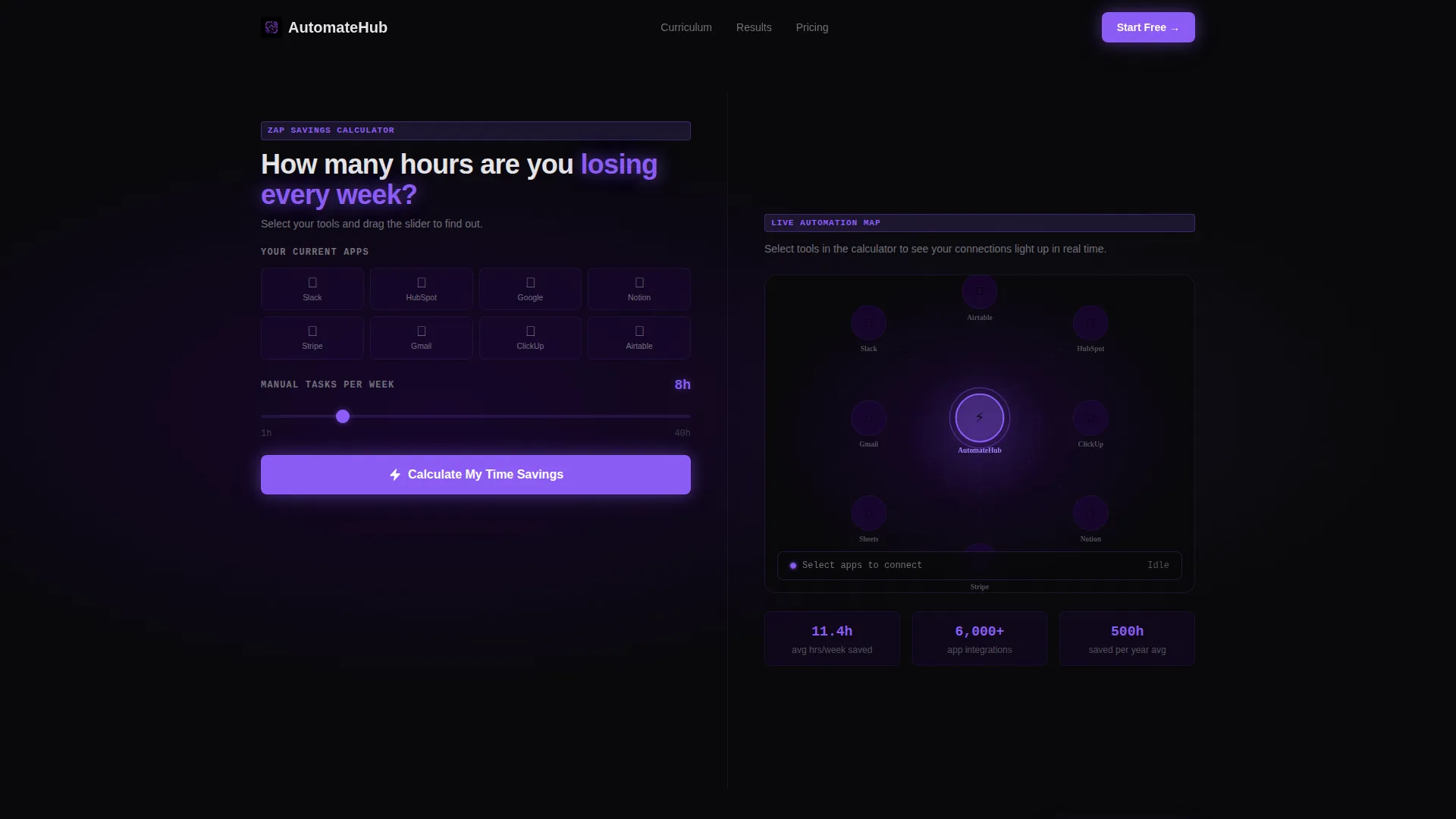
- A left-panel Zap Savings Calculator where visitors select tools and weekly hours to see time reclaimed
- A right-panel animated node-and-wire diagram that lights up in real time as tools are added
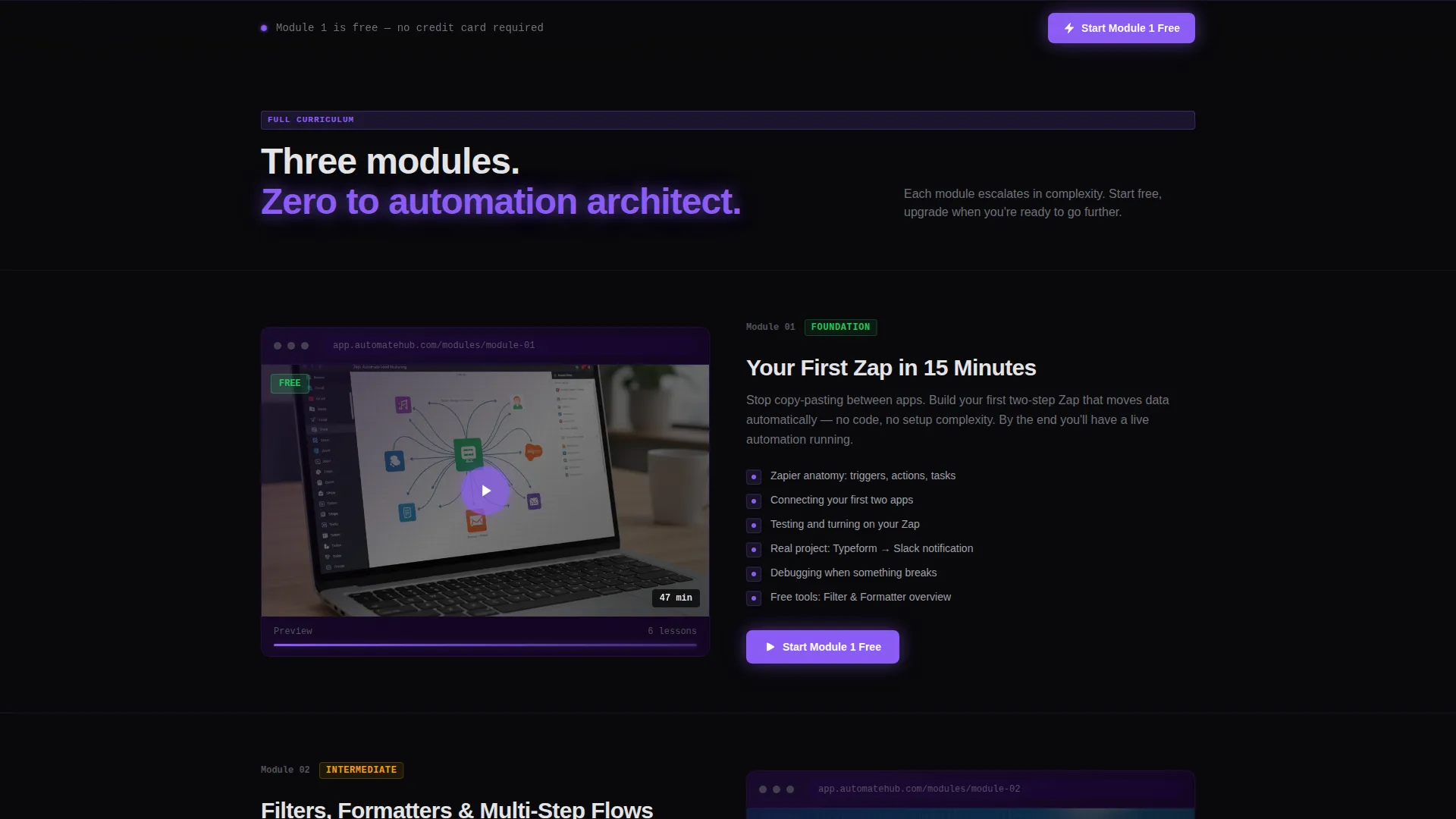
- Split-screen curriculum sections pairing looping video previews with module breakdowns
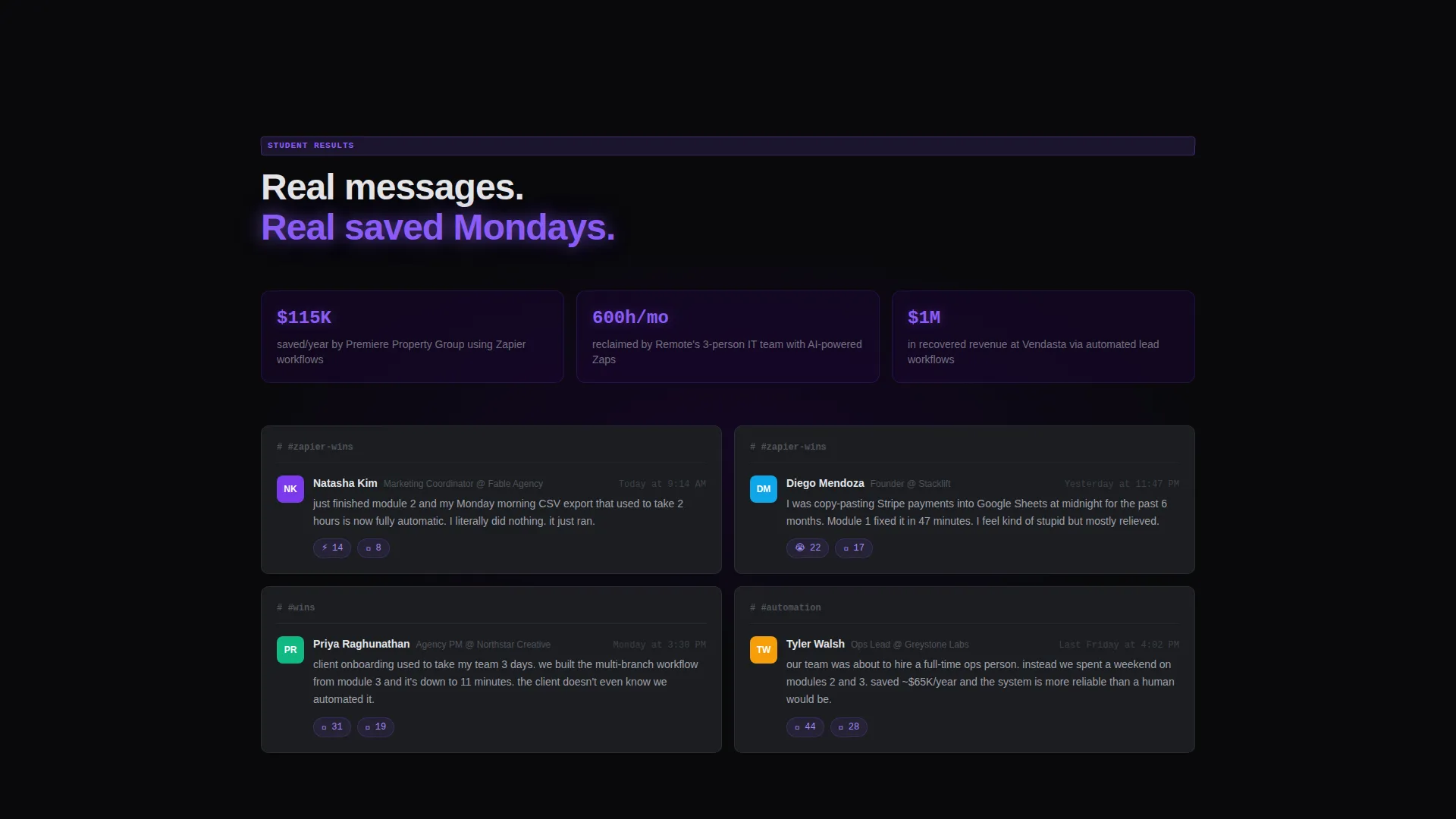
- Inline social proof styled as Slack message screenshots from real students
- A sticky "Start Module 1 Free" call-to-action bar that appears after initial scroll
- A minimal signup form requiring only email and first name, with a secondary "Preview Full Curriculum" path
Feature list
This section describes the built-in components and interaction patterns included in the template.
Interactive Zap Savings Calculator
Visitors select the number of hours they spend on manual tasks each week, then pick their current tools from a dropdown. The calculator instantly shows how many hours the right automations would reclaim. The result creates a personalized emotional hook before any curriculum content appears.
Animated Node-and-Wire Workflow Diagram
The right panel of the header section displays a live node-and-wire diagram. As visitors add tools in the calculator, connection lines animate and light up in electric violet. The diagram makes abstract automation concepts feel tangible and alive.
Split-Screen Curriculum Sections
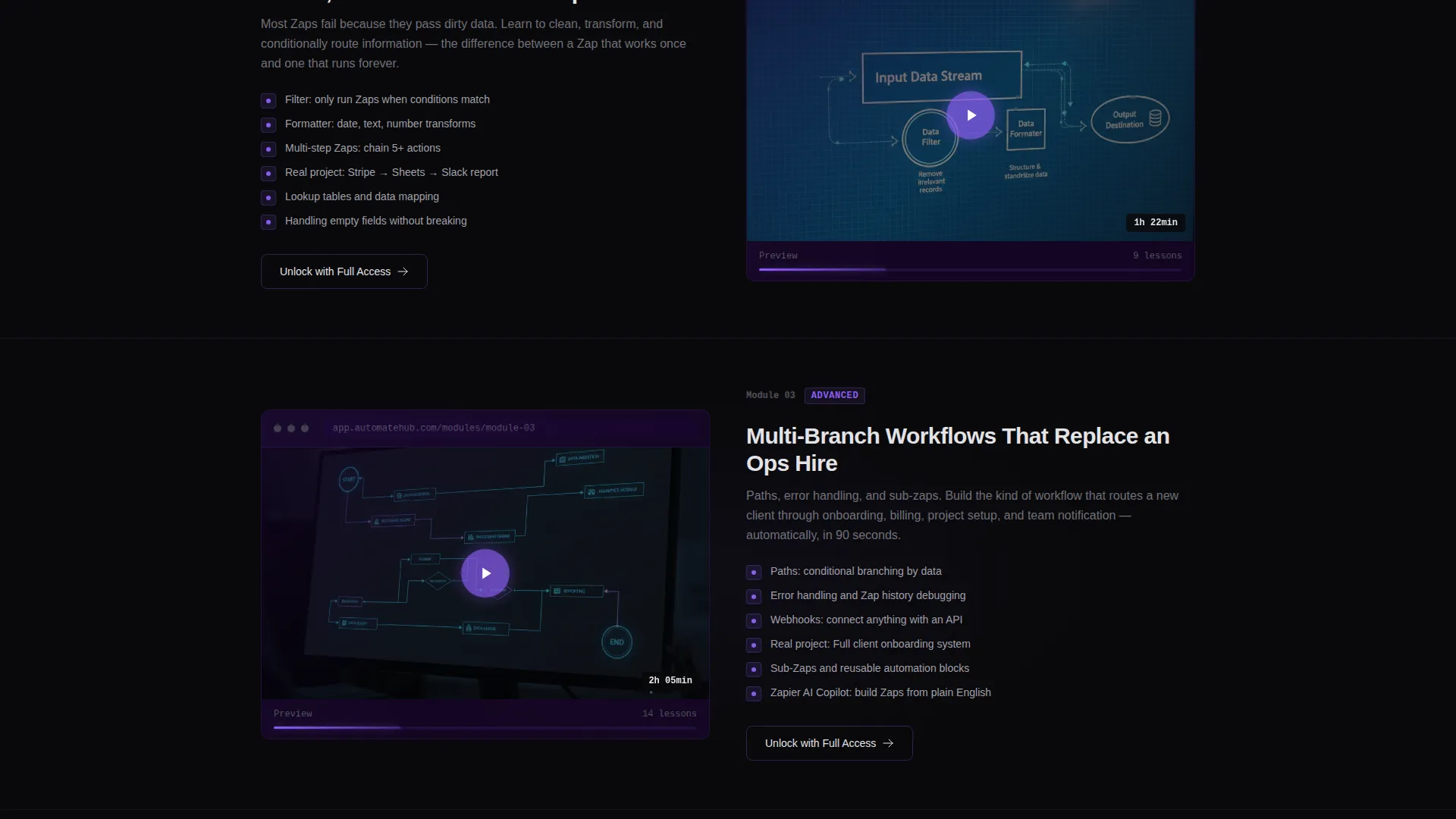
Each curriculum module is presented as a 50/50 split: a short looping video preview on one side and a written module breakdown on the other. The narrative escalates in complexity from single-step automations to multi-branch workflows with error handling.
Hover-Activated Module Cards
Every module card includes a subtle violet border glow that activates on hover. The interaction mimics the visual language of a live, running automation and reinforces the course identity throughout the scroll experience.
Inline Slack-Style Social Proof
Student testimonials appear as inline Slack message screenshots rather than standard quote blocks. This format feels immediate and credible, showing real reactions from learners who completed the course.
Sticky Freemium Call-to-Action Bar
After the visitor scrolls past the header, a sticky bar appears at the top of the viewport with the primary call-to-action button. The bar persists throughout the page, ensuring the signup prompt is always one click away.
Page sections overview
| Section | Purpose |
|---|---|
| Full-Bleed Header | Houses the calculator tool and animated diagram side by side |
| Calculator Results Panel | Displays personalized hours-reclaimed output to build urgency |
| Module One Preview | Introduces single-step automations with a looping video and breakdown |
| Filters and Formatters | Covers intermediate automation logic in a split-screen module card |
| Multi-Branch Workflows | Escalates to advanced paths and error handling in the skill tree |
| Social Proof Strip | Shows inline Slack-style student messages between curriculum sections |
| Freemium Signup Section | Presents the minimal two-field form with the free module offer |
| Sticky call to action Bar | Persistent call-to-action visible throughout the full scroll experience |
Design & branding system
The visual identity is built around a Dashboard Pro theme using the Void and Violet color system. The palette is intentionally minimal so that every violet element carries meaning.
- Backgrounds use absolute void black (#09090B) and deep interstellar purple (#1A0533) to keep content floating forward
- Electric violet (#8B5CF6) appears exclusively on buttons, progress bars, connection lines, and hover states where action or live automation is indicated
- Cool terminal white (#E4E4E7) handles all body text and labels, maintaining contrast against the dark backgrounds
Mobile & speed optimization
The template is structured for clean rendering across screen sizes. The split-screen layout adapts so that stacked content on smaller viewports preserves the logical flow from calculator to curriculum.
- The calculator and diagram panels stack vertically on mobile so neither element is hidden or cropped
- Module cards maintain their hover states and video previews in a single-column layout on smaller screens
- The sticky call-to-action bar is designed to remain visible and tappable at the bottom of the mobile viewport
How this template helps you convert
The conversion architecture is deliberate. Every layer of the page reduces a different objection before the visitor reaches the signup form.
- The calculator delivers personal value immediately, before any pitch or curriculum detail appears, so the visitor arrives at the form already convinced the course is relevant to them.
- The free first module removes the financial barrier entirely, and the one-line reassurance beneath the form ("No credit card. Cancel nothing. Just press play.") eliminates hesitation about commitment.
- The "Preview Full Curriculum" secondary path captures visitors who need to browse before deciding, preventing drop-off from the undecided segment.
Other information about this template
This template is categorized under Documentation and Support, specifically within the Zapier Documentation and Zapier Video Tutorial Series niche. It is well-suited for educators building a Zapier automation course, a Zapier tutorial for beginners content series, or a broader no-code workflow training program. The freemium model makes it a natural fit for anyone offering a free Zapier course entry point before a paid upsell. The template style is 50/50 split screen with a dark full-bleed header concept and a calculator-first creative direction.
- Suitable for Zapier tutorial content ranging from beginner zaps to advanced multi-branch workflows
- Works as a standalone landing page for a no-code automation course or a self-paced video series
- The intersection match between the Documentation and Support category and the Zapier Video Tutorial Series niche is confirmed at a score of 13
Theme
Dashboard Pro
Creative direction
Calculator/Tool First
Color system
Void & Violet
Style
Split Screen (50/50)
Direction
Freemium/Trial
Page Sections
Interactive Zap Savings Calculator
Animated Node-and-wire Diagram
Split-screen Curriculum Layout
Hover-activated Module Cards
Inline Slack-style Social Proof
Sticky Freemium Call-to-action Bar
Related questions
Do I need to know how to code to use this template?
Can I use this template for a different automation tool, not just Zapier?
What makes the calculator section different from a standard hero section?
Is the freemium conversion model built into the template layout?



