Automate - Powerful No-Code Landing Page Template
Automate is a no-code robotic process automation (RPA) landing page template built for platforms that connect enterprise systems without writing code. Designed with a dark Carbon Fiber visual identity and animated workflow visuals, it guides ops managers, startup founders, and finance leads from felt pain to confident download through a structured Problem-to-Solution card grid layout.
by Rocket studio
Quick summary
Automate is a single-page, card-grid landing page template for no-code RPA platforms. It uses a dark Carbon Fiber color system and an animated header to pull operations teams, startup leaders, and finance professionals through a clear Problem-to-Solution story. Every section earns the download before asking for it.
Who this template is for
This template is built for teams shipping no-code automation tools to business buyers who are tired of manual data work. It speaks directly to people who understand the cost of repetitive tasks but cannot justify hiring an integration engineer.
- Mid-market operations managers dealing with daily manual data entry across disconnected systems
- Startup founders and technical leads who need fast integrations without a full engineering team
- Finance professionals who move data between spreadsheets, invoices, and reporting tools by hand
What problem this template solves
Most automation product pages either go too technical or too vague. They lose the visitor before making a real case. This template is built around the actual frustration of manual work, showing the pain first, then the fix, so the visitor feels understood before they are asked to act.
- Visitors leave before converting because the value proposition is buried or arrives too late
- Product pages skip the emotional hook and jump straight to features the visitor does not yet care about
- No clear visual proof that the tool actually solves the specific tasks the buyer recognizes from their own workday
What you get with this template
You get a fully structured, modular card-grid landing page designed around a four-row Problem-to-Solution arc. Every section is purposeful and sequenced to carry the visitor from recognition to commitment.
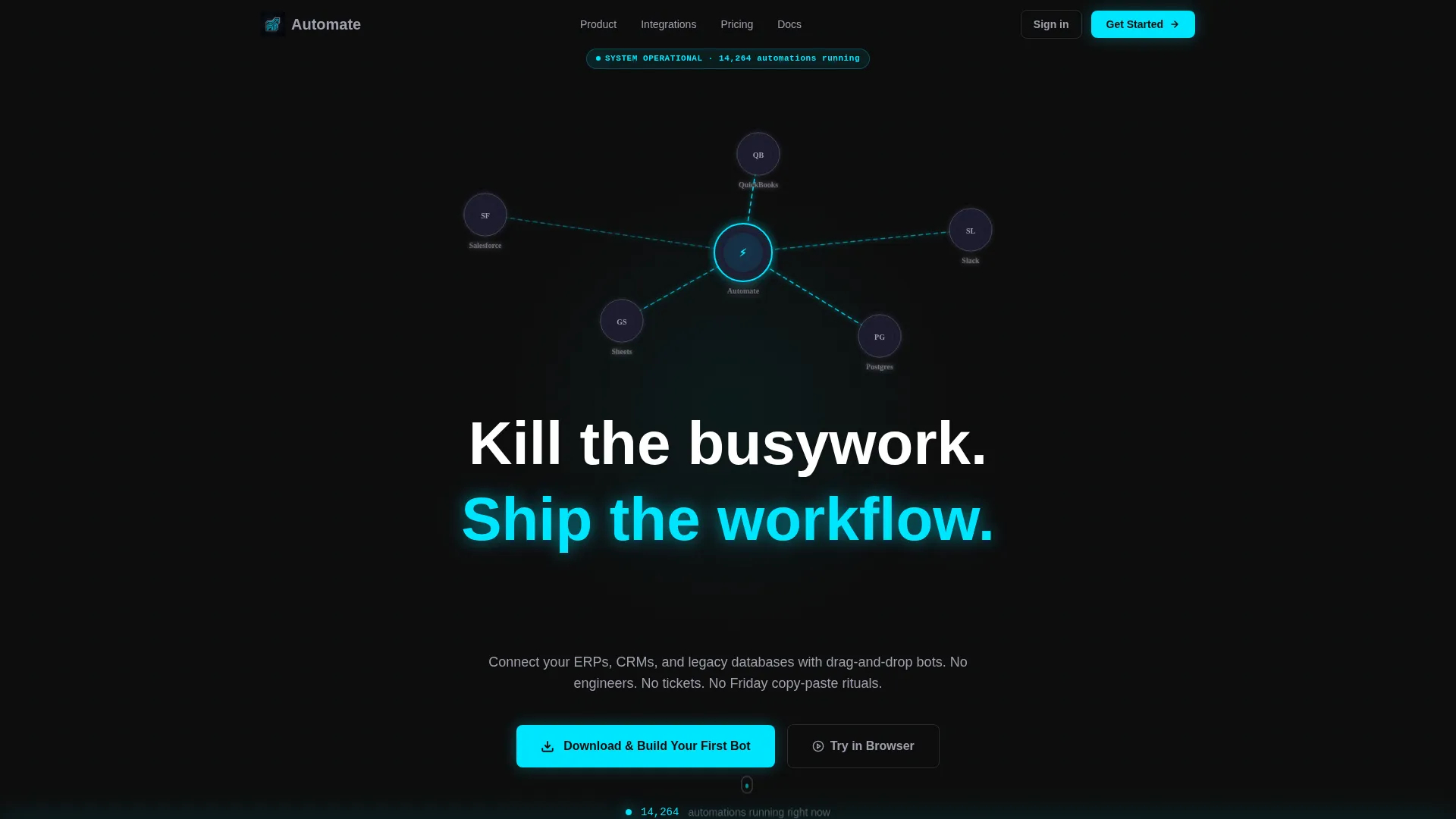
- An animated dark-theme header with glowing connection lines, a live automation counter, and a self-typing headline
- A four-row modular card grid moving from pain-point cards through the workflow builder to solution proof and testimonials
- A floating bottom-bar call to action (call to action) that appears after the second card row, offering both app download and browser sandbox paths
Feature list
This section covers the core functional and design capabilities built into the Automate template.
Animated Glow Header
The header fills the full viewport in deep cockpit black. Cyan connection lines animate between recognizable app icons, simulating live circuit traces. A bot-count ticker increments in real time, and the headline types itself in on load, creating immediate motion and credibility before the visitor scrolls.
Problem-to-Solution Card Arc
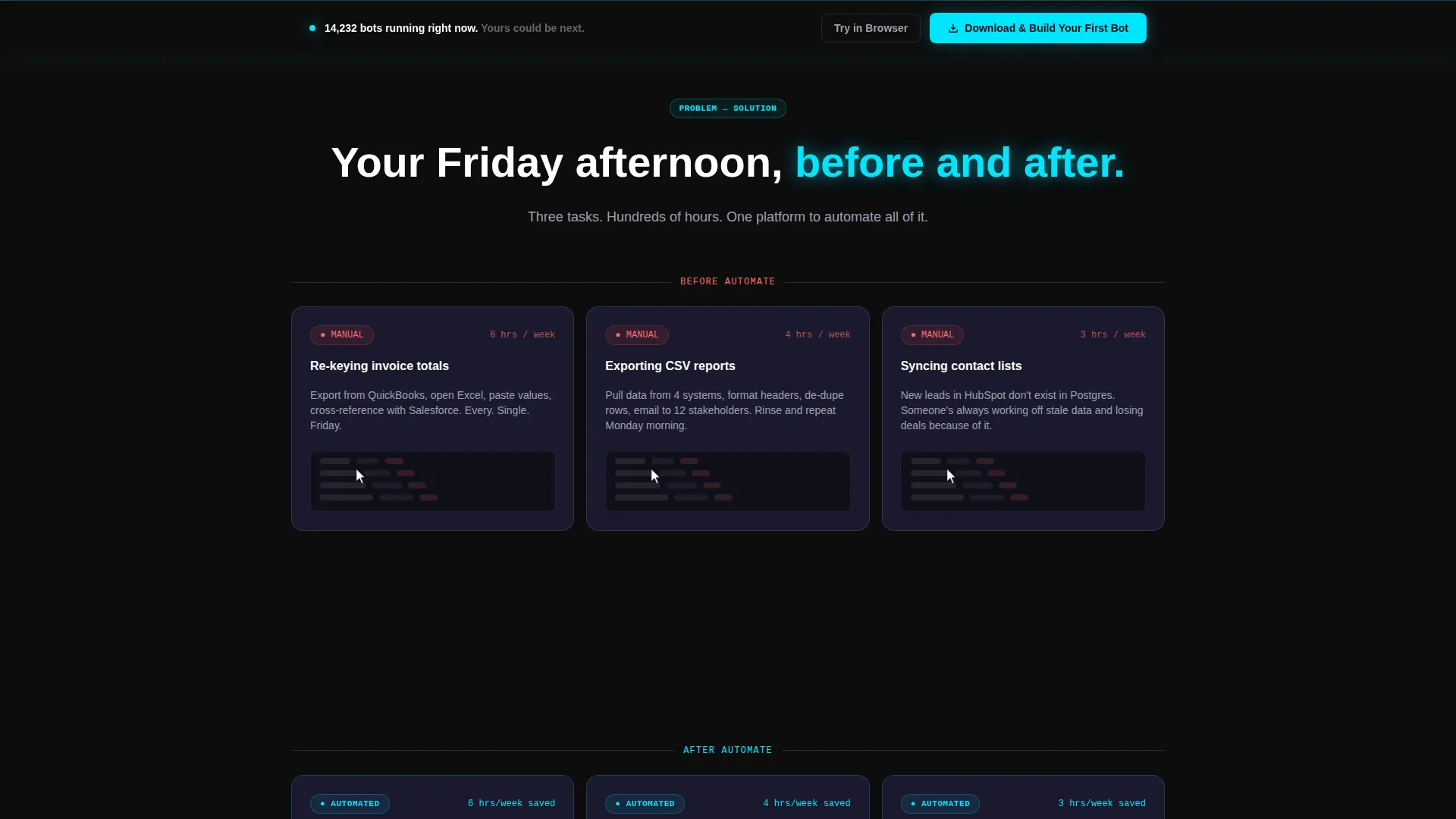
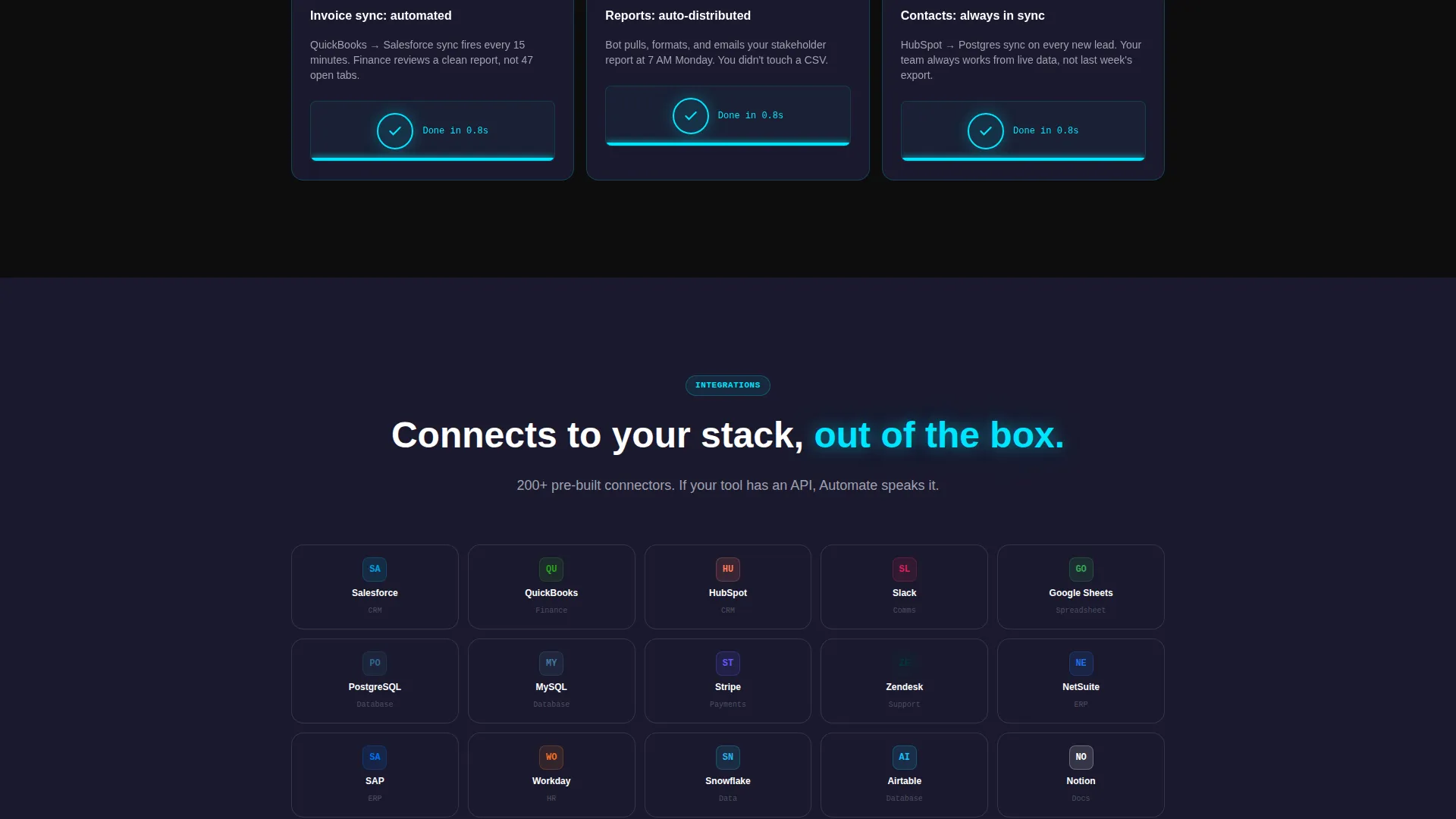
Four rows of modular cards follow a deliberate arc: manual pain, the drag-and-drop builder, automated resolution, and testimonial proof. Each row mirrors the last, so the contrast between slow manual work and instant automation is visual and unmistakable.
Pain-Point Cards with Loop Animations
The first card row shows three specific manual tasks, re-keying invoice totals, exporting reports, and syncing contact lists. Each card includes a looping animation of a cursor performing the task slowly, making the frustration tangible before any solution is shown.
Workflow Builder Preview Card
A single wide card bridges the pain and solution rows. It shows the visual workflow builder mid-construction, with nodes snapping into place. This acts as the pivot moment in the page's narrative, the "now drag this instead" proof point.
Floating call to action Bar with OS Detection
A persistent bottom bar appears after the second card row. It glows electric cyan against a near-black background and detects the visitor's operating system to route them to the correct download or installer. A secondary "Try in Browser" option opens a sandbox builder with a pre-loaded template.
Testimonial Metric Cards
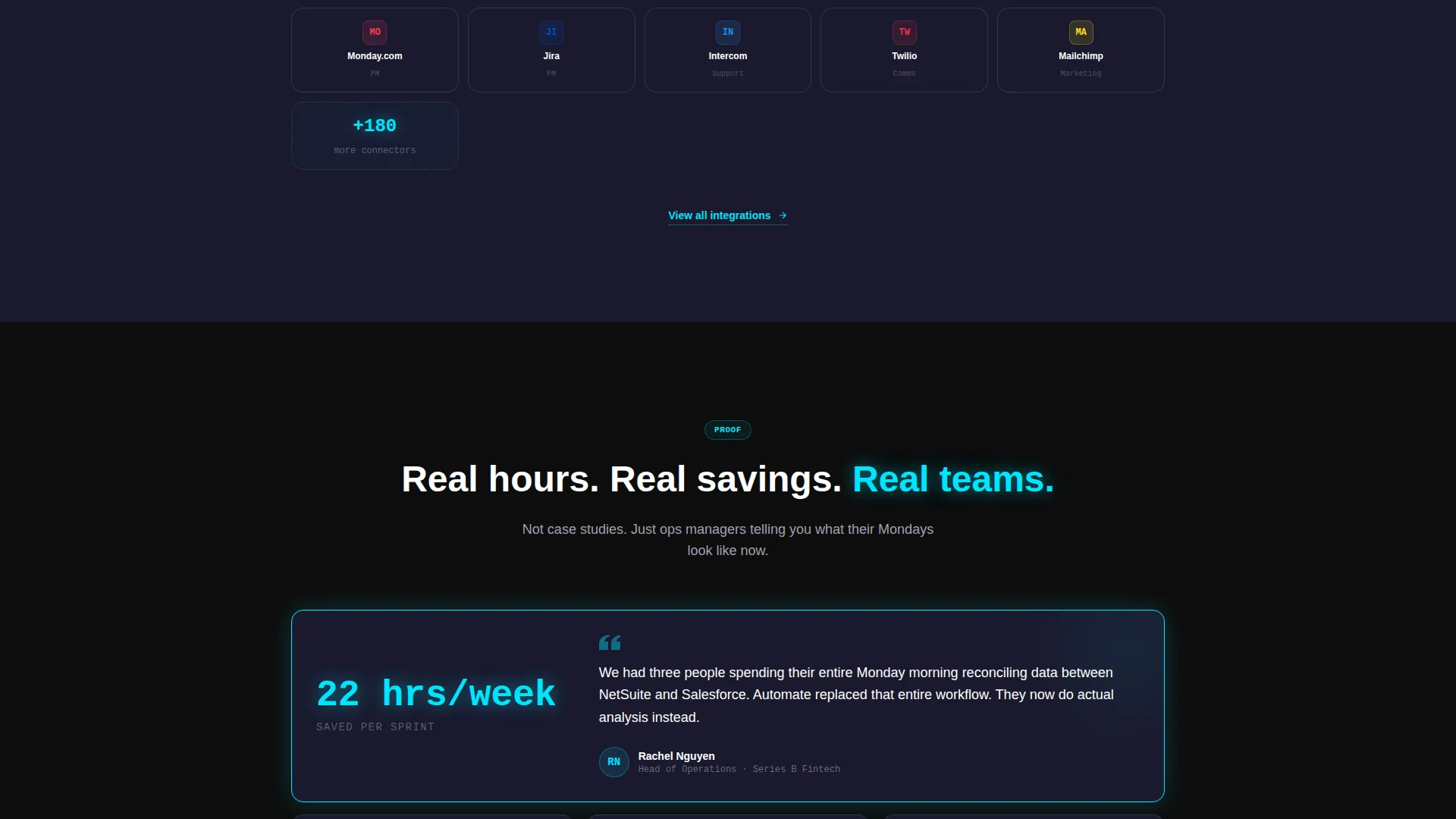
The fourth row surfaces real-outcome testimonials formatted as metric cards. Each card leads with a quantified result ("Saved 22 hrs/week") attributed to a role and company type, grounding the product's promise in recognizable, specific proof.
Page sections overview
| Section | Purpose |
|---|---|
| Full-Bleed Header | Animated glow intro with live bot counter and self-typing headline |
| Pain-Point Cards | Three looping manual-task cards showing specific data-entry frustrations |
| Builder Pivot Card | Wide card revealing the drag-and-drop workflow builder in action |
| Solution Cards | Three mirrored cards showing the same tasks resolved by automation |
| Testimonial Cards | Metric-led social proof from ops, finance, and startup roles |
| Floating call to action Bar | Persistent download prompt with OS detection and browser sandbox fallback |
Design & branding system
The Carbon Fiber color system is the foundation of every visual decision in this template. It creates a high-contrast, instrument-panel aesthetic that signals precision and reliability without feeling cold or corporate.
- Background surfaces stay in the deep cockpit black (#0D0D0D) to woven graphite (#1A1A2E) range, with cards floating on subtle dark surfaces with 1-pixel borders in brushed titanium (#A0A0B0) that shift to electric cyan (#00E5FF) on hover
- All body typography renders in titanium-on-dark for readability, while headlines glow in electric cyan like active status indicators on a live dashboard
- Glow bloom effects, hover state transitions, and animated connection lines all use the electric cyan accent to create a consistent sense of motion and operational activity throughout the page
Mobile & speed optimization
The modular card-grid structure is inherently well-suited to responsive reflow. Each card is an independent unit, which makes stacking on smaller screens natural rather than forced.
- The grid adapts card columns to screen width, keeping the arc readable whether viewed on a desktop, tablet, or phone
- Animations are scoped to individual card and header elements, avoiding layout-blocking effects that would slow perceived load time on mobile connections
- The floating call to action bar stays anchored to the bottom of the viewport on all screen sizes, keeping the primary conversion action always within reach
How this template helps you convert
The Automate template is engineered around a specific conversion strategy: earn the download by showing the problem three times before asking. By the time the call to action appears, the visitor has already lived the frustration, seen the fix, and read someone else's outcome.
- The page delays the primary call to action until after the second card row, so visitors encounter the floating call to action bar only after they have already felt the pain and seen the builder in action.
- The dual-path call to action removes the commitment barrier: visitors who are not ready to install can open the browser sandbox instead, keeping them engaged and moving toward the product.
- Metric-led testimonial cards close the arc with specific, role-matched proof, replacing abstract promises with concrete numbers that mirror the visitor's own situation.
Other information about this template
This template is part of the Startup Velocity theme family and is matched to the No-Code RPA niche within the No-Code Enterprise Software subcategory. It carries a high intersection match score for teams building go-to-market pages in the automation space.
- The template style is Card Grid (Modular), making individual sections easy to reorder, replace, or extend as product messaging evolves
- The creative direction follows a Problem-to-Solution Arc, which is a proven narrative structure for enterprise software landing pages where the buyer needs to feel understood before they consider a product
- The header concept is Dark Full-Bleed with a glow treatment, consistent with the instrument-panel aesthetic used by performance-software brands in the no-code and workflow automation category
- The landing page direction targets App Download as the primary conversion goal, with a secondary browser-based sandbox path for visitors who prefer to try before committing to an install
Theme
Startup Velocity
Creative direction
Problem→Solution Arc
Color system
Carbon Fiber
Style
Card Grid (Modular)
Direction
App Download
Page Sections
Animated Glow Header with Live Counter
Four-row Problem-to-solution Card Arc
Pain-point Loop Animation Cards
Floating Os-detecting Call to Action Bar
Workflow Builder Pivot Card
Metric-led Testimonial Cards
Related questions
Can I change the color system to match my own brand?
Do the card animations require developer work to customize?
Is the floating call to action bar visible on mobile devices?
Can I add more testimonial cards or swap the pain-point examples?
Who is this landing page template best suited for?



