Automate — Intelligent Workflow Optimization Landing Page Template
The Automate landing page template is a scroll-reveal, single-page layout built for workflow automation educators and guide creators. It walks first-time users from zero to five working automated workflows through progressive section reveals, animated stat counters, a segmented lead capture form, and a dark IDE-style visual identity that keeps every reader focused on one goal: getting started.
by Rocket studio
Quick summary
This is a scroll-reveal landing page template designed to present a first workflow automation guide with clarity and urgency. It pairs a dark, focused visual identity with animated stats, step-by-step workflow section reveals, social proof, and a segmented email capture form. The result is a page that moves hesitant beginners toward action in one confident read.
Who this template is for
This template is built for guide creators, educators, and product marketers who need to publish a high-converting landing page around workflow automation content. It is especially suited to audiences who are still doing things manually and need a push to start.
- Solo founders drowning in admin tasks who have never built a working automated workflow
- Marketing team leads stitching together tools with spreadsheet workarounds
- Operations managers at small startups who know automation exists but have never completed their first workflow setup
What problem this template solves
Manual tasks pile up quietly. Sales reps spend only 28% of their time actually selling because administrative tasks, data entry, and internal meetings consume the rest. Many teams know workflow automation is the answer but have no structured starting point. This template gives guide publishers a ready-built page that turns that knowledge gap into a lead.
- Replaces the blank-page problem of building a conversion-focused page from scratch
- Structures the reader journey so each section answers the next logical question about workflow automation
- Removes the friction between "I know I should automate" and "I just signed up"
What you get with this template
You get a fully structured, single-page layout with every section pre-built and ready to customize. The template includes a hero, animated stats block, a five-workflow bento grid, social proof layout, and a segmented lead capture form. No coding required to edit content and replace placeholder text.
- Scroll-reveal section architecture with blur-and-slide entrance animations for each content block
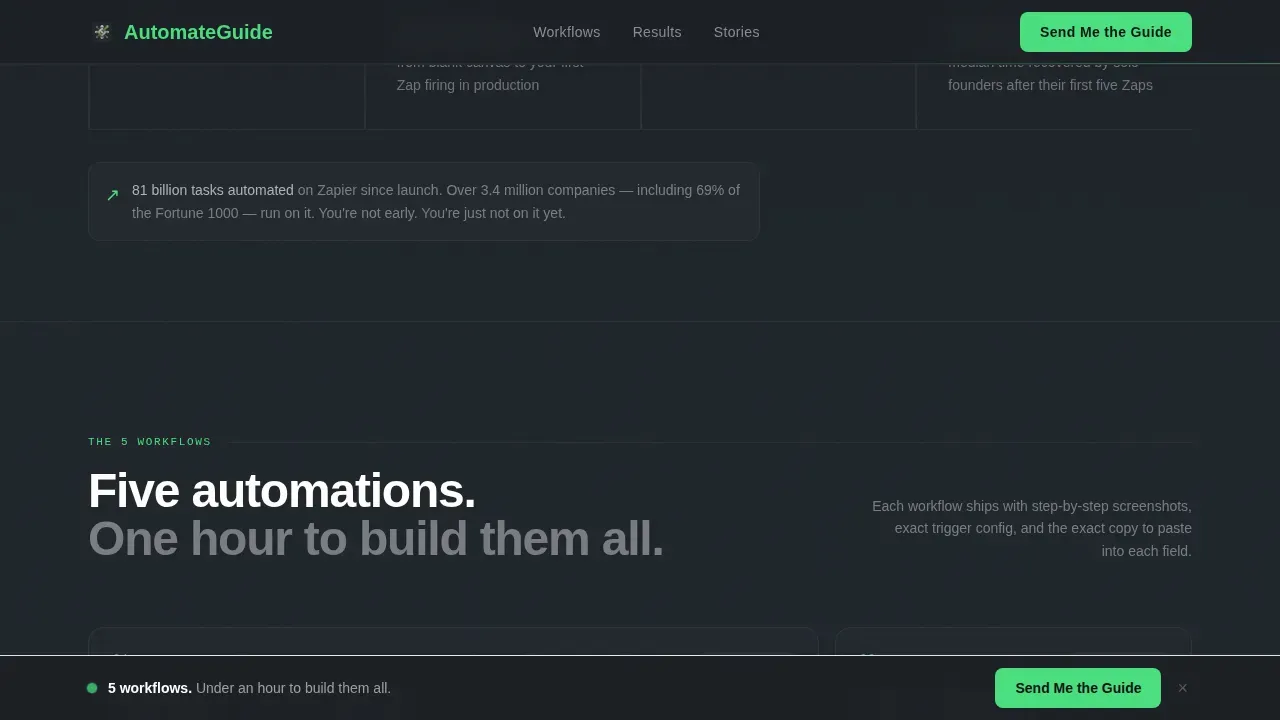
- A sticky call-to-action bar that appears after the second scroll reveal and stays visible throughout
- A full-width lead capture section with a two-field form and a secondary free-preview text link
Feature list
This template ships with a focused set of built-in components. Each one serves the single goal of converting a curious reader into a confirmed lead.
Scroll-Reveal Progressive Layout
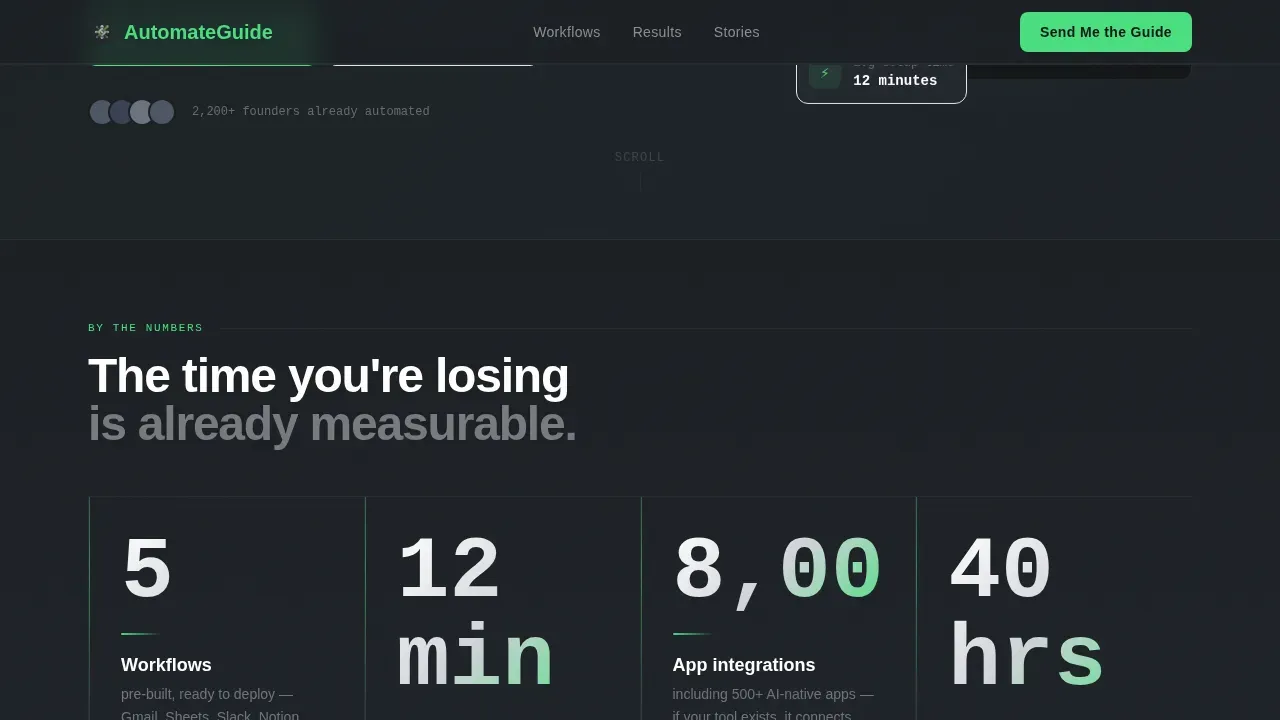
Each section of this landing page enters the viewport independently. Numbers animate in first, then proof content progressively reveals beneath them. The rhythm of number, proof, and action repeats across every major section, giving readers a cumulative sense of the time they currently waste on repetitive tasks.
Animated Stat Counters
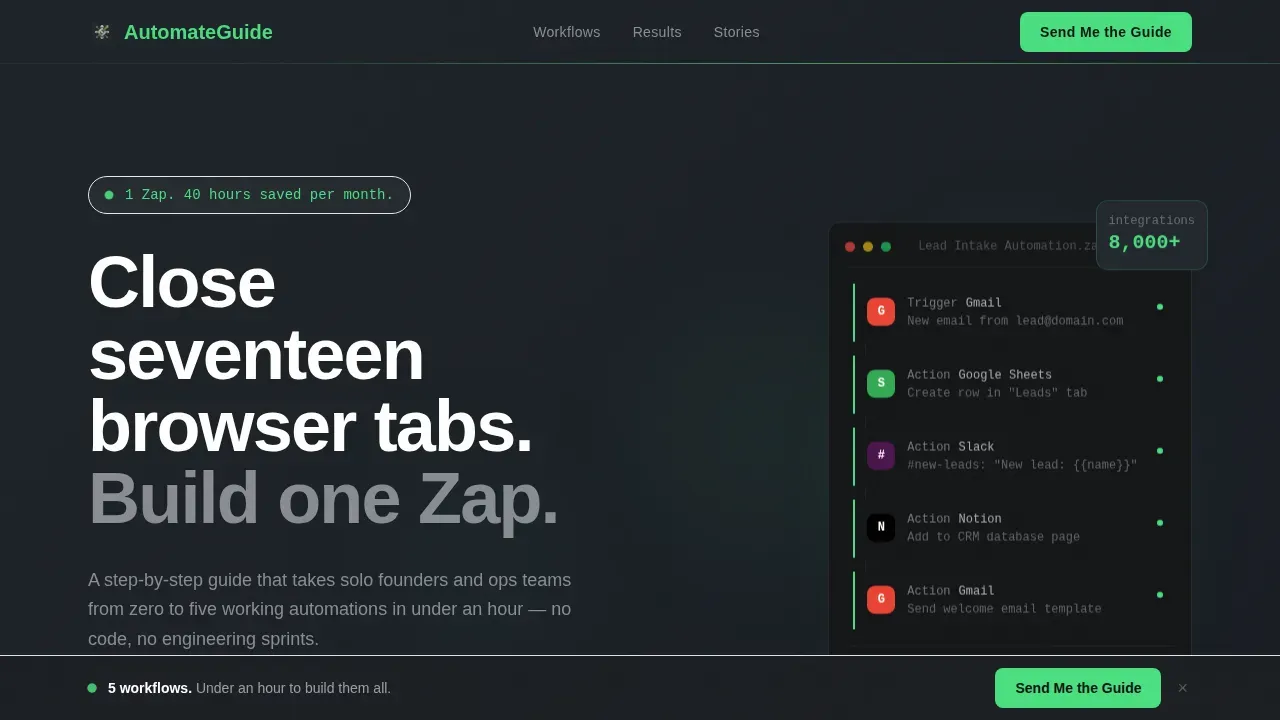
Three headline figures animate like scoreboards when they enter the viewport: five workflows, twelve minutes average setup, and 370-plus app integrations. These counters deliver immediate impact before any paragraph text renders, making the value proposition felt rather than just read. Automation makes the first impression before a single word does.
Five-Workflow Bento Grid
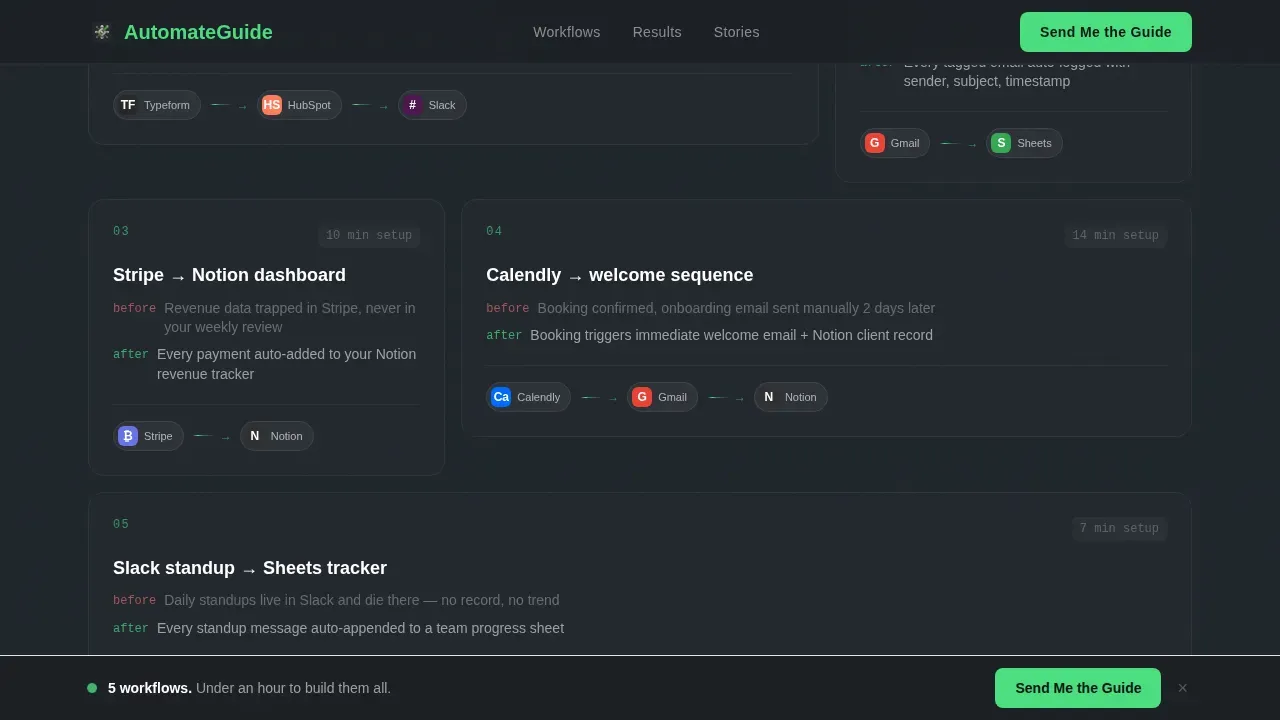
An asymmetric bento grid displays each of the five featured automated workflows with app-icon flow animations. Hover states activate on each workflow card, giving readers a tactile sense of the systems they are about to build. This section is where the guide's content becomes concrete and the visitor gains a deeper understanding of what each workflow steps through.
Segmented Lead Capture Form
The lead capture form asks for a work email and a single radio selection. The three options segment the lead in one click based on experience level. The automation trigger is defined at the form submission point, connecting directly to follow up emails and a nurture sequence downstream. Below the form, a secondary "Preview Chapter 1 Free" text link gives hesitant visitors a no-commitment path.
Product Screenshot Hero
The header features a pixel-perfect product screenshot of the workflow editor mid-build, showing a real five-step connection between Gmail, a Google Sheets log, and a Slack notification. The screenshot sits on a subtle isometric tilt against the forge-dark background. A single stat fades in first before the headline appears, letting the number land before the words explain it.
Social Proof Section
The social proof layout combines a featured large pull-quote with stacked founder testimonial cards. Stat badges reinforce credibility at a glance. Testimonials from real solo founders and ops leads eliminate risk perception and improve conversion rates by giving readers a mirror of themselves on the page.
Page sections overview
| Section | Purpose |
|---|---|
| Hero Header | Deliver stat-first impact and introduce the guide promise |
| Animated Stats Block | Show five workflows, twelve-minute setup, and app count |
| Five-Workflow Grid | Illustrate each workflow with app-icon flow animations |
| Social Proof Cards | Build trust with founder testimonials and stat badges |
| Lead Capture Form | Segment and convert visitors with a two-field form |
| Sticky call to action Bar | Keep the primary action visible throughout the scroll |
| Footer | Horizontal footer with secondary navigation and links |
Design & branding system
The visual identity follows a Monochrome Steel palette built around a dark IDE aesthetic. Every color choice is deliberate and serves function over decoration, creating an environment where the reader's attention goes to content, not chrome.
- Background graduates from forge-dark charcoal (#1B1F23) at the header through brushed gunmetal (#3A3F47) in mid-page sections, with cold interface silver (#D0D3D8) for body type on dark backgrounds
- The electric accent (#4ADE80) appears exclusively on call-to-action buttons, progress indicators, and active form states, never as decoration
- Typography uses DM Sans at heavy weights (800 to 900) for headings and regular weights (400 to 500) for body, keeping hierarchy sharp and readable at every scroll depth
Mobile & speed optimization
The template is built desktop-first, reflecting the laptop-heavy profile of its target audience. Full mobile responsiveness is included, and the single-page layout adapts cleanly to narrow viewports without sacrificing the scroll-reveal experience.
- A single-column stacked layout activates on mobile, with full-width sections that preserve the progressive reveal rhythm on smaller screens
- Navigation is removed from the page intentionally, keeping users focused on the conversion goal of the landing page without escape routes to other pages
- Client-side animation components are isolated so static sections load independently, keeping the interactive experience from blocking content rendering
How this template helps you convert
This landing page is engineered around a single conversion goal: capturing a segmented email lead from someone who is ready to automate but has not started yet. Every design and copy decision points toward that moment.
- The hero section communicates the core promise in the first viewport using a large stat and benefit-driven headline, responsible for a significant share of the page's conversion rate. Social proof and testimonials appear early enough to eliminate risk perception before the reader reaches the form.
- The form itself follows best practice for high-converting landing pages: it asks for only a work email and one radio selection, minimizing friction while segmenting the lead in a single click. After form submission, the workflow triggers an immediate thank you action and routes the contact into the appropriate follow up task or email sequence.
- The sticky call-to-action bar and the secondary "Preview Chapter 1" text link create two distinct paths for two types of visitors: those ready to commit and those who need one more reason. Both paths feed into the same lead nurturing system, improving the overall conversion rates of the page over time.
Other information about this template
This template sits inside the Documentation and Support category under the Zapier Documentation subcategory. It is purpose-built for the workflow automation guide niche and carries a Startup Velocity theme with Stats-First Impact creative direction.
- The page supports an automation trigger setup where form submission connects to actions such as send email, add tag to subscriber, or update contact record, making it compatible with standard marketing automation platforms
- Common examples of what readers build with the guide include automated notifications for new leads, follow up emails triggered by form activity, appointment reminders, and report generation from Google Sheets data
- The template is designed to support an email nurture sequence for visitors who do not convert on first visit, and can also support an exit-intent layer for additional lead recovery
- Workflow templates referenced inside the guide include pre built templates for lead nurturing, onboarding new customers, and managing cash flow reminders for outstanding invoices
- The drag and drop workflow builder concept is illustrated visually inside the five-workflow grid, showing that no coding required is the experience readers will have when they follow the guide
- For teams wanting to run tests on headline variants or call-to-action colors, the page structure supports A/B testing by duplicating the layout and swapping isolated sections
- An ai agent layer can be referenced inside the guide content as an advanced workflow step once readers complete their first workflow and want to progress to more complex workflows
- The design intentionally removes the main navigation menu, keeping users focused on the single conversion goal and preventing drop-off before the lead capture form
- Data must flow seamlessly from the landing page form into connected systems, and the template's form submission block is structured to make that handoff clean and direct
- Personalization tokens can be used in the automated messages that follow form submission, preserving a personal touch even as the workflow scales across many new leads
Theme
Startup Velocity
Creative direction
Stats-First Impact
Color system
Monochrome Steel
Style
Scroll Reveal (Progressive)
Direction
Lead Generation
Page Sections
Scroll-reveal Progressive Section Architecture
Segmented Two-field Lead Capture Form
Five-workflow Bento Grid with Hover States
Product Screenshot Hero with Isometric Tilt
Sticky Call-to-action Bar
Social Proof Layout with Stat Badges
Related questions
Do I need coding skills to use this template?
Can I connect the lead capture form to my email platform?
Is this template suitable for more advanced workflow automation guide content?
How does the segmented form improve lead nurturing?
How does the social proof section work?



