IT Services & Consulting Professional Website Template
Augment is a dashboard-style IT staff augmentation landing page built for firms that place vetted engineers, DevOps specialists, and cloud architects into client teams fast. A filterable talent grid, anonymized engineer cards, and a sticky lead-capture bar work together to turn curious visitors into qualified leads before they scroll away.
by Rocket studio
Quick summary
Augment is a single-page, lead-generation-focused template designed for IT staff augmentation companies. It pairs a scrolling logo bar with a live-filter talent grid, anonymized engineer cards, and a sticky "Build Your Team Brief" call-to-action bar. The layout guides technical buyers from first glance to form submission in one confident scroll.
Who this template is for
This template is built for IT staffing and staff augmentation firms that need to convert high-intent technical buyers quickly. If your clients expect data before they talk to sales, this page speaks their language.
- IT staff augmentation agencies placing engineers, DevOps specialists, and cloud architects
- Staffing firms targeting CTOs at growth-stage startups, enterprise engineering managers, and agency technical directors
- Technical recruiting and consulting businesses that want a polished, filterable bench showcase
What problem this template solves
Finding the right engineering talent is urgent for most buyers. They arrive skeptical and short on time. A generic staffing page with a contact form and stock photography does nothing to earn their trust.
- Visitors cannot assess bench depth or skill breadth without a real talent discovery experience
- There is no clear signal of speed or readiness, so high-intent buyers bounce before they convert
- Most staffing pages bury the call to action, losing leads that were already qualified by the time they scrolled
What you get with this template
You get a fully structured, design-ready landing page that doubles as a talent discovery tool. Every section is purposeful, and the visual system is consistent from the header down to the form panel.
- A scrolling partner and client logo bar, a filterable engineer grid with skill radar charts, and case-study metric rows
- A sticky "Build Your Team Brief" bottom bar with a slide-over intake form, plus per-card "Request Profile" micro-calls-to-action
- A Slate and Sky dark-mode color system with charcoal, gunmetal, sky blue, and cloud white, ready to apply your branding
Feature list
This section details the core interactive and structural features built into the Augment template.
Filterable Talent Grid
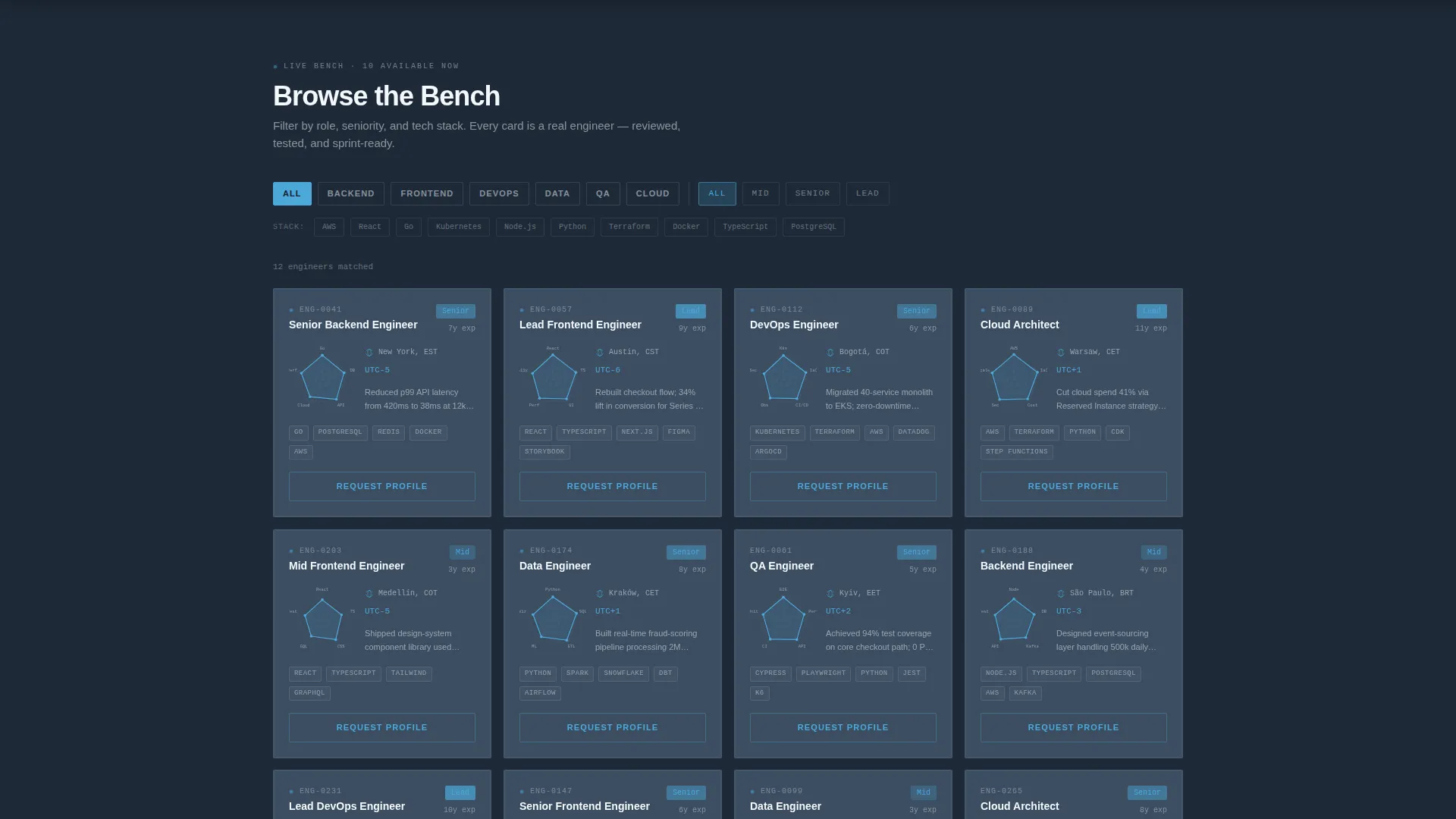
Visitors filter the engineer card grid by role tags such as Backend, Frontend, DevOps, Data, and QA. They can also toggle seniority levels (Mid, Senior, Lead) and technology badges including AWS, React, Go, and Kubernetes. Cards repopulate in real time, giving buyers an immediate sense of bench depth.
Anonymized Engineer Cards
Each card in the grid displays years of experience, a skill radar chart, and time-zone availability. A "Request Profile" micro-call-to-action sits on every card. Anonymization keeps the focus on capability fit rather than identity, which is standard practice in staffing previews.
Sticky Lead Capture Bar
A persistent bottom bar appears after the first grid interaction. It anchors the primary call to action, "Build Your Team Brief," without interrupting the browsing experience. The bar keeps conversion intent visible throughout the entire scroll.
Slide-Over Team Brief Form
Clicking "Build Your Team Brief" opens a slide-over panel. The form collects role title first, then tech stack checkboxes, team size needed, and start-date urgency with three options: Immediately, Within 2 Weeks, or Planning Ahead. The progressive structure reduces friction and improves completion rates.
Case Study Metric Rows
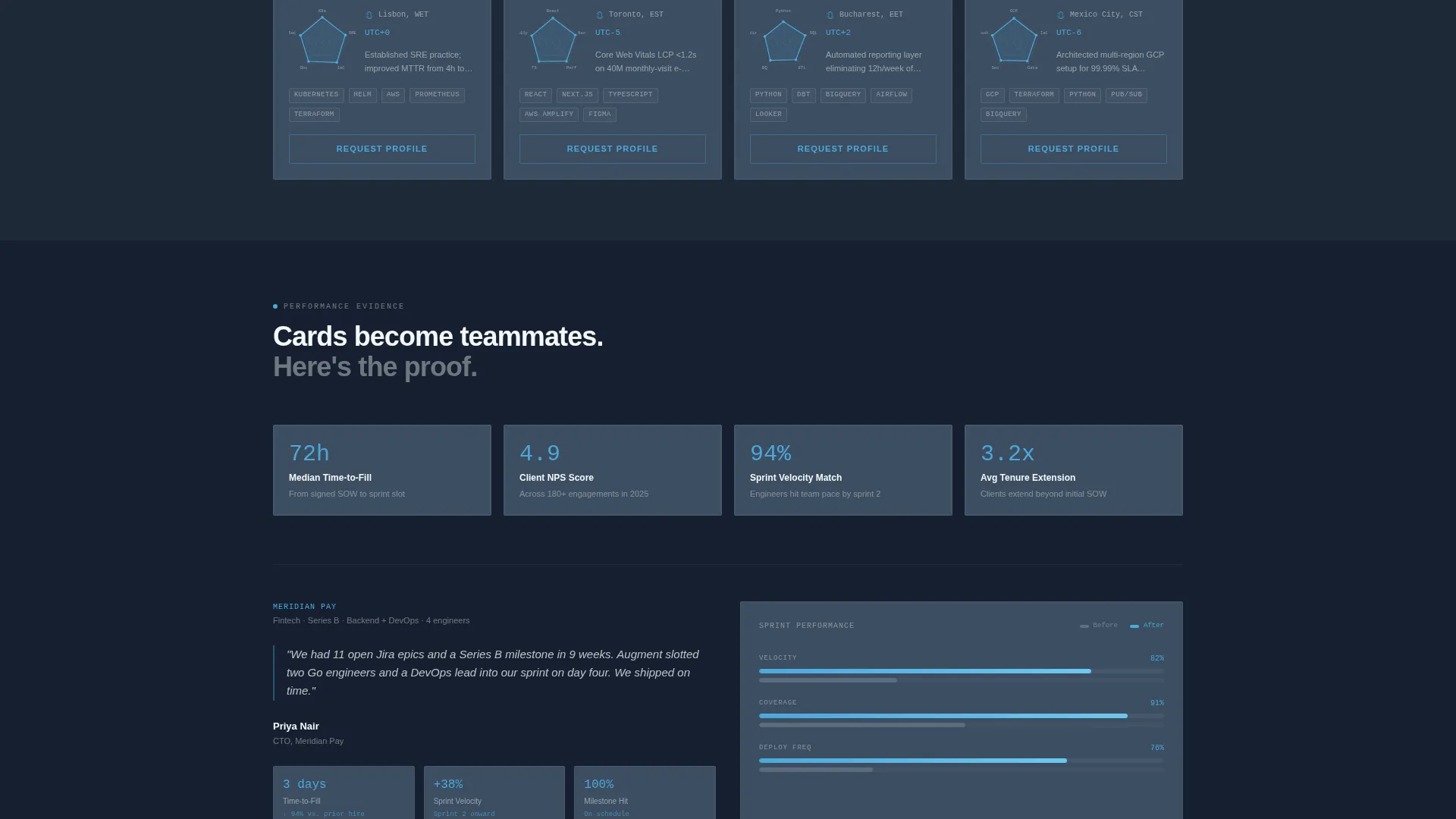
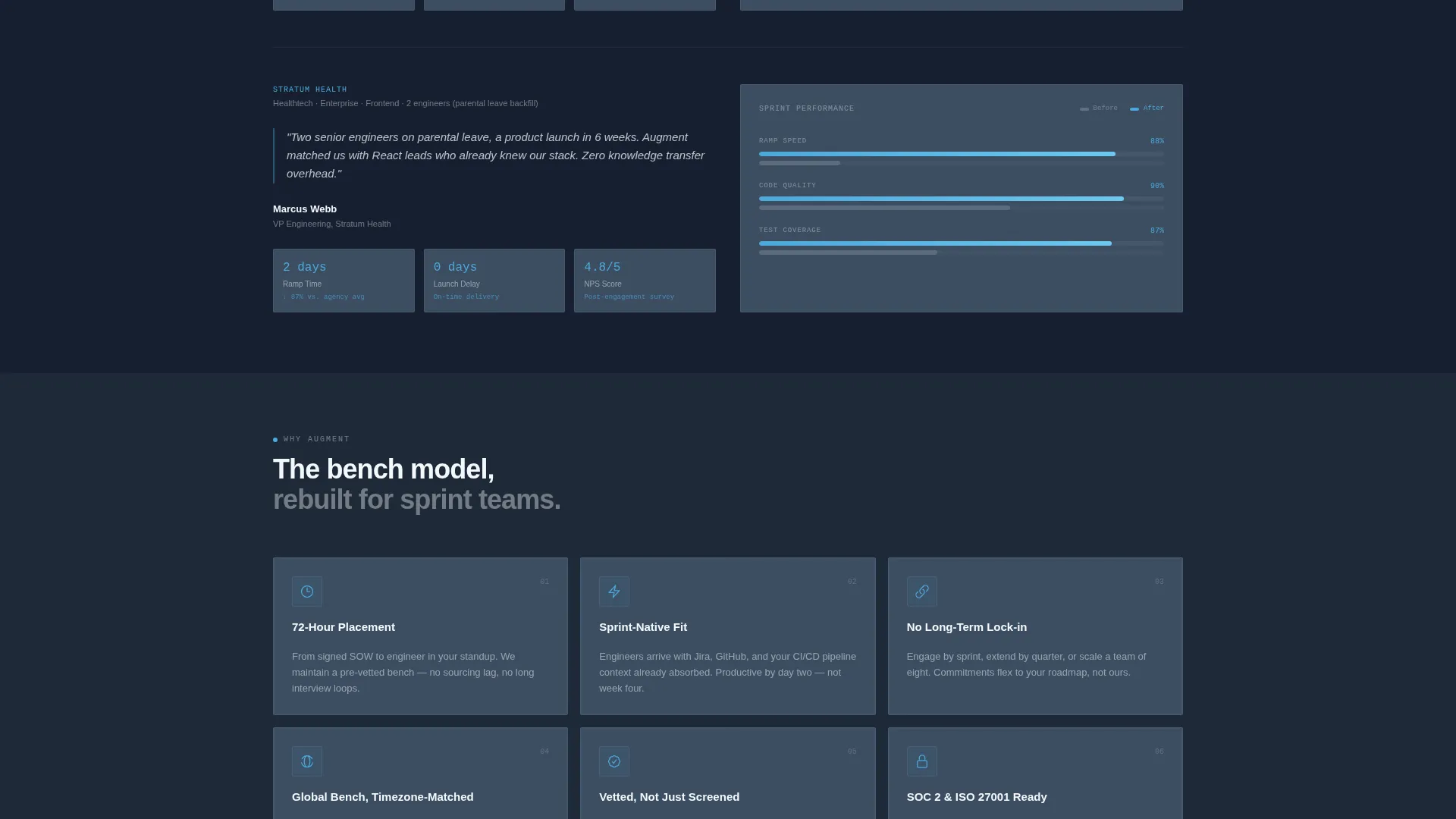
Below the talent grid, the page transitions into evidence rows. Sprint velocity charts, time-to-fill metrics, and client Net Promoter Score data appear as structured data rows. These components shift the visitor's mindset from browsing to evaluating a real delivery partner.
Scrolling Logo Bar Header
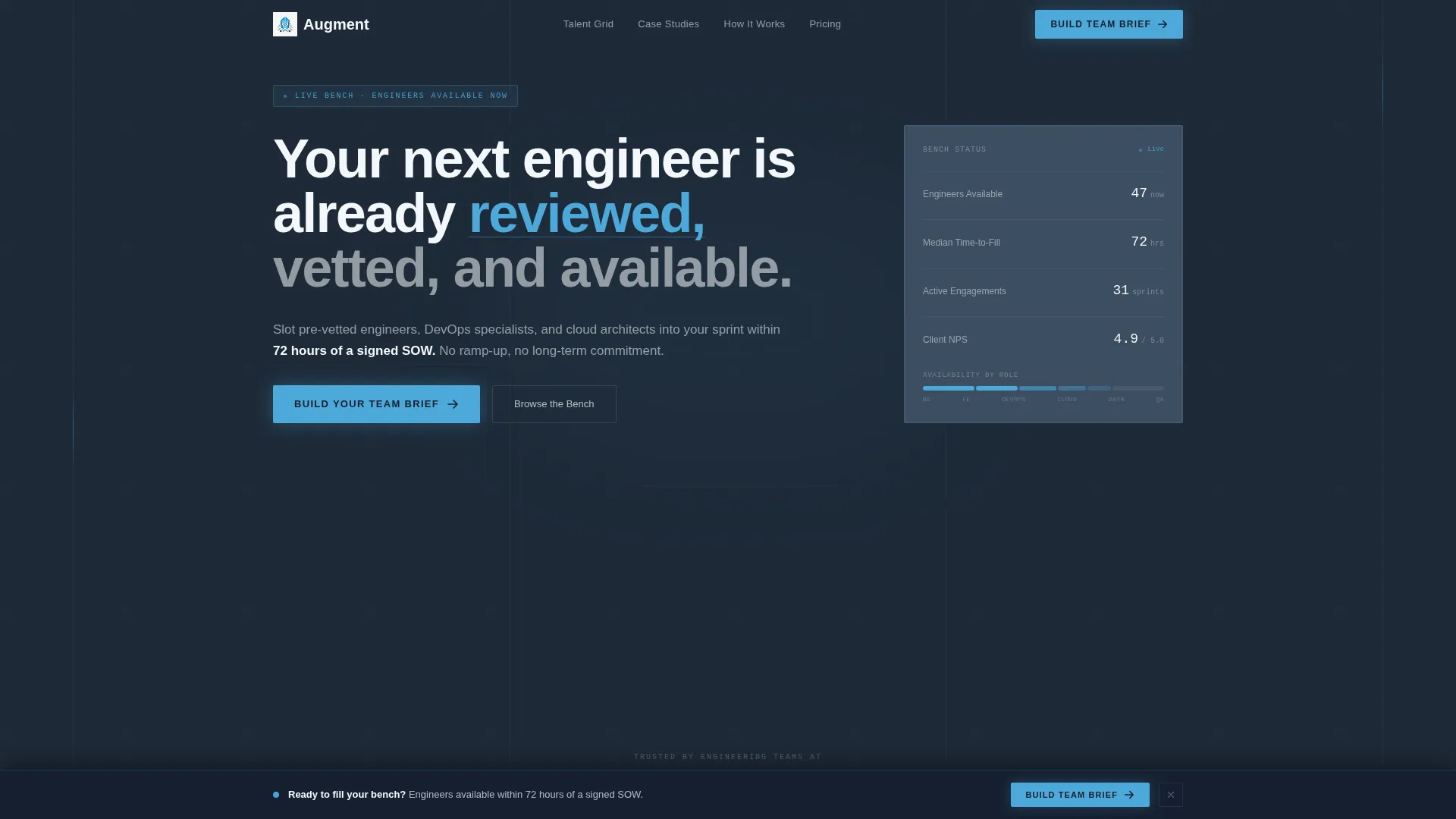
The header opens with a horizontal scroll of client and technology partner logos rendered in monochrome white against deep slate. The tagline "Your next engineer is already reviewed, vetted, and available" resolves above the bar. Social proof arrives before a single sales claim.
Page sections overview
| Section | Purpose |
|---|---|
| Scrolling Logo Bar | Establishes credibility through client and partner logos |
| Tagline Header | Sets the brand promise above the logo scroll |
| Role and Skill Filters | Lets visitors narrow the talent grid by role, seniority, and stack |
| Talent Grid | Showcases anonymized engineer cards with radar charts and availability |
| Sticky call to action Bar | Keeps the primary lead-capture action visible at all times |
| Slide-Over Brief Form | Collects role, stack, team size, and start-date urgency |
| Case Study Rows | Displays sprint velocity, time-to-fill, and NPS metrics as evidence |
| Per-Card Request call to action | Captures email and engineer ID from individual card interactions |
Design & branding system
The visual system follows a Directory and Discovery theme built on a Slate and Sky color palette. Every design decision reinforces focus, trust, and readiness.
- Deep charcoal slate (#1E2A38) for primary backgrounds, mid-tone gunmetal (#3B4D61) for card surfaces and data rows, sky blue (#4DA8DA) for interactive highlights and active states, and cloud white (#F4F7FA) for text and negative space
- Monochrome white logo rendering against the dark background ensures partner logos read clearly without competing with content
- The interactive Explorer approach means color and motion serve as functional signals, not decoration, keeping the page feeling like a live operations dashboard
Mobile & speed optimization
The Augment template is structured to work across screen sizes without sacrificing the grid-based layout that makes it effective for staffing discovery.
- The filterable talent grid and card components are designed to reflow cleanly on smaller viewports, preserving the filter interaction on mobile
- The sticky call to action bar adapts to mobile screen height so the lead-capture action remains accessible without blocking card content
- The slide-over form panel is structured for single-column display on mobile, keeping the intake flow readable and easy to complete on any device
How this template helps you convert
The page is engineered so that the act of exploring the template becomes the act of qualifying. By the time a visitor reaches the form, they have already experienced the value.
- The filterable grid lets buyers self-qualify by stack, seniority, and role before any human contact, which means form submissions arrive with clear context already attached.
- The sticky "Build Your Team Brief" bar reduces the distance between intent and action, keeping the call to action one tap away at every scroll depth.
- The case-study metric rows provide concrete delivery evidence, including sprint velocity and time-to-fill data, that moves hesitant buyers past objection and toward commitment.
Other information about this template
The Augment template sits at the intersection of the Directory and Discovery theme and an Interactive Explorer creative direction. This combination is well suited for IT services and consulting firms operating in the staff augmentation niche.
- The template style is a Dashboard and Data Grid layout, which mirrors the internal tools that the target buyers (CTOs, engineering managers, technical directors) use every day
- The seventy-two-hour placement promise built into the page narrative aligns directly with the urgency signals of Series B startup buyers and enterprise teams managing parental-leave backfills
- The lead generation direction is reinforced through two complementary paths: the team brief form for bulk hiring intent and the per-card request path for targeted, single-role demand
- This template can support customization of logo assets, engineer card data, technology badge labels, and form field copy to match your firm's actual bench and intake process
Theme
Directory & Discovery
Creative direction
Interactive Explorer
Color system
Slate & Sky
Style
Dashboard/Data Grid
Direction
Lead Generation
Page Sections
Real-time Filterable Talent Grid
Anonymized Engineer Cards with Radar Charts
Sticky Lead Capture Bottom Bar
Slide-over Team Brief Form
Case Study Metric Rows
Scrolling Social Proof Logo Bar
Related questions
Can I customize the role tags and technology badges in the filter bar?
Does the talent grid show real engineer profiles?
How does the Build Your Team Brief form work?
Who is this landing page template designed for?
Can visitors request a specific engineer profile from the grid?



