Intelligent Vet Assistant Landing Page Template
The Triage AI Veterinary Receptionist Comparison landing page template is built for veterinary practices drowning in call volume. It uses a terminal-style dashboard aesthetic, live comparison tables, and data-driven evidence callouts to show exactly how an AI receptionist outperforms a manual front desk, and drives visitors straight to a demo experience.
by Rocket studio
Quick summary
This is a single-page, click-through landing page template designed to convert veterinary practice managers into demo bookings. The layout follows an industry report cadence, opening with hard call abandonment data, moving through a seven-metric comparison table, and closing with a full-width call to action. Every design choice, from the terminal black background to the chartreuse delta animations, is built to make the status quo feel expensive.
Who this template is for
This template speaks directly to the people managing the phones at busy veterinary clinics. It is built for decision-makers who already feel the cost of the problem and just need a clear, credible case to act on.
- Practice managers at multi-exam veterinary clinic locations handling 200 or more daily calls
- Multi-location veterinary group operators losing revenue to voicemail abandonment and missed after hours emergencies
- Solo practitioners who are simultaneously doing clinical work and answering phones
What problem this template solves
Front desk staff in veterinary practices face a daily collision between clinical urgency and administrative volume. The phone never stops. Incoming calls pile up during peak hours, urgent cases get missed in the chaos, and pet owners who hit voicemail often never call back. This template is designed to make that problem impossible to ignore.
- Missed emergency calls and after-hours abandonment that translate directly into lost revenue and poor patient care
- Staff workload that leaves vet techs and receptionists burned out, making triage uncertainty a daily reality
- No clear visual proof that an ai receptionist can handle veterinary triage better than a stretched human team
What you get with this template
This template delivers a fully structured, high-interactivity landing page with all sections, components, and visual logic pre-built. You get a design-ready starting point that communicates the value of an ai receptionist to veterinary professionals without requiring you to write the page architecture from scratch.
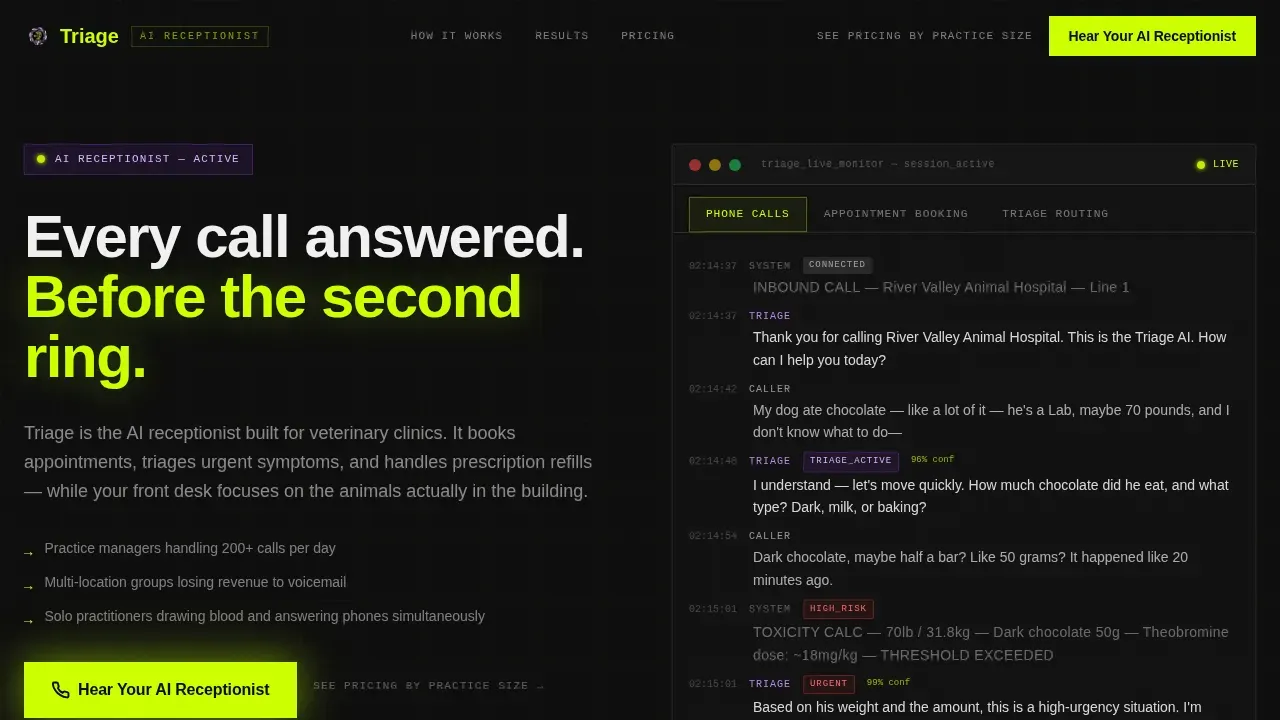
- A Feature Tab Switcher hero with three live dashboard tabs showing phone calls, appointment scheduling, and triage routing views
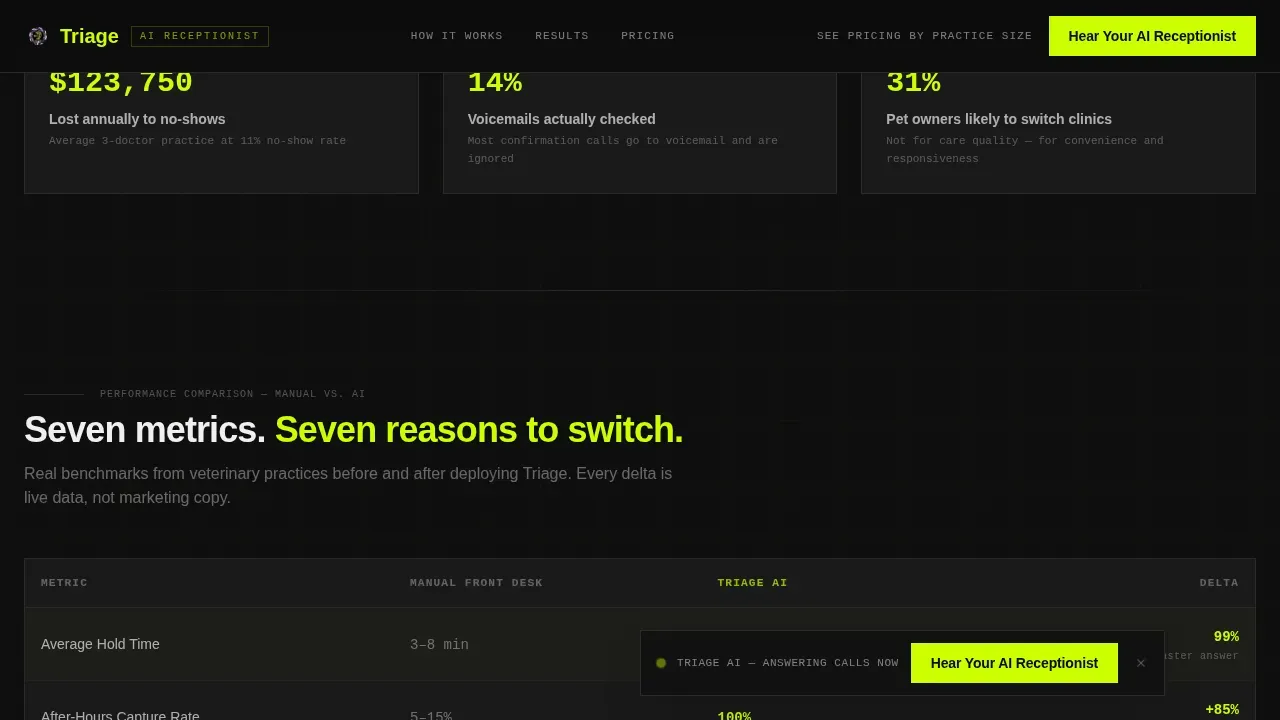
- A seven-metric comparison table with scroll-triggered row reveals and chartreuse delta animations contrasting manual workflows against ai-powered handling
- Three strategically placed call-to-action placements including a floating bar, a post-table prompt, and a full-width page closer
Feature list
This template is built around a specific set of interactive and visual components drawn directly from the project brief. Each feature is designed to carry weight in the conversion flow.
Feature Tab Switcher Hero
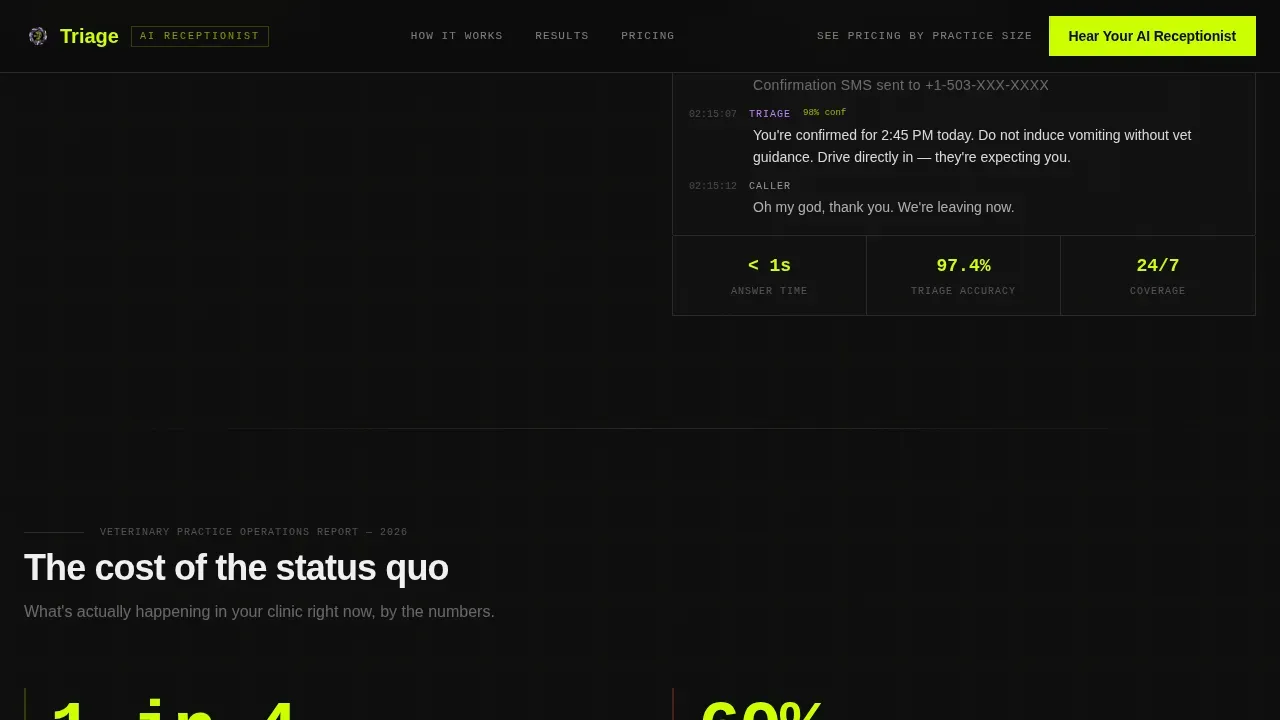
The header is a three-tab interactive panel labeled "Phone Calls," "Appointment Booking," and "Triage Routing." Each tab reveals a different live dashboard view. The default tab renders a real-time call transcript showing an ai agent handling a panicked caller reporting a chocolate ingestion emergency, complete with timestamp markers, weight and quantity classification, urgency scoring, and an auto-scheduled emergency slot rendered in a terminal-style interface. Confidence scores glow in chartreuse, and ai-active states are highlighted in synthetic violet.
Seven-Metric Comparison Table
The core of the page is a structured comparison table that pits manual front-desk workflows against ai-handled workflows across seven key metrics: average hold time, after-hours capture rate, no-show reduction, call-to-booking conversion, veterinary triage accuracy, staff hours reclaimed, and monthly revenue recovered. Each table row animates its delta value in chartreuse on scroll, reinforcing the financial and operational case row by row. This is the primary visual proof engine of the page.
Evidence Stat Callouts
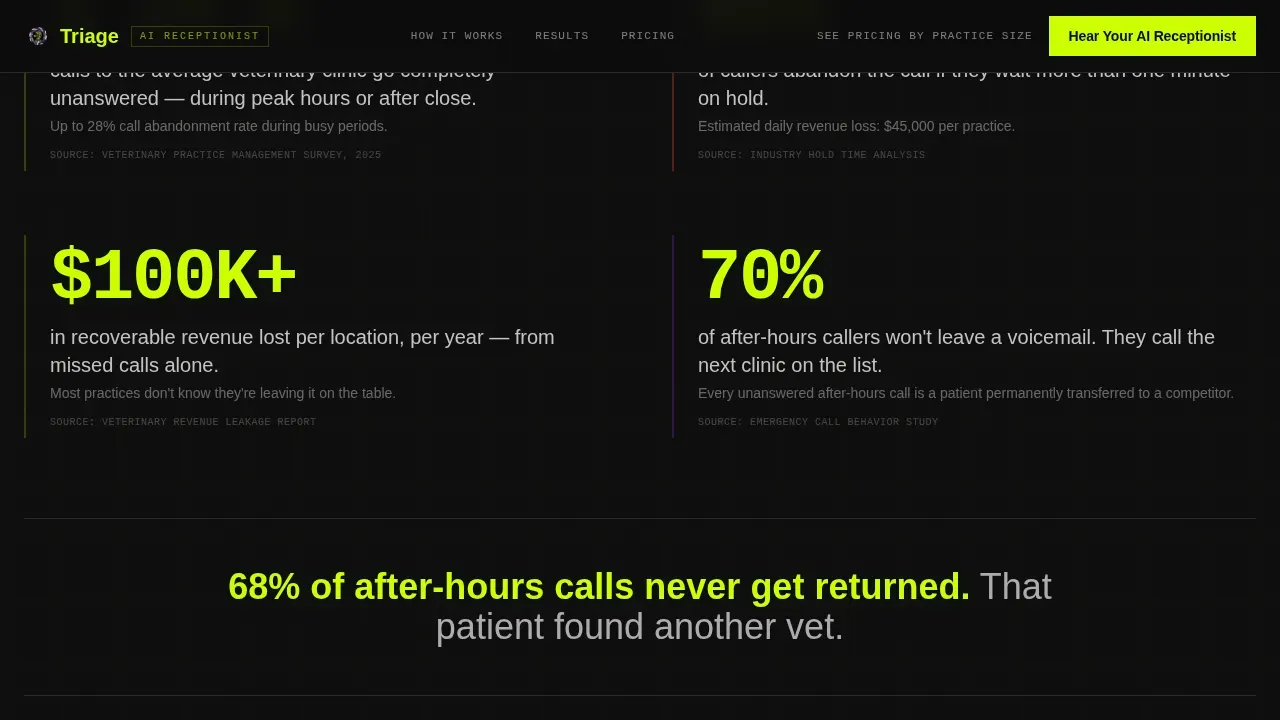
Between table sections, single-stat callout blocks land like headlines. These are designed to interrupt the scroll and anchor the reader with a hard number before the next comparison block loads. An example callout reads: "68% of after-hours calls never get returned." These callouts build a cumulative evidence case that makes the click-through feel like the only rational next step.
Floating Call-to-Action Bar
A persistent call-to-action bar appears as the visitor scrolls through the metrics section. It carries the primary call to action, "Hear Your AI Receptionist", and stays visible without blocking content. This ensures the conversion path is always one click away during the highest-engagement portion of the page.
Full-Width Page Closer
The final section is a full-width closing block with the primary call-to-action button and a secondary text link reading "See Pricing by Practice Size." The closer is designed to capture visitors who have read the full evidence case and are ready to commit. No form is present on this page, the button clicks through to a live demo simulation where the visitor can call a demo number and hear the ai assistant handle a sample veterinary call.
Industry Report Scroll Cadence
The page is structured like a veterinary practice operations study. It opens with hard data on call abandonment rates and revenue leakage, then moves through the comparison tables, then closes with the demo invitation. The scroll rhythm is deliberate, each section answers a question the previous section raised, keeping practice managers reading to the end.
Page sections overview
| Section | Purpose |
|---|---|
| Feature Tab Switcher Hero | Shows live AI call handling via three interactive dashboard tabs |
| Data Headline Block | Opens with call abandonment rates and revenue leakage statistics |
| Comparison Table | Compares manual versus. AI workflows across seven operational metrics |
| Evidence Stat Callouts | Single-number interrupts that anchor the data case between tables |
| Floating call to action Bar | Keeps the primary demo action visible during the metrics scroll |
| Full-Width Closer | Final conversion block with primary call to action and secondary pricing link |
| Footer | Linear single-row footer with minimal navigation |
Design & branding system
The visual identity uses an Acid Digital color system built on four values that feel like a neon sign reflecting off a clinic floor at 2 AM. The Dashboard Pro theme treats every data point as a live metric, not a static label.
- Terminal black (#0D0D0D) as the primary background, electric chartreuse (#CCFF00) for calls to action and live data highlights, synthetic violet (#7B2FBE) for ai-active states, and clinical white (#F0F0F0) for all body text
- JetBrains Mono for terminal-style interface elements and timestamp displays; DM Sans for headers and body copy to balance technical precision with readability
- Chartreuse reserved for numbers that move, delta values, confidence scores, and stat callouts, so every metric reading draws the eye before the reader consciously decides to look
Mobile & speed optimization
The template is built desktop-first, reflecting the reality that practice managers reviewing ai tools are typically at a desk. The layout is responsive and adapts for mobile access without losing the core data hierarchy.
- Scroll-triggered animations, tab switching, and the floating call-to-action bar are built as client-side components, keeping static sections fast through server component architecture
- Optimized images and a clean component separation between static and interactive elements support a target load time under three seconds for mobile users
- The comparison table stacks gracefully on smaller screens, preserving row-by-row readability without horizontal scrolling
How this template helps you convert
The conversion logic of this page is built around a single principle: make the status quo feel expensive before ever mentioning price. Every section earns the next click by raising the stakes of doing nothing.
- The hero tab switcher puts the ai receptionist in action immediately, visitors see a real veterinary triage call being handled before they read a single feature claim, building trust through demonstration rather than description
- The comparison table makes the cost of manual workflows visible and specific, so by the time the "Hear Your AI Receptionist" call to action appears, the visitor is not weighing curiosity against hesitation, they are weighing evidence against inaction
- The no-form demo path removes friction entirely, the call to action clicks through to a live simulation, not a contact form, so the first experience a visitor has with the product is the product itself
Other information about this template
This template is categorized under AI for Veterinary technology, sitting at the intersection of practice management software, ai-powered client communication, and veterinary triage tooling. It is designed specifically for the B2B SaaS veterinary space and reflects the real operational pressures that veterinary professionals face daily.
- The page is built to support lead qualification flows where a sales team follows up after a visitor completes the demo simulation, call details and caller intent data can feed downstream outreach processes
- Regulatory compliance and data security are primary concerns in veterinary medicine. The template is designed to accommodate compliance messaging and audit trails, supporting trust signals around patient data handling and privacy standards
- The template supports a knowledge base section or clinic documents reference area, allowing practices to surface clinic protocols, vaccination reminders, and patient information resources alongside the core conversion flow
- The ai system shown in the template is designed to handle multi channel communication, including phone, text, and email, and can be trained on a clinic's specific protocols to provide accurate instant responses across multiple channels
- AI triage systems for veterinary receptionists fall into two categories: integrated modules within practice management software and standalone ai receptionist platforms. This template is built to represent either positioning depending on the clinic's specific deployment
- AI receptionist technology is evolving rapidly. Future ai receptionist tools will increasingly support proactive clinical decision making in urgent situations, leveraging advanced natural language processing to improve veterinary triage accuracy and patient outcomes
- Advanced analytics capabilities are expected to move beyond simple call logs, giving veterinary teams actionable insight into staff workload, appointment scheduling patterns, follow ups, and after hours emergencies
- This template supports the kind of social proof that ai driven solutions require, testimonials, benchmark data, and evidence of seamless integration with existing practice management systems all have dedicated placement within the scroll architecture
- Platforms referenced in the ai receptionist space include DialIQ, which is built specifically for healthcare and emergency services with a triage engine that routes calls by context, and Wonderchat, whose veterinary receptionist template supports scheduling across multiple veterinarians. Petriage Pearl AI guides pet owners through symptom checklists via conversational triage. Digitail (Tails AI) assists with patient intake and summarizes medical histories. PupPilot integrates directly with practice information management systems to evaluate symptoms and handle real-time appointment booking. Shepherd Veterinary Software uses AI to assist with differential diagnoses and provide patient summaries to front desk staff
- The template is built to be deployed quickly. Clinics can modernize their front desk operations and start collecting demo leads without requiring a lengthy build process
Theme
Dashboard Pro
Creative direction
Industry Report
Color system
Acid Digital
Style
Comparison Table
Direction
Click-Through
Page Sections
Feature Tab Switcher Hero Section
Seven-metric Comparison Table
Evidence Stat Callout Blocks
Floating Call-to-action Bar
Full-width No-form Closer
Terminal Dashboard Visual System
Related questions
Who is this landing page template built for?
Does this template include a contact form?
Can the comparison table metrics be customized?
How does the template demonstrate emergency call handling?
Is this template suitable for positioning practice management software?



