Decathlon Booking Website Template
Arena is a single-column decathlon venue landing page built for athletic federations, university coaching staffs, and event promoters. It combines an immersive dark-industrial visual identity with a high-momentum scroll flow, inline booking form, venue specs grid, and credential proof sections that move serious buyers from discovery to reservation without friction.
by Rocket studio
Quick summary
Arena is a high-impact single-column landing page for a decathlon venue. It targets regional athletics federations, university coaching teams, and event promoters. The template leads with a cinematic twilight header, drives visitors through a fast-paced facility showcase, and closes with an inline booking form anchored by a sticky call-to-action bar.
Who this template is for
This template is built for organizations that need to fill a multi-discipline athletics facility's calendar and convert serious inquiries fast. It speaks directly to decision-makers who need credential proof before they commit a budget.
- Regional athletics federations scheduling championship qualifier meets
- University coaching staffs booking pre-season testing blocks and training camps
- Event promoters scouting venues capable of hosting a full decathlon and a live crowd
What problem this template solves
Most athletics venue pages bury the critical details. Facility dimensions, surface certifications, and available dates are scattered across PDFs and contact forms. Buyers leave before they find the proof they need.
- Federations and meet directors need instant access to specs, certifications, and scheduling availability
- Promoters need scarcity signals and credential evidence before approving a budget line
- Coaching teams need a clear path to book a training block without a lengthy back-and-forth email chain
What you get with this template
The template delivers a complete single-column landing page purpose-built for a decathlon venue. Every section is sequenced to build trust and then capture the booking.
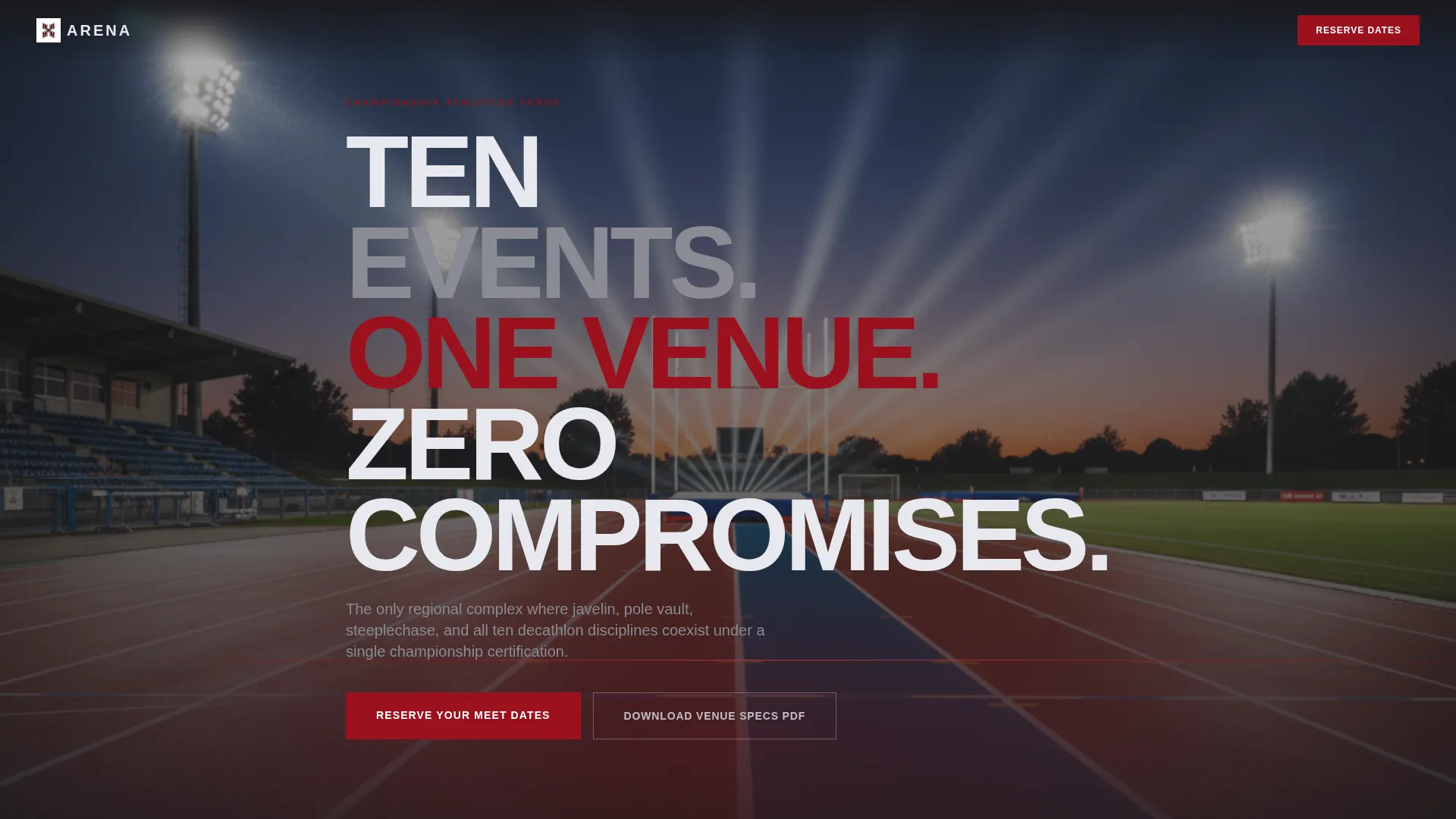
- A full-bleed twilight header with a slow ruby glow animation and a kinetic headline that brands itself across the frame
- A rolling event counter, rapid-cut discipline gallery, pull-quote testimonials, venue specs stat-block grid, scarcity calendar, and inline booking form
- A sticky "Reserve Your Meet Dates" call-to-action bar that appears after the first scroll and stays visible throughout the session
Feature list
This section outlines the core built-in components that give Arena its momentum and conversion structure.
Cinematic Full-Bleed Header
The header opens on a near-black twilight photograph of the home straight. A slow glow animation bleeds ruby light along the track lines. The headline "TEN EVENTS. ONE VENUE. ZERO COMPROMISES." types itself across the frame like a timing board flashing a result, setting the competitive tone immediately.
Rolling Discipline Counter
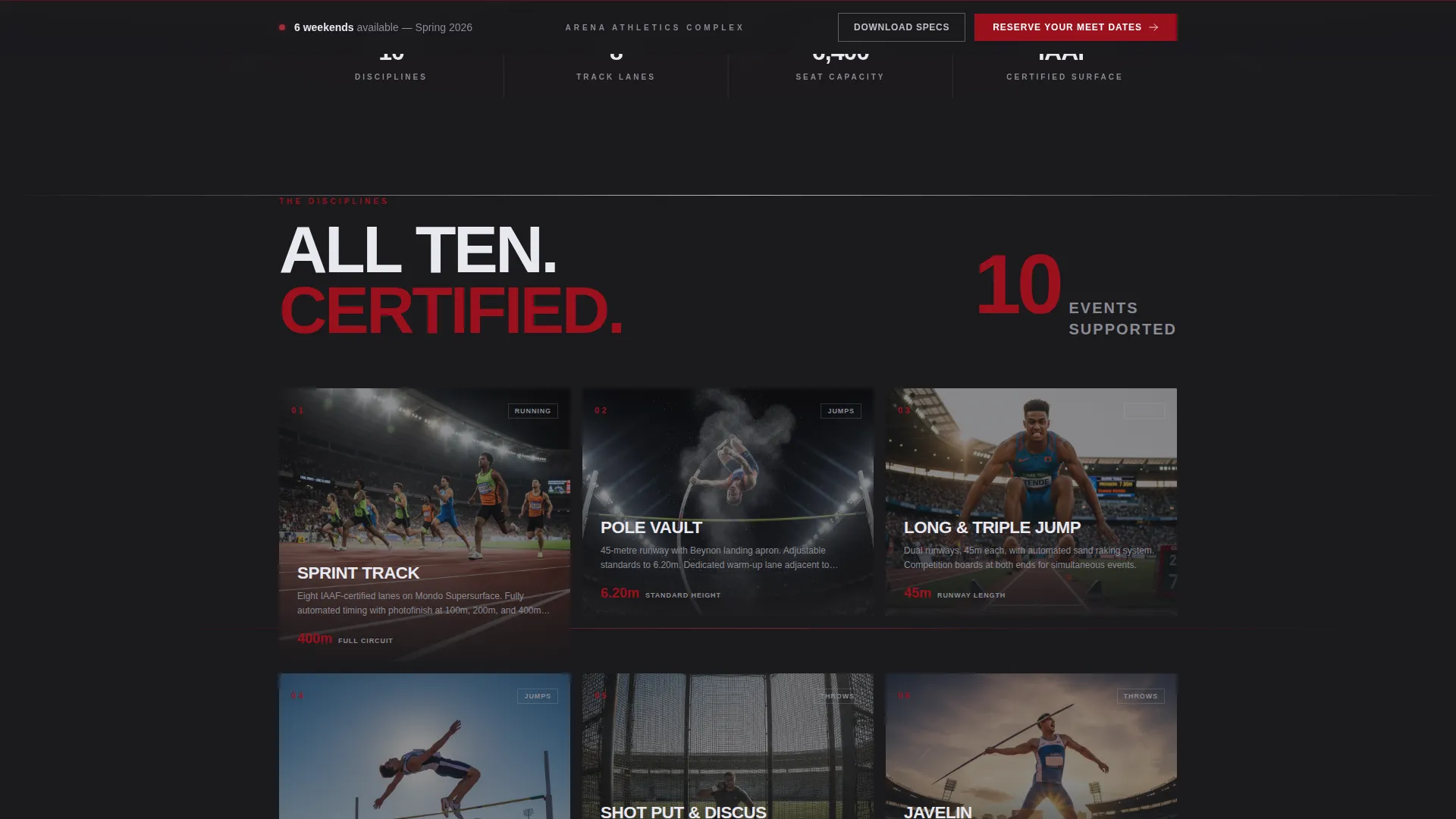
A live-style counter tallies the track and field events the facility supports. It fires on scroll entry, giving visitors an instant quantified sense of the venue's range before they read a single line of body copy.
Rapid-Cut Discipline Gallery
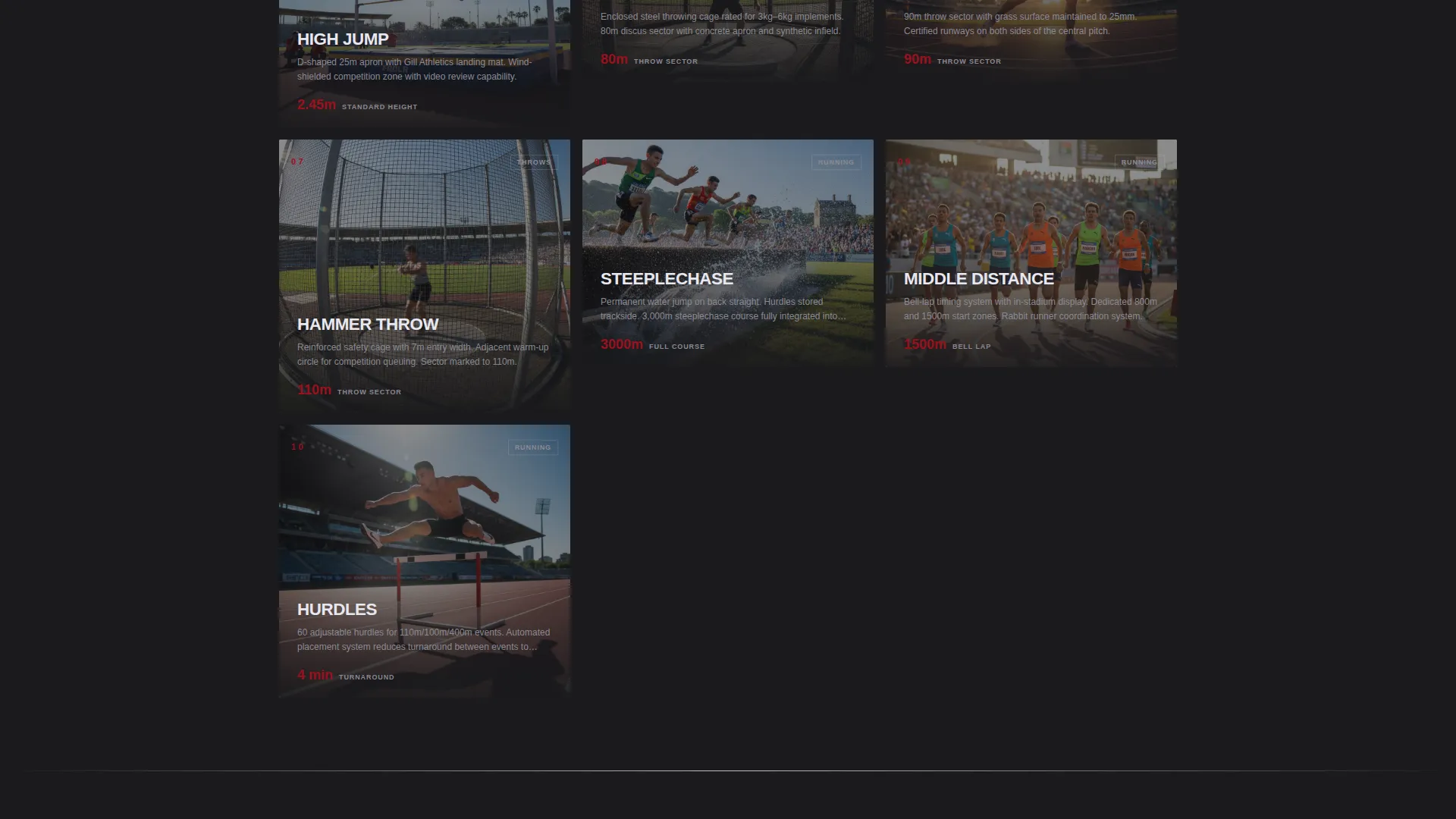
Each throwing cage, steeplechase water jump, high jump apron, pole vault runway, and field station is introduced with a short kinetic text burst that slams into place as the section enters the viewport. The gallery maintains momentum through every discipline without letting the page feel static.
Venue Specs Stat-Block Grid
Facility dimensions, surface certifications, and seating capacity are laid out in a clean grid that reads like a results sheet. This section is designed to give federation officials and meet directors the exact numbers they need for board approval or bid documentation.
Inline Booking Form with Event Selector
The booking form opens directly on the page without a redirect. It includes an event type selector covering championship meets, training camps, schools competitions, and corporate athletics days, alongside a date range picker, estimated athlete count field, and a single notes field.
Sticky Call-to-Action Bar with PDF Secondary Path
A "Reserve Your Meet Dates" bar anchors the bottom of the viewport after the first scroll. A secondary action, "Download Venue Specs PDF", sits alongside it for federation officials who need printed documentation before they can commit.
Page sections overview
| Section | Purpose |
|---|---|
| Full-Bleed Header | Opens with the twilight track photograph, ruby glow animation, and kinetic headline |
| Rolling Event Counter | Communicates facility breadth at a glance with a scroll-triggered discipline tally |
| Discipline Gallery | Rapid-cut visual tour of each field station with kinetic text bursts |
| Testimonial Pull-Quotes | Short, punchy quotes from federation officials and meet directors on dark concrete textures |
| Venue Specs Grid | Stat-block layout of dimensions, surface certifications, and seating capacity |
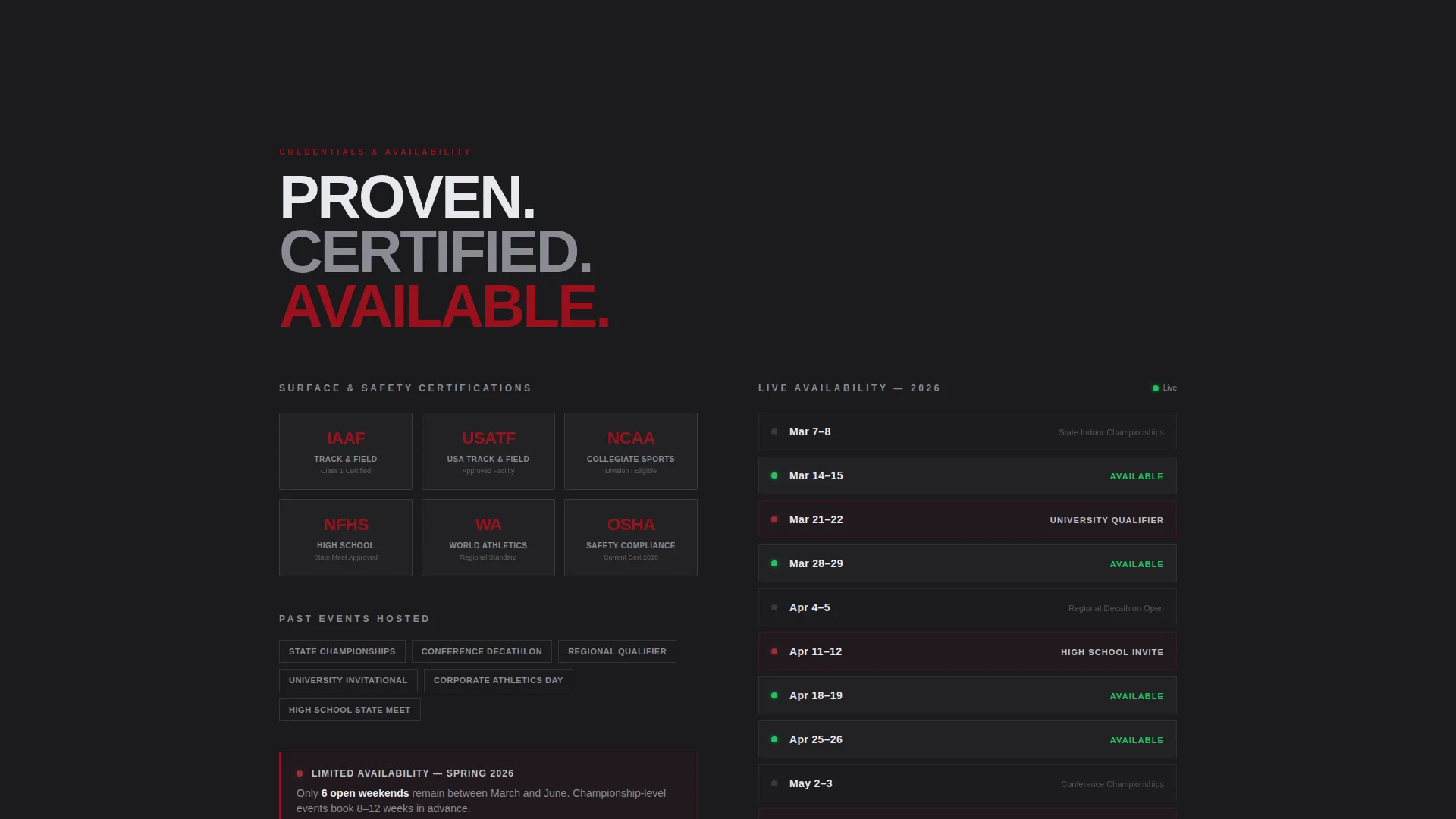
| Credential Proof Bar | Surface certification badges, past event logos, and scarcity calendar |
| Inline Booking Form | Event type selector, date picker, athlete count, and notes field |
| Sticky call to action Bar | Persistent "Reserve Your Meet Dates" and "Download Venue Specs PDF" actions |
Design & branding system
The visual identity follows an Industrial Raw theme. The palette feels like brushed steel bleachers lit under stadium floods, with a single burning element cutting through the cold infrastructure.
- Color system: deep gunmetal black (#1A1A1D) anchors every background, polished chrome silver (#C0C0C8) carries headings and divider lines, molten ruby (#9B111E) pulses on action elements, and hot filament red (#E63946) is reserved strictly for calls-to-action and hover states
- Typography and texture: chrome headings sit against dark concrete textures; parallax chrome dividers and ruby accent streaks run between sections to push the eye downward like a sprinter leaning through the tape
Mobile & speed optimization
The single-column structure keeps the layout clean and predictable across all screen sizes. Scroll-triggered animations and kinetic text bursts are sequenced so they fire correctly in mobile viewports without layout breakage.
- The sticky call-to-action bar and inline booking form are sized and spaced for thumb-friendly use on small screens
- The stat-block grid and scarcity calendar reflow cleanly into single-column stacks on narrow viewports
How this template helps you convert
Arena is sequenced as a deliberate trust-and-action funnel. Each section does one job and then hands off to the next.
- The credential proof block, featuring surface certification badges, past event logos, and a live scarcity calendar showing limited available weekends, builds authority before the booking form ever appears, removing the primary objection for budget-holders
- The sticky call-to-action bar keeps the primary conversion path visible at all times, while the secondary "Download Venue Specs PDF" path captures federation officials who need board approval before committing, so neither buyer type is lost
Other information about this template
Arena sits in the Sports and Recreation category with a specific focus on the decathlon niche. It was designed with a direct sales landing page direction in mind, meaning every creative decision points toward a reservation or a qualified inquiry.
- The template style is built on a card grid and modular structure, making individual sections easy to update with new event dates, fresh certification badges, or revised capacity figures
- The Ruby and Chrome color system is a deliberate identity choice, not a generic sports palette; it signals a high-specification venue rather than a community leisure center
- The creative direction prioritizes launch energy and forward momentum, keeping scroll depth high and bounce rate low by giving every section a clear visual and informational payoff
Theme
Futuristic Neon
Creative direction
Community Gallery
Color system
Ruby & Chrome
Style
Card Grid (Modular)
Direction
Direct Sales
Page Sections
Cinematic Twilight Header with Glow Animation
Scroll-triggered Discipline Counter
Rapid-cut Discipline Gallery
Venue Specs Stat-block Grid
Inline Booking Form with Event Selector
Sticky Call to Action Bar with PDF Secondary Path
Related questions
What types of events is this landing page designed to promote?
Can I update the venue specs and available dates without rebuilding the page?
Does the booking form send users to a separate page?
Who is the secondary call-to-action designed for?
How does the template build urgency before the booking form appears?