Advanced Woodland Wedding Portfolio & Case Study Website Template
Canopy is a full-width immersive landing page template built for woodland wedding photographers. It pairs a slow-motion full-screen video header with a living mosaic gallery, warm artisan branding, and a lead-generation form that invites couples to share their story. The result feels less like a portfolio and more like a gathering in a sun-warmed forest clearing.
by Rocket studio
Quick summary
Canopy is a single-page landing page template designed for photographers who specialize in woodland and outdoor weddings. It blends a full-screen video header, a community-style photo gallery, and a soft modal inquiry form to create an atmosphere that feels personal and deeply rooted in nature.
Who this template is for
This template was built for a very specific kind of creative professional. If your work lives in forests, fields, and wildflower-dotted clearings, Canopy speaks your visual language from the first scroll.
- Woodland wedding photographers who prioritize authenticity over staged formality
- Photographers targeting couples who write their own vows, choose outdoor venues, and value unscripted moments
- Independent photographers ready to replace a generic portfolio site with a deeply personal landing page
What problem this template solves
Most photography templates feel like a catalog. They present work without context, emotion, or voice. That creates a gap between the photographer's real personality and what a prospective couple actually sees.
- Generic portfolio layouts fail to communicate the specific experience a woodland photographer offers
- Standard inquiry forms feel transactional rather than inviting, which can discourage the right clients from reaching out
- A cold first impression loses warm, values-driven couples before they ever read the photographer's story
What you get with this template
Canopy gives you a complete, ready-to-customize landing page that leads with atmosphere and closes with conversation. Every section is designed with intention.
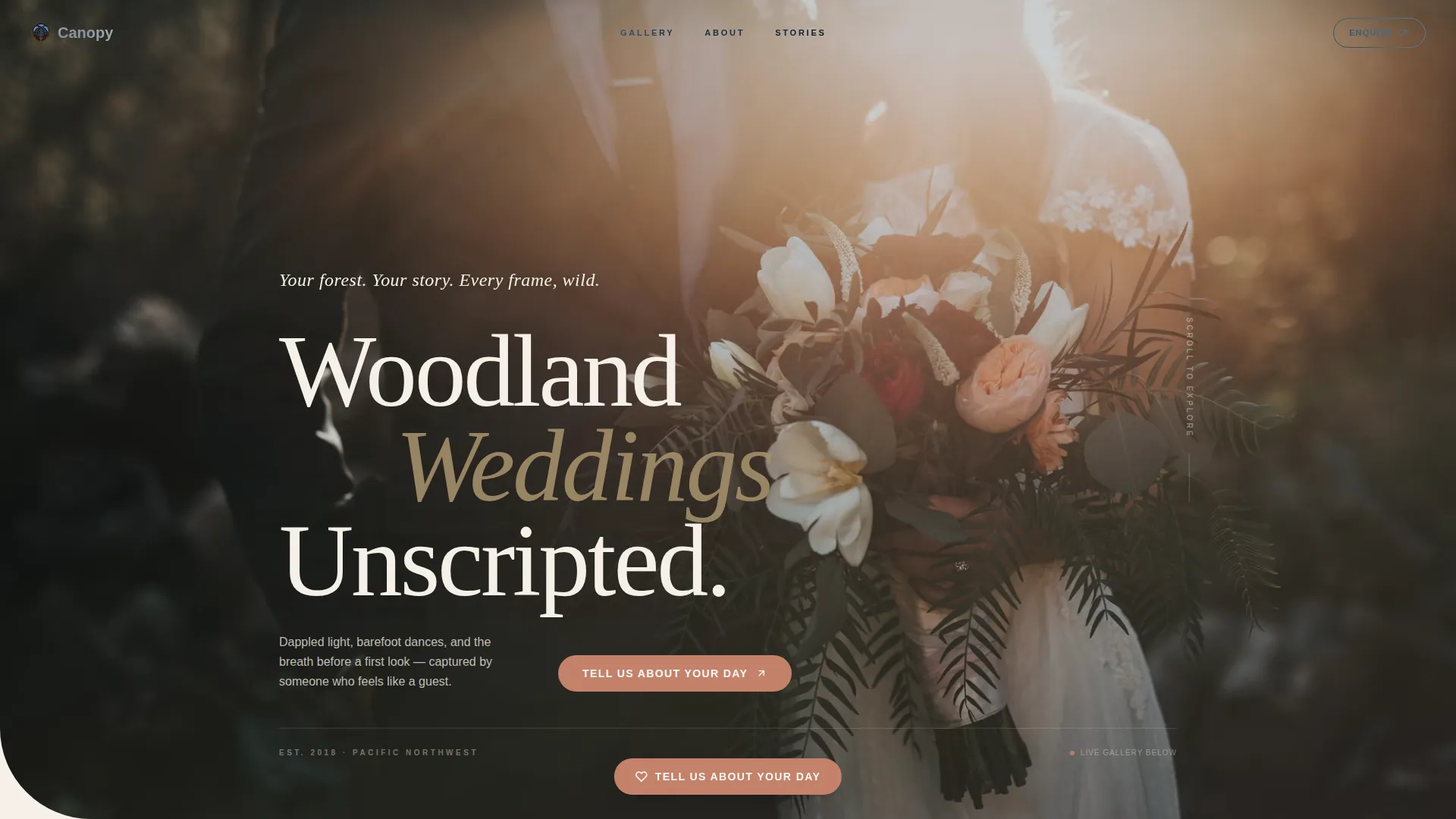
- A full-screen slow-motion video header that opens on golden-hour forest light and ends on a handwritten-style tagline fade-in
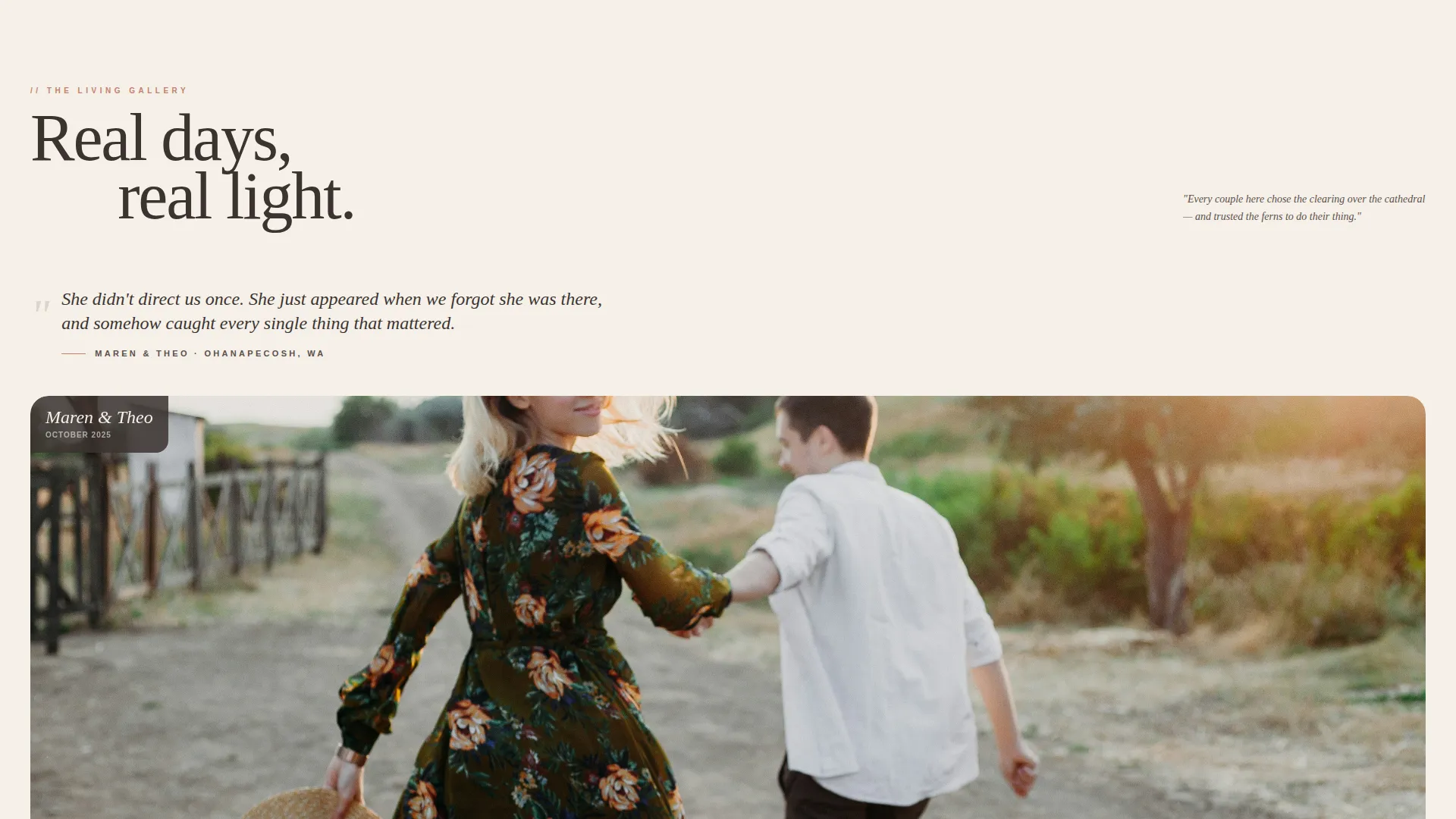
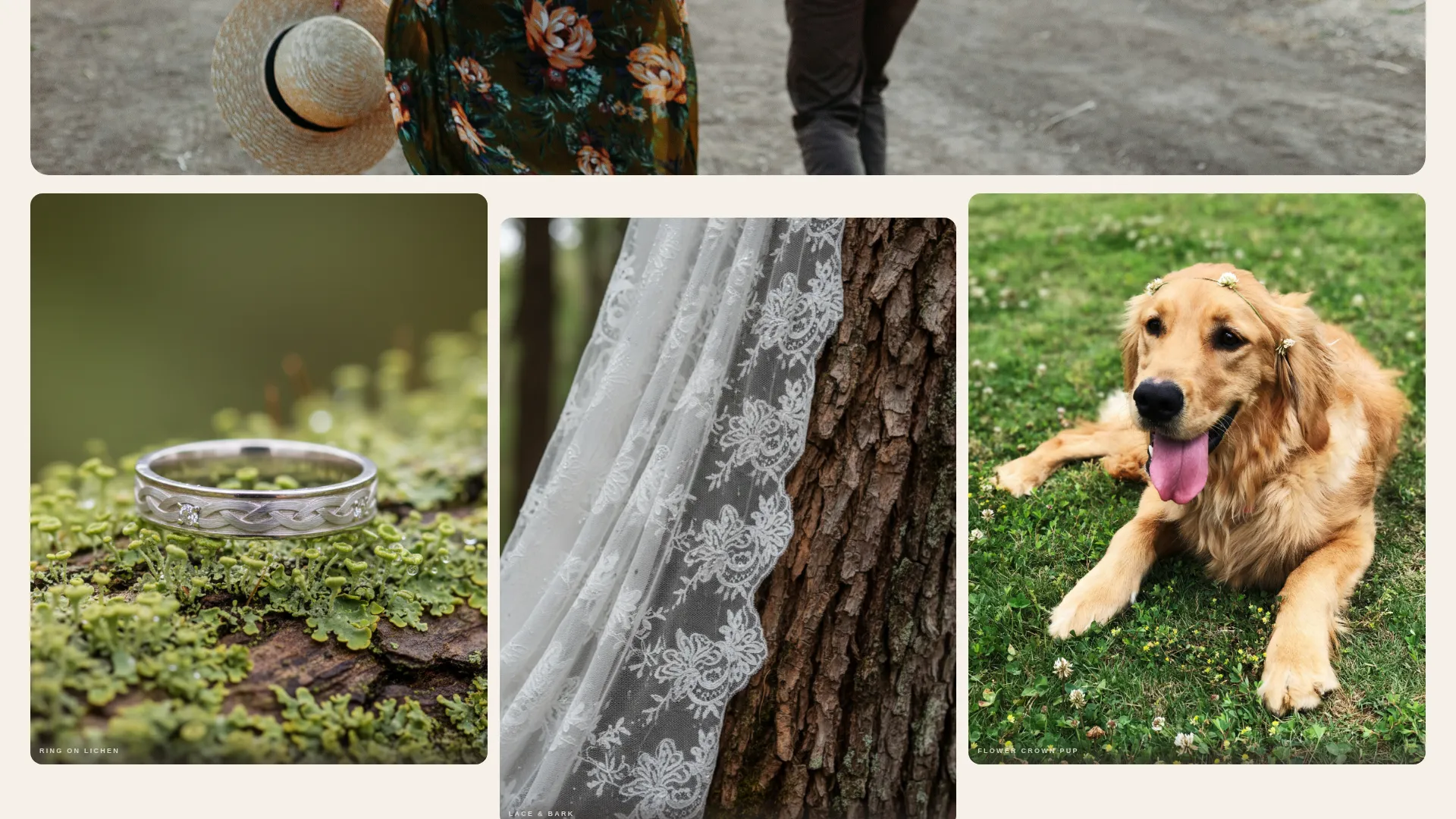
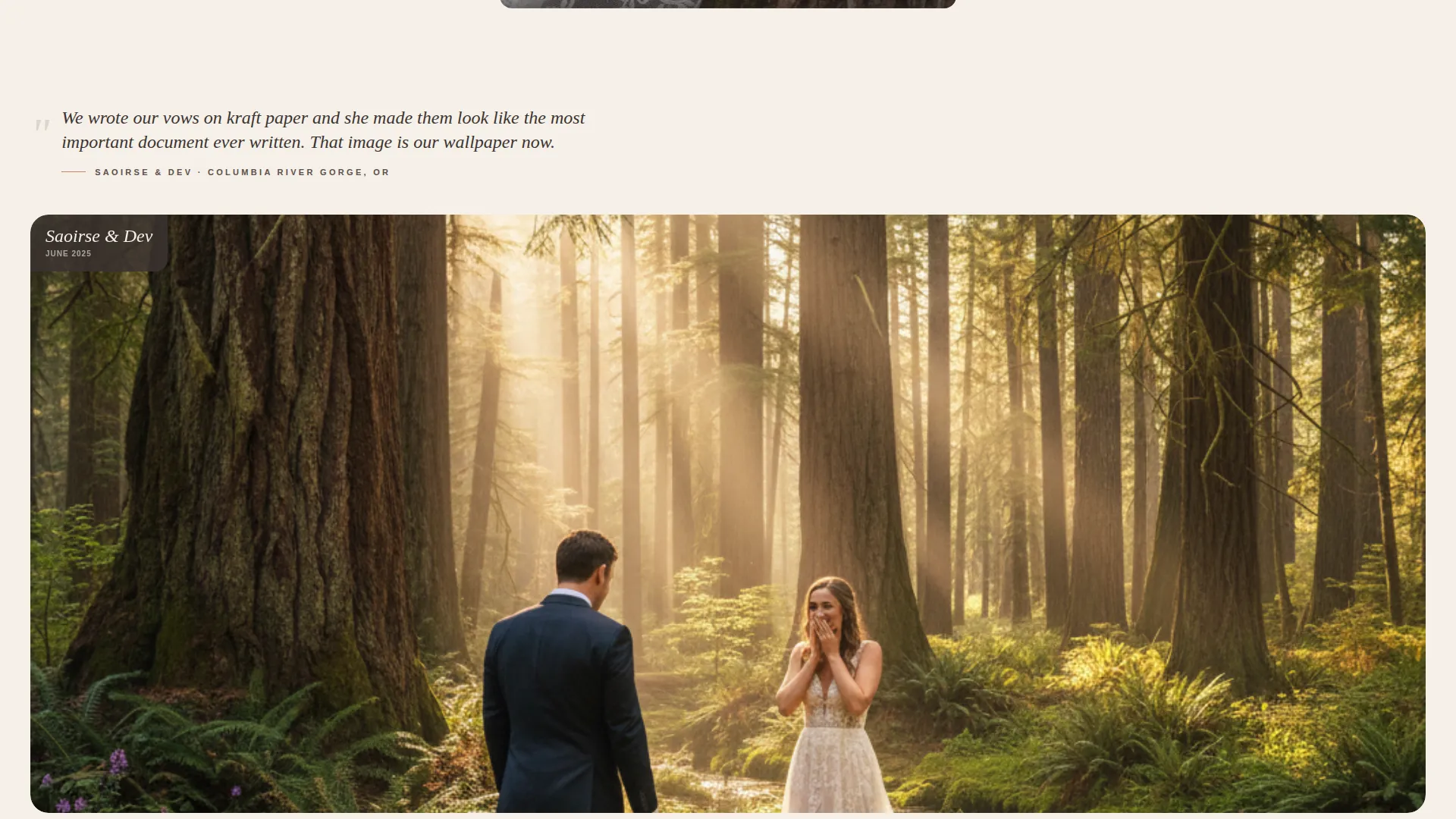
- A community gallery rhythm that alternates hero images, intimate detail trios, and client quote clusters to build trust through real stories
- A floating "Tell Us About Your Day" call-to-action button and a soft modal inquiry form with a four-question sequence
Feature list
This template brings together several purposeful design and layout features. Each one serves the goal of helping the right couples feel seen and take the next step.
Full-Screen Video Header
The header plays a slow-motion, handheld-style video reel. It moves through golden-hour light in a forest canopy, a couple walking a fern-lined trail, a veil caught in wildflowers, and sparkler light reflected in two pairs of eyes. Text is held back for the first four seconds, then a single handwritten-style line fades in: "Your forest. Your story. Every frame, wild."
Community Gallery Mosaic
The scroll below the header becomes a living mosaic. One hero image spans the full width, followed by a trio of intimate detail shots, then a new couple's story begins. Short first-person quotes from client letters introduce each gallery cluster, so the page reads like a gathering of real couples rather than a curated slideshow.
Behind-the-Scenes Transparency Frames
Deeper in the scroll, candid frames of the photographer at work appear alongside the polished gallery images. Muddy boots, a photographer crouching in ferns, a laughing moment with the couple. These frames dissolve the professional distance and build trust through genuine vulnerability.
Floating and Anchored Call-to-Action
The primary call-to-action button, "Tell Us About Your Day," floats into view after the second gallery cluster. It reappears as a fixed anchor at the bottom of the page. This two-point placement keeps the invitation visible without being aggressive.
Soft Modal Inquiry Form
Clicking the call-to-action opens a gentle modal overlay with a blurred forest backdrop. The form asks four things in sequence: your names, your wedding date, your woodland venue or region, and one sentence about what matters most on the day. No pricing is shown. It is framed as the beginning of a conversation.
Warm Auto-Reply Messaging
After form submission, the template includes a warm auto-reply message that promises a personal voice memo response within forty-eight hours. This reinforces the artisan intimacy of the brand before any contract discussion begins.
Page sections overview
| Section | Purpose |
|---|---|
| Video Hero Header | Opens with forest atmosphere and brand tagline |
| First Gallery Cluster | Introduces real couple stories with client quotes |
| Detail Trio Block | Highlights intimate wedding details in grouped frames |
| Second Gallery Cluster | Continues mosaic rhythm with new couple narrative |
| Floating call to action Button | Prompts inquiry after the second gallery cluster |
| Behind-the-Scenes Frames | Builds trust through candid photographer moments |
| Closing Inquiry Section | Anchored call to action and modal form invitation |
| Auto-Reply Confirmation | Sets tone with warm post-submission messaging |
Design & branding system
The visual identity follows a Warm Artisan theme built around the Cloud Canvas color system. Every color choice is grounded in organic, tactile references that feel natural alongside forest photography.
- Soft parchment (#F5F0E8) and morning fog (#D6CFC4) are used for backgrounds, giving the page a linen-album warmth
- Charcoal bark (#3B3330) carries all primary text, keeping copy grounded and legible against light backgrounds
- Muted terracotta (#C4816B) activates all buttons and hover states, providing a warm ember glow on every interactive moment
Mobile & speed optimization
The template is built with a full-width immersive layout that adapts across screen sizes. The design choices support smooth viewing on smaller displays without sacrificing the atmospheric quality of the gallery.
- The video header and gallery mosaic scale gracefully for portrait-orientation mobile screens
- The floating call-to-action button remains accessible and visible on mobile without blocking gallery content
- The modal inquiry form is designed to open cleanly on touch devices with a readable four-step sequence
How this template helps you convert
Canopy is structured as a lead-generation landing page. Every design decision points toward one outcome: starting a real conversation with the right couple.
- The emotional video header and client-quote gallery build connection and trust before any call-to-action appears, so couples arrive at the form already invested
- The modal form removes friction by asking only four focused questions, framing the inquiry as an invitation rather than a booking process
- The warm auto-reply messaging sets expectations immediately and reinforces the photographer's personal, artisan approach before any follow-up occurs
Other information about this template
Canopy works best when paired with genuine footage and real client words. The template structure supports that kind of honest, story-led presentation naturally.
- The template is part of a woodland wedding photography niche focus, making it a strong fit for the Wedding and Events category
- The Community Gallery creative direction means the template rewards photographers who have a body of real, varied work to share
- Customization covers color values, video source, gallery images, quote copy, form fields, and the auto-reply message text
Theme
Warm Artisan
Creative direction
Community Gallery
Color system
Cloud Canvas
Style
Full-Width Immersive
Direction
Lead Generation
Page Sections
Full-screen Video Hero Header
Community Gallery Mosaic Layout
Behind-the-scenes Transparency Frames
Floating and Anchored Call to Action Button
Soft Modal Inquiry Form
Warm Auto-reply Confirmation Message
Related questions
Does this template include real photos or video footage?
Can I change the inquiry form questions?
Is pricing information included in the template?
What type of photographer is this template best suited for?
Can I use this template if my work spans multiple venue types?



