Appoint - Executive Search Landing page Template
Appoint is a single-column landing page built for government and public sector executive search firms. It leads with three massive metric counters, moves through sector-level placement data and case-study dossiers, and closes with a five-question Search Readiness diagnostic that converts assessment curiosity into a qualified consultation request. Every section stacks evidence before asking for anything.
by Rocket studio
Quick summary
Appoint is a high-authority landing page for firms that place deputy directors, agency heads, and senior civil servants. The page opens with wall-to-wall metrics, builds credibility through sector data and role dossiers, then converts visitors through a readiness quiz that delivers a personalized Hiring Readiness Grade before prompting a briefing request.
Who this template is for
This template is built for executive search practices that operate in government and public sector hiring. It suits firms managing searches at the federal, state, or municipal level where a single placement decision carries wide policy consequences.
- State agency commissioners filling a senior vacancy before legislative session opens
- Federal department chiefs replacing a retiring senior civil servant in a critical role
- Municipal managers whose interim arrangement has dragged on far longer than planned
What problem this template solves
Government hiring moves under unusual pressure. The stakes are high, the timelines are political, and most search firm websites treat public sector clients like any other buyer. This template removes that mismatch.
- Generic firm pages bury proof points in text; this page leads with metrics that stop a skeptical government buyer immediately
- Decision-makers arrive already pressured for time, so the page eliminates wasted scroll and delivers evidence in the order it matters
- Traditional contact forms ask for commitment too early; the quiz creates a low-friction entry point that qualifies intent before requesting details
What you get with this template
You get a complete single-column landing page structured around accumulating proof. Each scroll depth earns another data point before any claim is made, matching the way senior government buyers evaluate a vendor.
- A metrics header with three animated stat counters and a single high-stakes positioning line
- A sector breakdown section with viewport-triggered horizontal bar charts and a dossier-style case study block
- A five-question Search Readiness quiz with a real-time readiness meter, a graded result, and a gated briefing request form
Feature list
This section describes the built-in components and structural capabilities delivered with the Appoint template.
Animated Metric Counter Header
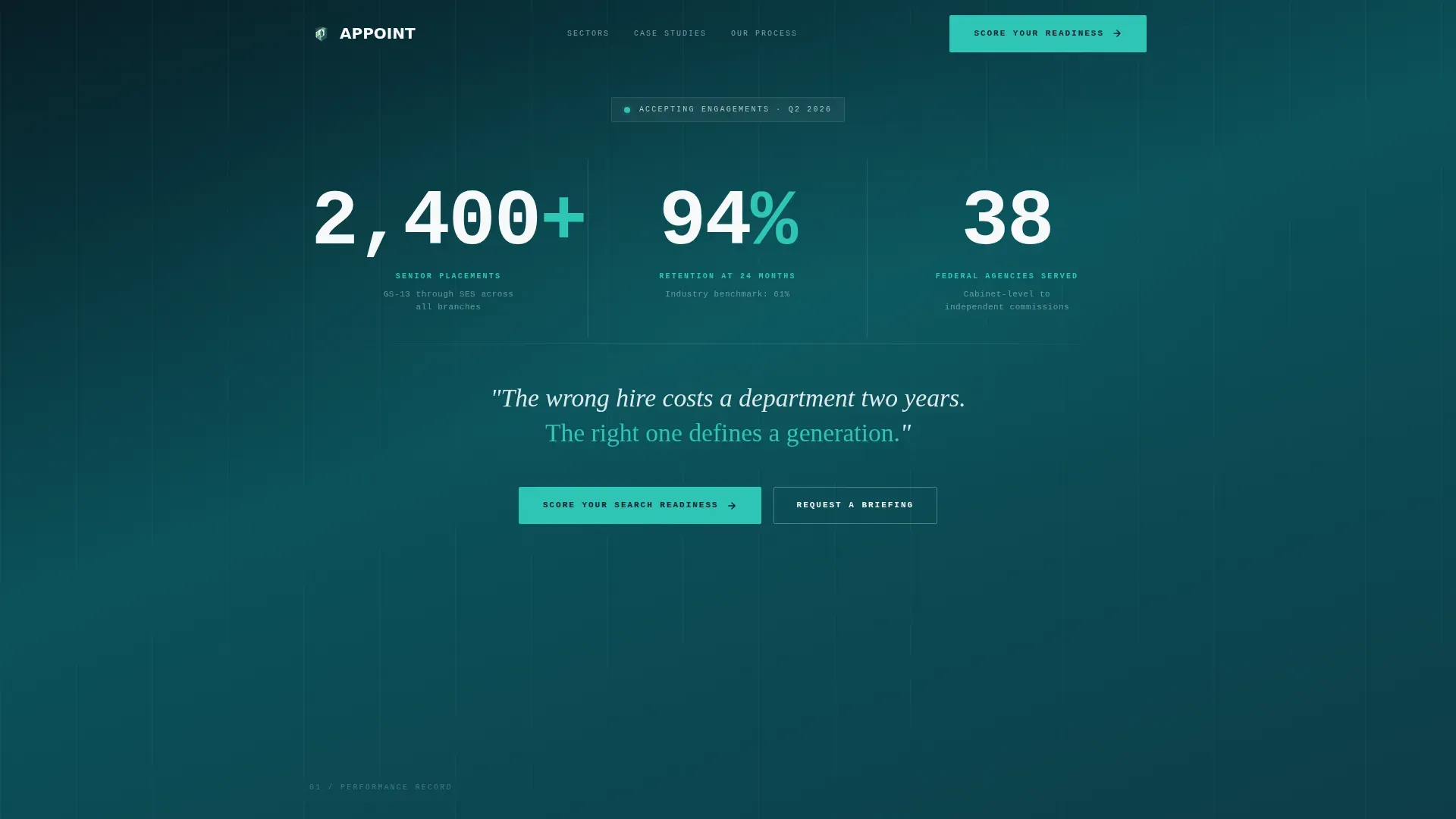
Three oversized stat counters display "2,400+ Senior Placements," "94% Retention at 24 Months," and "38 Federal Agencies Served." Each figure is set in a monospaced typeface and sized to fill roughly a quarter of the viewport. A single positioning line in policy-paper white runs below the counters.
Viewport-Triggered Bar Charts
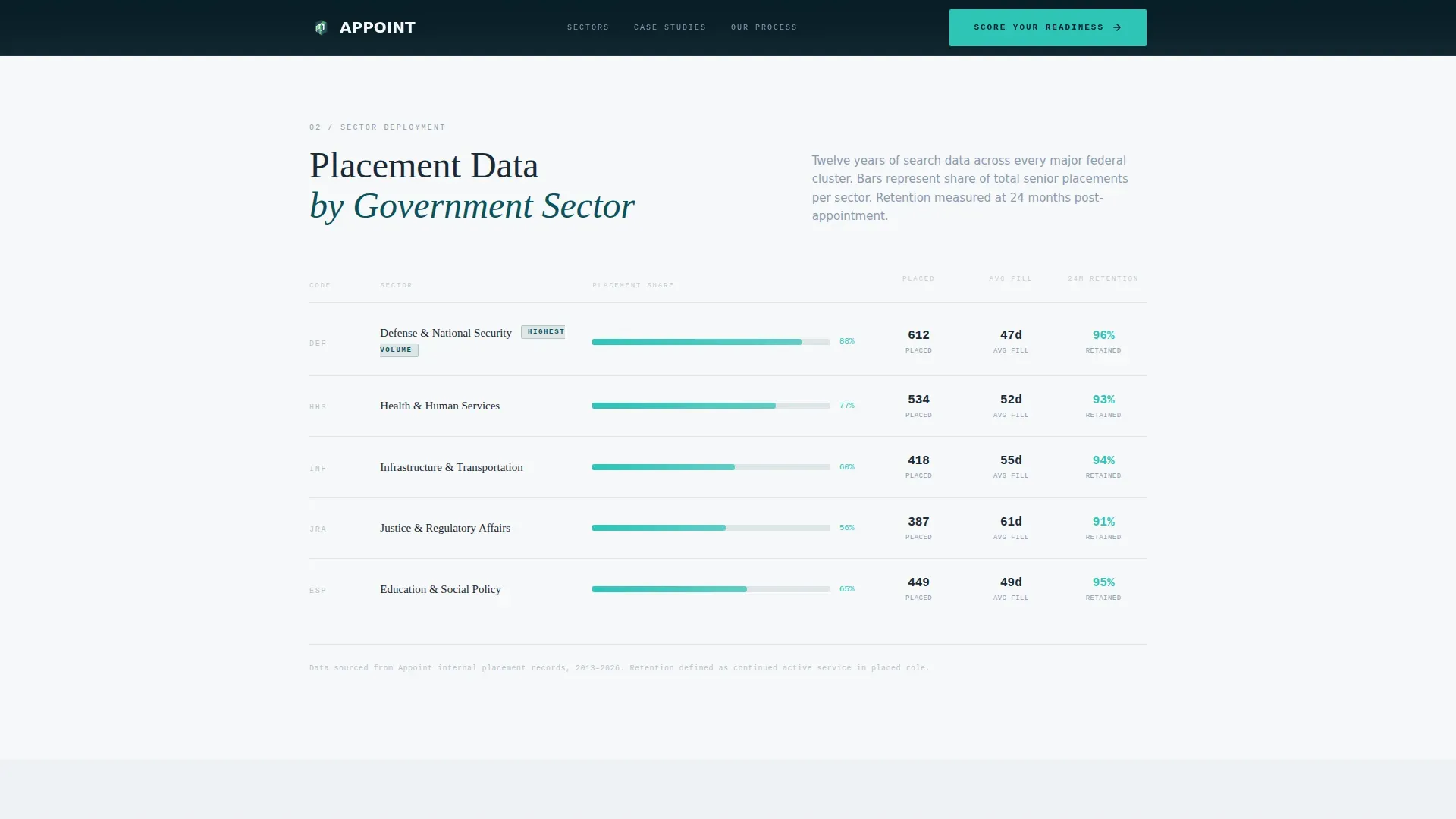
Section two breaks placement data by sector across defense, health, and infrastructure. Each row contains a horizontal bar chart that animates into view as it enters the viewport. This creates a scroll reward that feels like a data briefing rather than a sales page.
Dossier-Style Case Study Block
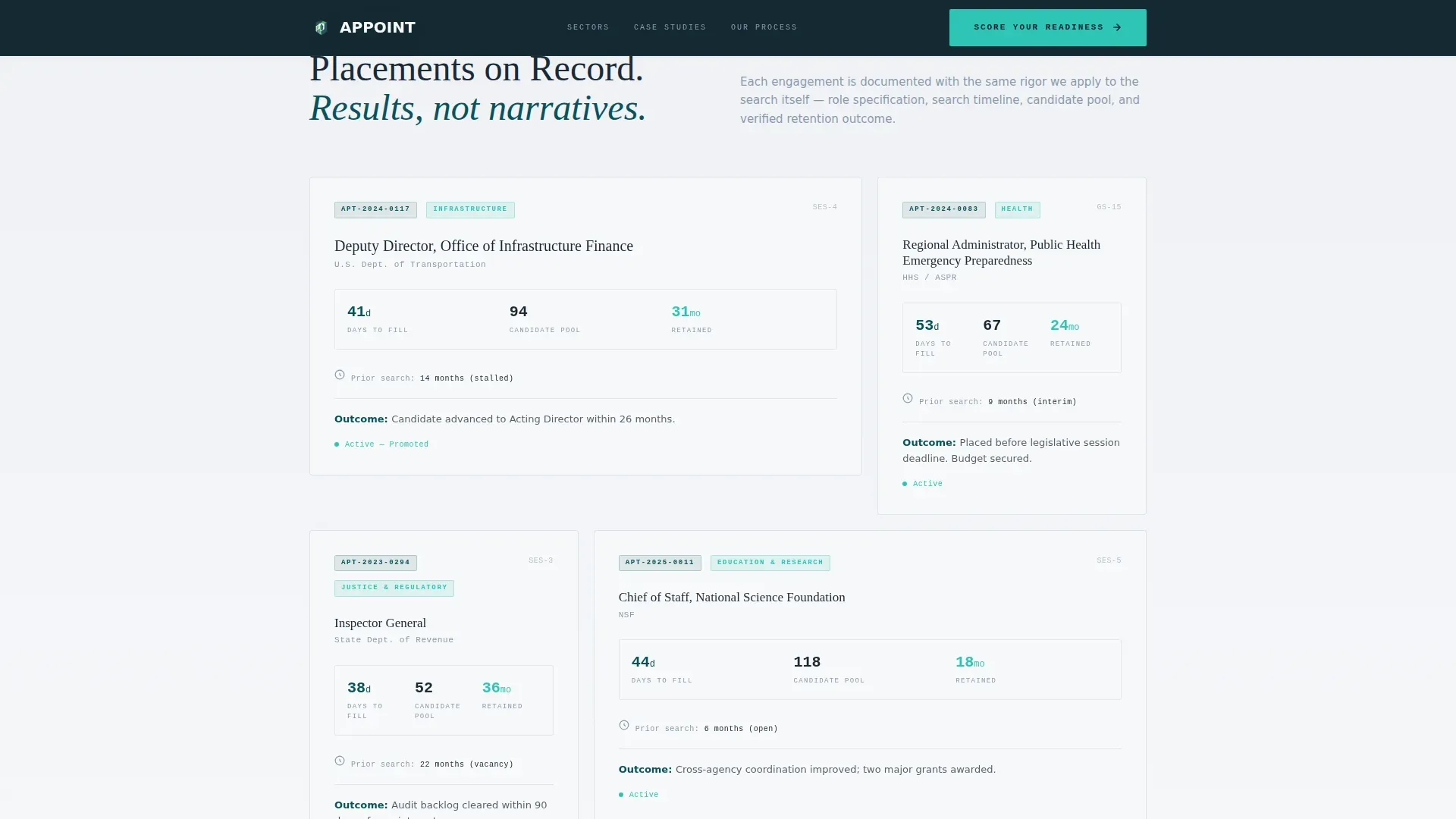
Case studies appear as structured dossiers, not narrative stories. Each entry shows the role title, days-to-fill figure, candidate pool size, and retention outcome in a tightly formatted layout that mirrors official briefing documents.
Five-Question Search Readiness Quiz
The primary conversion component asks five diagnostic questions: current vacancy age, seniority level of the open role, whether a formal position description exists, previous search method used, and biggest barrier to filling the role. Answers adjust a live readiness meter built in catalyst green.
Hiring Readiness Grade Output
On quiz completion, the visitor receives a letter grade from A through D based on their answers. The graded result creates a natural prompt to "Request Your Full Briefing" with name, agency, and email fields, turning diagnostic curiosity into a qualified lead.
Gated Briefing Request Form
The final conversion step collects name, agency, and email only after the visitor has completed the quiz and received their grade. This sequence reduces friction by earning trust before asking for contact details.
Page sections overview
| Section | Purpose |
|---|---|
| Metrics header | Establishes authority with three stat counters and a single positioning statement |
| Sector placement data | Breaks placement results by defense, health, and infrastructure with animated bar charts |
| Case study dossiers | Presents role-level proof via dossier format showing fill time, pool size, and retention |
| Search Readiness quiz | Walks the visitor through five diagnostic questions with a live readiness meter |
| Hiring Readiness grade | Delivers a personalized A-to-D grade and prompts a full briefing request |
| Briefing request form | Collects name, agency, and email to convert the graded visitor into a consultation lead |
Design & branding system
The Corporate Precision theme uses a Teal Catalyst color system designed to feel institutional and forward-moving at the same time. Every color choice reinforces a sense of government-grade authority without feeling static or bureaucratic.
- Deep federal teal (#0B525B) anchors all major section backgrounds, giving the page a composed, official atmosphere
- Policy-paper white (#F7F8FA) is used for text panels and breathing space, echoing the feel of a freshly printed government report
- Catalyst green (#2EC4B6) appears on data callouts, the readiness meter, and interactive elements to signal forward motion
- Charcoal slate (#1B2A36) carries all body copy, reading with the density and clarity of a classified brief
Mobile & speed optimization
The single-column flow layout is inherently well-suited to smaller screens. No complex grid shifts or multi-column reflows are needed, keeping the reading experience consistent across device sizes.
- The full-width stat counters and bar charts scale cleanly within a single-column structure
- The five-question quiz and readiness meter are built to function in a vertical tap-through format on mobile devices
- Section-by-section scroll depth, rather than simultaneous content loading, keeps the page feeling fast and purposeful at every viewport size
How this template helps you convert
The page is built around a single conversion philosophy: accumulate evidence before asking for anything. Each section adds weight to the firm's authority, so the quiz feels like a natural next step rather than an interruption.
- The metrics header stops skeptical government buyers within the first viewport by leading with retention and placement data rather than firm descriptions
- The quiz lowers the commitment barrier by offering a personalized diagnostic result before requesting any contact information, turning a passive browser into an engaged participant
Other information about this template
This template is suited to firms operating across the full range of public sector executive search, from GS-15 federal replacements to municipal leadership searches. The layout and tone are calibrated for buyers who read budgets and briefing documents for a living.
- The dossier format and monospaced typography are deliberate signals to a government audience that values precision over decoration
- The five-question assessment produces a Hiring Readiness Grade that gives the firm a structured reason to follow up with a tailored briefing
- The page is built as a single-column flow, making it straightforward to deploy as a standalone landing page without additional page infrastructure
Theme
Corporate Precision
Creative direction
Stats-First Impact
Color system
Teal Catalyst
Style
Single Column Flow
Direction
Quiz/Assessment
Page Sections
Animated Metric Counter Header
Viewport-triggered Sector Bar Charts
Dossier-style Case Study Layout
Five-question Readiness Diagnostic
Personalized Hiring Readiness Grade
Gated Briefing Request Form
Related questions
Who is the Appoint template designed for?
What does the Search Readiness quiz actually do?
Does the page work without any images or illustrations?
What happens after a visitor completes the quiz?
Is this template suited for firms running multiple government searches at once?



