Developer Documentation Specialist Professional Website Template
A dark-themed bento grid landing page built for Angular API reference tools. It leads with live metric tiles, progresses through feature cards, and closes with a one-click install call to action. The design follows a Dashboard Pro aesthetic using a Slate and Sky color system, giving developers instant orientation the moment the page loads.
by Rocket studio
Quick summary
This is a single-page bento grid template designed for an Angular API reference application. It opens with a logo bar, shifts immediately into a stats-first impact grid, and guides visitors through feature cards before landing on a clear install call to action. The Dashboard Pro theme uses deep slate and sky-blue to feel like a well-configured code editor.
Who this template is for
This template is built for developer-tool teams and open-source maintainers who need to present a technical reference product with authority. It speaks the visual language that Angular engineers already trust.
- Mid-level Angular engineers who need quick access to decorators, directives, and dependency injection tokens
- Senior architects evaluating framework configurations before large-scale migrations
- Open-source contributors building or maintaining Angular ecosystem tooling
What problem this template solves
Finding clear, version-pinned API documentation is slow and frustrating when reference tools lack a credible first impression. Developers often leave a page before they trust the product. This template solves that by leading with numeric proof before asking for any commitment.
- Visitors see coverage stats and lookup speed before any feature explanation
- The bento grid layout surfaces capability progressively, so the page never feels overwhelming
- The install call to action appears only after trust has been established through data
What you get with this template
You get a complete, ready-to-customize single-page layout that communicates both depth and speed. Every section is purpose-built for a developer audience that reads in scan mode.
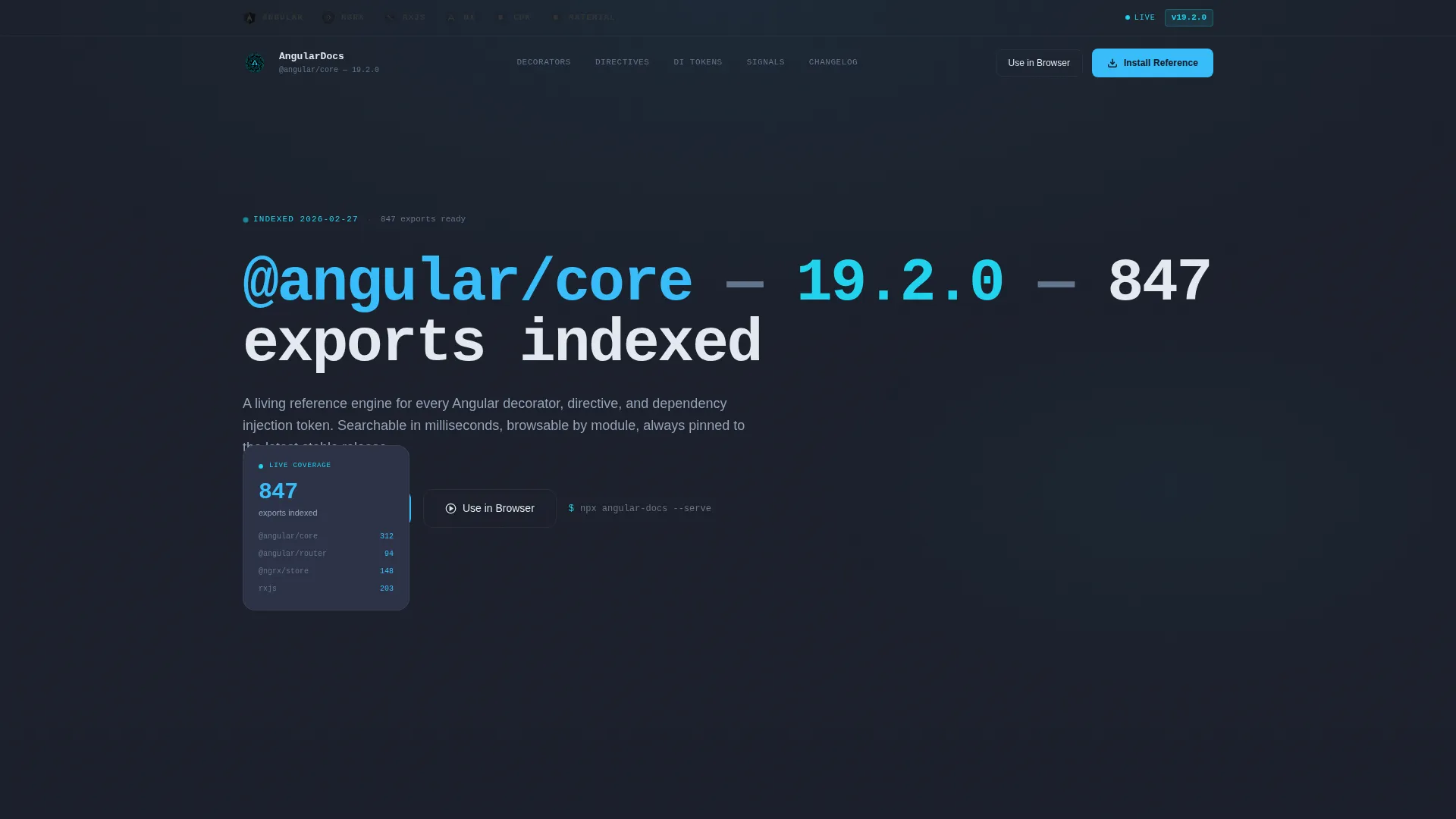
- A logo bar header with monochrome technology icons that brighten on hover
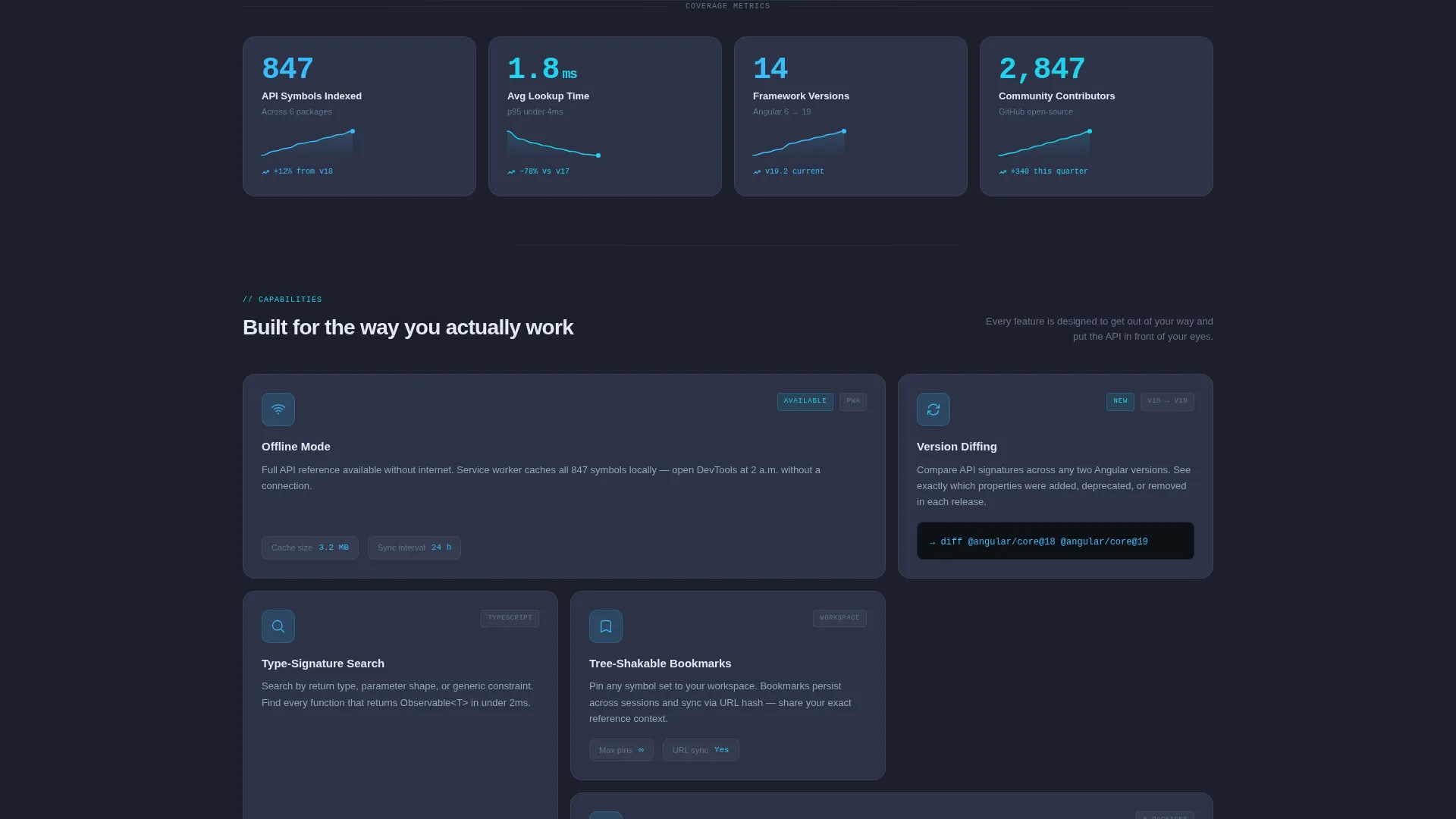
- A stats-first bento grid with metric tiles, sparklines, and feature cards
- A sticky mobile install bar, a desktop header call to action, and a terminal-style install block
Feature list
This template includes six purpose-built layout and interaction components drawn directly from the source brief.
Logo Bar with Hover States
A horizontal header ribbon displays recognizable ecosystem icons rendered in monochrome slate. Each icon brightens to sky-blue on hover, communicating ecosystem scope before a single line of copy is read.
Stats-First Metric Tiles
Four self-contained bento cards appear immediately below the header. Each tile shows a large stat number in sky-blue, a cloud-white label, and a subtle sparkline tracking growth across releases.
Progressive Feature Card Grid
As the visitor scrolls, metric tiles give way to feature cards covering offline mode, version diffing, type-signature search, and tree-shakable bookmarks. The grid breathes open, disclosing capability in sequence.
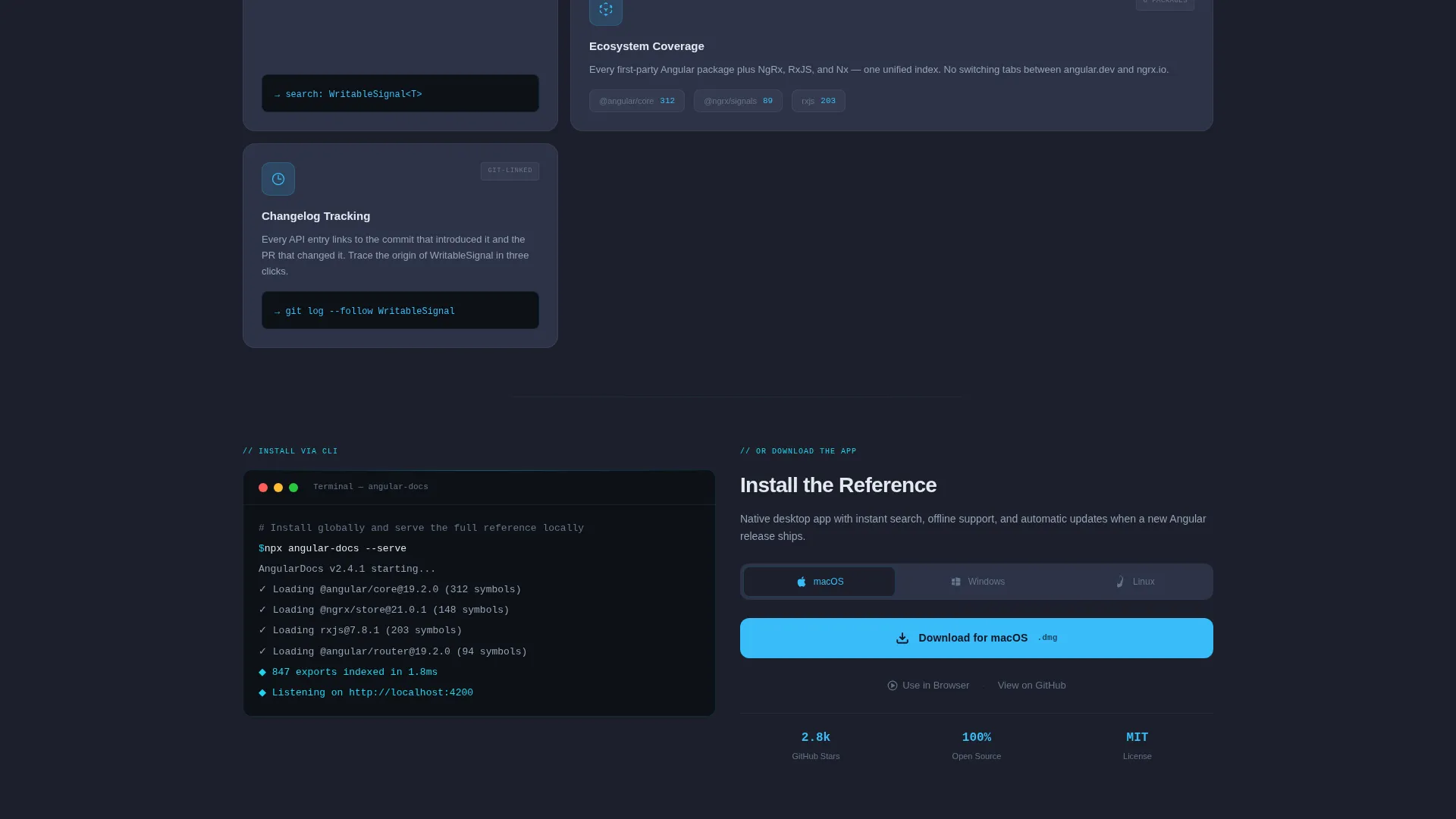
Multi-Platform Install Call to Action
The primary call to action reads "Install the Reference" and offers platform-detected download buttons for macOS, Windows, and Linux. A secondary "Use in Browser" link serves commitment-averse visitors without friction.
Terminal-Style Install Block
Below the bento grid, a styled terminal block displays npx angular-docs --serve as an alternative install path. This speaks directly to developers who trust a command-line interface over a graphical button.
Sticky Mobile Install Bar
On mobile viewports, the install call to action collapses into a sticky bottom bar that stays visible as the visitor scrolls. No form fields are required. One tap triggers the download.
Page sections overview
| Section | Purpose |
|---|---|
| Logo Bar Header | Establishes ecosystem scope with monochrome technology icons |
| Monospaced Headline | Anchors the page with version number and export count |
| Stats Metric Tiles | Delivers numeric proof of coverage and speed |
| Feature Card Grid | Reveals offline mode, diffing, search, and bookmarks |
| Install Call to Action | Offers platform-detected download with one click |
| Terminal Install Block | Provides CLI install path for developer confidence |
| Sticky Mobile Bar | Keeps the install action visible on small screens |
Design & branding system
The visual identity follows a Dashboard Pro theme using a Slate and Sky color system. The palette is calibrated to feel like a premium code editor, dark enough to stay out of the way and bright enough at the edges to guide attention precisely.
- Deep editor slate (#1B1F2A) sets the primary background; mid-tone graphite (#2D3348) surfaces the card layer
- Sky-blue (#38BDF8) marks all interactive elements including links, badges, and hover states; pale cloud white (#E2E8F0) is used for body text and code literals
- Signal cyan (#22D3EE) distinguishes live-data indicators and version badges from static content
Mobile & speed optimization
The template is structured for a reliable mobile experience without sacrificing the density that developer audiences expect on desktop.
- The sticky install bar replaces the desktop header call to action on mobile, keeping the primary action always reachable
- The bento grid reflows naturally across viewport sizes, maintaining the progressive disclosure rhythm on smaller screens
How this template helps you convert
Every layout decision in this template is designed to move a skeptical developer from curiosity to installation without friction.
- The stats-first impact cadence builds trust through numbers before the call to action ever appears, so the visitor already believes in the product
- The multi-platform install buttons remove the guesswork of "which version do I need," and the terminal block provides an alternative path for developers who prefer the command line
Other information about this template
This template is categorized under Documentation and Support, with a specific focus on the Angular documentation and Angular API reference niche. It is a strong fit for teams shipping developer tools in the Angular ecosystem.
- The template style is a bento grid, which is well-suited to information-dense technical products that benefit from a dashboard-style layout
- The creative direction follows a Stats-First Impact pattern, leading with quantified proof before qualitative feature descriptions
- The header concept is a Logo Bar, which can be adapted to feature any combination of ecosystem technology icons relevant to a given project
- The landing page direction targets app download conversions, making it distinct from lead-generation or newsletter templates in the same category
Theme
Dashboard Pro
Creative direction
Stats-First Impact
Color system
Slate & Sky
Style
Bento Grid
Direction
App Download
Page Sections
Logo Bar with Ecosystem Icons
Stats-first Bento Metric Tiles
Progressive Feature Card Grid
Multi-platform Install Call to Action
Terminal-style CLI Install Block
Sticky Mobile Install Bar
Related questions
What type of developer tool is this template designed for?
Can I customize the metric tiles with my own statistics?
Does this template support both desktop and mobile users?
What is the terminal install block and why is it included?
Can this template be adapted for other framework documentation tools beyond Angular?



