Developer Documentation Directory Website Template
This Angular video tutorial landing page template is built for structured curriculum delivery. It uses a hub-and-spoke layout with a sticky anchor navigation, a Feature Tab Switcher header, and a scrollable module directory. Each section shows skill-level badges, lesson counts, runtimes, and three-column comparison grids. The primary call to action drives visitors toward downloading a dedicated learning app.
by Rocket studio
Quick summary
This single-page template turns an Angular video curriculum into a navigable module directory. A Feature Tab Switcher header previews real lessons across three topic tabs. A sticky anchor navigation keeps every module one click away. App download calls to action and a free module preview guide visitors toward committing to the course.
Who this template is for
This template is designed for course creators and educators who teach Angular framework development through video. It suits teams that want a structured, technical presentation rather than a generic course sales page.
- Junior developers building portfolio-ready Angular projects will immediately recognize the layout as relevant to their job search goals.
- Mid-career backend engineers adding frontend skills during evenings need a clear module map before committing download time.
- Tech leads evaluating a migration from AngularJS to modern Angular need a dense, organized breakdown of what the curriculum actually covers.
What problem this template solves
Most course landing pages present a long scroll of testimonials and vague outcome promises. Learners who already know some code want specifics: what they will build, what skill level each module targets, and how long each section takes. This template replaces that generic format with a library-style directory that respects the visitor's technical background.
- Visitors cannot easily compare modules on typical course pages, so they leave without enrolling.
- A sticky anchor navigation removes the need to scroll blindly through dense curriculum details.
- The three-column grids show what you learn, what you build, and what prerequisite you need, all at a glance.
What you get with this template
You get a complete single-page hub-and-spoke layout built specifically for a video-based Angular course. Every structural element reflects the curriculum itself, from the header tabs to the final app download button.
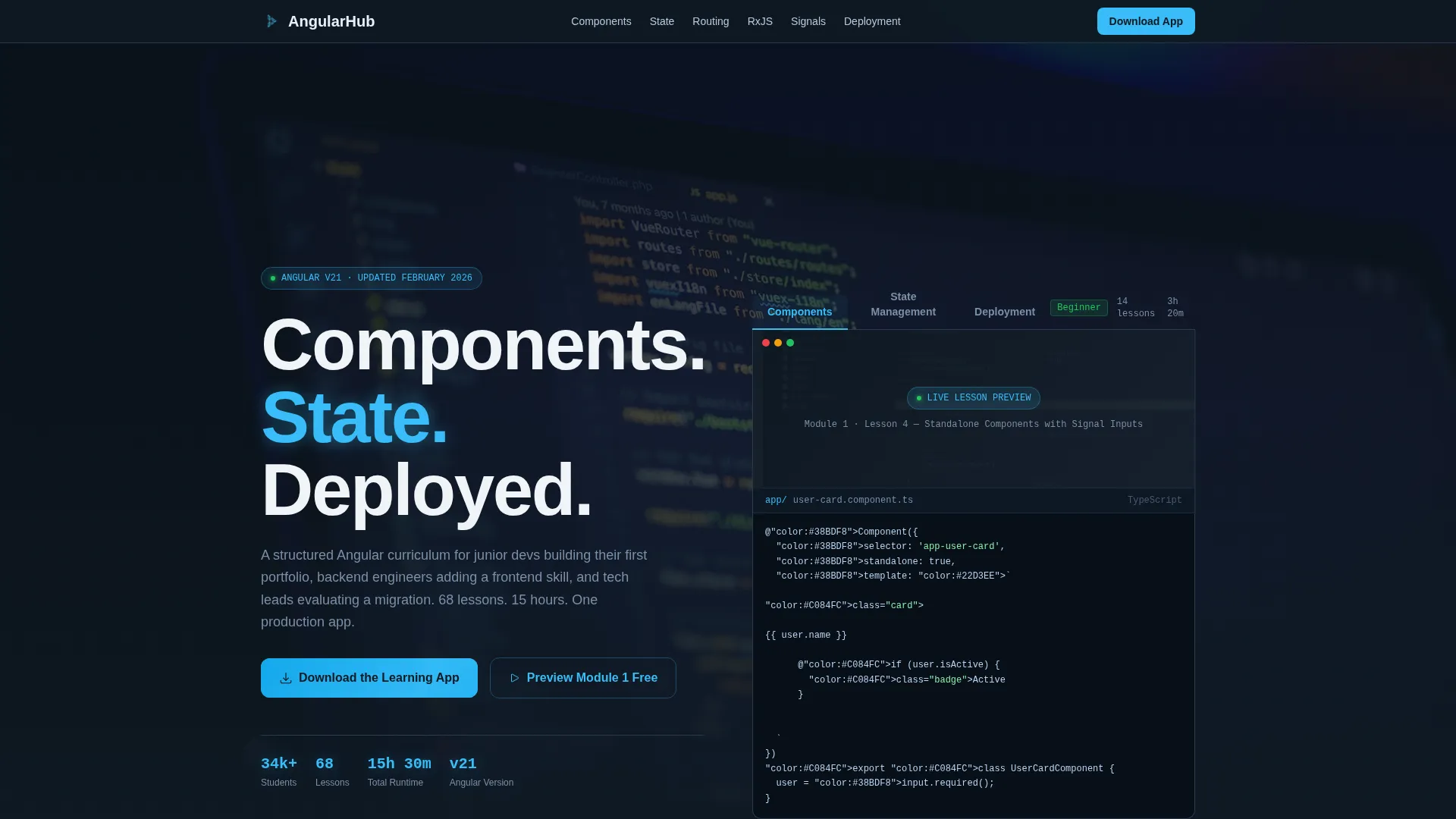
- A Feature Tab Switcher header with three clickable tabs: Components, State Management, and Deployment, each revealing a looping screen recording and a live typewriter code line.
- A sticky anchor navigation bar that pins to the top as the visitor scrolls, keeping every module section reachable without losing context.
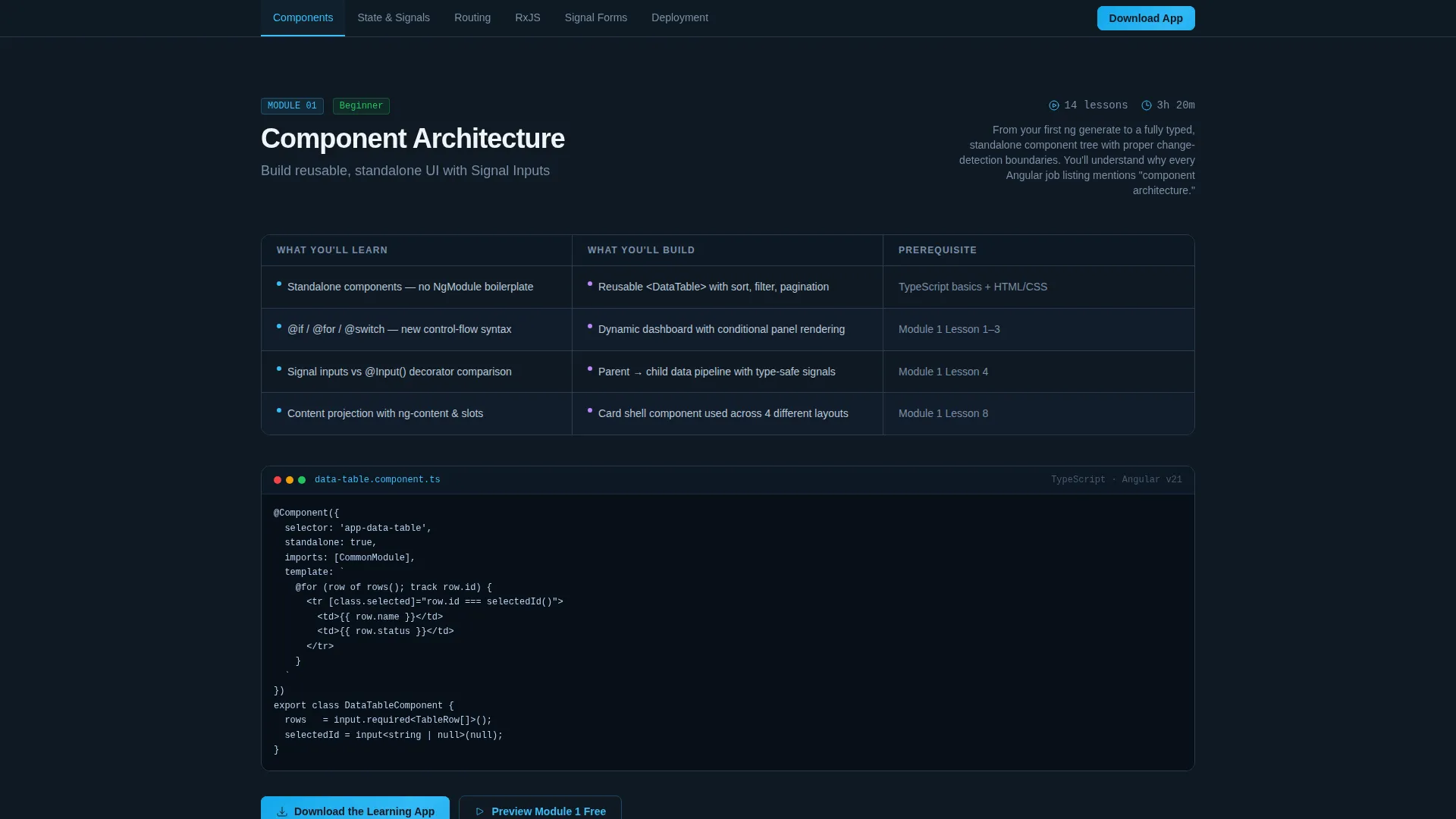
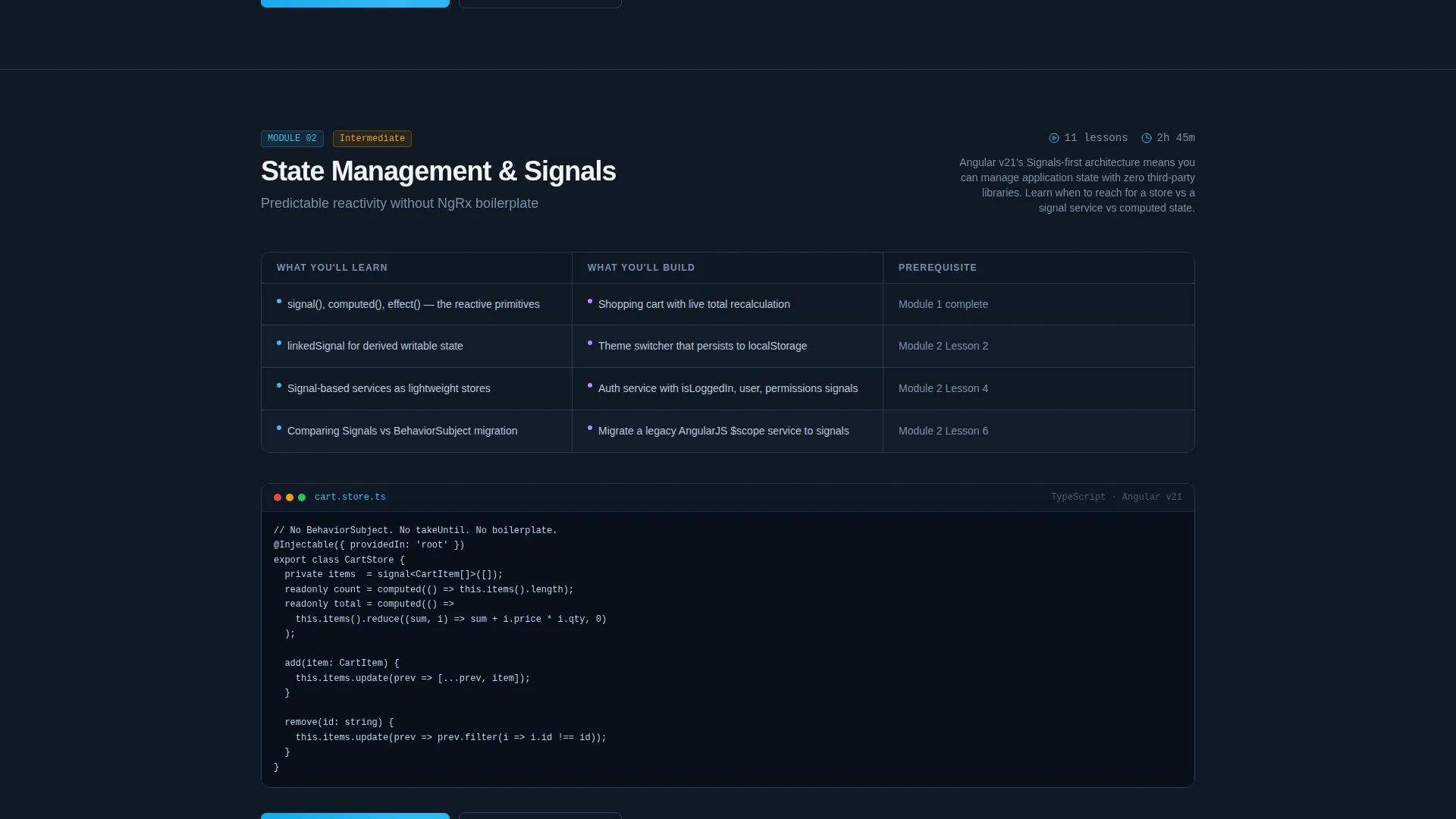
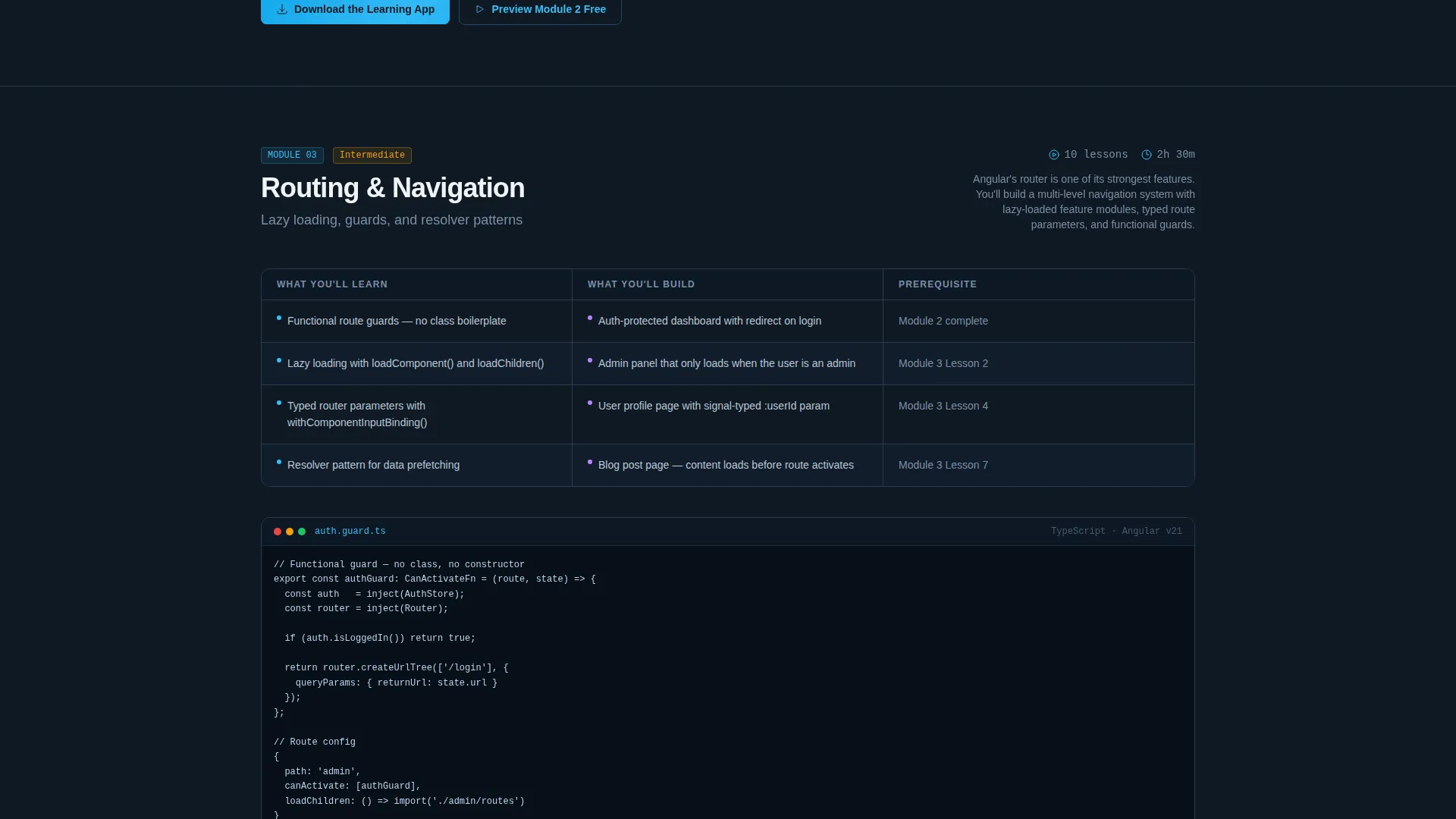
- Per-module spoke sections with skill-level badges, lesson counts, total runtimes, and three-column comparison grids covering what you learn, what you build, and prerequisites.
Feature list
This template includes purpose-built components tied directly to the Angular curriculum experience. Each one is described below.
Feature Tab Switcher Header
Three clickable tabs, Components, State Management, and Deployment, each trigger a short looping screen recording of the actual tutorial. The active tab glows with a sky-blue underline while inactive tabs remain in graphite. A single line of real Angular code types itself out character by character beneath the recording, matching the visible lesson in real time.
Sticky Anchor Navigation Bar
The anchor navigation pins to the top of the viewport once the visitor scrolls past the header. Every module section is listed as a clickable link, letting visitors jump directly to Beginner, Intermediate, or Advanced spokes without losing their scroll position.
Module Directory with Skill Badges
Each spoke section opens with a color-coded skill-level badge, a lesson count, and a total runtime figure. This gives prospective learners an accurate sense of commitment before they read a single lesson description.
Three-Column Comparison Grid
Inside every module section, a three-column grid presents what you will learn, what you will build, and what prerequisite knowledge you need. This format answers the three most common pre-enrollment questions in a single scannable block.
Platform-Selector Download Button
The primary download call to action triggers a platform selector offering iOS, Android, and Desktop options before redirecting to the appropriate app store. Visitors are never asked for an account until the app is open, reducing friction at the final conversion step.
Free Module Preview Path
A secondary call to action labeled "Preview Module 1 Free" links to a web-based sample lesson. This gives undecided visitors a low-commitment first step without leaving the page or creating an account.
Page sections overview
| Section | Purpose |
|---|---|
| Tab Switcher Header | Previews real lesson content across three topic tabs with live code animation |
| Sticky Anchor Nav | Pins module links to the top of the viewport for persistent in-page navigation |
| Beginner Module Spoke | Introduces foundational Angular concepts with skill badge and comparison grid |
| Intermediate Module Spoke | Covers reactive forms and RxJS pipelines with lesson count and runtime |
| Advanced Module Spoke | Addresses deployment configs and real application builds for senior learners |
| App Download Footer | Closes each spoke and the full page with a platform-selector download call to action |
Design & branding system
The visual identity follows a Directory and Discovery theme using a Slate and Sky color system. The palette is built around a midnight coding session aesthetic, deep slate backgrounds, graphite panel borders, and a sky-blue highlight that guides the eye to active elements and calls to action.
- Editor-dark slate (#1E2A3A) forms the primary background, graphite (#3B4A5C) marks panel borders and inactive tabs, sky-highlight blue (#38BDF8) signals active states and primary buttons, and cloud-white (#F0F4F8) covers content surfaces for readability.
- The Feature Tab Switcher applies a 2px sky-blue bottom border to the active tab while inactive tabs sit quietly in graphite, creating a clear visual hierarchy without extra user interface noise.
- No stock imagery appears anywhere on the page, every visual element is derived directly from curriculum content, including screen recordings and typed Angular code snippets.
Mobile & speed optimization
The hub-and-spoke layout is designed to remain fully usable on smaller viewports. The sticky anchor navigation and module grids adapt to the available screen width so that visitors on mobile devices can still navigate the curriculum directory without losing orientation.
- The anchor navigation collapses gracefully on narrower screens, keeping module links accessible without overcrowding the header area.
- The three-column comparison grids reflow to a stacked single-column layout on mobile, preserving the learn, build, and prerequisite information in a readable order.
How this template helps you convert
The template is structured to move technically minded visitors from curiosity to download with minimal friction. Every design decision removes a reason to hesitate.
- The Feature Tab Switcher shows real lesson content before the visitor reads a single line of body copy, building credibility through direct evidence rather than marketing claims.
- The platform-selector flow on the download button eliminates the common drop-off point where visitors are forced to create an account before they can access the product, account creation is deferred to inside the app.
- The "Preview Module 1 Free" secondary path captures visitors who are not yet ready to download, giving them a direct experience of the curriculum quality through a web-based sample lesson.
Other information about this template
This template is categorized under Angular Documentation within the Documentation and Support category. It is designed specifically for an Angular video tutorial series, and the layout prioritizes depth and technical clarity over broad marketing appeal.
- The template style is Hub and Spoke with Anchor Navigation, making it well suited for any multi-module educational product that benefits from in-page wayfinding.
- The Slate and Sky color system and Directory and Discovery theme can be adapted for other programming language curricula by swapping the screen recordings and code snippets.
- The App Download landing page direction means the conversion goal is a native app install rather than a web sign-up form, which influences the entire call to action hierarchy from sticky nav to spoke footers.
Theme
Directory & Discovery
Creative direction
Feature Matrix
Color system
Slate & Sky
Style
Hub & Spoke (Anchor Nav)
Direction
App Download
Page Sections
Feature Tab Switcher with Live Code Animation
Sticky Anchor Navigation Bar
Skill-level Module Badges
Three-column Comparison Grid
Platform-selector App Download Flow
Free Module Preview Entry Point
Related questions
What skill levels does this template support displaying?
How does the platform-selector download button work?
Does the template include a free preview option?
Can the module grids be updated for a different programming course?
Where does the app download call to action appear on the page?



