Anchor — Intelligent Policy Management Landing Page Template
Underwrite is a bento grid landing page template built for insurance AI recommendation engines. It features a live calculator header, staggered scroll animations, and a freemium conversion flow. The design uses a void black and iridescent color palette to communicate speed, intelligence, and trust, making it ideal for InsurTech startups, independent agents, and benefits brokers.
by Rocket studio
Quick summary
Underwrite is a single-page bento grid template designed for AI-powered insurance recommendation products. A live calculator sits above the fold, returning three ranked policy cards in real time. Staggered animations carry visitors through capability sections, and a freemium trial conversion flow qualifies leads progressively, without friction.
Who this template is for
This template is built for teams that sell or use AI-driven insurance quote tools. It speaks directly to buyers who need to demonstrate speed, accuracy, and trust before asking for a sign-up.
- Independent insurance agents who need to show clients a faster, smarter quote process
- InsurTech startups adding intelligent recommendation layers to existing platforms
- Benefits brokers managing high-volume open enrollment matching for employer groups
What problem this template solves
Insurance professionals often struggle to communicate the value of an AI recommendation engine on a static page. Most landing pages rely on screenshots and marketing copy rather than showing the product working live.
- Visitors cannot trust a tool they cannot try, so the template puts a live calculator front and center
- Agents and brokers face time pressure during enrollment periods, so the page must qualify and convert quickly
- InsurTech products look complex from the outside, so the bento layout breaks capability into digestible, animated cells
What you get with this template
You get a complete, ready-to-customize landing page centered on an interactive AI recommendation experience. Every section is purposefully sequenced to build confidence from the first scroll to the final call to action.
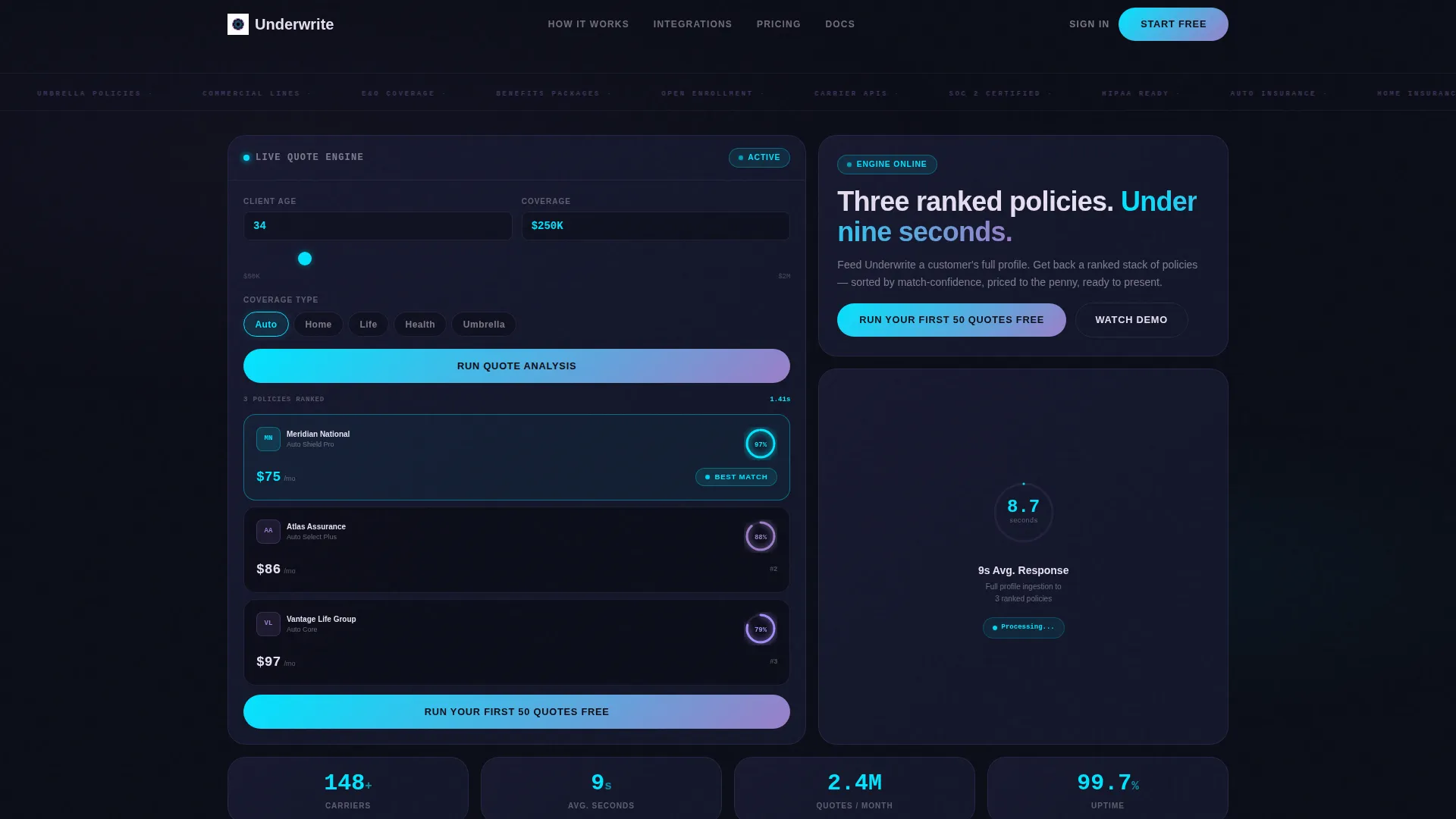
- A functioning header calculator with age input, coverage type selector, and coverage amount slider that returns three ranked policy cards
- A full bento grid layout with staggered entrance animations, a speed benchmark cell, a network map integration display, a testimonial card, and a compliance badge section
- A dual-path conversion system with a primary "Run Your First 50 Quotes Free" call to action and a secondary "Watch the 90-Second Demo" ghost button
Feature list
This template ships with purpose-built components that reflect how an AI insurance engine actually works and converts.
Live Policy Recommendation Calculator
Visitors enter an age, select a coverage type using a pill selector, and drag a slider to set a coverage amount. The calculator returns three ranked policy cards in real time. Each card shows a carrier logo, monthly premium, and a match-confidence percentage rendered as a glowing cyan ring.
Staggered Bento Grid Animation
Each cell below the fold fires into view with a timed entrance sequence. The grid reveals capabilities one step at a time, building momentum as visitors scroll. No section feels static, each block adds new information at the right moment.
Speed Benchmark Cell
A dedicated bento cell displays the engine's average nine-second response time with a pulsing visual timer. This gives technically minded buyers a concrete data point early in the scroll journey.
Carrier Integration Network Display
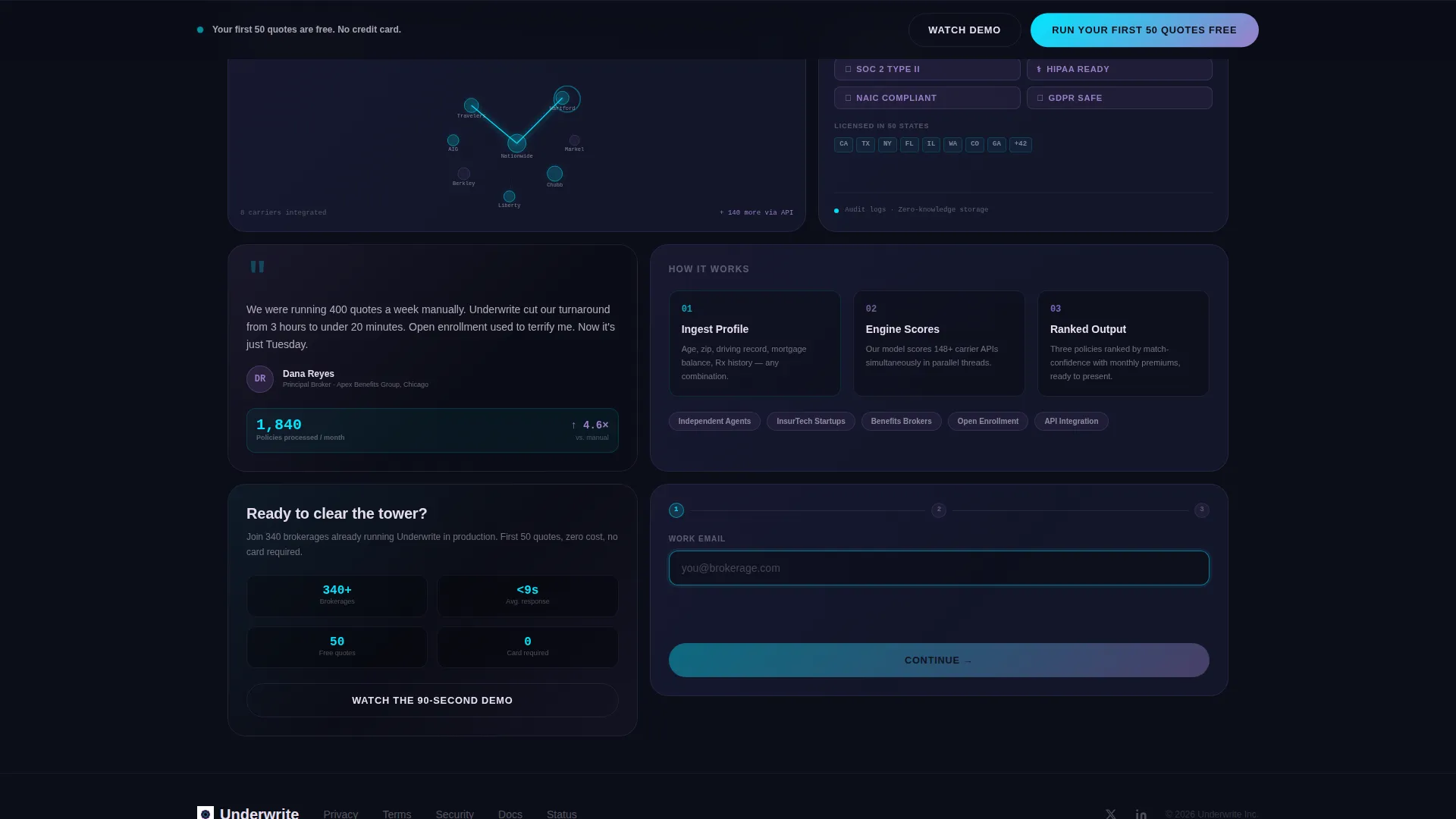
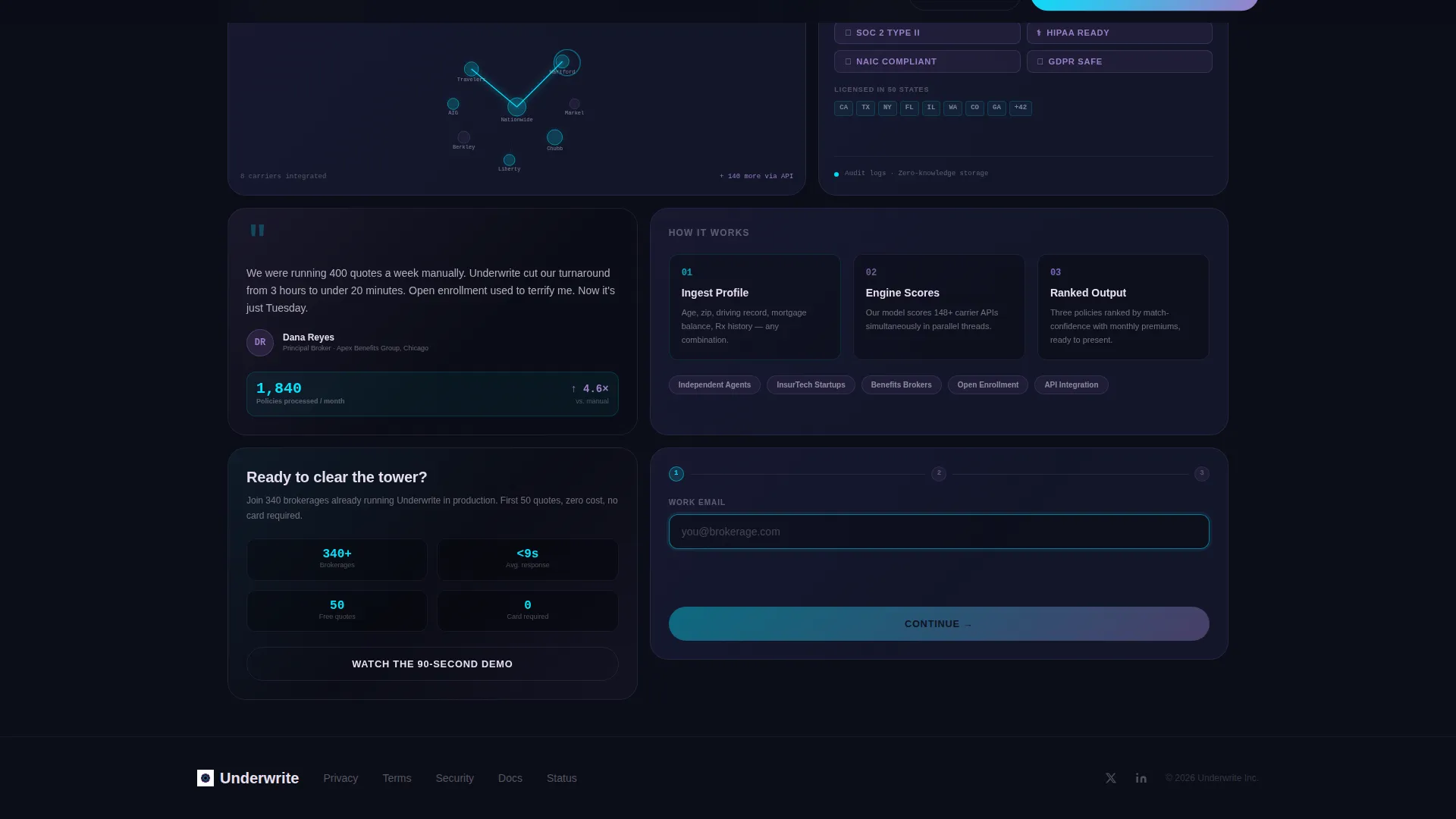
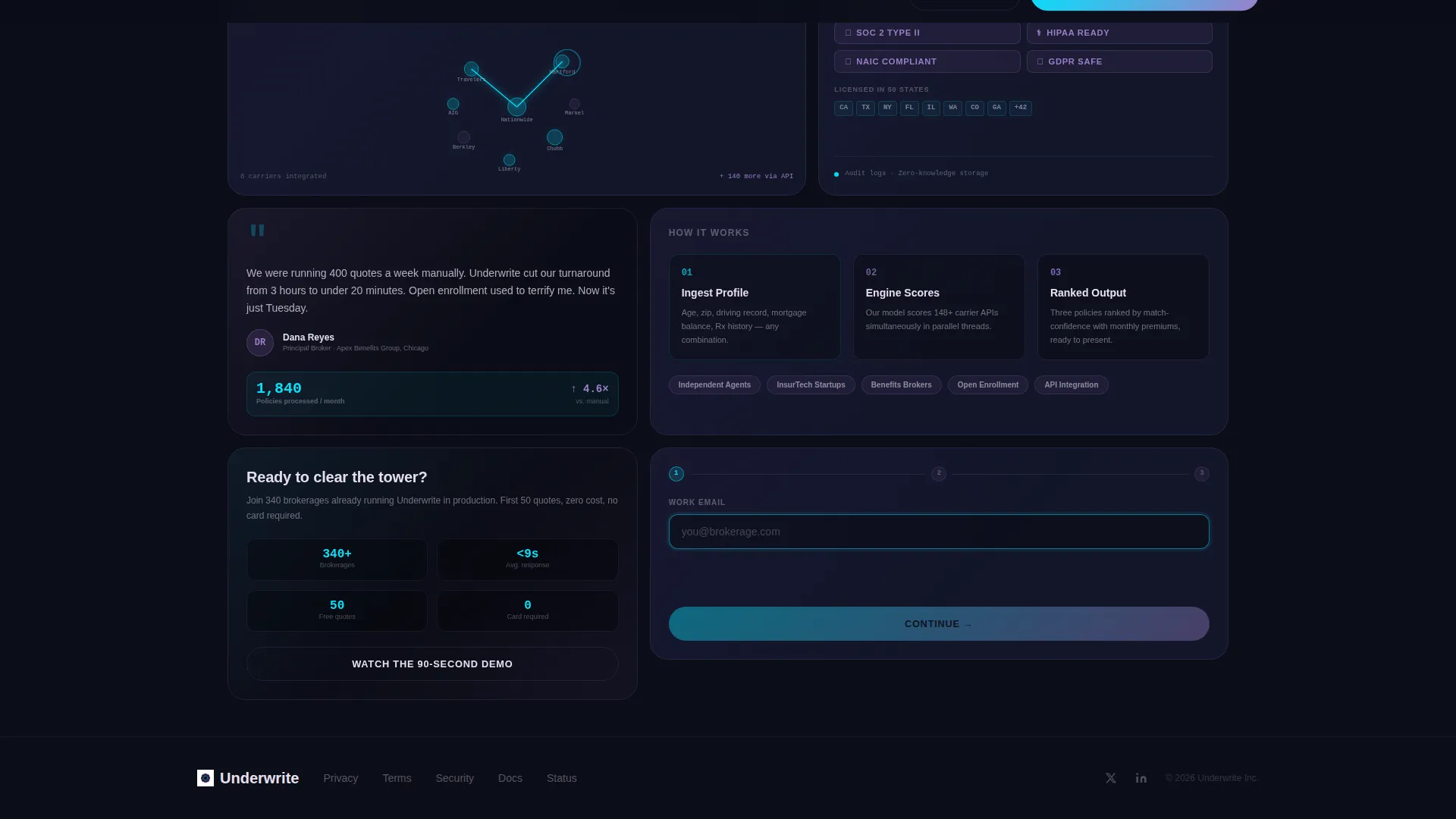
An animated network map cell shows carrier API connections lighting up visually. It communicates the breadth of integrations without requiring a separate features page or technical documentation link.
Progressive Disclosure Signup Form
The freemium signup form collects work email first, then company name, then a dropdown asking how many quotes the visitor runs monthly. This sequence qualifies leads without overwhelming them at entry.
Floating Conversion Bar
A sticky bottom bar appears after sixty percent scroll depth and repeats the primary call to action. It keeps the sign-up offer visible for visitors who engage deeply with the page but do not act on the header prompt.
Page sections overview
| Section | Purpose |
|---|---|
| Header Calculator | Live AI quote tool above the fold |
| Speed Benchmark Cell | Shows nine-second average response |
| Carrier Network Map | Visualizes API integrations animating |
| Testimonial Card | Brokerage social proof with volume stat |
| Compliance Badges | Displays SOC 2 and regulatory markers |
| Primary call to action Block | "Run Your First 50 Quotes Free" prompt |
| Floating Bottom Bar | Persistent call to action after scroll threshold |
| Demo Ghost Button | Secondary path capturing email on play |
Design & branding system
The template uses an AI Iridescent color system built around a void black base. The palette feels synthetic and alive, shifting the way light refracts through a prism inside a dark server room.
- Void black (#0B0D17) forms the primary background, keeping focus on data and results rather than decoration
- Holographic violet (#7B5EA7) appears on card borders and hover states, adding depth without distraction
- Electric cyan (#00E5FF) highlights data outputs, active inputs, and the match-confidence ring on policy result cards
- Soft iridescent pearl (#E8E0F0) handles body text and label elements for clean legibility against dark surfaces
Mobile & speed optimization
The bento grid layout is structured to adapt across screen sizes without losing the animated entry sequence or the calculator interaction. Core interactive cells retain their functionality on smaller viewports.
- The pill selector, age input, and coverage slider are touch-friendly components designed for mobile interaction
- The floating bottom bar is particularly effective on mobile, where it remains visible during thumb-driven scroll sessions
- Staggered animations are sequenced to feel intentional rather than heavy, keeping the scroll experience smooth on mid-range devices
How this template helps you convert
The page is engineered around two conversion behaviors: trying the product immediately and signing up for the free tier after experiencing it.
- The live calculator turns abstract capability claims into a tangible experience before any form appears, reducing the trust gap that typically slows insurance technology sign-ups
- The progressive disclosure form collects three fields in sequence, lowering perceived commitment while gathering enough information to qualify the lead by monthly quote volume
- The secondary demo path captures emails from visitors who are curious but cautious, giving them a lower-stakes entry point that still moves them into the funnel
Other information about this template
This template is part of a broader collection of AI-focused landing page templates built around the bento grid style and the Startup Velocity theme. It is designed for teams building or marketing insurance AI tools who want a page that demonstrates product intelligence rather than just describing it.
- The template style is Bento Grid, and the creative direction follows a Launch Energy sequence that mirrors a countdown and liftoff progression
- The header concept is a Calculator and Estimator hybrid, making it suitable for any AI recommendation engine that returns ranked outputs in real time
- The conversion model is Freemium and Trial, which suits SaaS insurance platforms offering a limited free tier to acquire and qualify new users
- This template fits the Technology category, specifically the AI for Insurance subcategory, and is optimized for the insurance AI recommendation engine niche
Theme
Startup Velocity
Creative direction
Launch Energy
Color system
AI Iridescent
Style
Bento Grid
Direction
Freemium/Trial
Page Sections
Live Policy Recommendation Calculator
Staggered Bento Grid Animations
Speed Benchmark Display Cell
Carrier Network Map Cell
Progressive Disclosure Signup Form
Floating Conversion Bottom Bar
Related questions
Can I customize the calculator inputs for different insurance types?
Does the template include the actual AI logic, or just the interface?
How does the freemium conversion flow work inside this template?
Who is the compliance badge section designed for?
Can this template support a demo video path alongside the free trial offer?



