Altitude - Luxe Aviation Landing Page Template
Altitude is a single-column flight school landing page built for a luxe minimal aesthetic and a booking-first flow. It guides aspiring pilots from a cinematic coastal header through a curated program collection, a student journey timeline, and an inline discovery flight scheduler. Every section earns its place, and every call to action moves visitors one step closer to the cockpit.
by Rocket studio
Quick summary
Altitude is a single-column flight school landing page designed for a premium aviation training academy. It opens with a panoramic cockpit photograph, walks visitors through four rated training programs, and closes with a clear booking path. The design feels like cruise altitude: focused, calm, and completely distraction-free.
Who this template is for
This landing page is built for flight schools and aviation training academies that want to attract serious students and convert interest into booked discovery flights. It suits operators who serve a mixed audience of first-timers and goal-driven learners.
- Career-changers booking their first discovery flight and needing confidence to commit
- College students building flight hours toward regional airline minimums
- Working professionals collecting additional pilot ratings as personal milestones
What problem this template solves
Most flight school pages bury pricing, scatter program details, and leave curious visitors without a clear next step. Altitude removes that friction by presenting each training path clearly and placing booking front and center.
- Visitors leave without booking because pricing and scheduling feel unclear or hidden
- Program options feel overwhelming when listed as dense text rather than distinct offerings
- No secondary capture path exists for students who are interested but not yet ready to commit
What you get with this template
You get a complete, ready-to-customize single-column landing page structured for flight school bookings. Every section is purposeful, every visual decision is intentional, and the page flows naturally from first impression to confirmed appointment.
- A cinematic panoramic header with a timed fade-in headline and cockpit perspective photograph
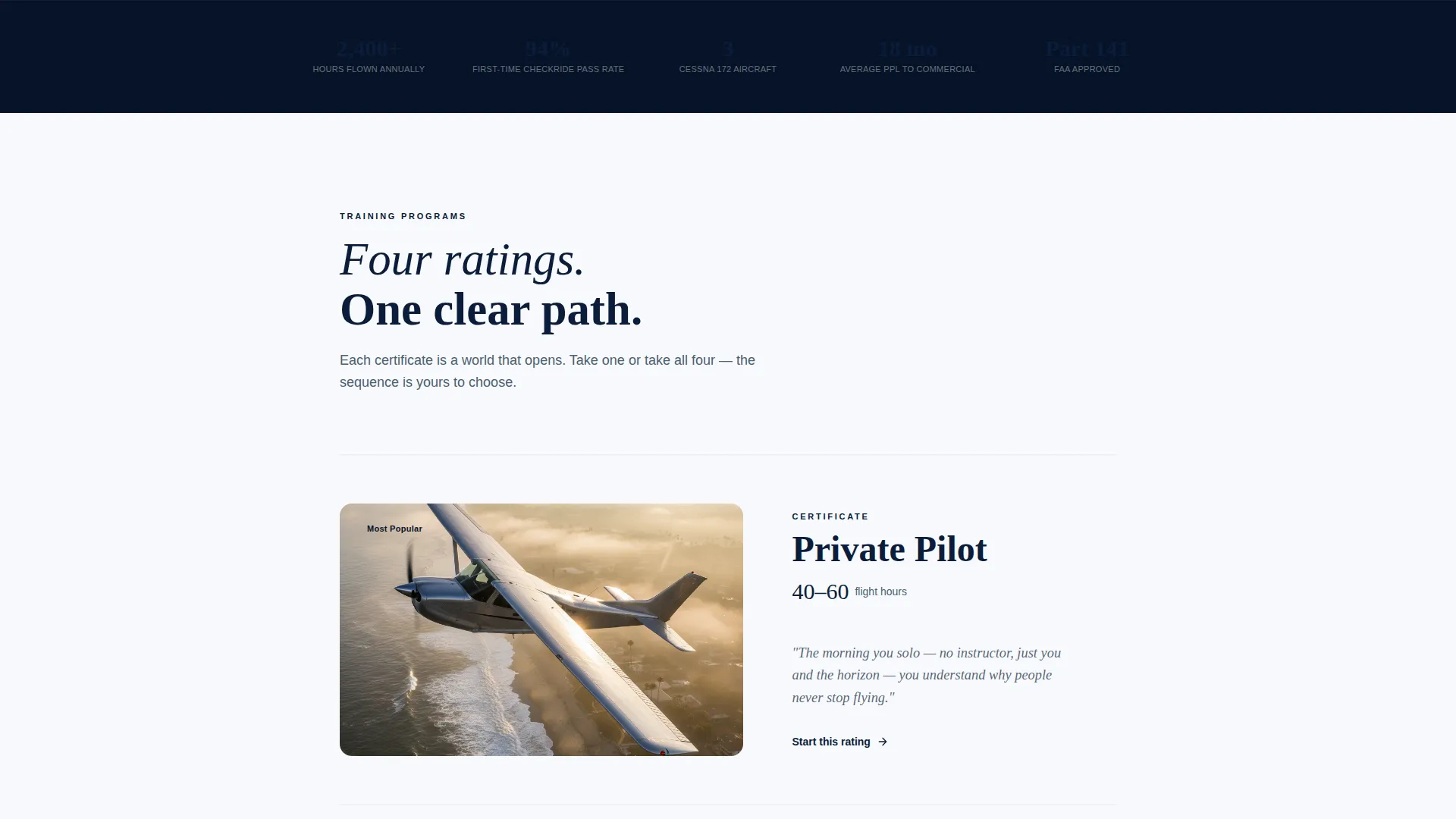
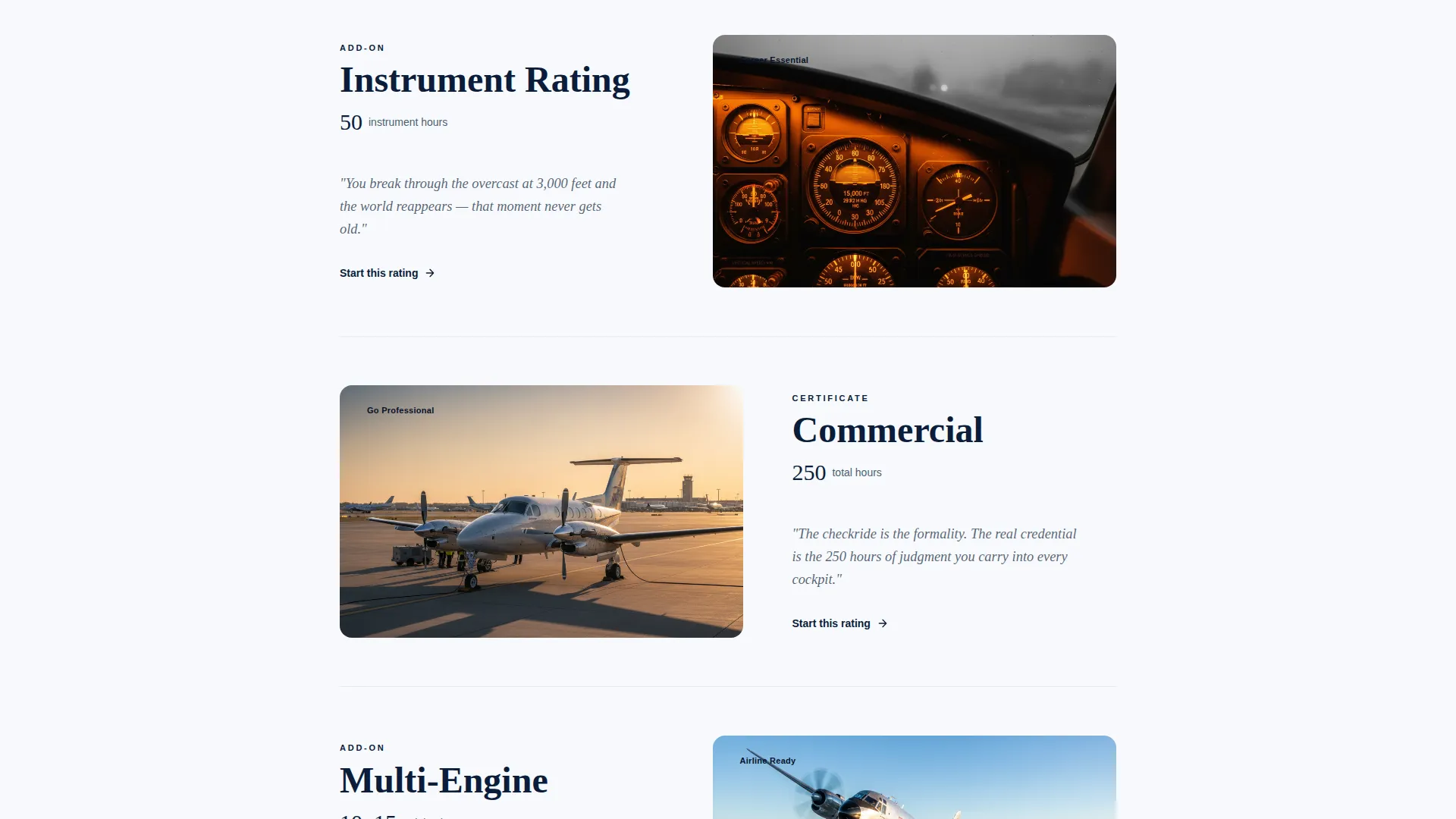
- Four gallery-style program cards covering Private Pilot, Instrument Rating, Commercial Certificate, and Multi-Engine Add-On
- An inline scheduling module, a student journey timeline, captain's-log testimonials, and an email capture path for the Training Roadmap
Feature list
This landing page includes a focused set of built-in sections and interactive components, each designed to serve a specific role in the booking journey.
Panoramic Cinematic Header
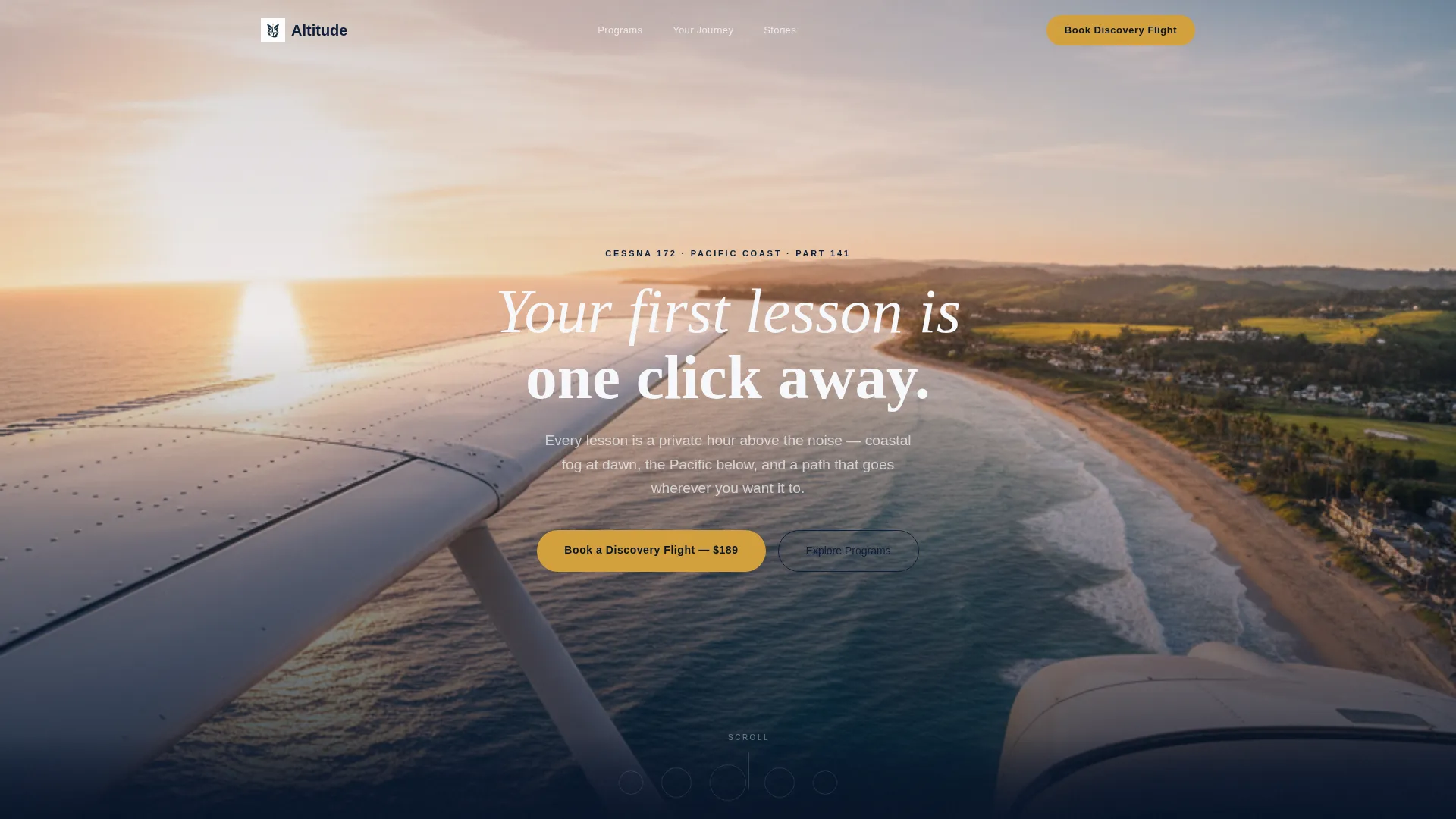
A full-width, edge-to-edge photograph taken from the left seat of a low-wing trainer banking over a coastline. The headline "Your first lesson is one click away" fades in at center after two seconds, keeping the first impression purely visual before the message lands.
Curated Program Card Collection
Four scroll-reveal cards present each training program as a gallery-worthy entry. Each card shows an atmospheric photograph, the rating name, estimated hours, and a single sentence about the feeling of earning that certificate rather than its syllabus.
Student Journey Timeline
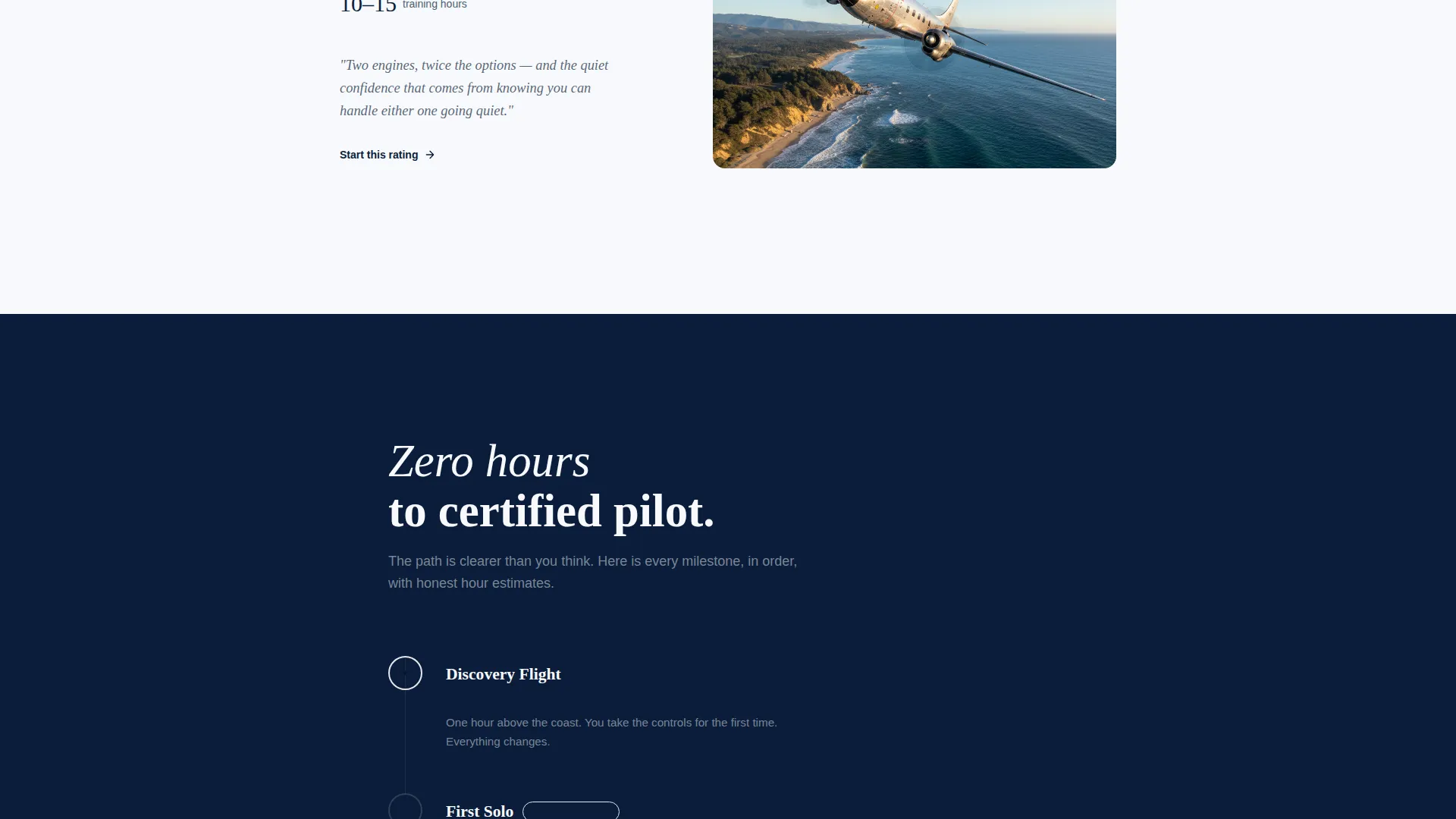
A visual timeline maps the path from zero flight hours to certified pilot. It makes an abstract progression concrete and reassures visitors that a clear, achievable route exists from discovery flight to full certification.
Inline Discovery Flight Scheduler
Clicking the primary call to action opens a scheduling module directly on the page. Visitors choose a preferred date, select morning or golden hour, and answer one question: "What made you want to fly?" No separate booking page is required.
Transparent Pricing Display
The cost of the discovery flight appears plainly above the booking button. Showing the price upfront removes hesitation and signals that the school values honesty over sales pressure.
Training Roadmap Email Capture
A secondary call to action invites visitors who are not yet ready to book to download a PDF roadmap. It maps every certificate from first flight to Airline Transport Pilot, capturing email addresses from high-intent leads at an earlier stage in their decision.
Page sections overview
| Section | Purpose |
|---|---|
| Panoramic Header | Opens with cinematic coastal cockpit photograph and timed headline fade-in |
| Primary call to action Block | Places "Book a Discovery Flight" immediately below the header |
| Program Card Collection | Presents four training ratings as scroll-reveal gallery cards |
| Student Journey Timeline | Visualizes the hour-by-hour path from first flight to certification |
| Captain's Log Testimonials | Displays brief dated student entries for documentary credibility |
| Anchored Booking call to action | Repeats the primary call to action after the program collection |
| Inline Scheduling Module | Collects date, time preference, and motivation in one focused form |
| Training Roadmap Capture | Offers a PDF certificate roadmap in exchange for an email address |
Design & branding system
The visual identity follows a Luxe Minimal theme built around the Ocean Calm color system. Every color choice references the cockpit environment: muted, purposeful, and precise.
- Deep horizon navy (#0B1D3A) for primary backgrounds, instrument amber (#D4A03C) for buttons and interactive states, soft altimeter white (#F7F9FC) for body text areas, and coastal haze gray (#C4CED4) for supporting elements
- Amber is reserved strictly for buttons, progress indicators, and hover states so it retains full attention-directing power wherever it appears
- Spacing is generous throughout, giving each section breathing room that echoes the unhurried pace of browsing a private catalog
Mobile & speed optimization
The single-column layout adapts cleanly to smaller screens without restructuring the visual hierarchy. Stacked sections and full-width cards translate naturally from desktop to mobile.
- The panoramic header scales responsively, keeping the cockpit horizon and headline legible on all screen sizes
- Program cards reflow to a single-column stack on mobile, preserving the scroll-reveal atmosphere without horizontal scrolling
- The inline scheduling module remains accessible on touch devices with clearly tappable fields and a minimal input count
How this template helps you convert
Altitude is built around a direct booking goal, and every layout decision reinforces that path from first scroll to confirmed flight.
- The discovery flight price is shown above the booking button, so visitors arrive at the call to action already informed and with fewer reasons to hesitate before committing.
- The secondary Training Roadmap download gives undecided visitors a low-friction way to stay connected, turning a browse session into a qualified lead without requiring an immediate booking decision.
Other information about this template
This template is part of a curated set of aviation and travel-adjacent landing page designs built for niche service businesses that need to project both professionalism and approachability.
- The template style is Single Column Flow, making it straightforward to customize section by section without disrupting the overall layout
- The Curated Collection creative direction suits any flight school or aviation academy that wants to present multiple training tiers without overwhelming new visitors
- The Booking and Scheduling landing page direction means the entire structure prioritizes appointment conversion over general awareness
- The Ocean Calm palette and Luxe Minimal theme can be adapted to complement an existing school brand by swapping the accent color while keeping the overall calm, authoritative feel
Theme
Luxe Minimal
Creative direction
Curated Collection
Color system
Ocean Calm
Style
Single Column Flow
Direction
Booking/Scheduling
Page Sections
Panoramic Cinematic Header
Scroll-reveal Program Cards
Student Journey Timeline
Inline Discovery Flight Scheduler
Transparent Pricing Block
Training Roadmap Email Capture
Related questions
Can I add or remove program cards from the collection section?
Is the discovery flight price section easy to update?
Can I use this landing page for a flight school that offers different training paths?
Can the color accent be changed from amber to match our school's brand color?
Does the Training Roadmap section require a connected email service to work?