Specialist Hospitality Software Appointment Booking Website Template
Allocate is a hospitality project management landing page template built for development teams running hotel renovations, restaurant buildouts, and resort expansions. It presents a modular card grid interface with a live-dashboard aesthetic, iridescent accents, and dual conversion paths, a free-start signup and a guided demo booking, all in one sharp, scrollable page.
by Rocket studio
Quick summary
Allocate is a single-page, card-grid template designed for hospitality project management platforms. It pairs a full-width dashboard screenshot header with a feature matrix scroll experience. Deep graphite backgrounds, iridescent violet and teal accents, and hot coral urgency indicators give it the feel of a luxury control room built for busy development teams.
Who this template is for
This template is built for software companies and SaaS platforms serving the hospitality construction and renovation market. It speaks directly to the people who buy and use project management tools in that space.
- Hospitality development directors managing multi-vendor punch lists across active renovation sites
- Boutique hotel owners overseeing their first full gut renovation from a remote location
- Brand-standard compliance managers rolling out property refreshes across dozens of franchise locations
What problem this template solves
Hospitality project teams often rely on spreadsheets or generic tools that were never designed for contractor swim lanes, furniture, fixtures, and equipment (FF&E) procurement tracking, or permit workflows. A platform landing page needs to communicate specialized value fast.
- Visitors cannot quickly distinguish a hospitality-specific tool from a generic project manager
- The page must earn trust before asking for a signup, especially in a risk-averse industry
- Development directors need to see capability density at a glance, not read through paragraphs
What you get with this template
You get a fully structured, single-page layout built around a feature matrix creative direction. Every section is purpose-designed to move a hospitality software buyer from curiosity to conversion.
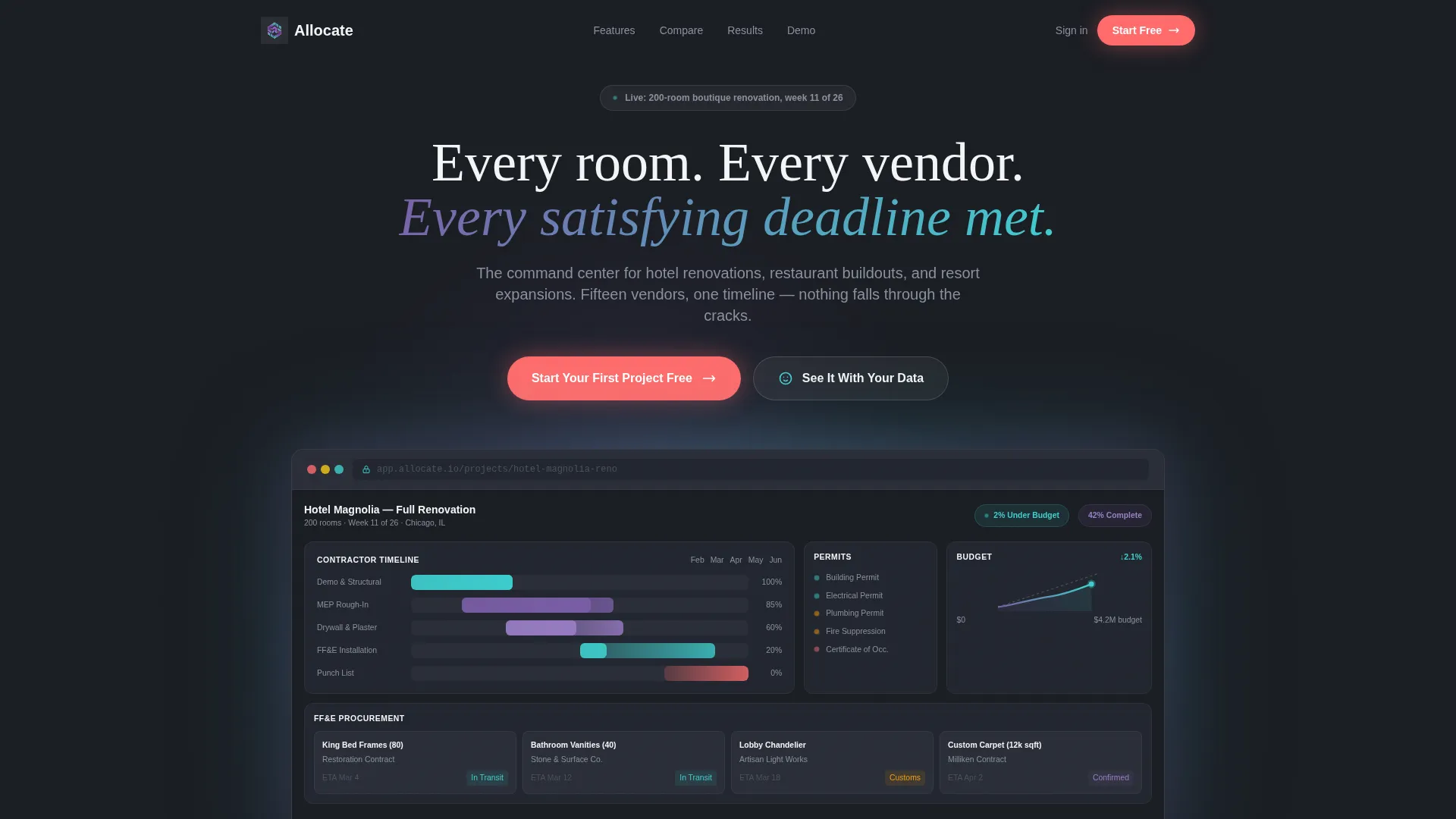
- A full-width product screenshot header showing a live renovation dashboard mid-project
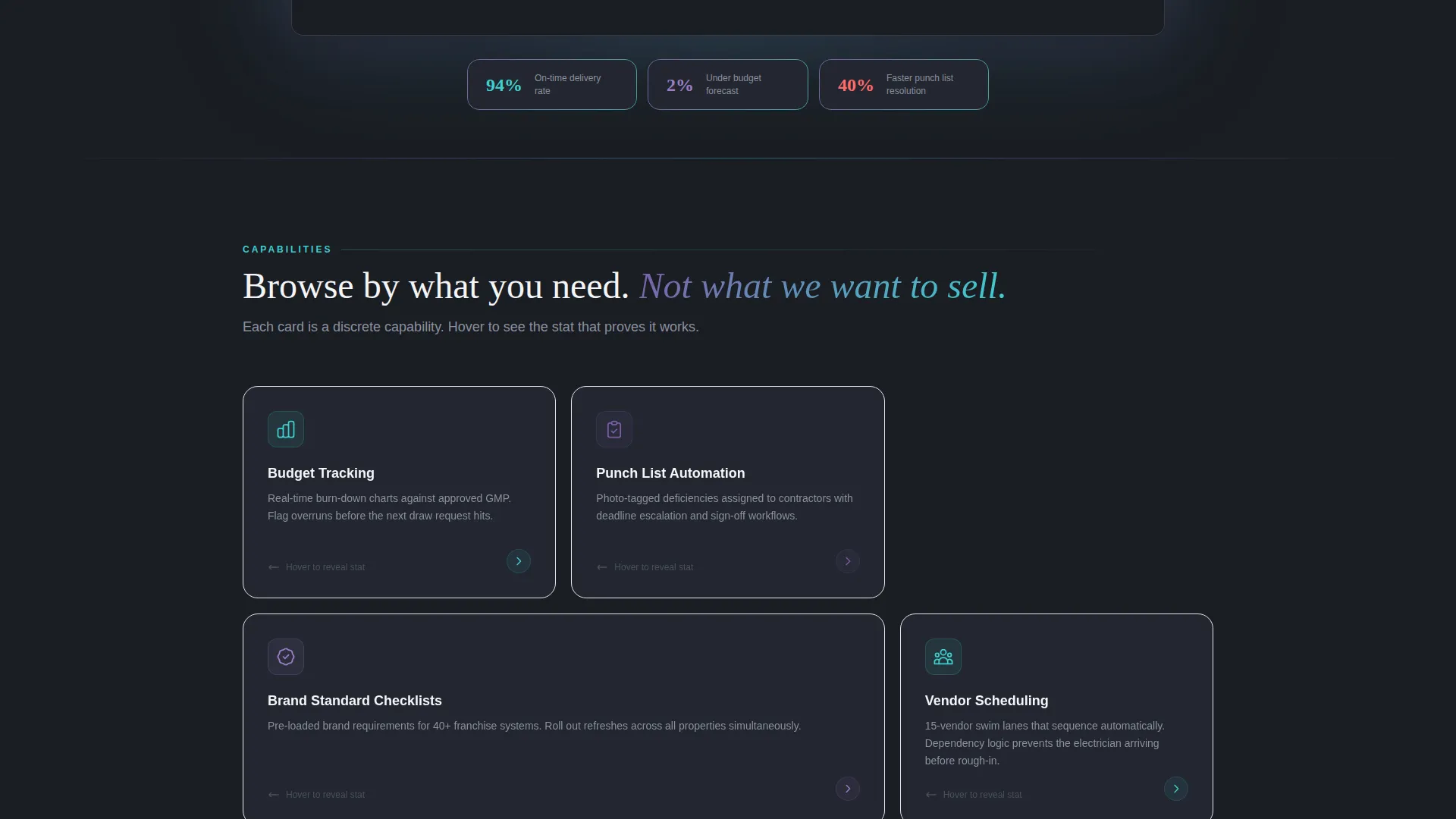
- A modular card grid where each card represents one platform capability with hover-reveal detail
- Two conversion paths: a frictionless free-tier signup and a calendar-embedded demo booking
Feature list
This template is built around six core capability cards and a set of structural sections that together form a complete hospitality project management sales page.
Full-Width Dashboard Header
The header opens with a pixel-perfect product screenshot of a 200-room boutique hotel renovation in week eleven. Visible elements include a Gantt timeline with overlapping contractor swim lanes, a procurement tracker with carrier ETAs for FF&E items in transit, a permit status column with color-coded indicators, and a budget burn-down chart. A soft iridescent glow bleeds from behind the browser frame.
Modular Capability Card Grid
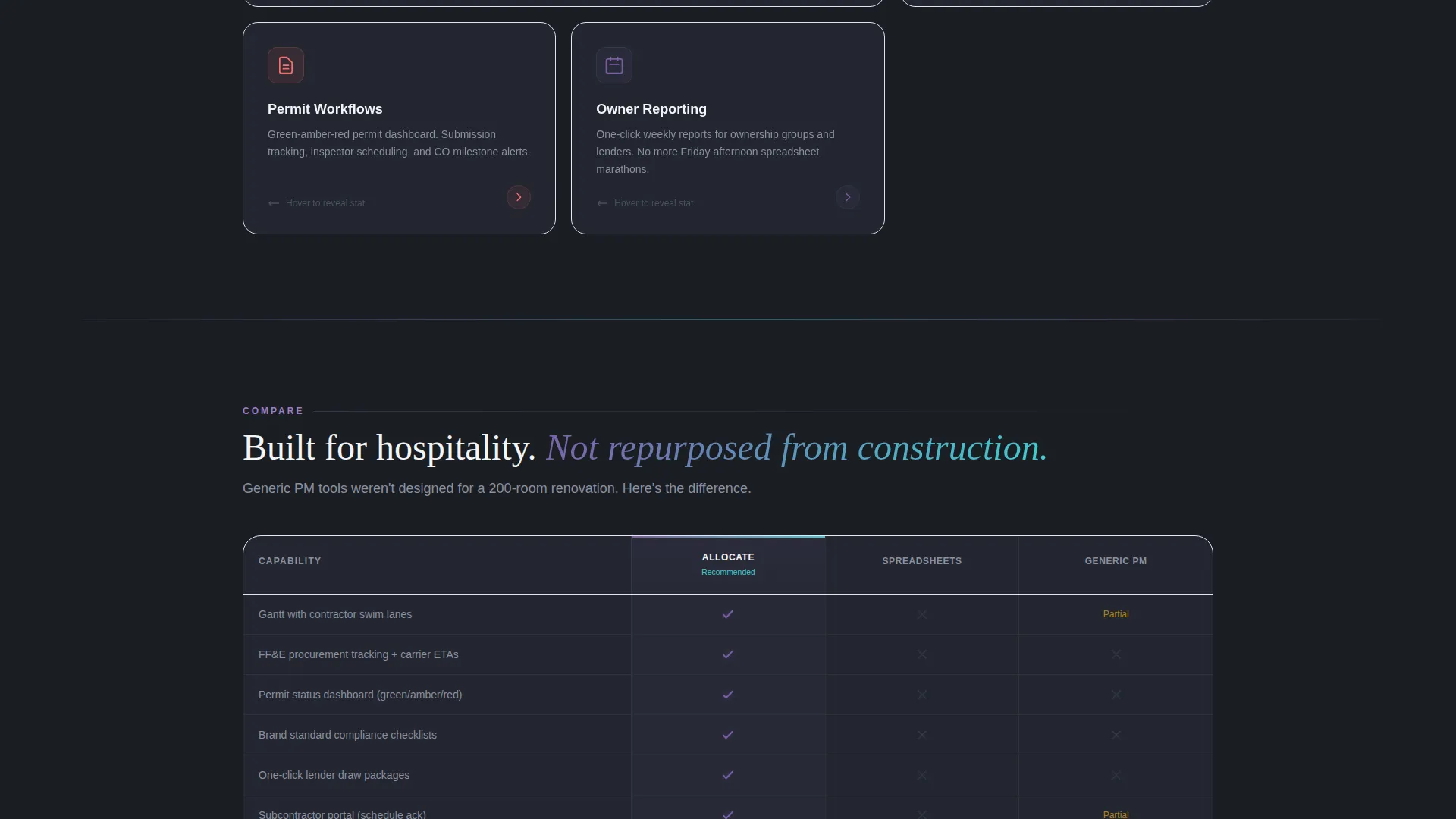
Each scroll section presents a card grid where every card is a discrete capability. Cards include Budget Tracking, Punch List Automation, Brand Standard Checklists, Vendor Scheduling, Permit Workflows, and Owner Reporting. Cards flip or expand on hover to reveal a mini-screenshot and a single supporting metric.
Full-Width Comparison Matrix
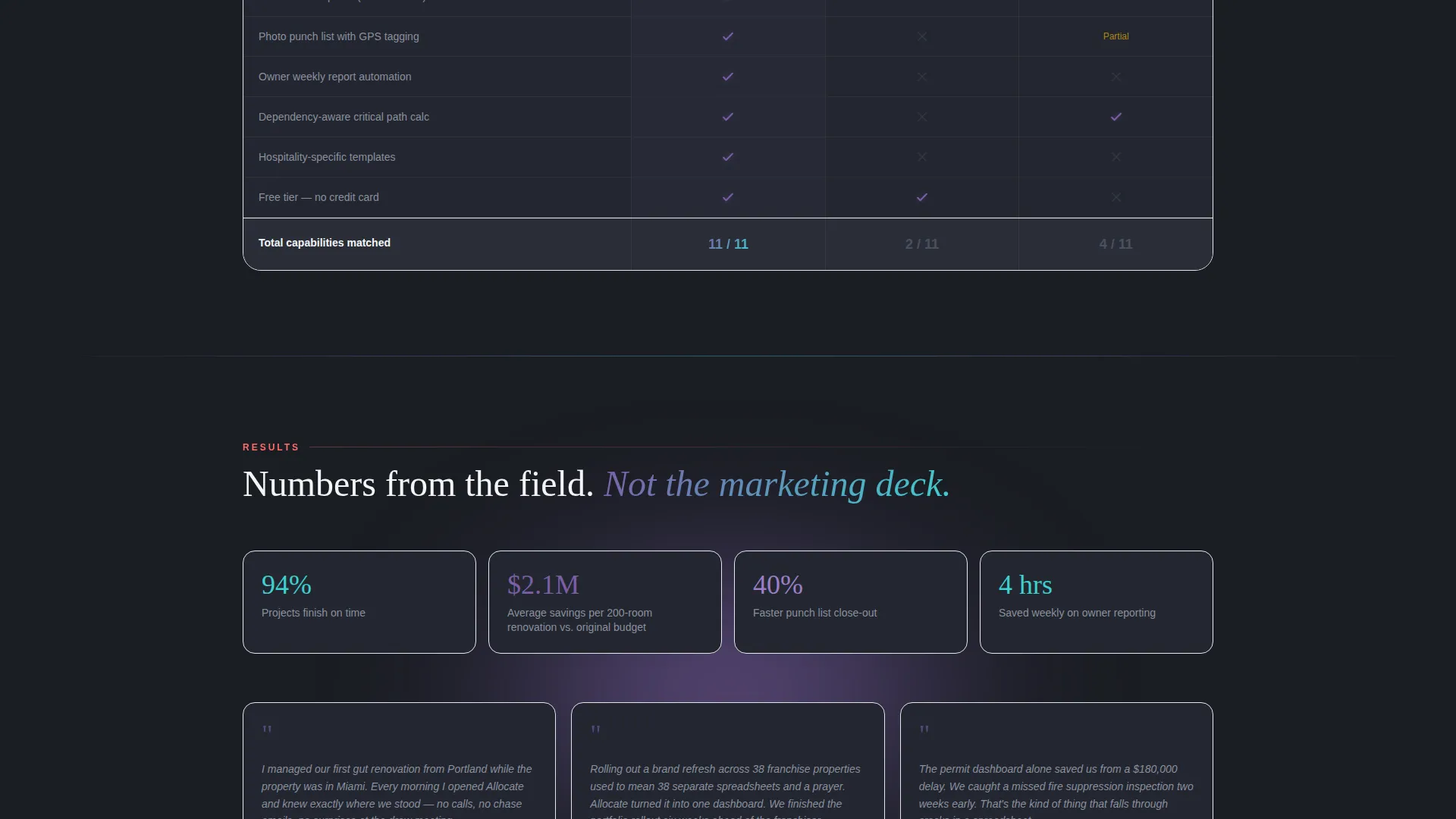
A full-width comparison grid card sits midway through the page. It maps the platform against spreadsheets, generic project management tools, and competitor hospitality software. Checkmarks render in iridescent violet; gaps appear in muted gray. The matrix builds a case through accumulation rather than narrative.
Freemium Signup Form
The primary call to action is "Start Your First Project Free." The signup form asks only for a work email and a project type selection: hotel, restaurant, resort, or mixed-use. No credit card or phone number is required. The form appears in the header and as a persistent floating button that shifts from translucent to solid coral after the visitor scrolls past the feature matrix.
Guided Demo Booking Path
A secondary conversion path labeled "See It With Your Data" leads to a guided demo booking flow with a calendar embed. This gives buyers who need more proof a clear next step without abandoning the page.
Urgency and Status Indicators
Hot coral is reserved exclusively for notifications and urgency indicators throughout the interface. This color discipline creates an intuitive visual grammar: coral means attention required, everything else is ambient. It mirrors the status logic hospitality teams already use on-site.
Page sections overview
| Section | Purpose |
|---|---|
| Dashboard Header | Opens with a full-width product screenshot and primary headline |
| Capability Card Grid | Presents each platform feature as a browsable, hover-reveal card |
| Comparison Matrix | Maps platform strengths against spreadsheets and generic tools |
| Freemium Signup Form | Captures work email and project type with zero friction |
| Demo Booking Path | Offers a calendar-embedded guided demo as a secondary conversion |
| Floating call to action Button | Persistent coral button that activates after the feature matrix scroll |
Design & branding system
The visual identity follows a Dashboard Pro theme with an AI Iridescent color system. The palette is deliberately high-contrast and density-friendly, designed to feel like a luxury control room rather than a generic SaaS page.
- Deep graphite (#1A1D23) as the primary background; crisp white (#F4F5F7) for card surfaces; shifting violet (#7B5EA7) and cool teal (#3ECFCF) as gradient accents on card borders and hover states
- Hot coral (#FF6B6B) reserved exclusively for notifications and urgency indicators, creating consistent visual grammar across the page
- Iridescent edges on cards catching light like mother-of-pearl inlaid into matte black stone, giving data a luxurious density without sacrificing readability
Mobile & speed optimization
The card grid layout is modular by design, which means it scales cleanly across screen sizes without restructuring the information hierarchy.
- Modular card components reflow naturally for tablet and mobile viewports without losing the capability-browsing experience
- Lightweight hover states and gradient accents are contained within card borders, keeping the visual system manageable at smaller sizes
- The signup form collects only two fields, reducing friction on mobile where long forms create drop-off
How this template helps you convert
The page is engineered around the principle that every card must prove competence before asking for anything. Conversion pressure builds gradually and naturally.
- The dashboard screenshot header establishes immediate credibility by showing a real-looking, data-rich interface before a single feature is named.
- The modular card grid lets visitors self-select which capabilities matter most to them, building personal relevance without a linear sales pitch.
- The dual conversion path means high-intent buyers can start free instantly while evaluation-stage buyers have a low-pressure demo route, capturing both segments on the same page.
Other information about this template
This template is designed for the hospitality software category and fits naturally within a broader technology marketplace. It is particularly well-suited for platforms competing in the construction project management and renovation coordination space.
- The template style is Card Grid (Modular), making it straightforward to add, remove, or reorder capability cards as a product evolves
- The creative direction is Feature Matrix, which works especially well for platforms where buyers compare tools before purchasing
- The page type is a single landing page, not a multi-page website, so all conversion flows remain contained within one scrollable experience
Theme
Dashboard Pro
Creative direction
Feature Matrix
Color system
AI Iridescent
Style
Card Grid (Modular)
Direction
Freemium/Trial
Page Sections
Full-width Dashboard Screenshot Header
Modular Capability Card Grid
Full-width Comparison Matrix
Frictionless Freemium Signup Form
Guided Demo Booking Section
Urgency and Status Indicator System
Related questions
Can I customize the capability cards for a different set of features?
Does the template include the calendar embed for demo booking?
Is the persistent floating call-to-action button part of the template?
Who is this landing page template designed to attract?
Can this template work for a restaurant or resort platform, not just hotels?



