Day-of Wedding Coordinator Handoff Website Template
Aisle is a day-of wedding coordinator landing page template built on a masonry gallery layout with scroll-triggered video, hover-reveal couple stories, and a two-step booking form. Designed for self-planned couples ready to hand off the day, it pairs Heritage & Story visuals with a Soft Mist color system to build trust and drive "Hold My Date" bookings.
by Rocket studio
Quick summary
Aisle is a single-page booking template for day-of wedding coordinators. It opens with a scroll-triggered hero video, cascades into a community masonry gallery of real couple moments, walks visitors through hour-by-hour coverage, and closes with a two-step booking form. The tone is calm, editorial, and deeply personal.
Who this template is for
This template is built for day-of wedding coordinators who serve self-planned couples. It fits professionals who want a page that feels like an emotional handoff, not a sales pitch.
- Day-of coordinators running independent or boutique practices
- Wedding planners offering day-of-only packages to self-planned couples
- Coordinators who rely on personal referrals and want a digital home that matches their warmth
What problem this template solves
Most wedding coordinator pages look like vendor directories. They list services in bullet rows and leave couples unsure whether this person truly understands what the day feels like. Aisle solves that trust gap with story-first design and social proof baked into every scroll.
- Couples arrive emotionally invested but unsure who to trust with their carefully planned day
- Generic coordinator pages fail to show the invisible, high-stakes work that happens on the morning of a wedding
- There is no clear path to booking for couples who are months out and still researching
What you get with this template
You get a complete, fully structured landing page designed to convert engaged couples into booked clients. Every section is purpose-built to guide visitors from curiosity to commitment.
- A scroll-triggered hero video section with a letter-by-letter serif headline and a floating "Hold My Date" call to action button
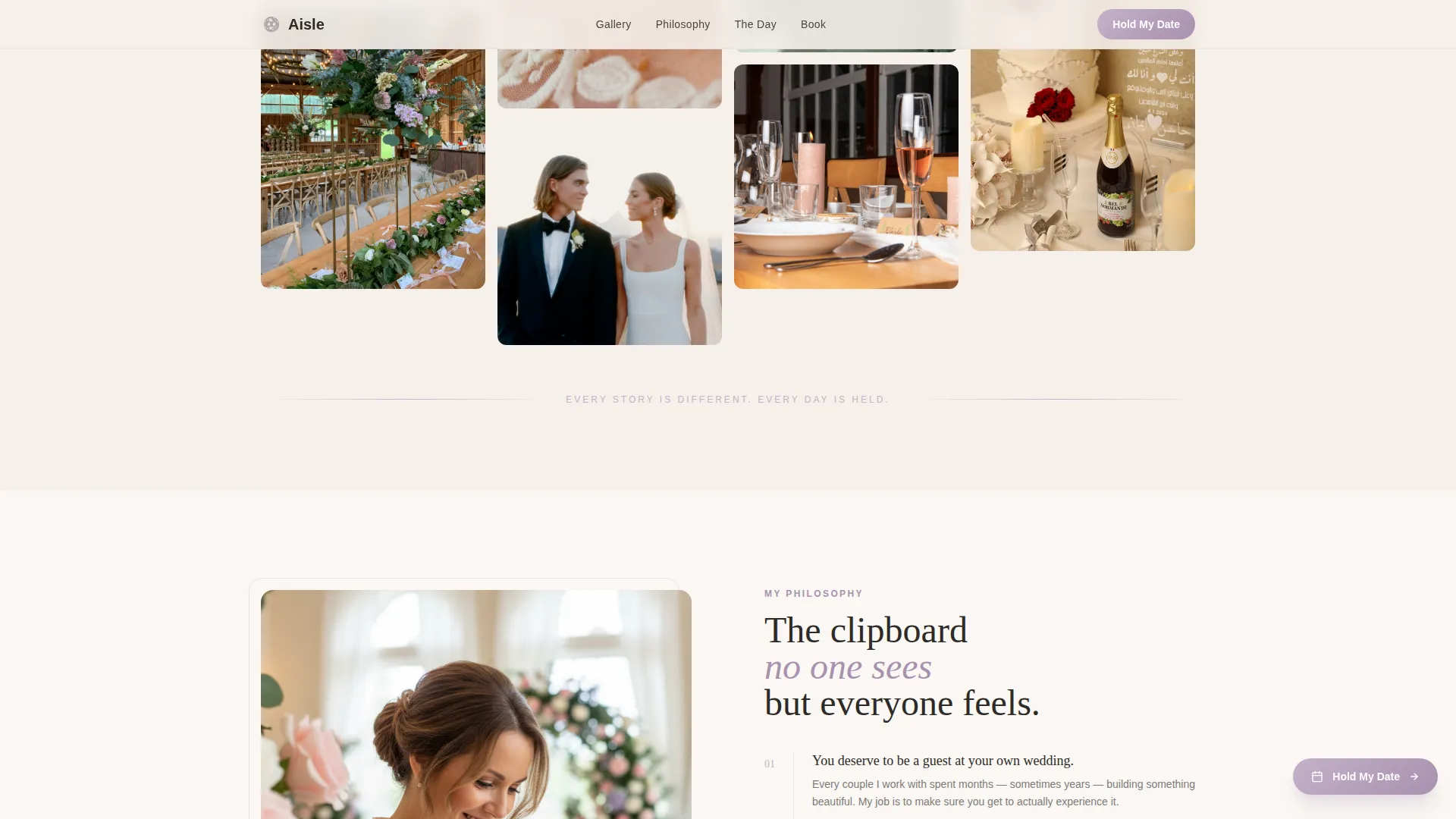
- A masonry Pinterest-style community gallery with hover-reveal couple quotes and a philosophy section with coordinator portrait and belief statements
- An hour-by-hour day-of timeline, a behind-the-scenes grid, a two-step booking form modal, and an email-capture checklist download
Feature list
This template ships with high-impact interactive components that work together to tell a coordinator's story and move couples toward booking.
Scroll-Triggered Hero Video
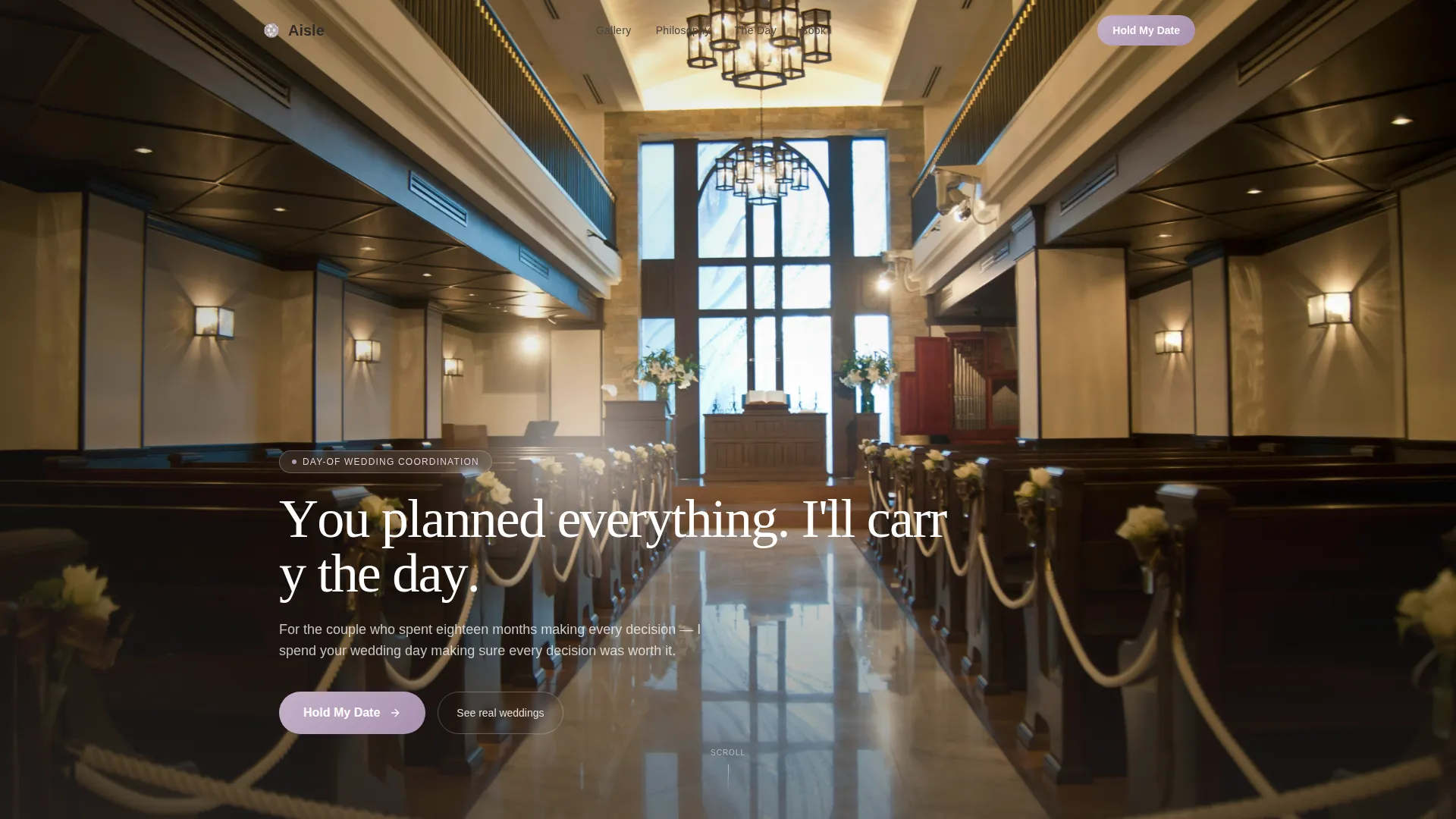
The hero opens frozen on a single cinematic frame. As the visitor scrolls, the video breathes to life, revealing a fully dressed venue in stillness before guests arrive. The headline builds letter by letter in a hand-set serif, creating an emotional first impression that no static image can match.
Masonry Community Gallery
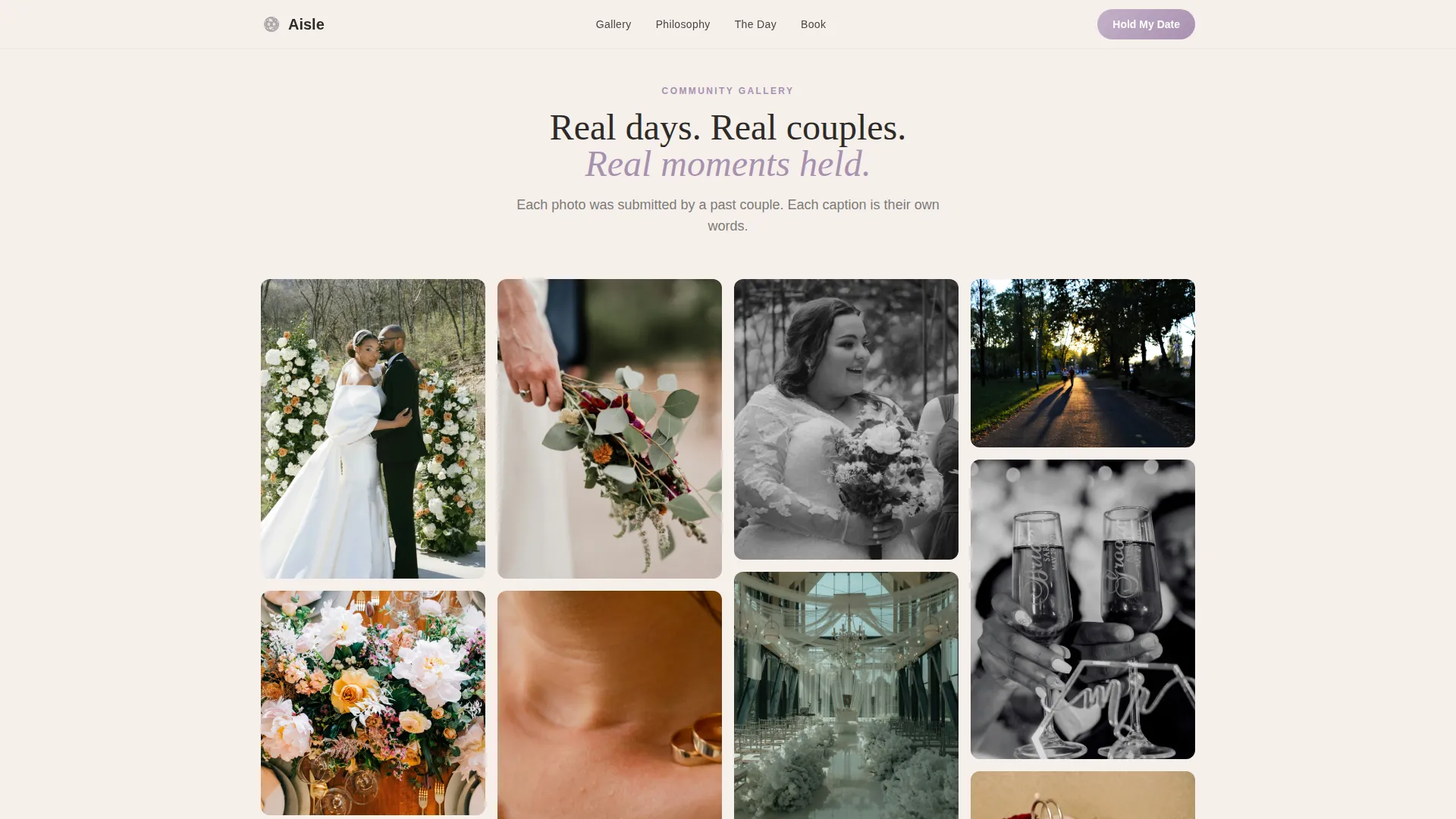
After the hero, the page cascades into a Pinterest-style masonry grid of real wedding moments. Each tile is a different size and season. Hovering reveals the couple's first name and a single sentence they wrote, turning social proof into something that feels genuinely human.
Floating Sticky Call to Action
A "Hold My Date" button enters as a floating element after the second scroll depth. It remains accessible throughout the page and anchors again at the bottom, giving visitors a clear booking path at every stage of reading.
Two-Step Booking Form Modal
Clicking the primary call to action opens a two-step modal form. Step one collects wedding date, venue city, and guest count. Step two asks how they found the service and offers an optional field asking what the couple is most nervous about on the day, a qualifier that builds trust while filtering serious inquiries.
Checklist Email Capture
A secondary conversion path offers a downloadable day-of checklist. Couples who are still months out can enter their email to receive it, creating a nurture opportunity for visitors who are not yet ready to book.
Hour-by-Hour Day-of Timeline
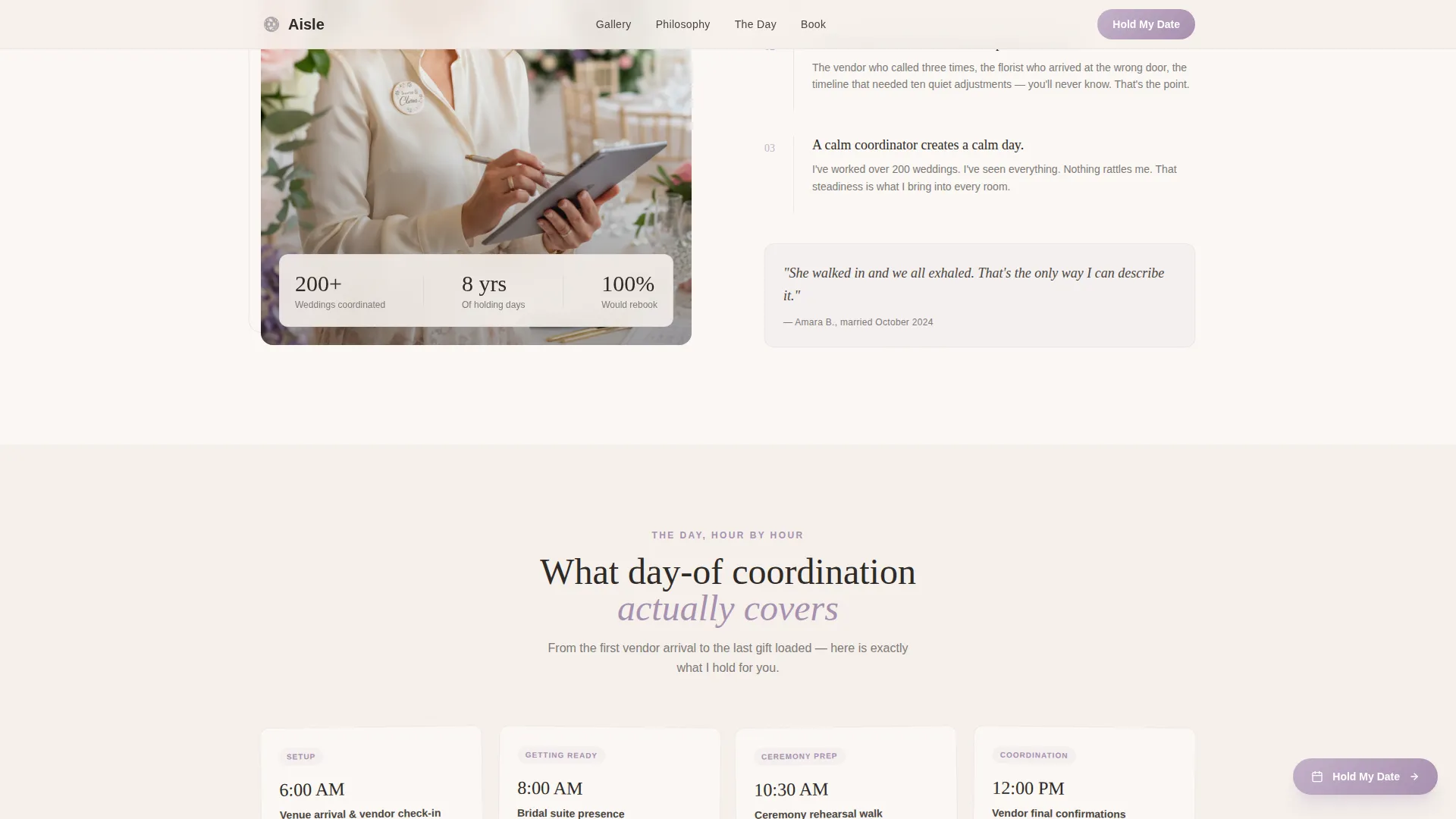
A rotated-card timeline section walks visitors through exactly what day-of coordination covers from the first vendor call to the final send-off. It makes the invisible work visible and removes the most common objection: "But what does a day-of coordinator actually do?"
Page sections overview
| Section | Purpose |
|---|---|
| Hero Video | Opens with scroll-triggered video and letter-by-letter headline |
| Community Gallery | Masonry grid of couple moments with hover-reveal quotes |
| Coordinator Philosophy | Asymmetric portrait split with belief statements |
| Day-of Timeline | Hour-by-hour rotated card coverage breakdown |
| Behind the Scenes | Grid row of candid coordinator detail shots |
| Booking Form | Two-step modal for date, venue, and emotional qualifier |
| Checklist Capture | Email opt-in for a downloadable day-of checklist |
| Footer | Horizontal flow footer with contact and navigation |
Design & branding system
The visual identity follows a Heritage & Story theme expressed through a Soft Mist color system. Every color choice and typographic decision feels like something found in a cedar chest, tender and intentional.
- Color palette: heirloom linen (#F5F0EB) as the primary background, dried lavender (#C4B1C9) for accents, hearthstone gray (#7D7A78) for muted supporting text, and hand-written ink (#2E2A27) for headings and borders
- Typography: Fraunces serif for all headlines to deliver an editorial, hand-set feeling, paired with DM Sans for body copy to keep reading comfortable and clear
- Animation style: high-expressiveness scroll triggers, Ken Burns image motion, typewriter headline reveal, masonry hover transitions, and a floating button entrance
Mobile & speed optimization
The template is built mobile-first. Brides browse on phones, so every interaction is designed to feel natural on a small screen before scaling up to the desktop masonry grid.
- Scroll-triggered animations use IntersectionObserver so they fire only when elements enter the viewport, keeping the page responsive during scroll
- All motion is handled with CSS transforms only, avoiding layout repaints and keeping interactions smooth across devices
How this template helps you convert
Every design decision in Aisle moves a hesitant couple closer to booking. The page earns trust before it asks for anything.
- The scroll-triggered video and letter-by-letter headline create an emotional entry that holds attention and sets the coordinator's tone immediately, before a single service is mentioned.
- The hover-reveal couple stories in the masonry gallery provide specific, first-person social proof at the exact moment visitors are evaluating whether to trust the coordinator.
- The two-step booking form with its optional emotional qualifier question reduces friction while filtering for couples who are genuinely ready, making follow-up conversations warmer and more efficient.
Other information about this template
Aisle was designed specifically for the day-of wedding coordination niche within the broader wedding services market. A few additional details worth knowing before you customize it.
- The template uses Fraunces and DM Sans as its type pairing, both available through Google Fonts
- The masonry grid layout is optimized for desktop but reorganizes gracefully into a single-column flow on mobile
- The footer follows a horizontal flow pattern suited to a single service offering with minimal navigation needs
- The two-step form modal is designed to replace a separate booking page, keeping the entire client journey on one URL
- The checklist download path doubles as a lead nurture tool for couples who are six to eighteen months from their wedding date and researching early
Theme
Heritage & Story
Creative direction
Community Gallery
Color system
Soft Mist
Style
Masonry/Pinterest
Direction
Booking/Scheduling
Page Sections
Scroll-triggered Hero Video
Masonry Community Gallery
Two-step Booking Form Modal
Floating Sticky Call to Action Button
Hour-by-hour Day-of Timeline
Checklist Email Capture
Related questions
Can I use this template if I offer more than day-of coordination?
Do I need to provide my own video for the hero section?
What does the two-step booking form collect?
Can I customize the couple quotes shown in the masonry gallery?
What is the checklist download feature for?



