No-Code Platform Documentation Specialist Professional Website Template
This split-screen landing page template puts a live API explorer front and center. Developers can test every endpoint, inspect JSON responses, and manipulate request parameters without switching tools. Built on a Bold Brutalist and Glassmorphic visual system, the template converts visitors through a freemium model that lets them accomplish something real before ever hitting a signup prompt.
by Rocket studio
Quick summary
This template is a single-page interactive reference built for developers who need to test, explore, and understand API endpoints without leaving the browser. It uses a 50/50 split-screen layout, deep void-black backgrounds, frosted glass panels, and electric violet accents to make a complex technical tool feel organized, immediate, and inviting.
Who this template is for
This template is designed for people who are actively working with or building on top of an API-driven data platform. It fits anyone who values hands-on proof over passive reading.
- Solo developers building weekend projects who need instant feedback at any hour
- Integration engineers at mid-stage startups replacing spreadsheet chaos with structured backends
- No-code builders writing their first fetch request and needing a clear, guided starting point
What problem this template solves
Developers lose time context-switching between documentation tabs, external API clients, and their own editor. Standard reference pages are static, making it hard to understand how records behave until you run a real request. This template solves that directly.
- Static docs force developers to rely on external tools just to test a single endpoint
- No visual feedback makes creating and updating records error-prone and slow
- Scattered resources add friction at exactly the moment when momentum matters most
What you get with this template
You get a fully structured, interactive reference landing page that guides visitors through every major endpoint category in a logical, escalating order. Every section is organized to add clarity, not cognitive load.
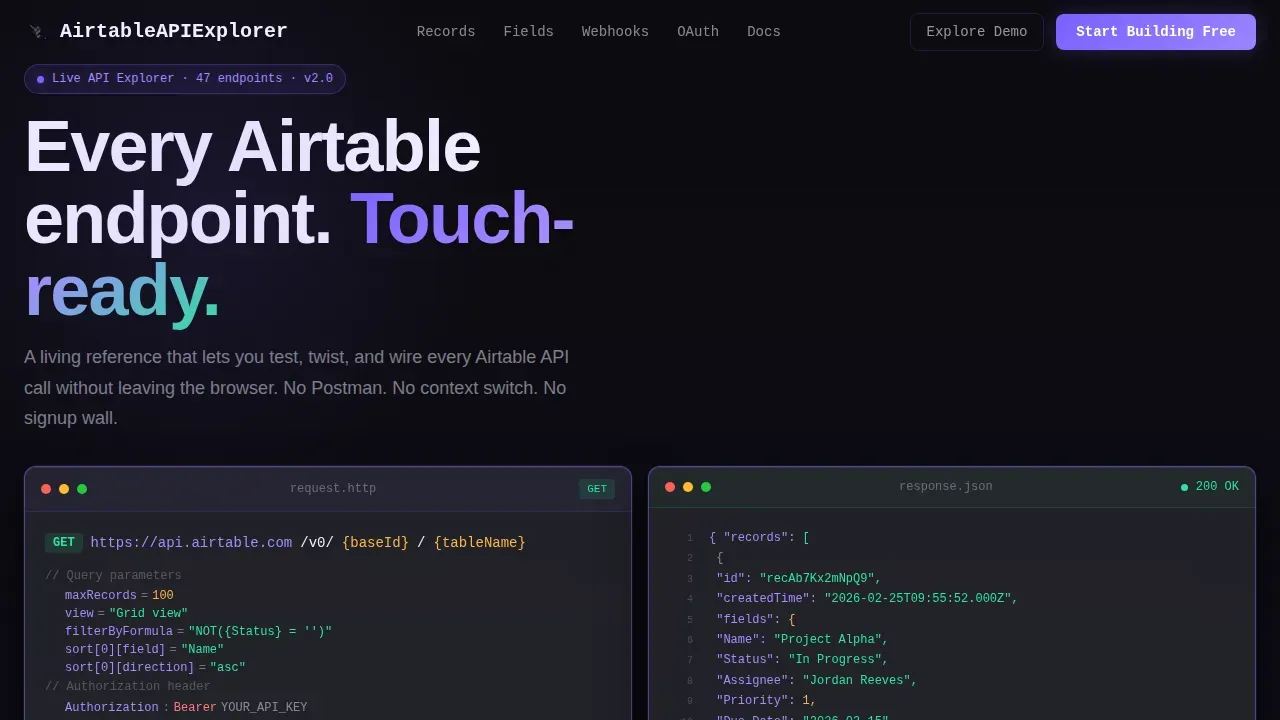
- A split-screen hero with a live code editor on the left and a streaming JSON response panel on the right
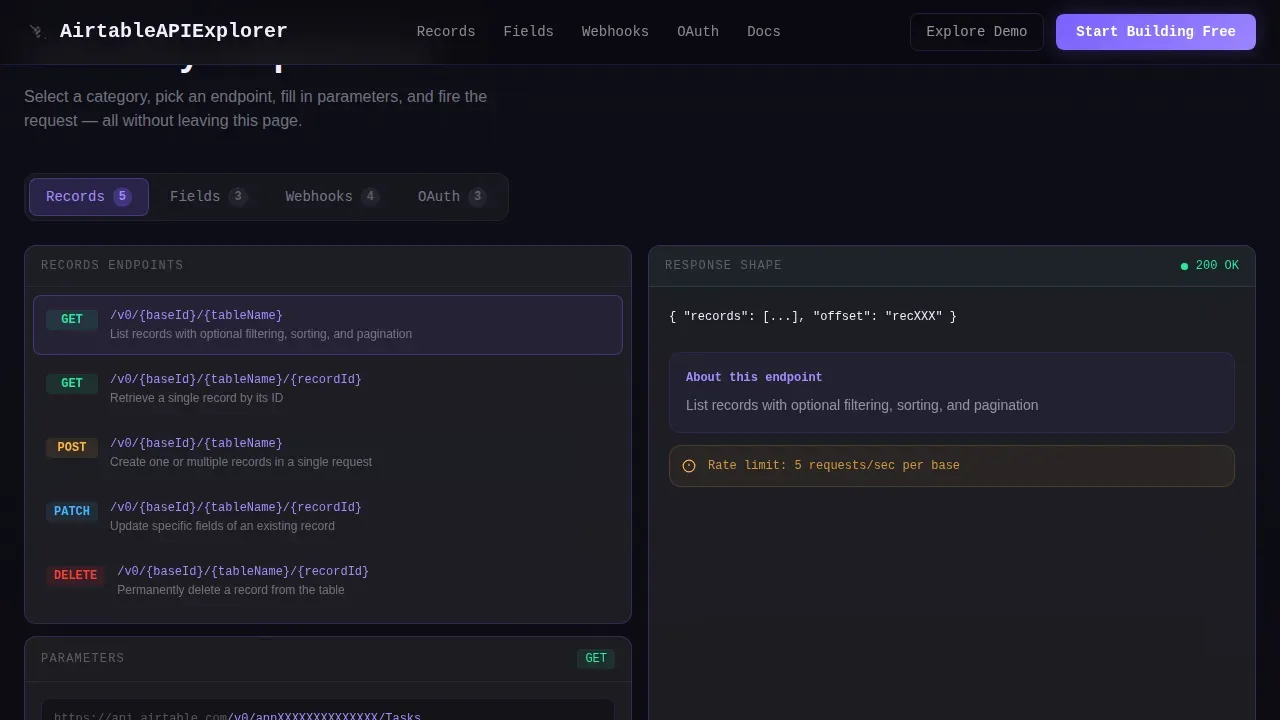
- Tabbed endpoint explorer sections covering Records, Fields, Webhooks, and OAuth with editable parameters
- A progressive disclosure signup form and a sandboxed demo path that lets visitors interact before committing
Feature list
This template ships with a focused set of interactive and visual features. Each one is grounded in the source design direction and serves a specific purpose for the developer audience.
Split-Screen Glass Editor Header
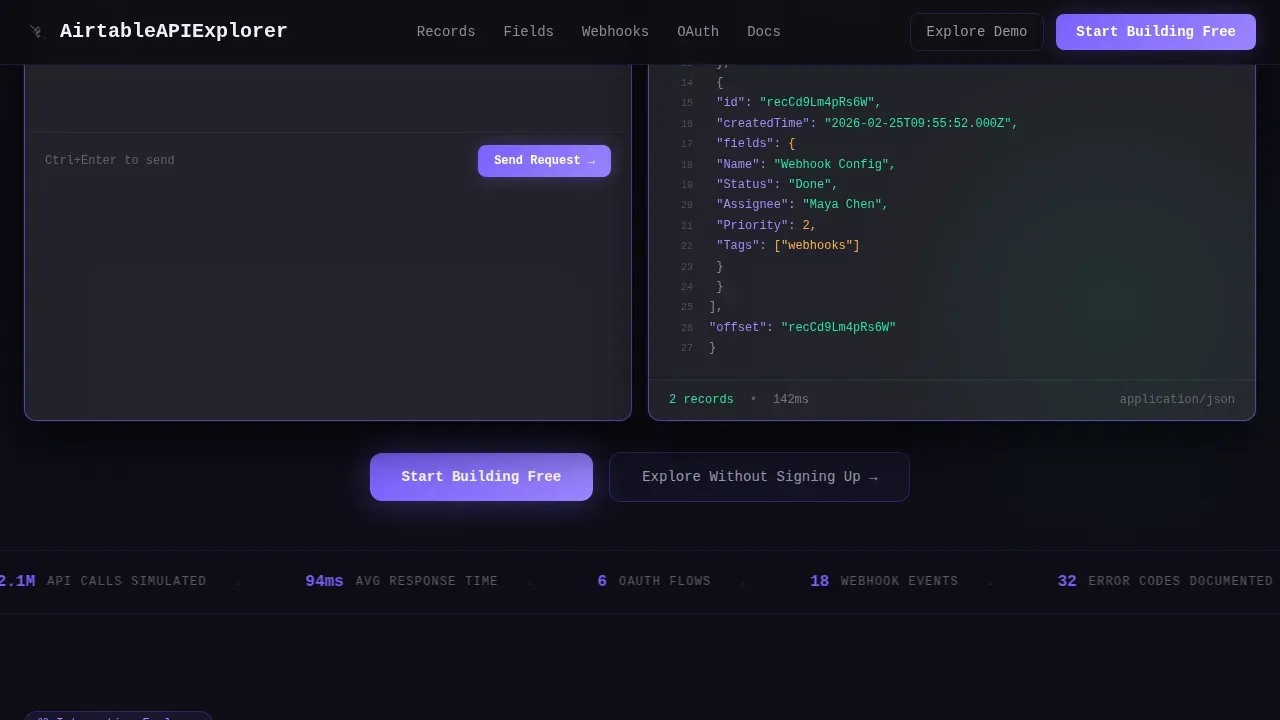
The header divides the viewport into two equal frosted glass panels. The left panel displays a live GET request with syntax-highlighted parameters. The right panel streams a formatted JSON response in real time, with green characters cascading on success. A blinking cursor in the request panel invites immediate interaction.
Tabbed Endpoint Explorer
Past the header, each endpoint category gets its own glass card pair. Visitors can use toggle switches and dropdown selectors to edit request parameters on the left side, while the right side updates the response shape live. Categories escalate in complexity from simple list queries at the top to batch upserts and webhook configurations near the bottom.
Live Response Feedback System
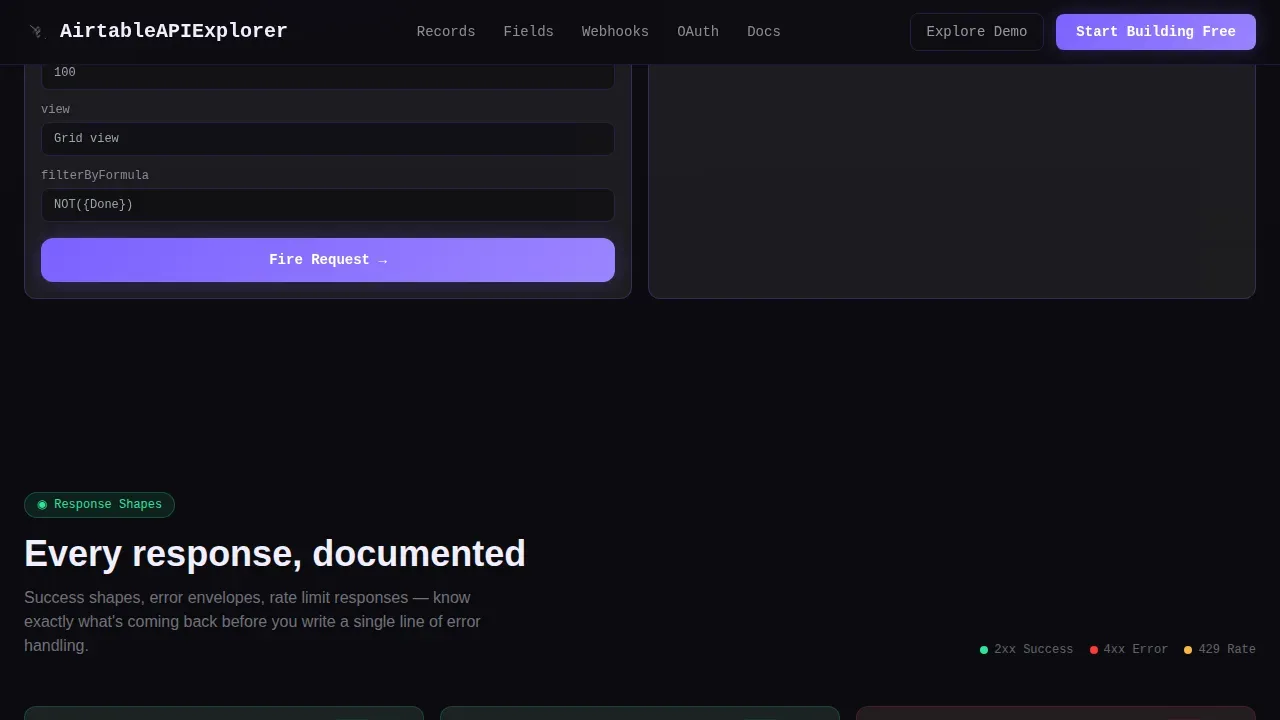
The template includes a full set of response state visuals. Valid inputs trigger a green pulse on the response panel. Error states produce a brutalist red shake animation. This visual feedback loop makes the process of creating, updating, and reading records feel immediate and instructive.
Progressive Disclosure Signup Form
The primary call to action expands from a single email field into a workspace name field and an optional base URL paste field. This step-by-step reveal keeps friction near zero while still collecting the information needed to start a real session.
Sandbox Demo Path
A secondary conversion path lets visitors interact with a pre-configured demo base directly on the page. This builds trust by allowing users to accomplish something concrete before the account ask. It is the key mechanism that makes the freemium model work without a hard signup wall.
Frosted Nav Bar with Pinned Call to Action
A persistent frosted navigation bar keeps the primary call to action visible throughout the scroll. This ensures visitors always have a clear path to start, regardless of which section they are currently working through.
Page sections overview
| Section | Purpose |
|---|---|
| Split-Screen Hero | Show live request and streaming JSON response side by side |
| Endpoint Explorer | Tabbed categories for Records, Fields, Webhooks, OAuth with live editing |
| Response Shapes | Real-time JSON preview with status indicators and error states |
| Sandbox Demo | Let visitors interact with a demo base before signing up |
| Signup Call to Action | Progressive form revealing email, workspace, and base URL fields |
| Footer | Minimal developer-style footer with links and context |
Design & branding system
The visual identity pairs Bold Brutalist structure with a Glassmorphic color system. The result feels like a terminal floating inside smoked glass, heavy and confident, luminous only where interaction happens.
- Void black (#0B0B0F) primary background, frosted panel white at 12% opacity, electric violet (#7B61FF) for hover states and focus rings, status green (#2EE59D) for valid response flashes
- Glass panels use a 20-pixel blur with 1-pixel luminous hairline borders; accent violet bleeds into active tabs like neon through fog
- Typography uses JetBrains Mono for all code blocks and DM Sans for interface text, creating a clear hierarchy between editable items and surrounding context
Mobile & speed optimization
This template is built desktop-first, which matches how developers actually use a complex split-screen tool. Mobile layout remains functional as a fallback.
- GPU-accelerated transforms handle all parallax depth, panel tilt, and animation states without layout recalculation
- Intersection Observer drives scroll-reveal behavior, so panels and animations load only when they enter the viewport
- The 50/50 split-screen layout stacks vertically on smaller screens, keeping all sections accessible without breaking the visual logic
How this template helps you convert
The conversion strategy is built on earned trust, not pressure. Visitors accomplish something real before they ever see a form.
- The sandbox demo path lets users interact with a live base and fetch real records, proving value before any account is required
- The pinned call to action and the repeated post-Webhooks placement of "Start Building Free" keep the next step visible at every scroll depth
- The progressive disclosure form reduces signup friction by revealing fields one step at a time, making the process feel light and intentional
Other information about this template
This section covers additional context about the template's scope, the platform it supports, and how different roles can use it effectively.
- The template is designed specifically for the airtable live api explorer reference landing page template use case, covering create, read, update, and delete operations across records in a structured visual format
- The airtable api allows users to connect their base to other environments and applications; each airtable base has its own unique api documentation that explains its functionality and limitations
- To authenticate requests to the airtable api, you must provide your airtable api key; the template surfaces this requirement clearly in the endpoint explorer sections so new users understand authentication from the first interaction
- Creating new records via the API requires providing data through the records_to_create parameter; the template makes this process visual and guided, helping users avoid common errors when adding or updating records
- Listing records allows you to quickly retrieve existing data from your base; the template demonstrates this with a pre-filled GET request in the hero panel so visitors see a real result immediately
- The airtable account creation flow is embedded directly into the template via the progressive disclosure form, covering workspace setup and optional base URL entry in a single lightweight step
- Project managers can use this template to share a clear overview of how the API handles tasks like tracking milestones; data analysts can use it to understand how to manage and analyze datasets; marketing professionals can see how to list, add, and organize records for campaigns and lead tracking
- The overview layout context is relevant for teams who want to share a custom interface page that highlights key resources and bookmarks; up to 8 bookmarks and external links per group are supported in that layout type
- The ids of records and bases are exposed clearly in the explorer, making it easy for developers working with specific records or performing batch operations to understand how identifiers fit into each request
- No-code tools and AI-assisted workflows are increasingly part of how teams interact with structured data; this template fits that shift by making the API surface accessible to users with a wide range of technical backgrounds
- The template uses insights from real developer workflows to set the information hierarchy, ensuring that the most common tasks appear first and complexity escalates naturally as visitors scroll
Theme
Bold Brutalist
Creative direction
Interactive Explorer
Color system
Glassmorphic
Style
Split Screen (50/50)
Direction
Freemium/Trial
Page Sections
Split-screen Glass Editor Hero
Tabbed Endpoint Explorer
Live Response Feedback States
Sandboxed Demo Without Signup
Progressive Disclosure Signup Form
Pinned Frosted Navigation Bar
Related questions
Do I need an existing base to use this template?
What endpoint categories does the explorer cover?
How does the progressive disclosure signup form work?
Is this template suitable for no-code users as well as developers?
Can I customize the endpoint categories shown in the explorer?



