Sports Facility HVAC Contractor Landing Page Template
Airflow is a gallery-and-detail landing page built for sports facility HVAC contractors. It opens with an engineering metrics wall, walks visitors through project case studies in a five-phase format, and drives leads through a targeted assessment form and a gated PDF download. The template is purpose-built for technical buyers in athletics and facility management.
by Rocket studio
Quick summary
Airflow is a single-page lead generation template for sports facility HVAC contractors. It leads with oversized engineering metrics, flows into an expandable project gallery, and closes with a dual conversion path. Every section builds technical credibility with the specific audience that approves climate control contracts for arenas, natatoriums, and large indoor athletic spaces.
Who this template is for
This template speaks directly to HVAC contractors and engineering firms that specialize in high-performance athletic facilities. It assumes a technically literate audience and a long sales cycle where trust must be earned before a phone call is made.
- Sports facility HVAC contractors pitching to institutional and private clients
- Engineering firms targeting athletic directors, facility managers, and sports complex developers
- Climate control specialists positioning for Division I renovation projects or large private builds
What problem this template solves
Most HVAC contractor websites treat every job the same. A sports facility job is not the same. Chlorine vapors corrode standard ductwork. A packed arena generates enough heat to shift floor surface conditions. Residential-grade equipment misspecified into a 200,000-square-foot building creates problems that show up on game day.
- Visitors arrive without context for why sports facility HVAC is a specialized discipline
- Generic contractor pages fail to establish the technical depth needed to win large institutional contracts
- Potential clients who are not ready to call have no secondary path to stay engaged
What you get with this template
The template delivers a structured, single-page flow that earns credibility first and asks for contact information second. It is built around proof, process, and precision rather than generic contractor positioning.
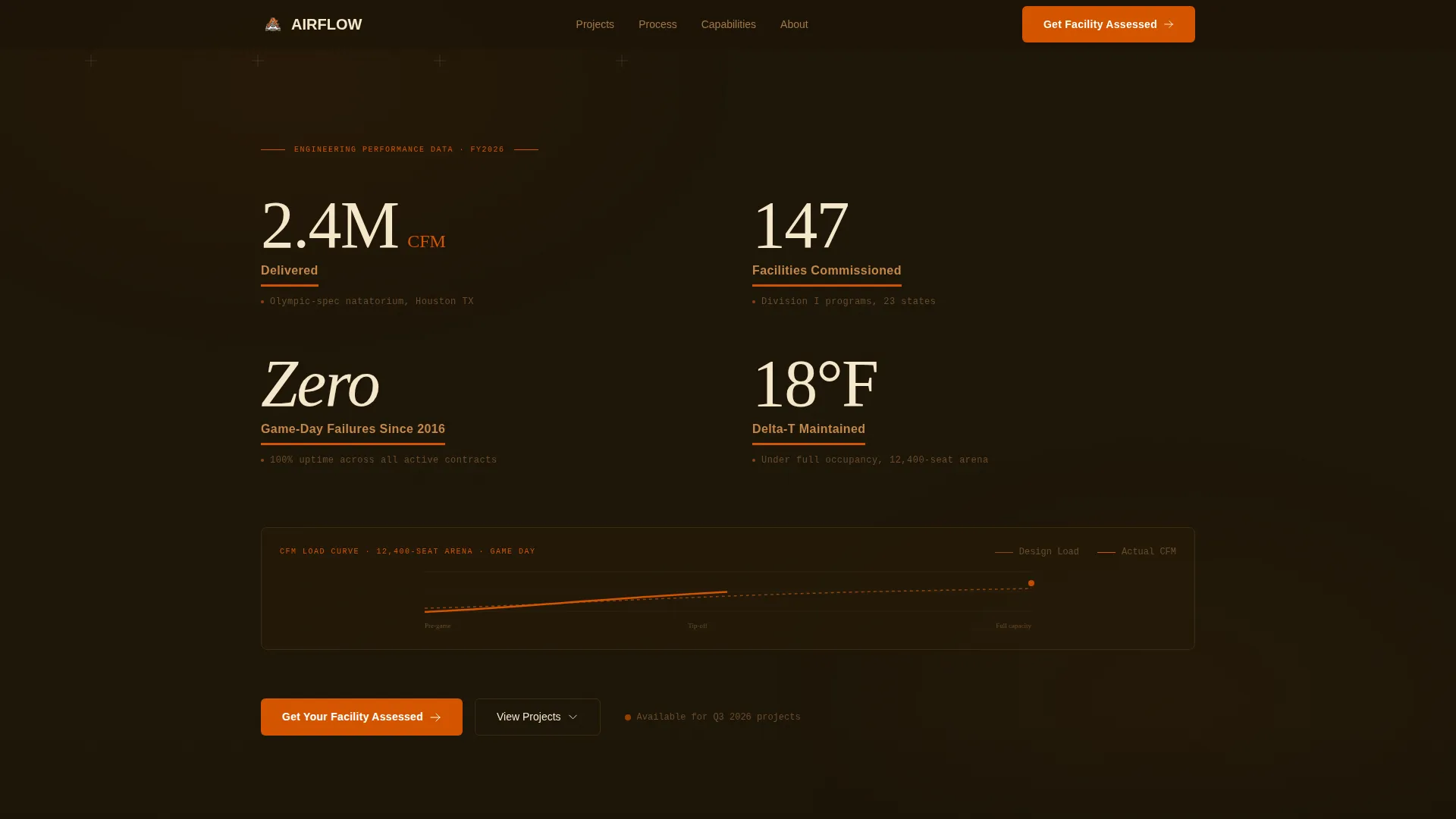
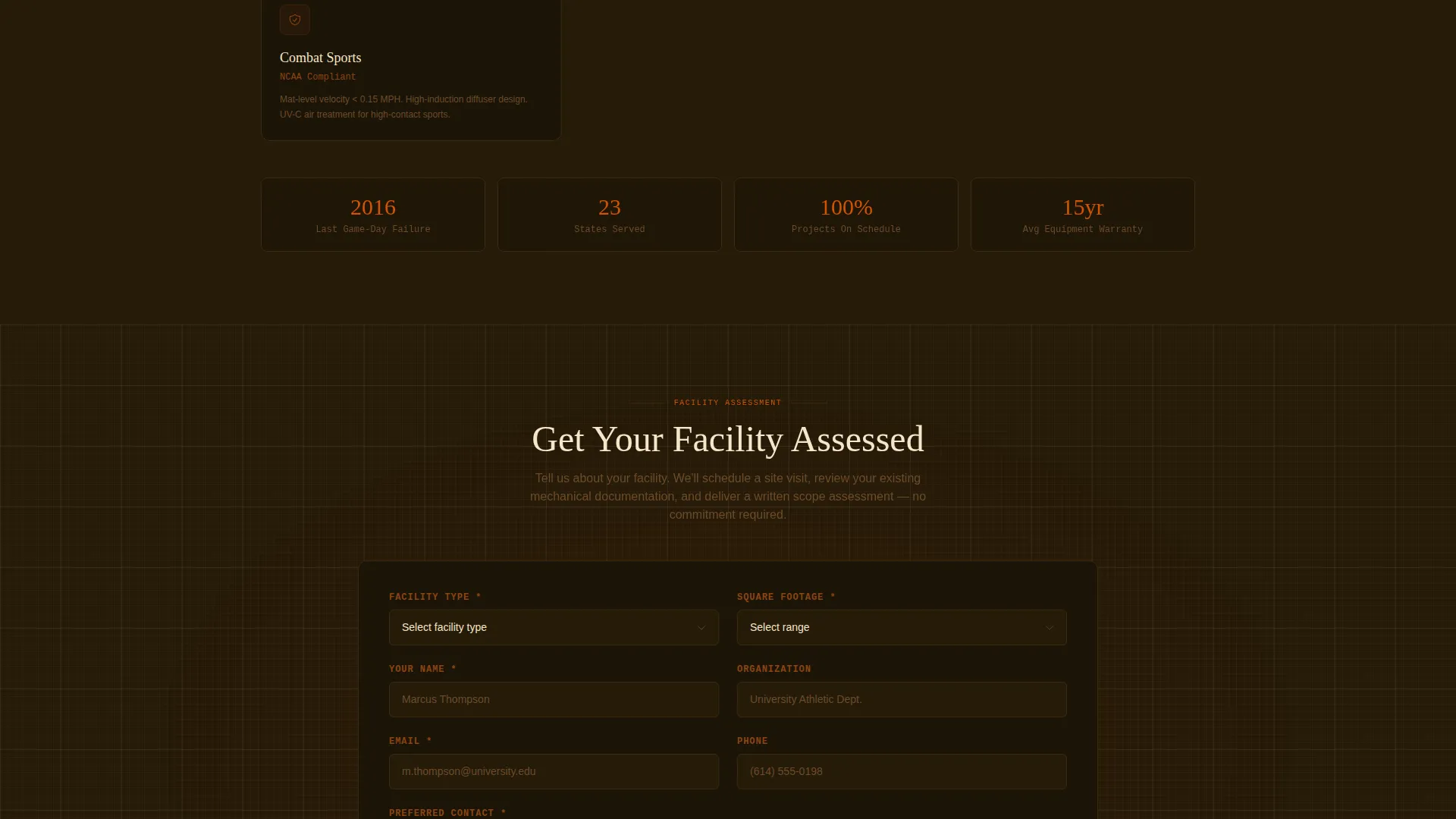
- A stats and metrics header displaying four key engineering data points with facility-level context tags
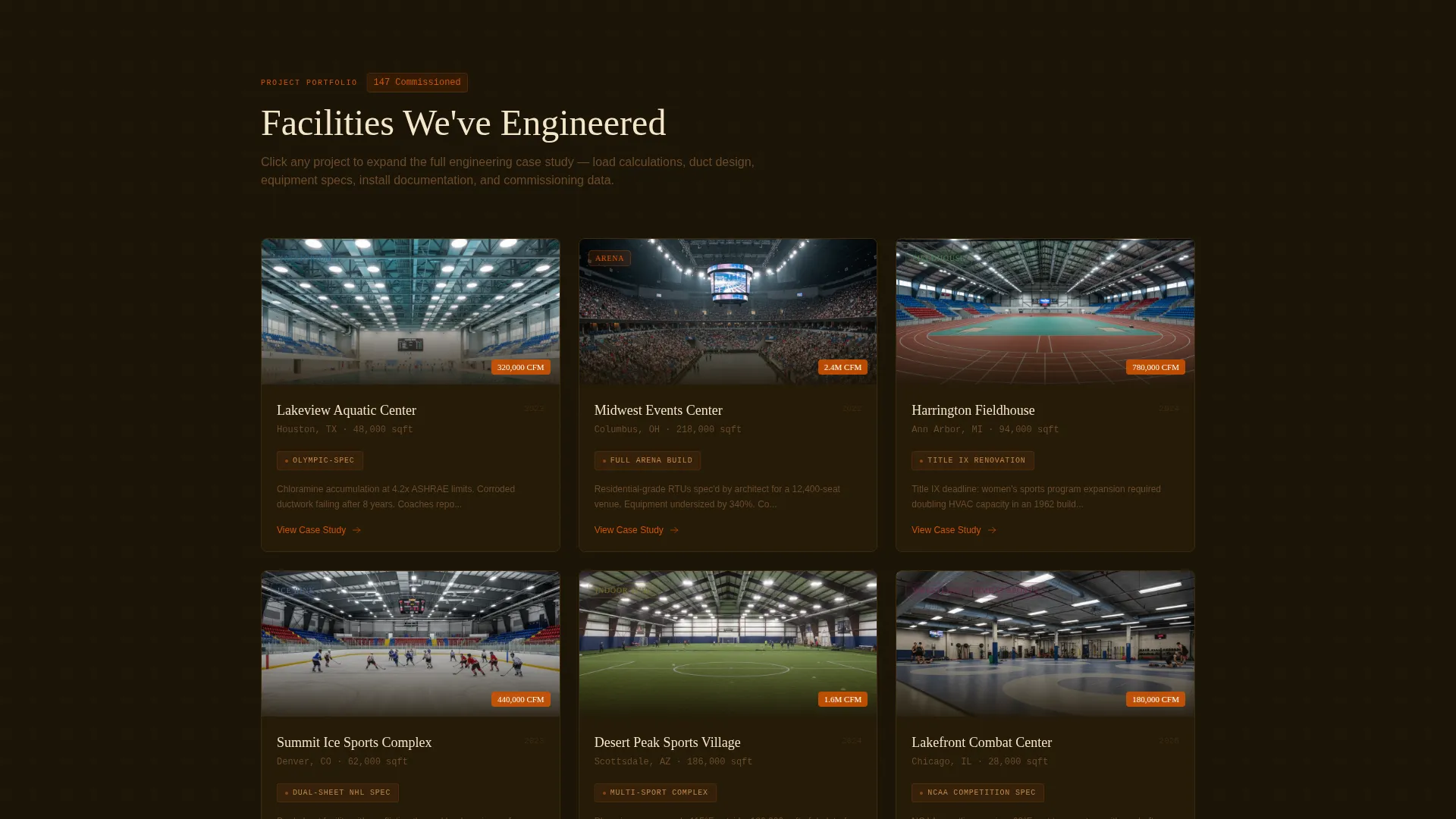
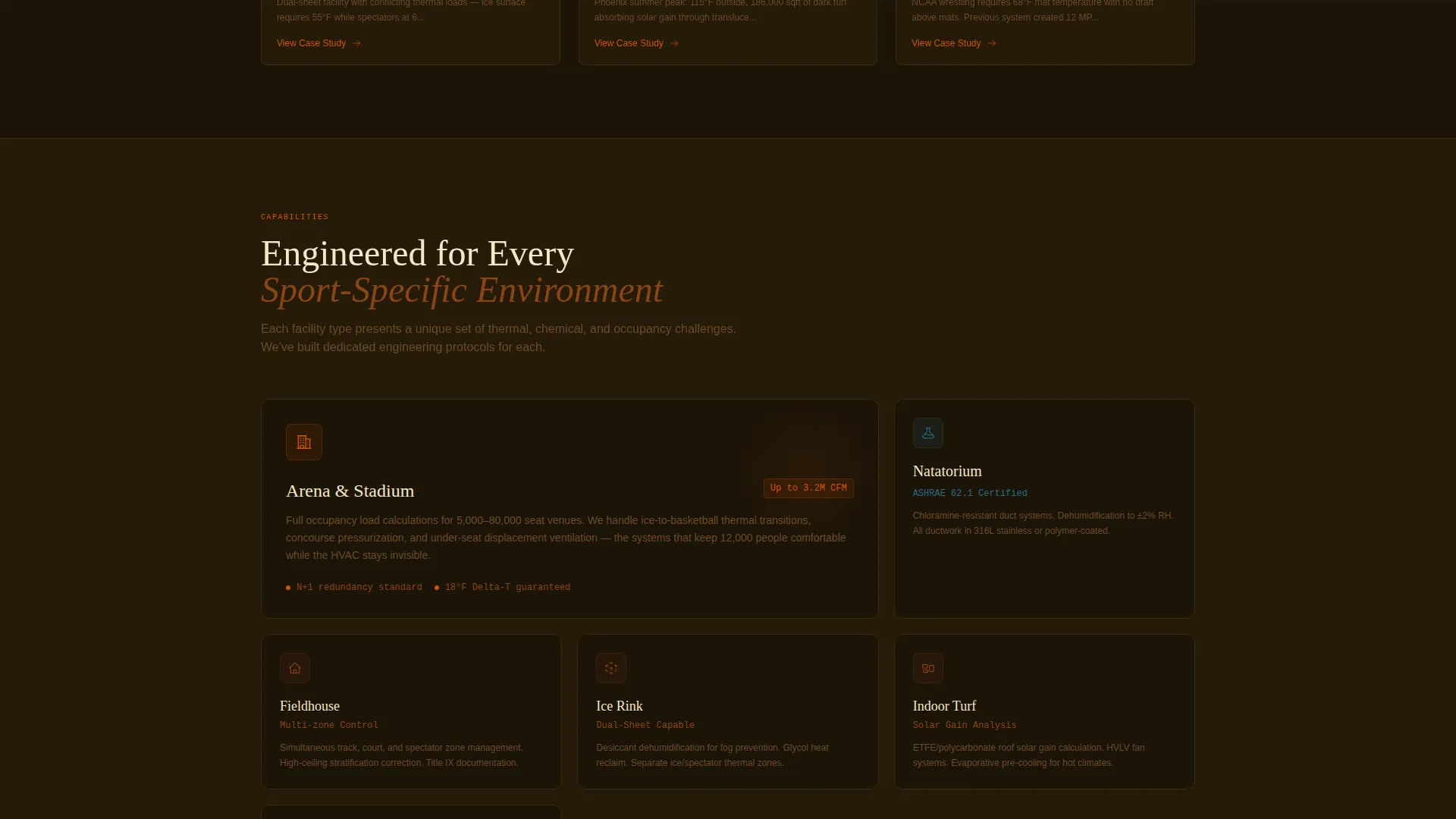
- An expandable project gallery covering ice rinks, indoor tracks, natatoriums, wrestling facilities, and arena builds
- A primary lead form and a secondary gated PDF download as two distinct conversion paths
Feature list
This section covers the core functional components delivered in the Airflow template.
Engineering Metrics Header
The header displays four oversized data points rendered in blueprint vellum on a deep loam background. Metrics include cubic feet per minute delivered, facilities commissioned, game-day failure rate, and delta-T performance under full occupancy. Each metric carries a one-line facility context tag in clay brown to ground the number in a real project.
Expandable Project Gallery
Project thumbnails for multiple facility types sit in a scrollable gallery. Each thumbnail expands on click into a full case-study detail panel. The gallery is organized to escalate in complexity, starting with gym retrofits and building toward full arena commissions, so the visitor's sense of the contractor's capability grows as they scroll.
Five-Phase Case Study Panels
Every expanded case study follows a fixed five-phase engineering sequence. The phases are load calculation, duct design, equipment selection, install documentation, and commissioning data. Each phase is presented with blueprint-style diagrams, catwalk install photography, and post-commissioning sensor readouts.
Dual Conversion Path
The primary call to action, labeled "Get Your Facility Assessed," appears after the first two case studies and again as a fixed bar at the bottom of the screen on mobile. A secondary path offers a downloadable PDF titled "The Athletic Director's HVAC Spec Checklist," gated behind name and email only for visitors not yet ready to request an assessment.
Targeted Lead Capture Form
The assessment form collects facility type via dropdown, square footage range, a free-text current problem field, and preferred contact method. This structure gives the contractor pre-qualified context before any conversation begins, reducing friction on both sides.
Page sections overview
| Section | Purpose |
|---|---|
| Metrics header wall | Establish engineering credibility with real project data |
| Project gallery thumbnails | Show facility-type range and invite deeper exploration |
| Case study detail panels | Walk through five-phase process per project |
| Primary call to action block | Prompt assessment request after credibility is built |
| PDF download gate | Capture early-stage visitors with a low-friction offer |
| Mobile fixed call to action bar | Keep conversion path visible throughout mobile scroll |
Design & branding system
The template uses an Engineering Blueprint theme built on a Fire and Earth color system. Every visual decision reinforces the industrial, high-stakes nature of sports facility climate control. The palette evokes a rooftop mechanical room at dawn rather than a standard contractor website.
- Background in deep loam (#1C1407) reads like a scorched mechanical room floor; body text and diagram overlays use blueprint vellum (#F5E6CA)
- Furnace orange (#D35400) drives calls to action and data callouts; kiln-fired clay (#8B4513) handles secondary accents and section dividers
- Metric figures appear as if plotted on graph paper, with faint gridlines and furnace orange underlines animating into place on load
Mobile & speed optimization
The mobile layout preserves the credibility-first structure of the desktop version. The most important conversion element stays visible throughout the entire scroll without interrupting the reading experience.
- A fixed bottom bar on mobile keeps the "Get Your Facility Assessed" call to action accessible at all times
- Case study panels and the project gallery are structured to remain readable and navigable on smaller screens
- The PDF download gate requires only name and email, keeping the mobile form minimal and fast to complete
How this template helps you convert
The conversion architecture is deliberate. Credibility is established before any contact is requested, and two distinct paths are available depending on where the visitor is in their decision process.
- The metrics header and case study gallery build enough technical trust that the primary assessment form request feels earned rather than premature, placing the call to action at the moment of peak engagement.
- The gated PDF download catches visitors who are in research mode, giving them a practical resource to bring to their next board meeting and keeping the contractor present in their process.
Other information about this template
This template is part of the Construction and Home category under the Sports Facility Construction subcategory. It is designed specifically for the sports facility HVAC contractor niche where technical authority and project proof are the primary purchase drivers.
- The template style is Gallery and Detail, making it well suited for contractors with a portfolio of diverse facility types
- The Transparent Process creative direction means visitors are shown how the work is done, not just that it was done
- The Engineering Blueprint theme and Fire and Earth color system are consistent across all sections, creating a unified visual identity from header to footer
Theme
Engineering Blueprint
Creative direction
Transparent Process
Color system
Fire & Earth
Style
Gallery + Detail
Direction
Lead Generation
Page Sections
Engineering Metrics Header Wall
Expandable Project Gallery
Five-phase Case Study Panels
Dual Conversion Path Design
Pre-qualified Lead Capture Form
Related questions
Who is this landing page template designed for?
What conversion paths are included in the template?
Which facility types does the project gallery cover?
What is included in each five-phase case study panel?
Is there a mobile-specific feature in this template?