Senior Care Home Care Agency Website Template
Advocate is a full-width immersive landing page template built for senior care content marketing agencies. It combines a Bold Brutalist visual theme with an AI Iridescent color system to create a gallery-walk experience. Each scroll section showcases a real content sample, and two conversion paths, a downloadable playbook and a persistent audit offer, turn browsers into qualified leads.
by Rocket studio
Quick summary
Advocate is a single-page template designed for senior care content marketing agencies. It uses a gallery-walk layout where each section is a framed content exhibit. Visitors experience real work samples as they scroll, building trust before any ask is made. Two conversion paths capture leads at different intent levels.
Who this template is for
This template is built for marketing professionals and agency founders operating in the senior living space. It speaks the language of a long, emotionally weighted sales cycle and presents content work as proof rather than promise.
- Marketing directors at regional assisted living and memory care chains
- Founders of home care startups competing against national aggregators
- Sales teams at continuing care retirement communities (CCRCs) who need nurture content that respects the emotional gravity of the decision
What problem this template solves
Senior care buyers rarely make fast decisions. A family member searching "memory care near me" at midnight is weeks or months away from signing a contract. Standard agency portfolio pages fail here because they describe capabilities instead of demonstrating them.
- Visitors leave before trust is established because there is nothing to experience, only claims to read
- Generic agency layouts do not signal fluency in the clinical and emotional vocabulary of senior care
- There is no natural place to capture leads from visitors who are curious but not yet ready to book a call
What you get with this template
You get a conversion-focused landing page that leads with value. Every exhibit section contains a usable content sample, so the visitor is already benefiting before any form appears.
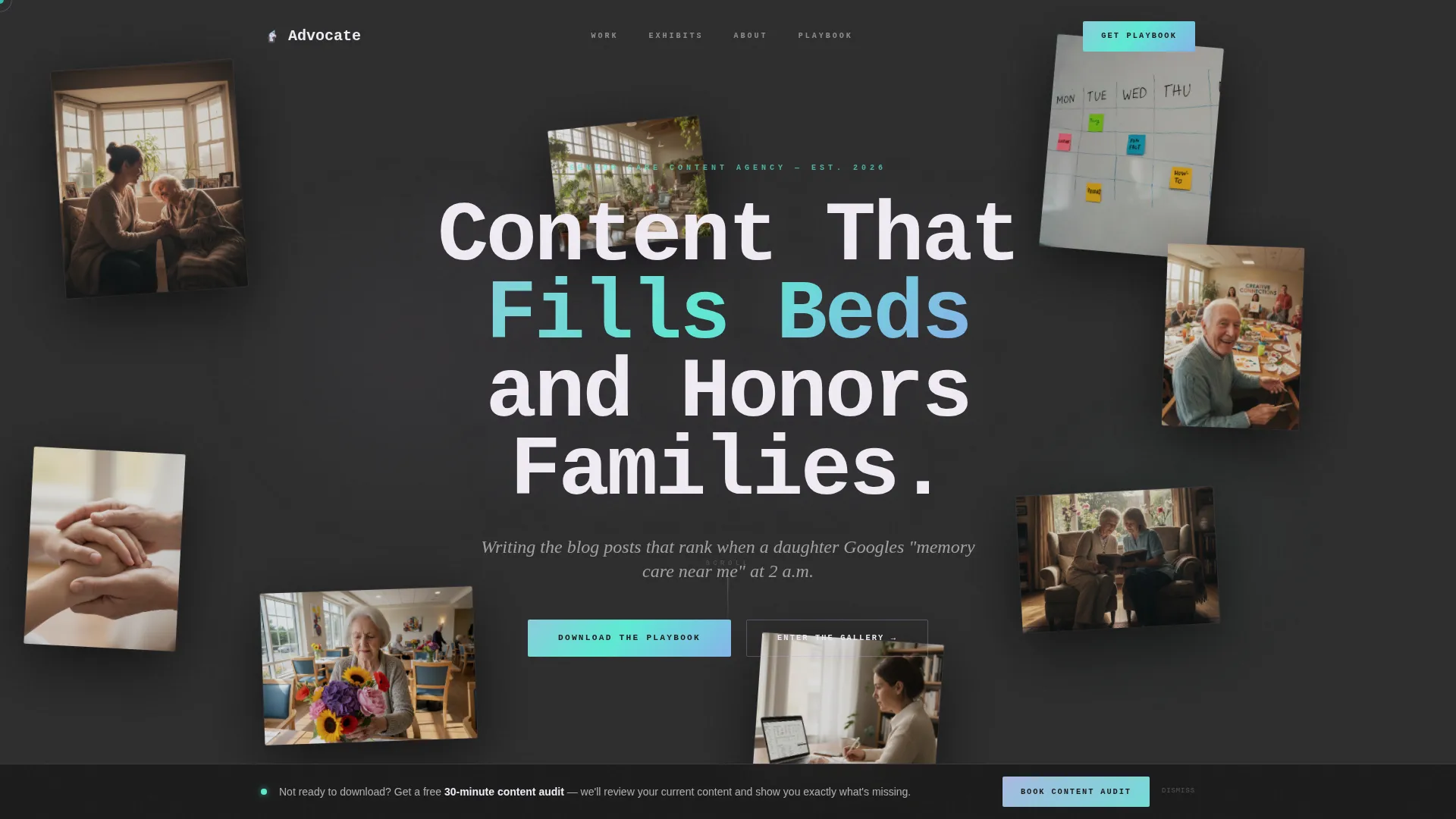
- A floating-photo header with parallax depth and a single brutalist headline
- Five gallery-walk exhibit sections, each dedicated to one content type the agency produces
- Two distinct conversion paths: a gated PDF playbook download and a persistent bottom-bar audit offer
Feature list
This template is built around a handful of deliberate, high-impact design and conversion decisions. Each one serves the specific dynamics of senior care marketing.
Floating Photo Constellation Header
Seven to eight candid senior care photos are suspended at varied depths and angles against a charcoal background. They drift with subtle parallax as the cursor moves, creating immediate emotional resonance without a single word of body copy.
Gallery Walk Exhibit Layout
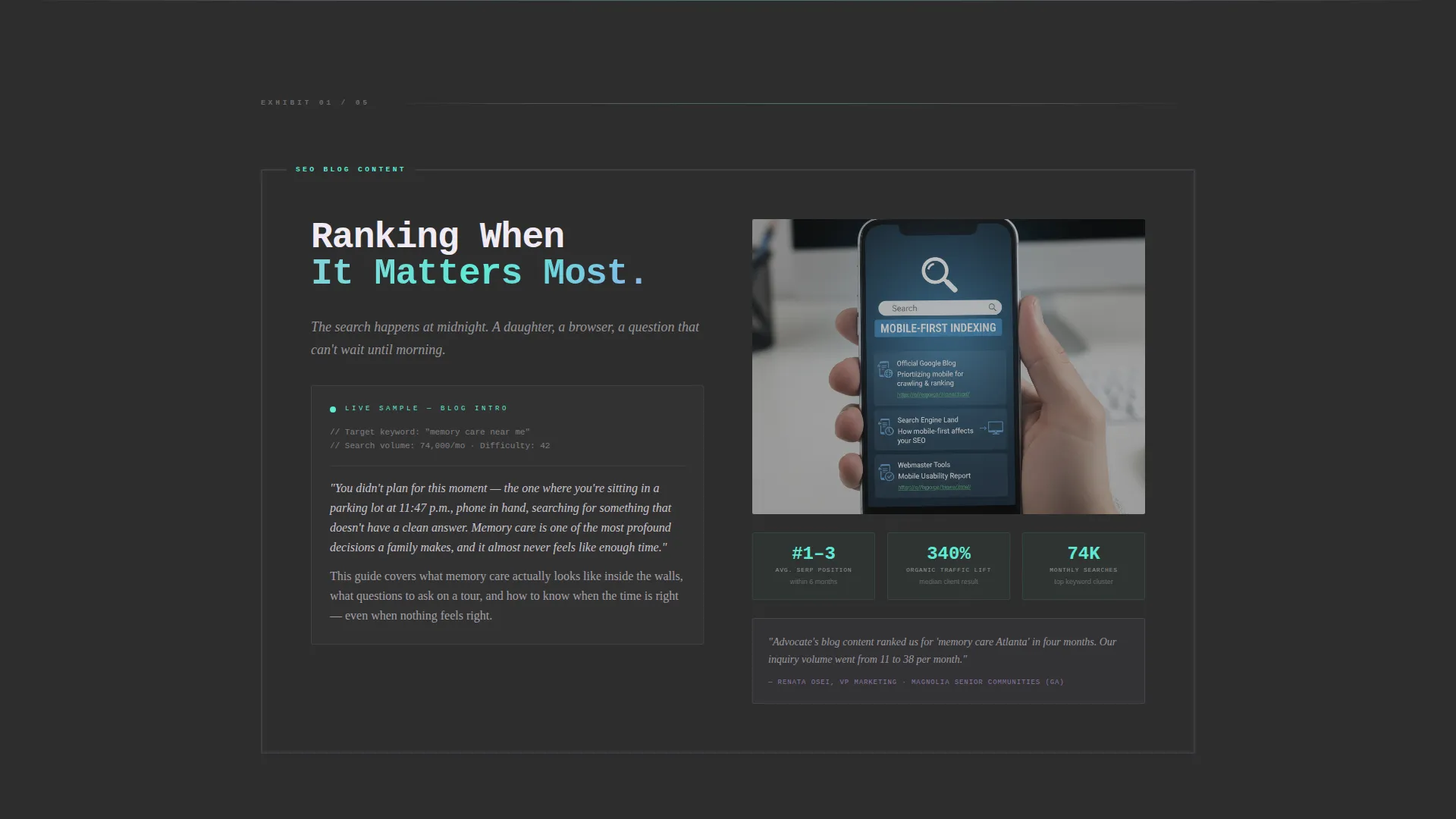
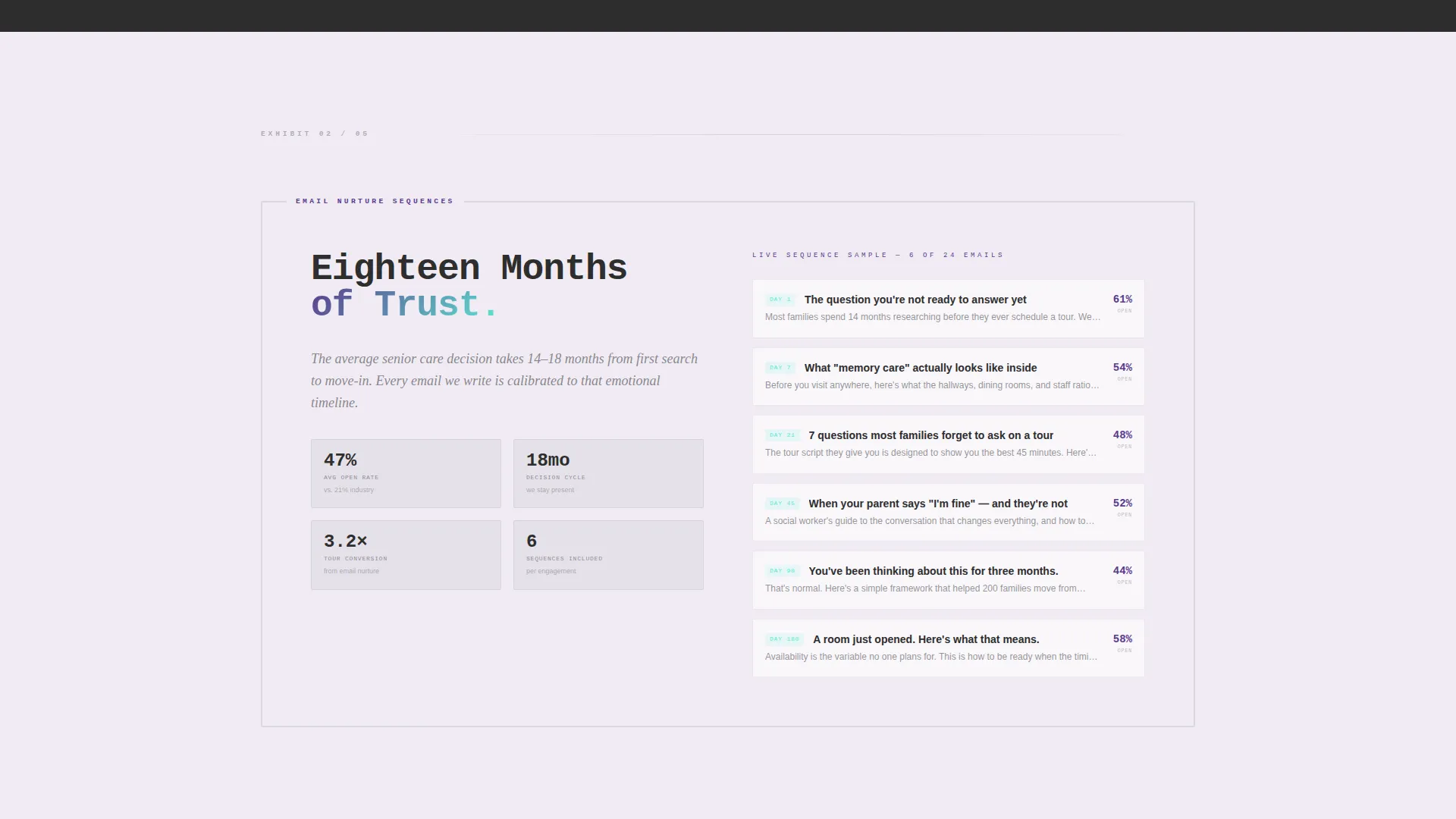
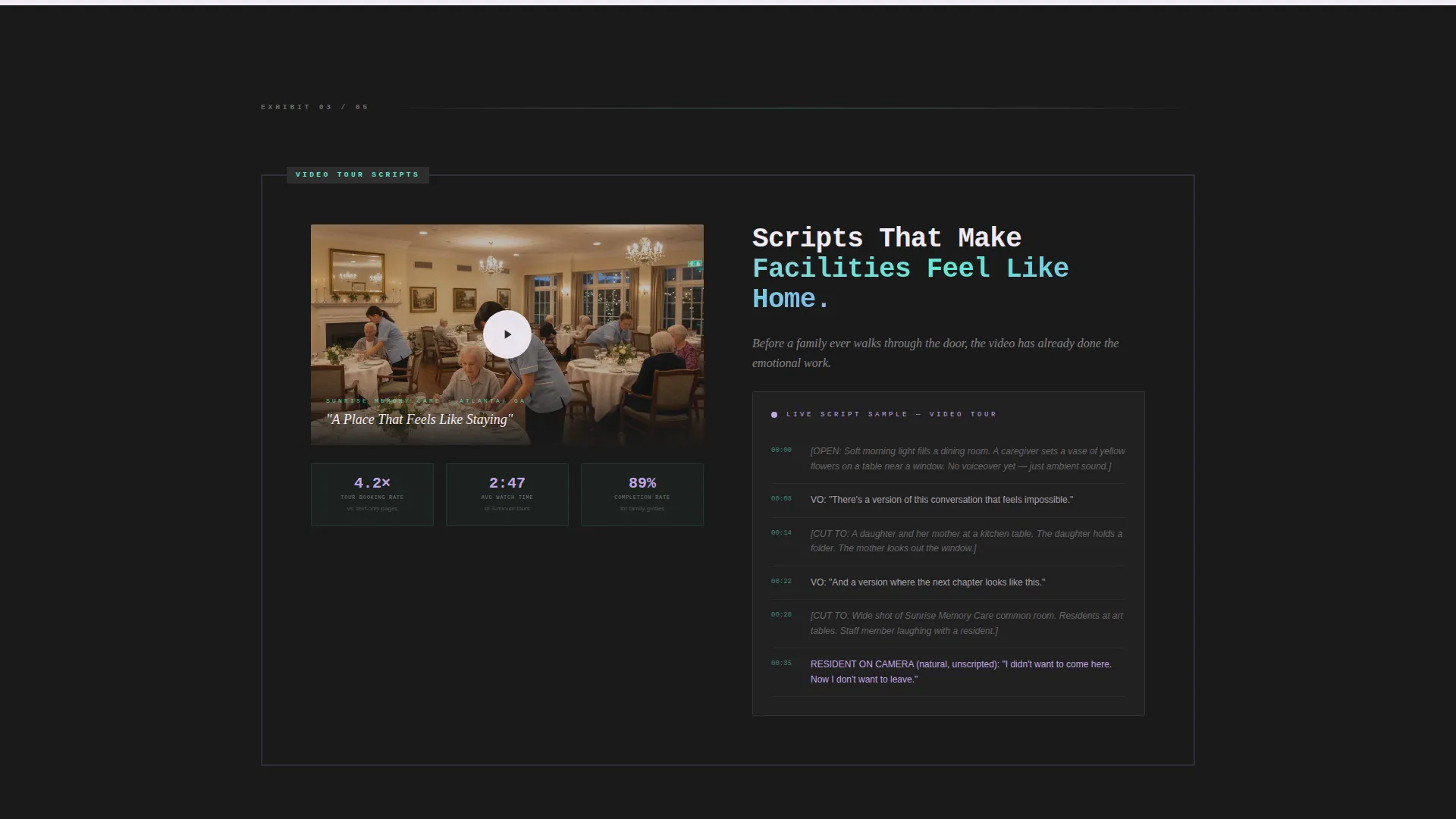
Each scroll section is framed like a gallery exhibit with thick concrete-colored borders and an iridescent exhibit label. Inside each frame, a real content sample lives: an actual blog introduction, an email subject line sequence, a video thumbnail with a play icon, or a social campaign card.
Gated Playbook Download Form
After the third exhibit, a conversion block offers a 30-page senior care content playbook as a PDF download. The form collects first name, work email, and one qualifying question about the number of communities the visitor markets, keeping friction low while qualifying the lead.
Persistent Bottom-Bar Conversion
A fixed bottom bar stays visible throughout the scroll journey. It offers a "Book a Content Audit" option for visitors who skip the download, ensuring a second capture point is always within reach without interrupting the exhibit experience.
AI Iridescent Color System
The palette pairs poured-concrete charcoal with shifting holographic lilac, clinical pearl, and iridescent teal. Hover states and scroll-triggered animations use iridescent gradients that bleed across dividers and button edges, giving the page a polished, gallery-quality finish.
Page sections overview
| Section | Purpose |
|---|---|
| Floating Photo Header | Opens with emotional depth using candid senior care imagery and a single brutalist headline |
| SEO Blog Exhibit | Showcases a real blog introduction targeting high-intent family search queries |
| Email Nurture Exhibit | Displays an actual email subject line sequence built for the long decision cycle |
| Video Script Exhibit | Presents a video thumbnail and script sample that makes facilities feel familiar |
| Social Campaign Exhibit | Shows a social content card demonstrating tone and audience awareness |
| Family Resource Exhibit | Features a guide sample that blends clinical detail with emotional sensitivity |
| Playbook Download Block | Captures leads with a low-friction form after credibility is established |
| Persistent Bottom Bar | Offers a secondary booking path for visitors who are not yet ready to download |
Design & branding system
The visual identity is built on a Bold Brutalist foundation wrapped in an AI Iridescent color system. The result feels like a polished titanium surface catching light in a gallery: industrial structure, prismatic detail.
- Core palette: poured-concrete charcoal (#2D2D2D), holographic lilac (#C4A7E7), clinical pearl (#F0EBF4), and iridescent teal (#5EEAD4)
- Typography uses oversized mono type for headlines, reinforcing the brutalist structure while giving the page a confident, editorial voice
- Backgrounds alternate between charcoal and pearl white, with iridescent gradients marking section transitions and hover states
Mobile & speed optimization
The full-width immersive layout is designed to translate across screen sizes without losing the gallery-walk rhythm. The floating photo header and exhibit frames adapt to narrower viewports while maintaining visual hierarchy.
- Parallax and scroll-triggered animations are scoped to the section level, keeping motion purposeful rather than distracting on smaller screens
- The persistent bottom bar remains accessible on mobile, ensuring neither conversion path disappears at a smaller viewport
- The single-page structure limits the number of assets loaded at once, supporting a focused browsing experience on mobile devices
How this template helps you convert
The conversion strategy is built on a give-first principle. Visitors receive genuine value at every exhibit before a single form appears.
- The gallery-walk exhibit sections deliver real, usable content samples that prove the agency's fluency in senior care marketing, so by the time the playbook form appears after exhibit three, the visitor has already experienced the product.
- The dual conversion path, a gated playbook download and a persistent bottom-bar audit offer, captures leads at two distinct intent levels, reducing the number of visitors who leave without any engagement.
Other information about this template
Advocate is part of a broader set of full-width immersive templates designed for agency and portfolio use cases. A few additional details worth knowing before you use or customize it:
- The template is built as a single landing page, not a multi-page site, so all content flows through one continuous scroll experience
- The gallery-walk creative direction is paired with a Gallery Walk layout convention that makes it straightforward to add, remove, or reorder exhibit sections
- The Bold Brutalist theme and AI Iridescent color system are cohesive enough that brand color swaps can be made at the palette level without restructuring individual sections
- The qualifying question on the playbook form ("How many communities do you market?") is included in the template as a segmentation-ready field that you can edit to match your own lead qualification criteria
Theme
Bold Brutalist
Creative direction
Gallery Walk
Color system
AI Iridescent
Style
Full-Width Immersive
Direction
Content/Resource
Page Sections
Floating Photo Constellation Header
Gallery Walk Exhibit Sections
Gated Playbook Download Form
Persistent Bottom-bar Offer
AI Iridescent Color System
Brutalist Mono Typography
Related questions
Can I change the number of exhibit sections in the gallery walk?
What content goes inside each exhibit frame?
Does the playbook form capture lead-qualifying information?
Is this template suitable for a solo consultant or only for agencies?
How does the dual conversion path work in practice?