Child Welfare Research & Policy Landing Page Template
Advocate is a single-column landing page template built for child welfare research and policy institutes. It pairs a documentary-style hero with a decade-by-decade origin timeline, a landmark case study section, methodology trust signals, and a gated resource library call to action. The design uses a scholarly Slate and Sky palette to carry institutional authority into every scroll.
by Rocket studio
Quick summary
Advocate is a landing page template designed for research institutes in the child welfare and public policy space. It guides visitors through a cumulative authority narrative, from founding mission to federal-level impact, then converts them through a gated resource library and a mid-scroll policy brief subscription. The layout is single-column, desktop-first, and built around editorial warmth and evidentiary depth.
Who this template is for
This template is built for organizations that need to demonstrate institutional credibility before asking for anything in return. It works best when the audience comes in skeptical and leaves convinced.
- State child welfare directors, congressional staffers, and foundation program officers evaluating policy sources
- Doctoral researchers and academic professionals looking for peer-reviewed, longitudinal child welfare data
- Nonprofit research institutes and policy organizations presenting decades of work to high-stakes decision-makers
What problem this template solves
Policy-focused organizations often struggle to translate deep research into a web presence that earns trust quickly. A plain brochure page loses credibility-conscious visitors before they reach a single download. This template solves that problem directly.
- Visitors arrive with high standards and leave without converting because the page never demonstrates analytical depth
- Resource libraries go unused when there is no narrative context explaining why the data matters
- Institutional authority built over decades gets compressed into a paragraph that fails to carry the weight of the evidence
What you get with this template
You get a fully structured single-column landing page that builds a compelling case for your institute's authority section by section. Every layout block is purpose-built for a policy-research audience.
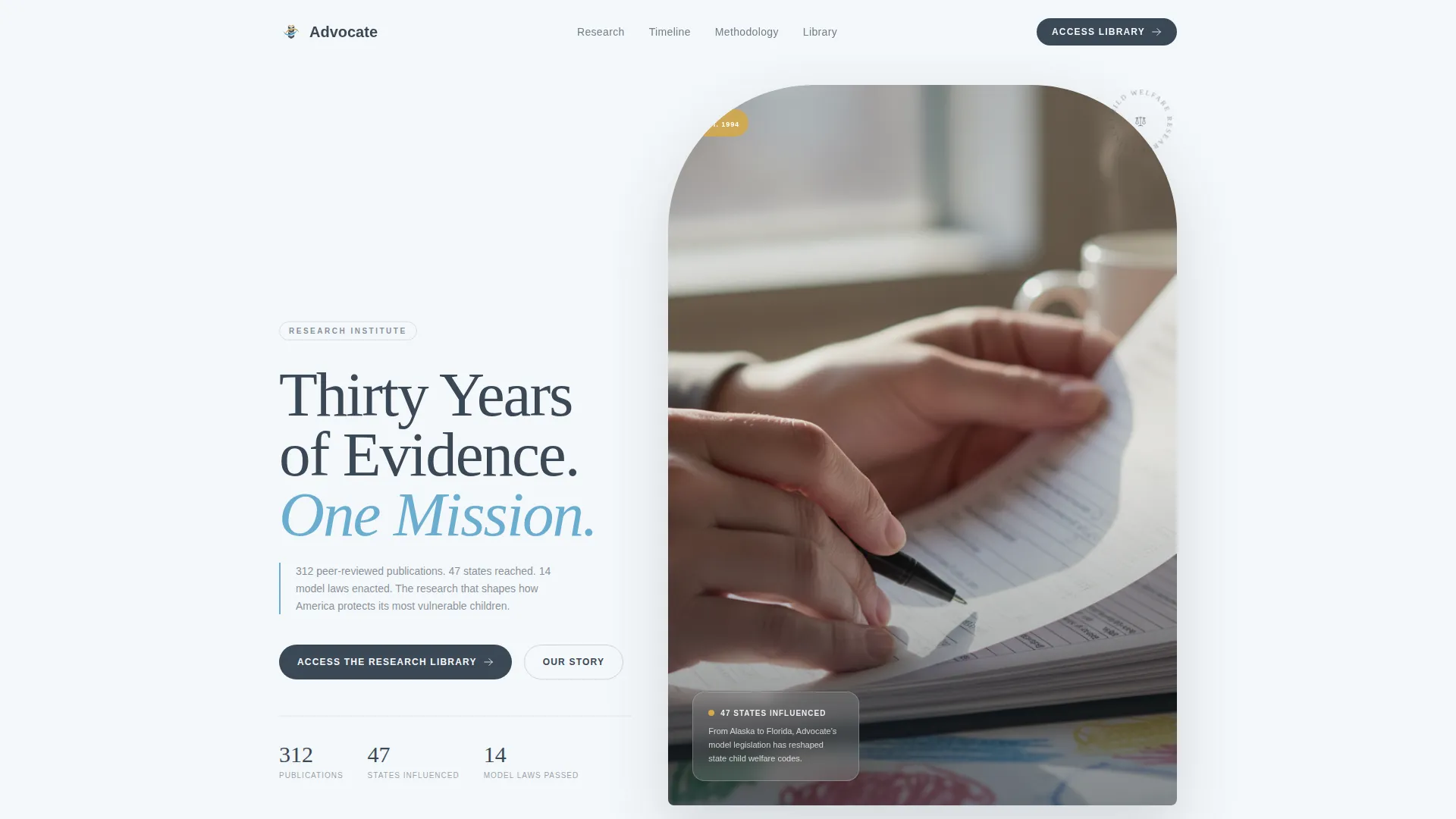
- A cinematic half-page hero with left-weighted typography, a documentary photograph placement, and a floating stat card
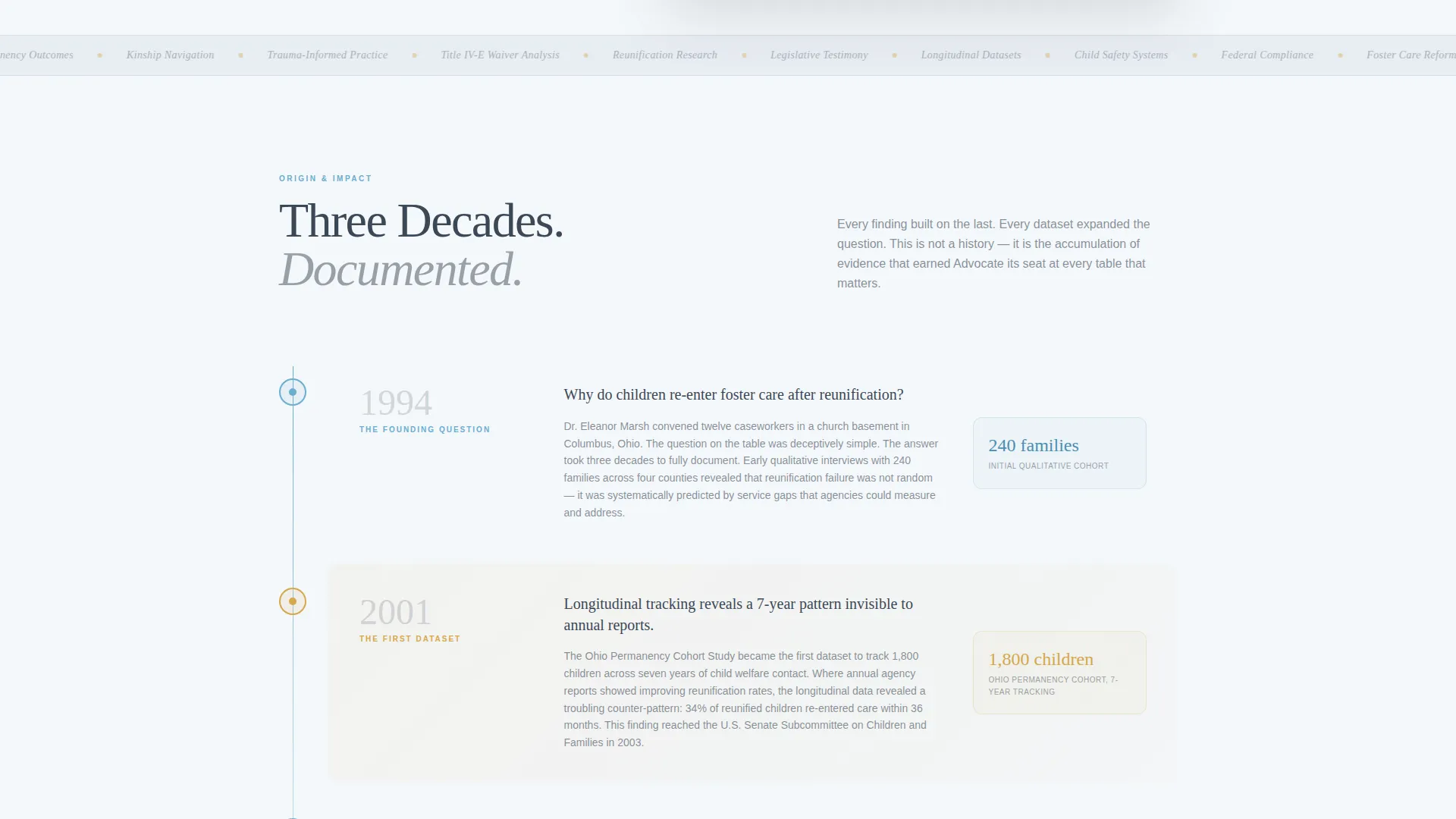
- A decade-by-decade origin timeline with staggered scroll reveals and horizontal scroll cards per era
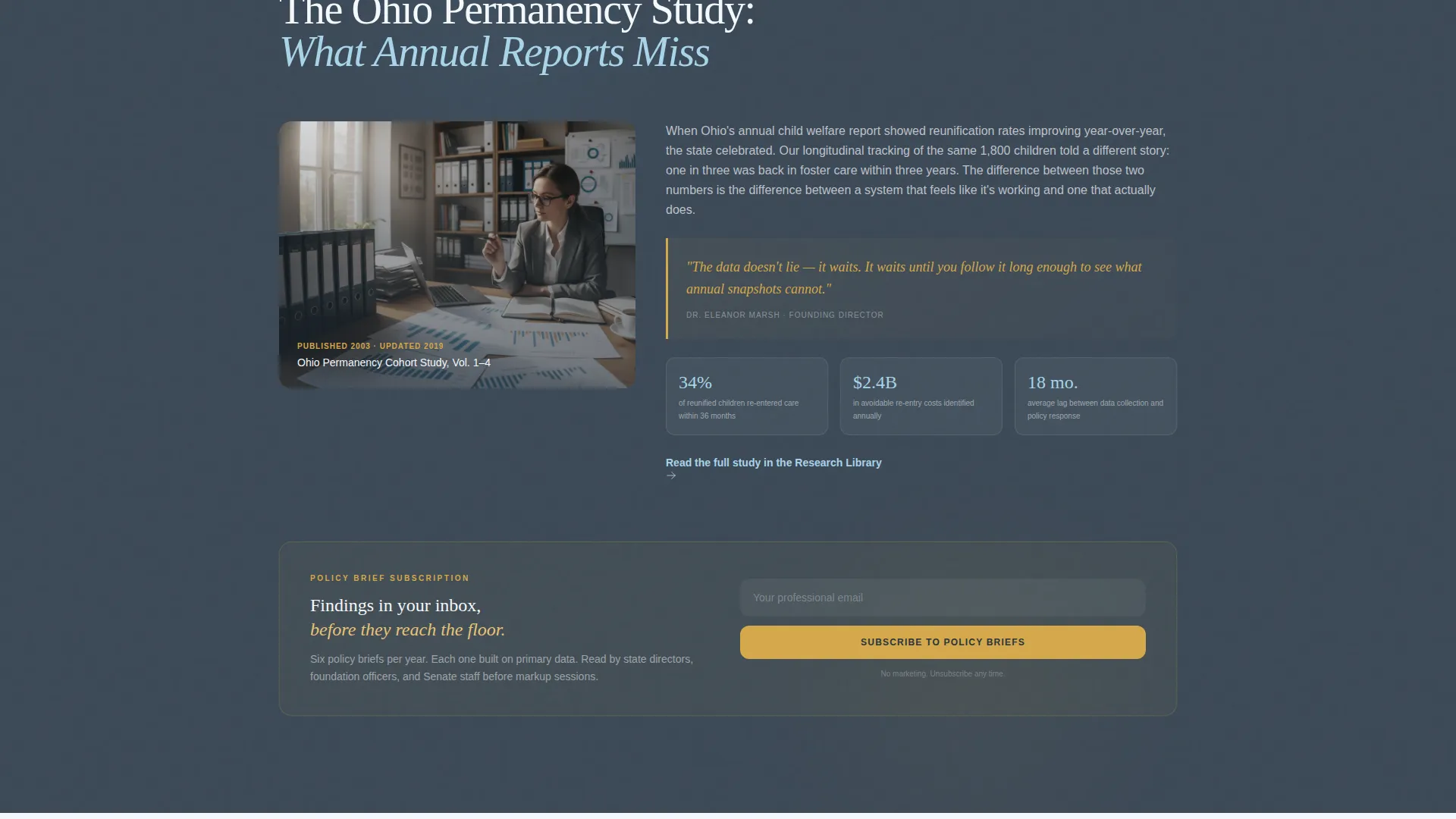
- A landmark case study block paired with a low-commitment policy brief email signup, a methodology and trust signals section, and a gated resource library form
Feature list
The Advocate template is structured around five distinct functional sections, each designed to carry a specific stage of the visitor's trust journey.
Documentary Hero with Floating Stat Card
The hero uses a half-page photo-and-text composition. Left-weighted serif typography sits over a softly desaturated documentary photograph. A floating stat card anchors the institute's scale in concrete numbers at first glance.
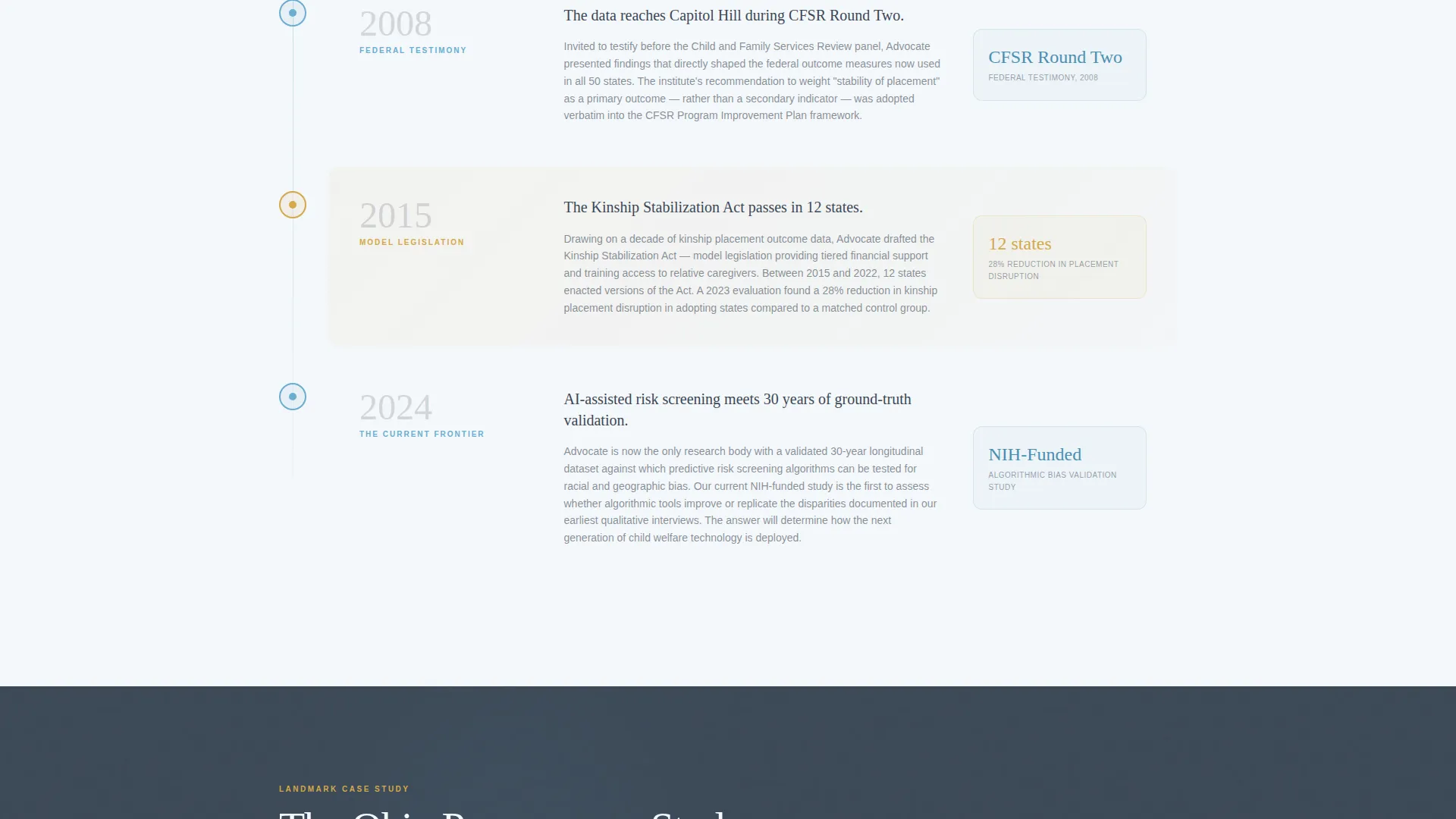
Decade-by-Decade Origin Timeline
The origin timeline scrolls through the institute's institutional history era by era. GSAP ScrollTrigger powers staggered entry animations and horizontal scroll cards. Each decade deepens the narrative from early qualitative fieldwork through longitudinal datasets to federal legislative testimony.
Landmark Case Study with Policy Brief Signup
A dedicated case study block demonstrates analytical depth with named outcomes, specific legislation, and cited methodology. A low-commitment email signup for policy briefs sits embedded in this section, designed to capture mid-scroll visitors before the full library pitch.
Methodology and Trust Signals Section
This section names peer-reviewed publications, data scale, adopted legislation across twelve states, and direct testimonials from state directors and foundation officers. It gives skeptical visitors the verification layer they need before accessing gated content.
Gated Resource Library Call to Action
The primary conversion point collects professional role, organization name, and email through a form validation mock. The placement after the full trust narrative means visitors arrive at the form already convinced they are accessing a strategic research advantage.
Page sections overview
| Section | Purpose |
|---|---|
| Hero with stats | Establish authority and scale at first glance |
| Origin timeline | Build cumulative credibility decade by decade |
| Case study block | Demonstrate analytical depth with named outcomes |
| Policy brief signup | Capture mid-scroll visitors with low commitment |
| Methodology signals | Provide peer-review and legislation verification |
| Resource library call to action | Convert qualified visitors to library access |
| Footer | Linear single-row navigation and contact close |
Design & branding system
The visual identity follows an Educational Guide theme. Every color and typeface choice reinforces the feeling of a carefully annotated government report read beside a clear morning window.
- Color system: deep policy slate (#3B4856) dominates headers and body text; open sky blue (#6AADCF) marks section transitions and linked resources; soft cloud white (#F4F7FA) creates generous breathing space between content blocks; warm annotation gold (#D4A84B) is reserved for callout boxes, citation highlights, and interactive hover states
- Typography: Fraunces serif handles all display headlines for scholarly weight; DM Sans handles body copy and interface elements for clean readability
- Visual style: scholarly editorial warmth paired with documentary photography direction, parallax on the hero image, and gold hover states throughout interactive elements
Mobile & speed optimization
The template is built desktop-first to match the primary audience, who review documents at workstations. Full mobile support is included so the page remains readable and functional on every device.
- GSAP ScrollTrigger animations handle scroll reveals and staggered timeline entries, with Client Components used specifically for animation and form interactivity
- Server Components power all static content sections to keep initial load lean and predictable
- The single-column flow adapts cleanly to narrower screens without sacrificing the editorial hierarchy or timeline readability
How this template helps you convert
The conversion strategy in Advocate is sequenced deliberately. The page earns each click by building evidence before asking for anything.
- The origin timeline and case study section demonstrate decades of methodology and named legislative outcomes first, so visitors arrive at the resource library form already trusting the source.
- The mid-scroll policy brief signup offers a low-commitment path for visitors who are not yet ready for full library access, capturing them at the moment of highest analytical engagement.
- The gated library form asks only for professional role, organization name, and email, keeping the barrier low while ensuring the institute collects qualified leads from decision-makers and researchers.
Other information about this template
Advocate is part of a template family designed for Community and Nonprofit organizations, specifically within the Child Welfare Nonprofit subcategory and the Child Welfare Research and Policy Institute niche. It is a strong fit for organizations publishing policy briefs, training frameworks, or legislative testimony at the state or federal level.
- The template is built in a Single Column Flow layout with an Origin Story creative direction, designed to reward careful reading rather than scanning
- The Content and Resource landing page direction means the primary goal is qualified access rather than volume traffic conversion
- The Slate and Sky color system and Educational Guide theme are consistent across all interactive states, including hover gold on linked resources and annotation callouts
- Localization defaults are set for English language content, United States date formatting, and USD where applicable
Theme
Educational Guide
Creative direction
Origin Story
Color system
Slate & Sky
Style
Single Column Flow
Direction
Content/Resource
Page Sections
Documentary Hero with Floating Stat Card
Decade-by-decade Origin Timeline
Landmark Case Study Block
Mid-scroll Policy Brief Signup
Methodology and Trust Signals Section
Gated Resource Library Call to Action
Related questions
Who is the primary audience this template is designed to reach?
Can I use this template for a nonprofit that publishes training frameworks, not just policy briefs?
Does the template include a working form or just a visual mock?
How does the origin timeline section work visually?
Is this template suitable for a desktop audience that also needs mobile support?



