Bookkeeper Specialist Booking Website Template
Ledger is a single-page landing page template built for independent bookkeepers who want to win clients through clarity, not convincing. A bold manifesto header, a side-by-side comparison table, and a numbered process walkthrough do the selling before the visitor ever reaches the call-to-action button. Clean corporate precision design in navy, white, and gold.
by Rocket studio
Quick summary
Ledger is a focused, single-page landing page template for solo bookkeeping professionals. It leads with a manifesto-style header, anchors trust with a three-column comparison table, and walks prospects through the exact service process in numbered steps. Two strategically placed calls to action route visitors to a dedicated pricing page. No forms, no clutter.
Who this template is for
This template is built for independent bookkeepers running a one-person firm. It is the right fit if your clients come from professional services, e-commerce, or trade industries and you want a landing page that communicates precision before anyone picks up the phone.
- Solo bookkeepers offering monthly, quarterly, or year-end packages
- Independent professionals serving attorneys, online sellers, or contractors
- Freelance bookkeeping businesses ready to move beyond referrals and into an online presence
What problem this template solves
Most bookkeeping service pages read like a brochure. They list services without answering the real question every prospect is asking: why you instead of doing it themselves or hiring a generic service? This template solves that problem by making the answer impossible to miss.
- Prospects arrive skeptical and leave informed, because the comparison table shows the gap clearly
- The process section removes anxiety about what actually happens after they say yes
- Two click-through calls to action guide the ready buyer toward pricing without pressure
What you get with this template
You get a complete, single-page landing page layout structured around three core conversion moves. Every section has a defined job, and together they build a logical case from first impression to final click.
- A manifesto header section with a bold serif headline, gold rule divider, and supporting subline
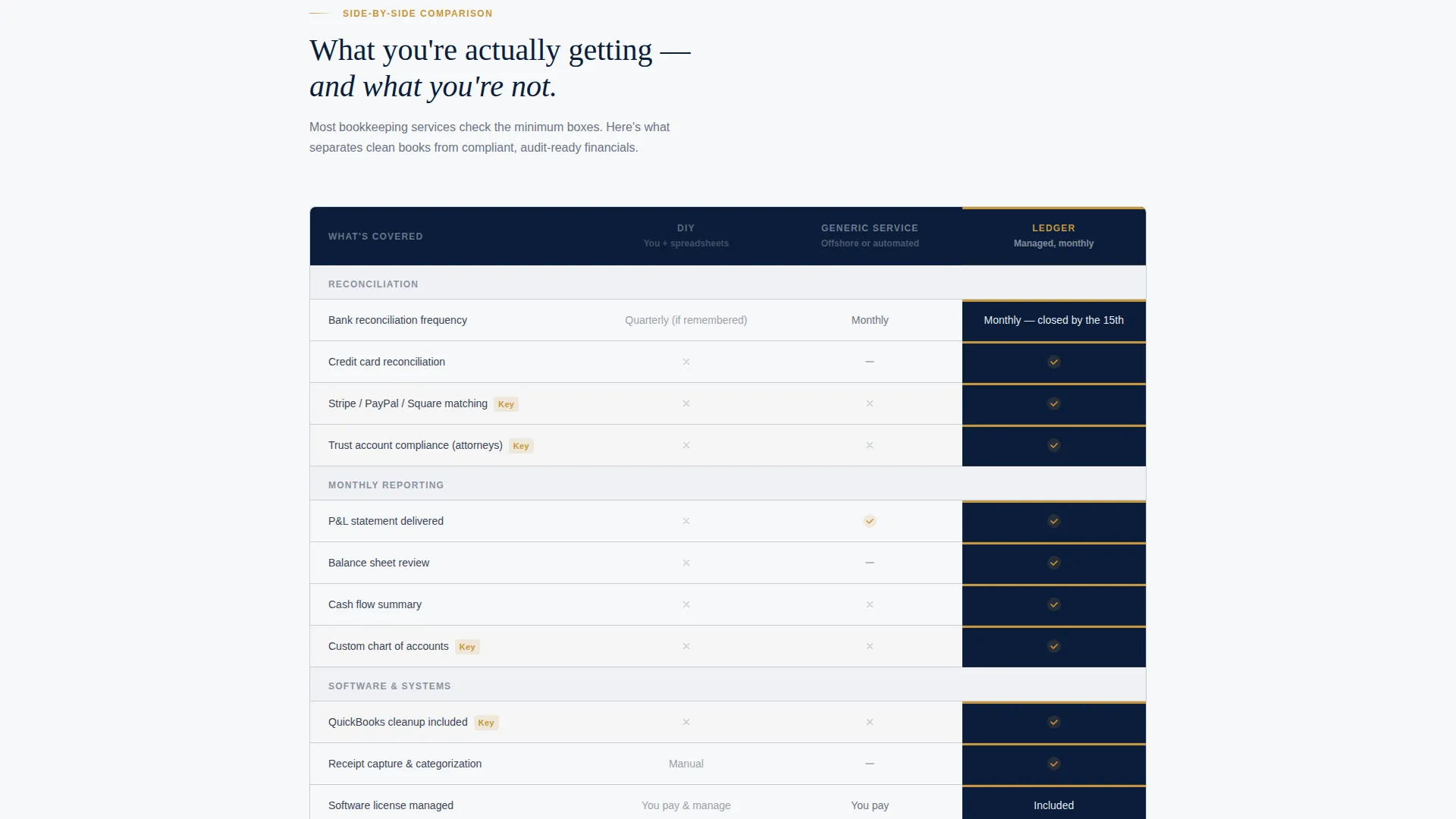
- A three-column comparison table with gold checkmarks in the managed-service column
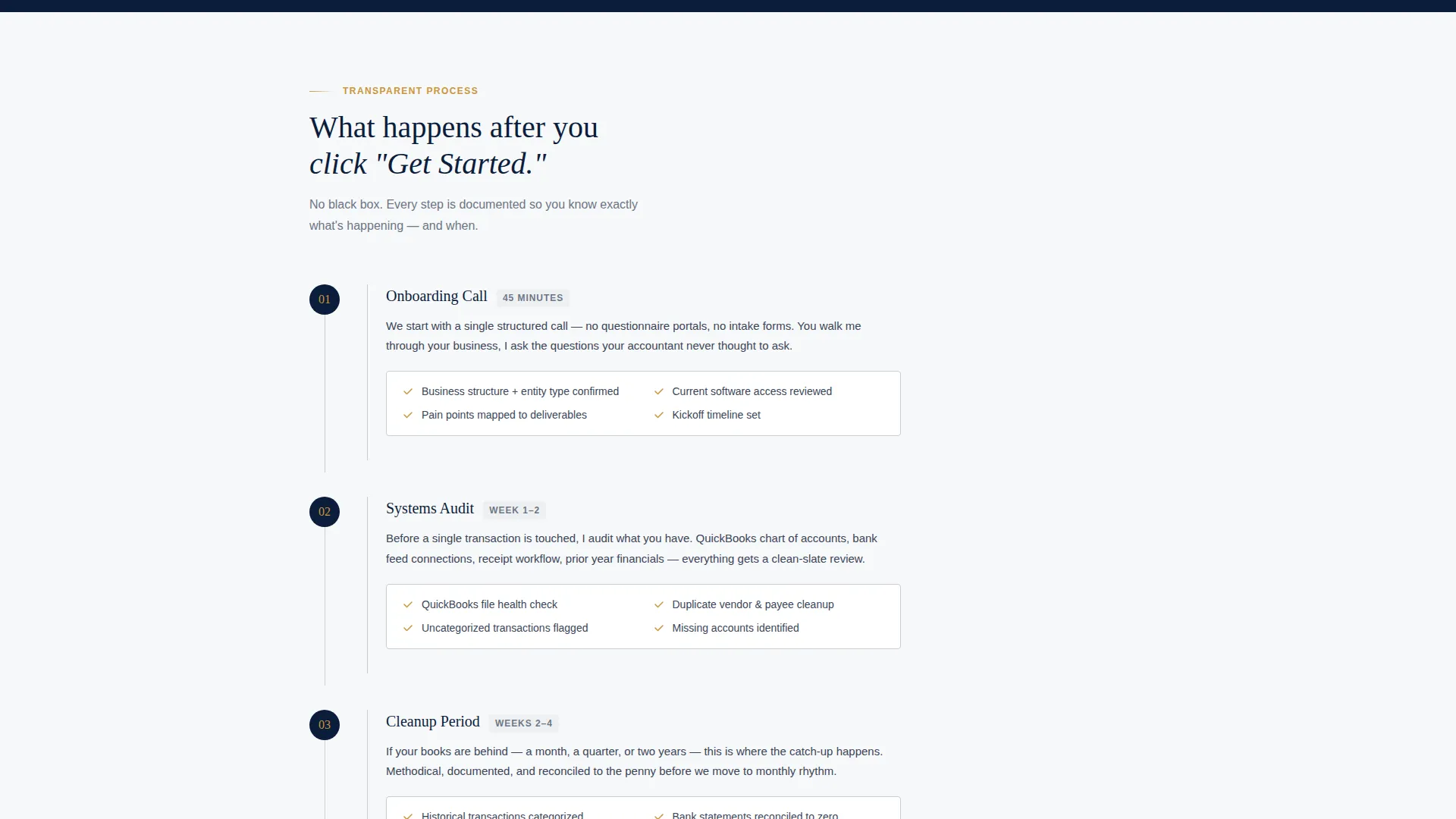
- A numbered four-step process section and two "See Monthly Pricing" call-to-action placements, plus a secondary text link for a downloadable onboarding checklist
Feature list
This section covers the core built-in capabilities that make Ledger work as a professional bookkeeping landing page.
Manifesto-Style Header Block
The header is a full-width navy field with no images or illustrations. A large, tracked-out serif headline carries all the weight. A thin gold rule sits underneath, followed by a clean sans-serif subline summarizing the three service tiers: monthly bookkeeping, quarterly reviews, and year-end packages.
Three-Column Comparison Table
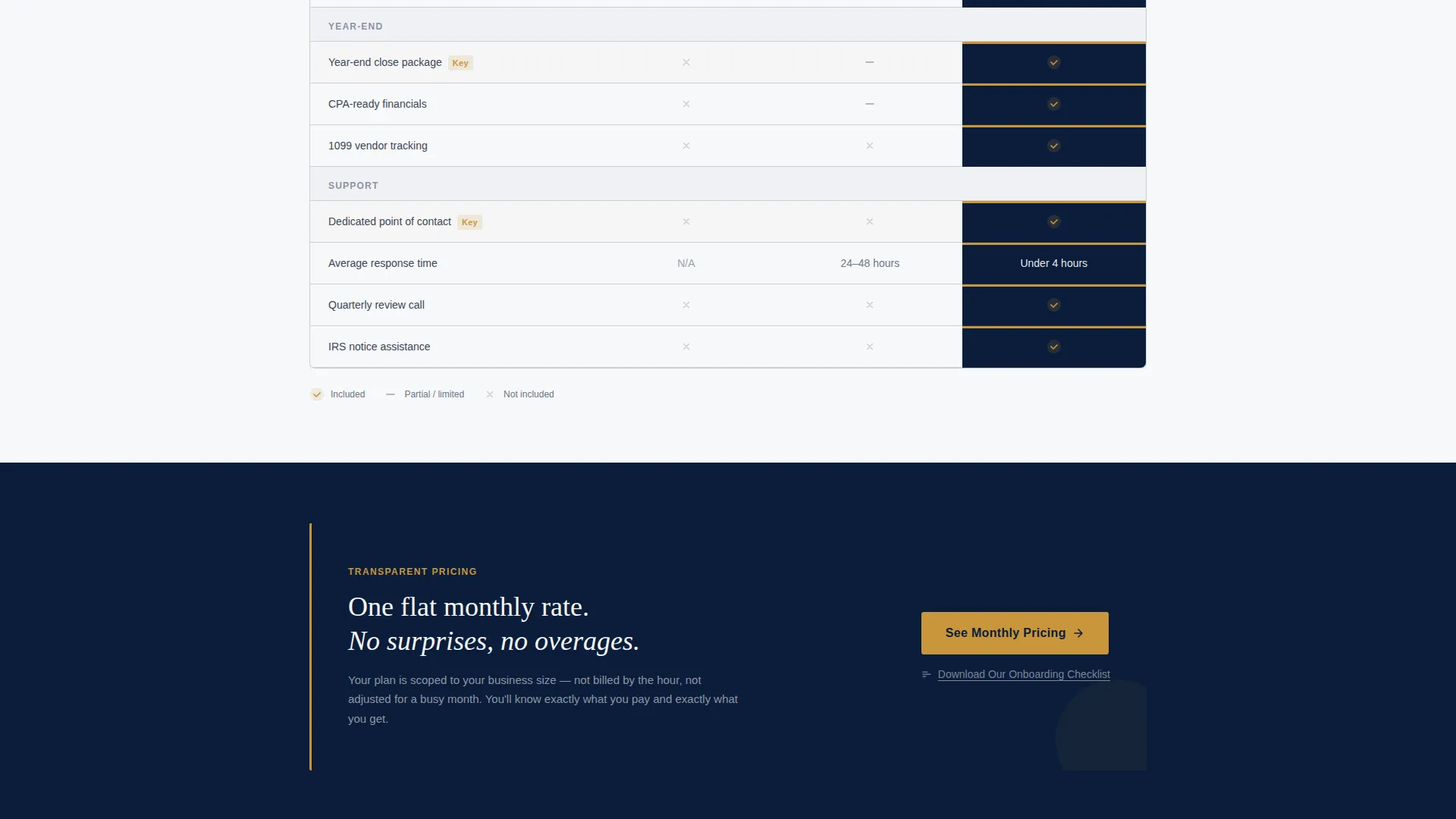
The comparison table is the centerpiece of the page. It contrasts DIY bookkeeping, generic outsourced services, and the firm's managed offering across rows covering bank reconciliation frequency, year-end deliverables, and average response time. Gold checkmarks stack in the right column, making the advantage visible at a glance.
Four-Step Process Walkthrough
After the table, a numbered sequence walks the prospect through every stage of the service: onboarding call, systems audit, cleanup period, and monthly rhythm. Each step is written to inform rather than sell, so the visitor feels prepared rather than pressured.
Dual Call-to-Action Placement
The primary call to action, "See Monthly Pricing," appears twice on the page. The first placement sits directly below the comparison table. The second floats after the process steps. Both route to a dedicated pricing page, capturing the visitor at two natural decision points.
Secondary Soft Capture Link
A text link reading "Download Our Onboarding Checklist" appears for visitors who are interested but not yet ready to commit. It offers a low-friction PDF exchange that keeps the not-yet-ready prospect connected without requiring a full form on the page.
Corporate Precision Color System
The Navy Authority palette is applied with discipline throughout the template. Midnight navy dominates the header and key section backgrounds. Pressed-shirt white fills content panels. Ledger-line gray defines borders and table rules. Gold-nib accent color appears exclusively on calls to action, checkmarks, and active states.
Page sections overview
| Section | Purpose |
|---|---|
| Manifesto Header | Opens with brand authority and a single defining promise |
| Subline Service Summary | Summarizes the three core service offerings below the headline |
| Comparison Table | Contrasts three bookkeeping approaches row by row |
| Primary call to action Block | Routes the convinced visitor to the pricing page |
| Process Steps | Walks the prospect through the four-stage service workflow |
| Secondary call to action Block | Captures the ready buyer after the process walkthrough |
| Checklist Text Link | Offers a soft-commit PDF download for the not-yet-ready visitor |
Design & branding system
The visual identity follows a Corporate Precision theme. Every design choice reinforces the feeling of a well-run professional firm rather than a self-serve software product.
- Navy Authority color system: midnight navy (#0B1D3A) for dominant backgrounds, pressed-shirt white (#F7F8FA) for content panels, ledger-line gray (#C8CDD5) for borders and table rules, and gold-nib accent (#C9963B) reserved strictly for calls to action, checkmarks, and active states
- Typography pairs a large tracked-out serif for headlines with a clean sans-serif for body copy and sublines, reinforcing structure and authority at every level
- Color distribution is intentionally restrained: heavy white-panel coverage with navy headers and gold appearing only where the eye needs to land
Mobile & speed optimization
The template layout is designed to remain scannable and functional at all screen sizes. A comparison table on mobile is a known usability challenge, and the design accounts for it.
- The three-column comparison table is structured to reflow cleanly on smaller screens so key differentiators remain readable
- Call-to-action buttons maintain full tap-target sizing and high-contrast gold-on-navy styling across device widths
- The header section uses text only, with no images or background illustrations to slow the initial load
How this template helps you convert
Ledger is built around a click-through conversion goal. The page does not ask for a form submission. It earns the click to the pricing page by resolving every major objection before the button appears.
- The comparison table handles the "why not DIY or a cheaper service" objection visually and specifically, so the visitor arrives at the call to action already persuaded
- The process walkthrough removes the "what actually happens after I sign up" anxiety, which is the second most common reason qualified prospects delay a decision
- The dual call-to-action placement and the soft-capture checklist link together cover three distinct visitor readiness levels on a single page
Other information about this template
This template is categorized under Professional Services and is purpose-built for the bookkeeper online presence niche. It suits any bookkeeper business website that prioritizes trust and transparency over feature overload.
- The template style is a comparison table landing page, which suits service businesses where prospect education is the primary conversion barrier
- The header concept follows a quote and manifesto pattern, a format that works particularly well for solo professionals whose reputation is the product
- The creative direction is Transparent Process, meaning the page is designed to answer the prospect's unspoken questions before they have to ask
- The landing page direction is Click-Through, routing all conversion intent to a separate pricing page rather than closing on the page itself
- Bookkeeping professionals who currently use tools like spreadsheets or paper-based systems to track their marketing can use this template to establish a credible online presence quickly

Theme
Corporate Precision
Creative direction
Transparent Process
Color system
Navy Authority
Style
Comparison Table
Direction
Click-Through
Page Sections
Manifesto Header with Gold Rule
Three-column Comparison Table
Numbered Process Walkthrough
Dual Call-to-action Placement
Soft-capture Checklist Link
Navy Authority Color System
Related questions
Can I use this template without any design experience?
Does this template include the pricing page it links to?
Is this template suitable for a bookkeeper who serves multiple industries?
What is the 'Download Our Onboarding Checklist' link for?
Can I update the color scheme to fit my existing brand?



