Mission-Driven Nonprofit Platform Landing Page Template
Portal is a single-page nonprofit landing page template built around a comparison table layout. It guides visitors from the chaos of scattered spreadsheets to the clarity of a unified donor, volunteer, and grant management view. Built for development directors, volunteer coordinators, and executive directors, Portal turns complexity into a confident, board-ready narrative and drives users toward a free app download.
by Rocket studio
Quick summary
Portal is a nonprofit landing page template designed around a Problem to Solution comparison table. It captures the real pain of disconnected spreadsheets and shows a cleaner path forward. The Data Command visual theme, Feature Tab Switcher header, and sticky download call to action work together to move nonprofit decision-makers from recognition to action in a single scroll.
Who this template is for
Portal is built for people who carry mission-critical responsibility without enterprise-level resources. If your organization runs on late-night spreadsheet sessions and crossed fingers before board meetings, this template speaks directly to your situation.
- Development directors managing year-end donor campaigns and grant pipelines under deadline pressure
- Volunteer coordinators who need clear shift coverage at a glance without double-booking risk
- Executive directors who must produce board-ready impact reports quickly and with confidence
What problem this template solves
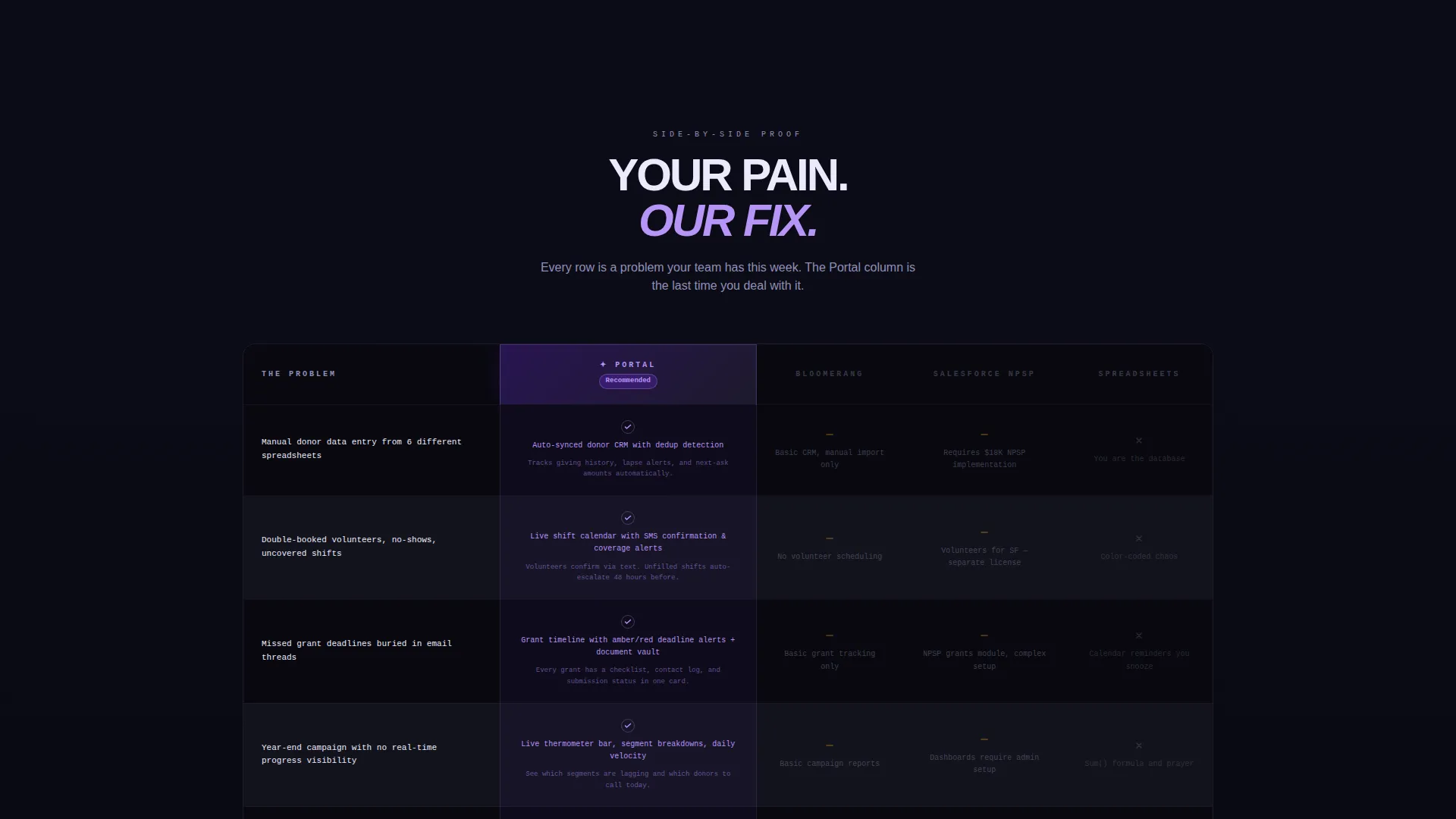
Nonprofit teams often track donors, volunteers, and grant deadlines across separate tools that were never designed to talk to each other. The result is version conflicts, missed deadlines, and last-minute scrambles before every board meeting. Portal's landing page gives you a template that names those exact problems in the left column of a comparison table, then answers each one on the right.
- Manual donor tracking with no unified pipeline view, leading to lost revenue and duplicated outreach
- Double-booked volunteer shifts and coverage gaps that undermine program delivery
- Missed grant deadlines caused by information scattered across inboxes and shared drives
What you get with this template
This template delivers a complete single-page layout built around a structured comparison table and a tab-switching header. Every section follows the Problem to Solution arc so visitors feel understood before they are asked to act.
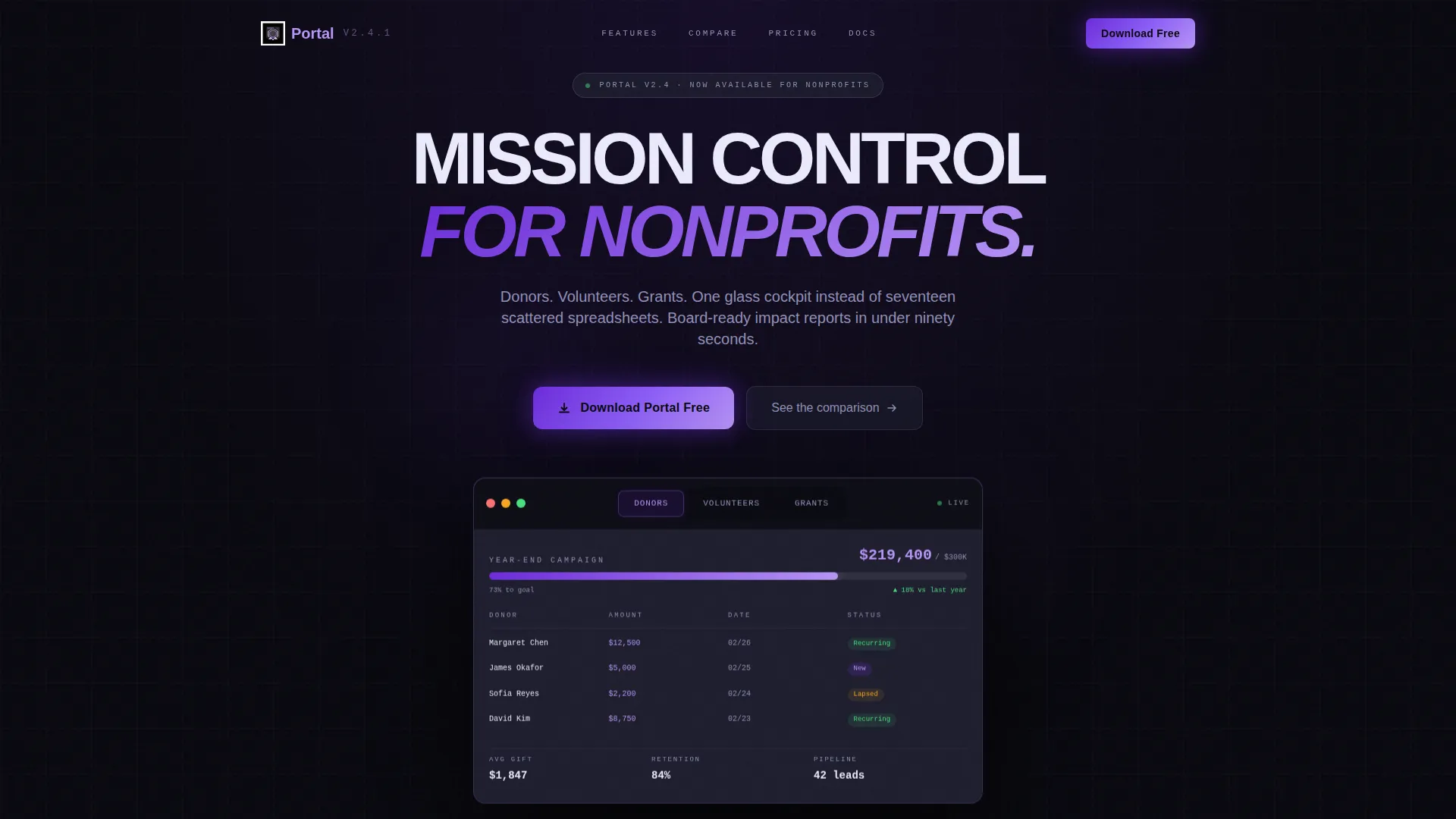
- A Feature Tab Switcher header with three tabs: Donors, Volunteers, and Grants, each displaying a distinct live-style data screen
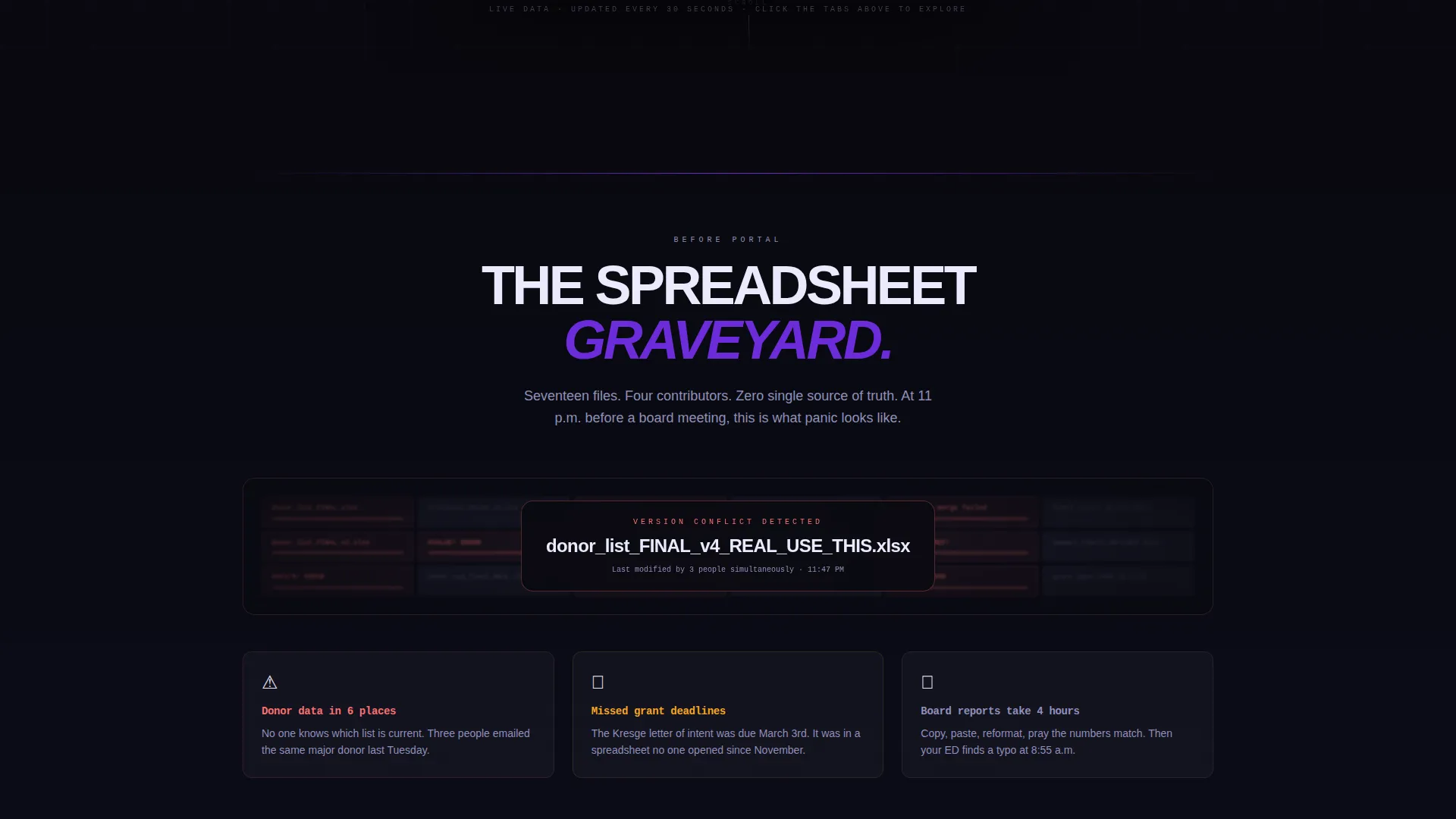
- A "Spreadsheet Graveyard" section visualizing the old way with blurred, tangled spreadsheet imagery before the comparison table begins
- A sticky bottom download bar and a primary call-to-action button that appear at the right scroll moments to drive conversions
Feature list
This template includes purpose-built components that reflect the way nonprofit operations actually run. Each section earns trust before asking for a click.
Feature Tab Switcher Header
A mock app window floats on the void background with three clickable tabs labeled Donors, Volunteers, and Grants. Each tab reveals a different data screen: a donor thermometer bar, a color-coded volunteer shift calendar, and a grant deadline timeline with status pills. The switcher lets visitors preview the tool's logic before reading a single word of copy.
Problem-to-Solution Comparison Table
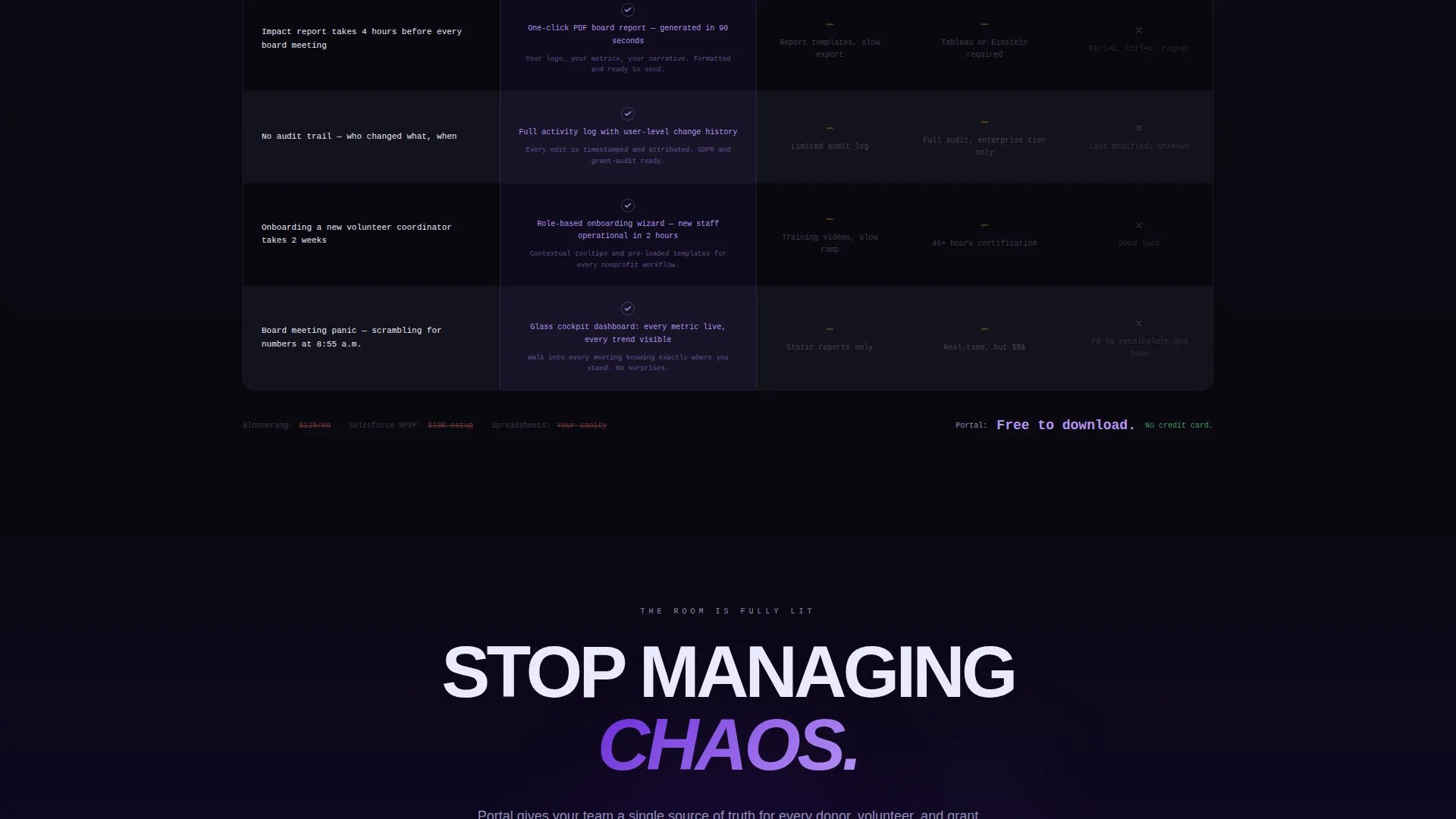
The core of the page is a structured comparison table. Each row lifts one real pain point, such as manual donor tracking or missed grant deadlines, from the left column and places Portal's answer on the right. Competitor columns fade to gray while the Portal column glows, making the contrast impossible to ignore.
Spreadsheet Graveyard Section
Between the header and the comparison table, a darkened mosaic of tangled spreadsheets, red error cells, and version-conflict warnings sets the emotional tone. This section validates the visitor's frustration before presenting the solution, which makes every comparison row land harder.
Sticky Download Call-to-Action Bar
A sticky bottom bar appears after the visitor scrolls past the first comparison row. It carries the primary call to action alongside a secondary text link for a browser-based demo. The bar stays visible through the rest of the scroll without blocking table content.
Data-Styled Typography System
Data labels use monospaced fonts. Headlines use a clean sans-serif. Every number uses tabular figures so columns of digits align precisely, like a departures board. This typographic system reinforces the command-center feel without requiring any custom font setup beyond what the template includes.
Escalating Visual Arc
The void background subtly brightens toward deep violet as the visitor scrolls toward the bottom of the page. This progression mirrors the narrative arc: chaos at the top, clarity and confidence at the bottom. The final comparison row, board meeting panic versus a one-click exported PDF report, lands at the moment the palette shift completes.
Page sections overview
| Section | Purpose |
|---|---|
| Feature Tab Switcher | Previews donor, volunteer, and grant data screens interactively |
| Spreadsheet Graveyard | Visualizes the chaos of disconnected spreadsheets to validate pain |
| Comparison Table | Matches each nonprofit pain point to Portal's direct solution |
| Primary call to action Block | Places the download button below the tab switcher for early converts |
| Sticky Download Bar | Keeps the call to action visible throughout the full page scroll |
| Secondary Demo Link | Offers a lower-commitment entry point via a browser-based demo |
Design & branding system
The visual identity follows a Data Command theme that feels less like a marketing page and more like stepping into a live operations room. The palette is precise and purposeful, built to make signal pop against darkness.
- Core colors: absolute void black (#09090F) and cool interface gray (#1E1E2E) for all backgrounds; deep galactic violet (#6C2BD9) for the primary accent and button gradient; electric lilac (#B794F6) reserved for hover states, active tabs, and call-to-action pulses; chalk white (#EAEAFC) for body text on dark surfaces
- Comparison table rows alternate between #09090F and #13131D, and the Portal column header carries a subtle violet gradient that draws the eye before the visitor reads a word
- Typography combines monospaced fonts for data labels with a sans-serif for headings, and tabular figures ensure number columns stay crisp and aligned throughout
Mobile & speed optimization
The template is structured for responsive display across device sizes. The tab switcher, comparison table, and sticky bar are all designed to adapt to narrower viewports without losing their visual logic.
- The comparison table stacks or scrolls horizontally on small screens so every row remains readable without zooming
- The sticky download bar is sized for thumb-friendly tapping on mobile, keeping the primary call to action within easy reach at all times
- Monospaced and tabular-figure typography renders clearly at small sizes, preserving the data-alignment detail that gives the template its command-center feel
How this template helps you convert
Portal earns the download click by making the visitor feel seen before it makes any ask. The layout is structured to reduce doubt at every scroll stage.
- The Feature Tab Switcher lets visitors interact with the interface concept immediately, building familiarity and trust before any comparison begins
- The Problem to Solution arc in the comparison table mirrors the visitor's own workflow frustrations, so by the time they reach the call to action, the download feels like a logical conclusion rather than a sales pitch
- The dual call-to-action structure, a primary download button and a secondary demo link, removes friction by offering two entry points that match different levels of visitor readiness
Other information about this template
Portal is designed as a single landing page for nonprofit software and software-as-a-service products in the customer portal category. It fits naturally within the Technology sector for organizations evaluating digital operations tools.
- Template style: Comparison Table landing page within the Nonprofit Software and SaaS subcategory
- The theme and color system are fully contained within the template files, requiring no external design subscriptions or plugin purchases
- This template works well alongside broader nonprofit technology stacks and can support outreach to stakeholders who prefer visual proof over abstract feature lists
Theme
Data Command
Creative direction
Problem→Solution Arc
Color system
Void & Violet
Style
Comparison Table
Direction
App Download
Page Sections
Feature Tab Switcher Header
Problem-to-solution Comparison Table
Spreadsheet Graveyard Section
Sticky Download Call-to-action Bar
Data Command Typography System
Escalating Background Arc
Related questions
Who is this landing page template designed for?
Can I change the tab labels or comparison table rows?
What makes the comparison table layout effective here?
Does the template include the sticky download bar by default?
Is the dark color palette easy to adapt to a different brand?



