Hospitality Software Reviews Website Template
Dispatch is a bento grid landing page template built for hospitality field service management platforms. It guides visitors through a Problem-to-Solution scroll arc, from a nightmare dispatch board drowning in alerts to a clean dashboard with zero open criticals. The template drives app downloads and demo requests using interactive micro-animations, a live-feel dispatch preview, and high-contrast calls to action.
by Rocket studio
Quick summary
Dispatch is a single-page bento grid template designed for B2B field service software targeting hotels, convention centers, and multi-property portfolios. Visitors experience a live-feel dispatch board simulation, watch technicians get routed in real time, and arrive at a clear app download call to action already trusting the product. It is built on a Dynamic Motion theme with a Monochrome Steel color system.
Who this template is for
This template fits software teams building or marketing a field service management platform for the hospitality industry. It speaks directly to the people who feel the pressure of simultaneous job alerts across a dozen properties.
- Regional maintenance directors managing 200-plus open work orders across 14 properties
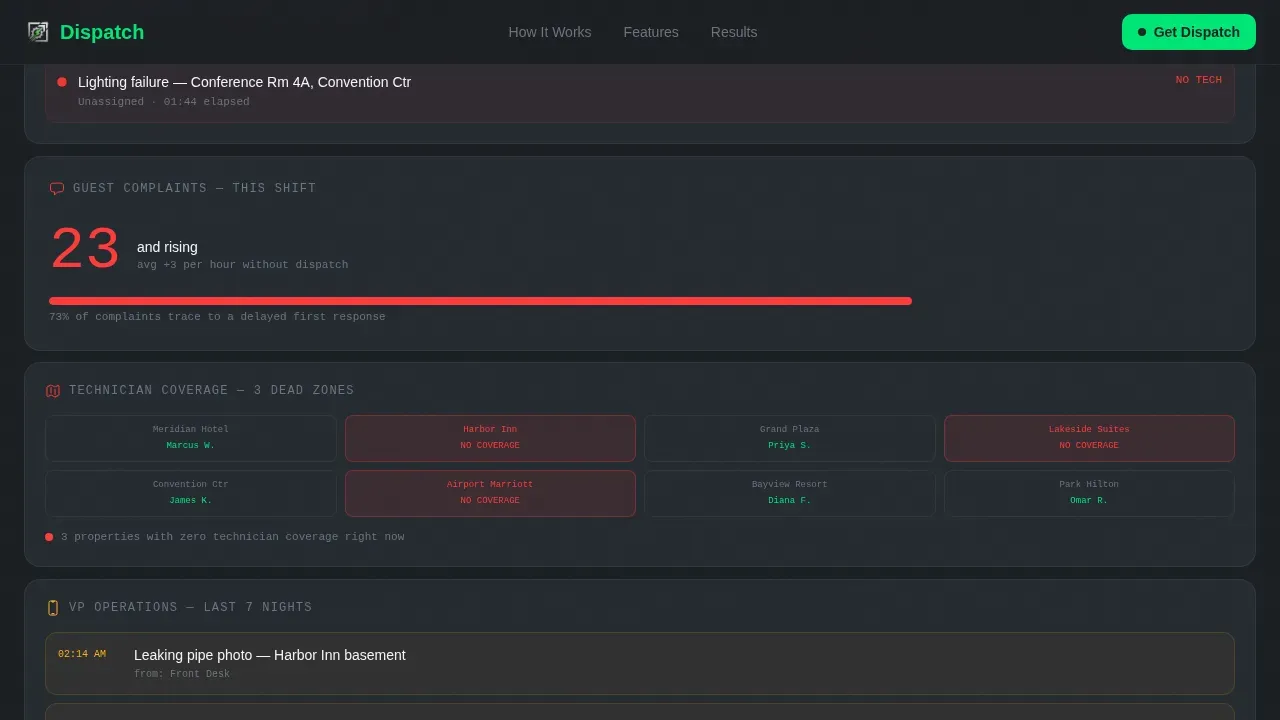
- Operations VPs at boutique hotel groups who still receive pipe-leak photos via text messages at 2 AM
- Facility managers at convention centers where a down escalator puts a six-figure event at risk
What problem this template solves
Multi-property field service operations are chaotic by nature. Dispatchers juggle technician schedules, route optimization decisions, and a rising guest complaint counter, all at once. Most landing pages for service management software look like brochures. This template looks like the product itself.
- Visitors land on a page that feels like a live dispatch board, not a static sales pitch
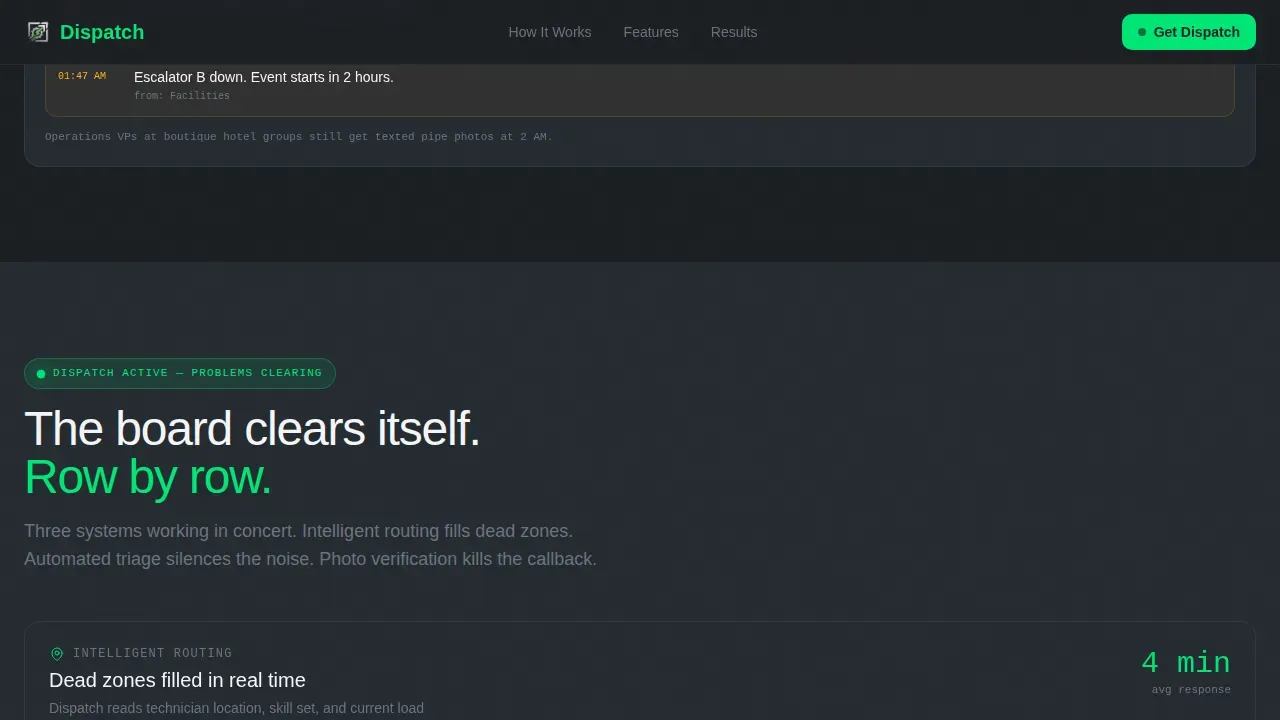
- The Problem-to-Solution Arc shows the nightmare state first, then resolves each pain point row by row
- By the time visitors reach the call to action, they have already interacted with the product preview
What you get with this template
You get a fully structured, animation-ready bento grid landing page with every section pre-built and logically sequenced. The template covers everything from the interactive hero to the app download footer, so your team can customize content and launch without rebuilding the layout from scratch.
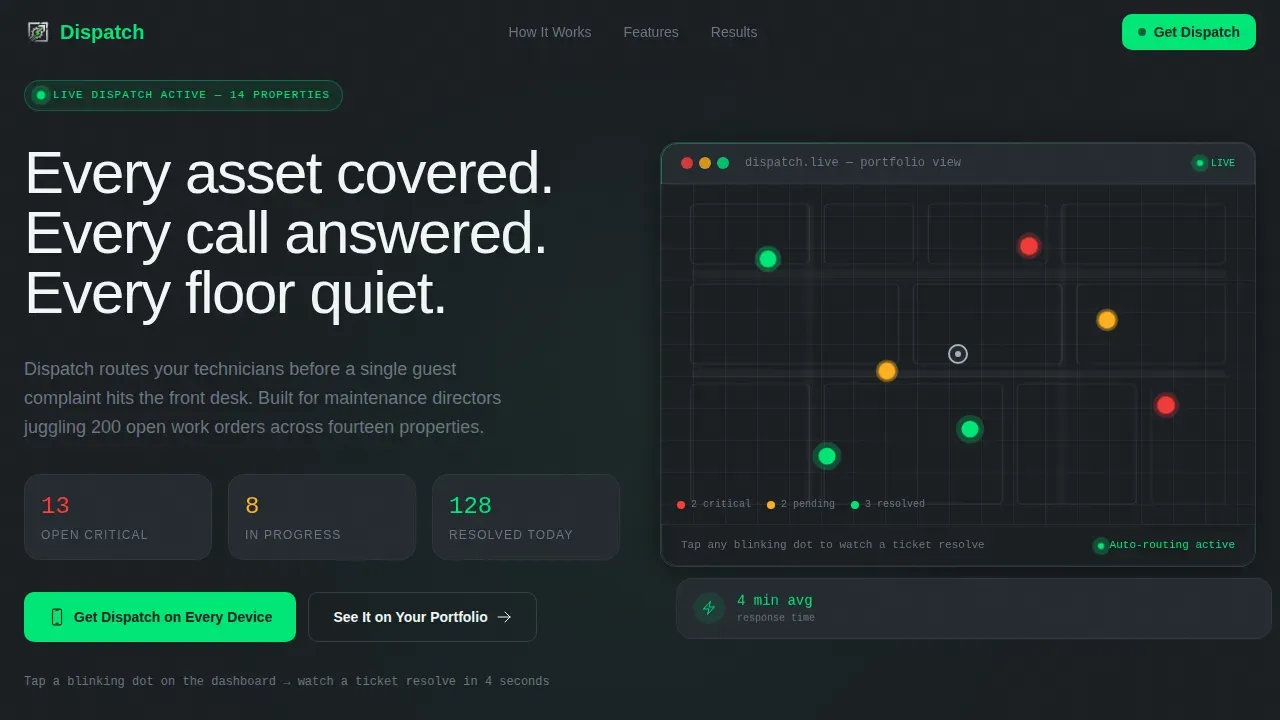
- Interactive hero tile with a looping dispatch board simulation and a typewriter headline
- A Problem Row and Solution Row built as animated bento tiles that flip from chaos to control
- A social proof section with space for named testimonials and specific outcome metrics
- A dual call-to-action section with app store badges, an SMS link field, and a demo request form
Feature list
This template is designed to showcase the real capabilities of a hospitality field service platform. Each section is purpose-built to build trust and move visitors toward signing up or downloading the app.
Interactive Dispatch Board Hero
The header is a functioning bento tile that mimics a live dispatch dashboard. Dots pulse across a simplified hotel floor plan as work orders appear, get assigned, and resolve in a looping animation. Visitors can tap a blinking red dot to trigger a four-second micro-interaction: technician assigned, ETA countdown, photo verification, ticket closed.
Problem-to-Solution Bento Arc
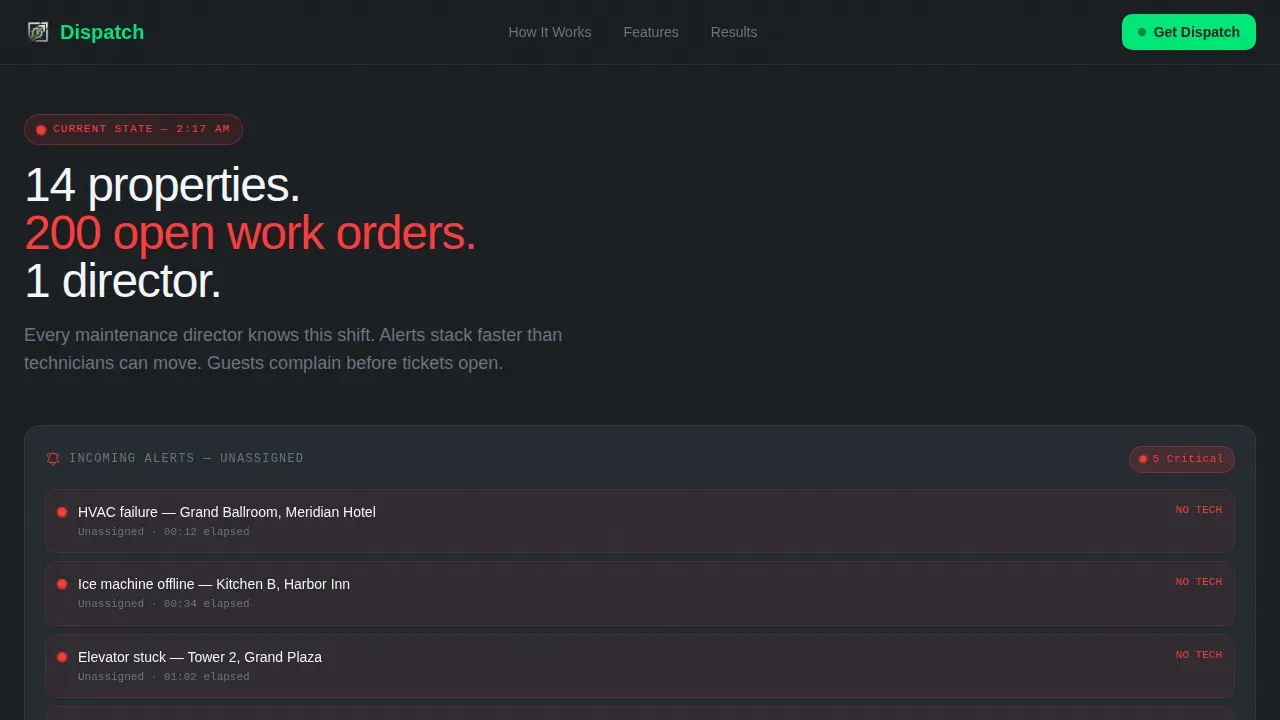
The scroll flow begins in chaos and ends in control. The first row shows simultaneous field service alerts, a rising complaint counter, and a technician map with dead-zone coverage gaps. Each row below resolves one pain point, with tiles animating into frame using kinetic slides and counter-flips as dispatchers and techs move from disorder to zero open criticals.
Intelligent Routing and Scheduling Tiles
Dedicated bento tiles demonstrate how the platform can assign technicians based on skills, proximity, and availability. The template supports showcasing route optimization visuals, technician map overlays, and automated priority triage, giving visitors a clear sense of how field technicians get to the right job at the right time.
Mobile App Download Call to Action
The primary call to action reads "Get Dispatch on Every Device" with paired App Store and Google Play badges. A phone-number field allows visitors to send themselves an instant SMS download link. This section is designed for mobile devices and desktop alike, ensuring every user can act immediately.
Demo Request with Portfolio Context
A secondary conversion path offers "See It on Your Portfolio" and leads to a guided demo request form. Visitors can select their property count and property management system integration from dropdowns, giving your sales team qualified data before the first conversation.
Social Proof Section
Named testimonials with specific outcome metrics, including complaint reduction percentages, response time improvements, and open critical counts, are laid out in a dedicated bento row. Feedback from regional directors, operations VPs, and facility managers gives potential customers confidence grounded in real field service results.
Page sections overview
| Section | Purpose |
|---|---|
| Hero Dispatch Preview | Interactive board simulation with typewriter headline and pulsing work order dots |
| Problem Nightmare Row | Shows simultaneous alerts, rising complaint counter, and dead-zone technician map |
| Intelligent Routing Row | Demonstrates how route optimization fills dead zones and assigns techs |
| Triage and Verification Row | Shows automated priority triage and photo verification closing callbacks |
| Social Proof Row | Named testimonials with property counts and measurable field service outcomes |
| App Download Call to Action | App store badges, SMS link field, and mobile-ready layout |
| Demo Request Form | Portfolio count and PMS dropdowns for qualified demo scheduling |
| Footer | Linear single-row footer with minimal navigation |
Design & branding system
The visual identity follows a Dynamic Motion theme using a Monochrome Steel color system. The palette references the stainless-steel back-of-house corridor that hotel guests never see: industrial, data-dense, and built for pressure.
- Deep gunmetal (#1B1F23) as the primary background, brushed aluminum (#A8B0B8) for secondary data elements, and status-white (#F4F5F7) for readouts
- Electric-green (#00E676) reserved exclusively for resolved states, active calls to action, and success animations
- Manrope for headlines and JetBrains Mono for data and status readouts, reinforcing the dispatch board aesthetic
Mobile & speed optimization
The template is designed desktop-first, because dispatch boards are desktop tools. The app download call to action section is optimized for mobile to ensure every user can act from any screen.
- GPU-accelerated transforms power all animations, including typewriter effects, pulsing dots, counter-flips, and kinetic tile slides
- Intersection Observer handles scroll-triggered reveals, so tiles animate into frame only when they enter the viewport
- The mobile layout prioritizes the app download call to action and keeps the lead capture form minimal, requesting only essential fields to reduce friction
How this template helps you convert
This template earns the tap before asking for it. Visitors interact with the product simulation in the hero, watch every problem get solved as they scroll, and arrive at the call to action already engaged.
- The interactive dispatch preview lets visitors experience the platform's core value before reading a single feature bullet, building trust through direct product interaction
- The Problem-to-Solution Arc uses real-time data visuals and kinetic animations to mirror the emotional shift from overwhelmed to in-control, making the software's benefit visceral rather than abstract
- High-contrast electric-green call-to-action buttons and a minimal lead form reduce friction at the decision moment, so visitors can sign up, download, or request a demo without hesitation
Other information about this template
This template is a strong fit for field service software teams that want to drive growth without relying on long feature lists. It works equally well for small businesses launching their first dispatch platform and for enterprise teams refreshing a mature service management product page.
- The bento grid layout is fully customizable, so teams can adapt section order, swap tile content, and create new workflows without rebuilding the grid structure
- The template supports work order management data displays, job tracking counters, audit trails for completed tasks, and invoice or billing status tiles as content within bento cells
- Teams can use the CRM dropdown in the demo request form and add accounting or inventory context to the social proof section to match their platform's feature set
- Microsoft Excel import flows, customer data fields, and crew scheduling calendars can all be represented as bento tile content, making the template flexible for platforms with broad field service features
- The builder experience is no-code-friendly: drag jobs between tiles, drop new sections in, and customize appointments and scheduling views without writing code
- This dispatch real time field service management landing page template is structured to communicate value clearly, reduce user friction, and support faster sales cycles for hospitality software teams
Theme
Dynamic Motion
Creative direction
Problem→Solution Arc
Color system
Monochrome Steel
Style
Bento Grid
Direction
App Download
Page Sections
Interactive Dispatch Board Hero
Problem-to-solution Scroll Arc
Intelligent Routing and Scheduling Tiles
App Download Call to Action
Guided Demo Request Form
Social Proof Testimonial Row
Related questions
Who is this template best suited for?
Can I use this template for a field service business outside of hospitality?
Does the template include the animations described in the preview?
How does the demo request form support sales teams?
Is this template a good fit for small businesses?



