Accelerate - Highimpact Accelerator Landing Page Template
Accelerate is a single-page landing page template built for industry-specific accelerators. It opens with a live-feeling metrics wall, flows into an interactive fit assessment tool, and cascades into modular cohort case study cards. The Tech Glass visual identity and Carbon Fiber color system give it the precision feel of a mission control room built for serious founders.
by Rocket studio
Quick summary
Accelerate is a high-impact landing page template for vertical-focused accelerators that need to attract technical founders and corporate scouts, not a broad audience. It leads with a stats wall, earns trust through an interactive readiness calculator, and converts through contextual forms. Every section is modular and card-based, built on a dark Tech Glass aesthetic.
Who this template is for
This template is designed for accelerators that go deep on a single industry rather than wide across all sectors. It speaks directly to two audiences at once: serious founders and institutional scouts.
- Technical co-founders with working products and early revenue who have been passed over by generalist programs for being too niche
- Corporate innovation leads and venture scouts actively sourcing deal flow within a specific sector
- Accelerator operators and program managers who need a landing page that qualifies applicants before a single conversation
What problem this template solves
Horizontal accelerator landing pages feel generic. They list benefits, show a few logos, and ask founders to apply blindly. That approach loses the exact founders a vertical program wants to reach.
- Niche founders see generic pages and assume the program will not understand their market, so they do not apply
- Scouts and investors see no performance data, so they disengage before reaching the application
- Accelerator teams receive low-quality applications because the page does not filter for fit upfront
What you get with this template
This template gives you a complete single-page layout that qualifies, educates, and converts at the same time. Every section earns its place in the scroll journey.
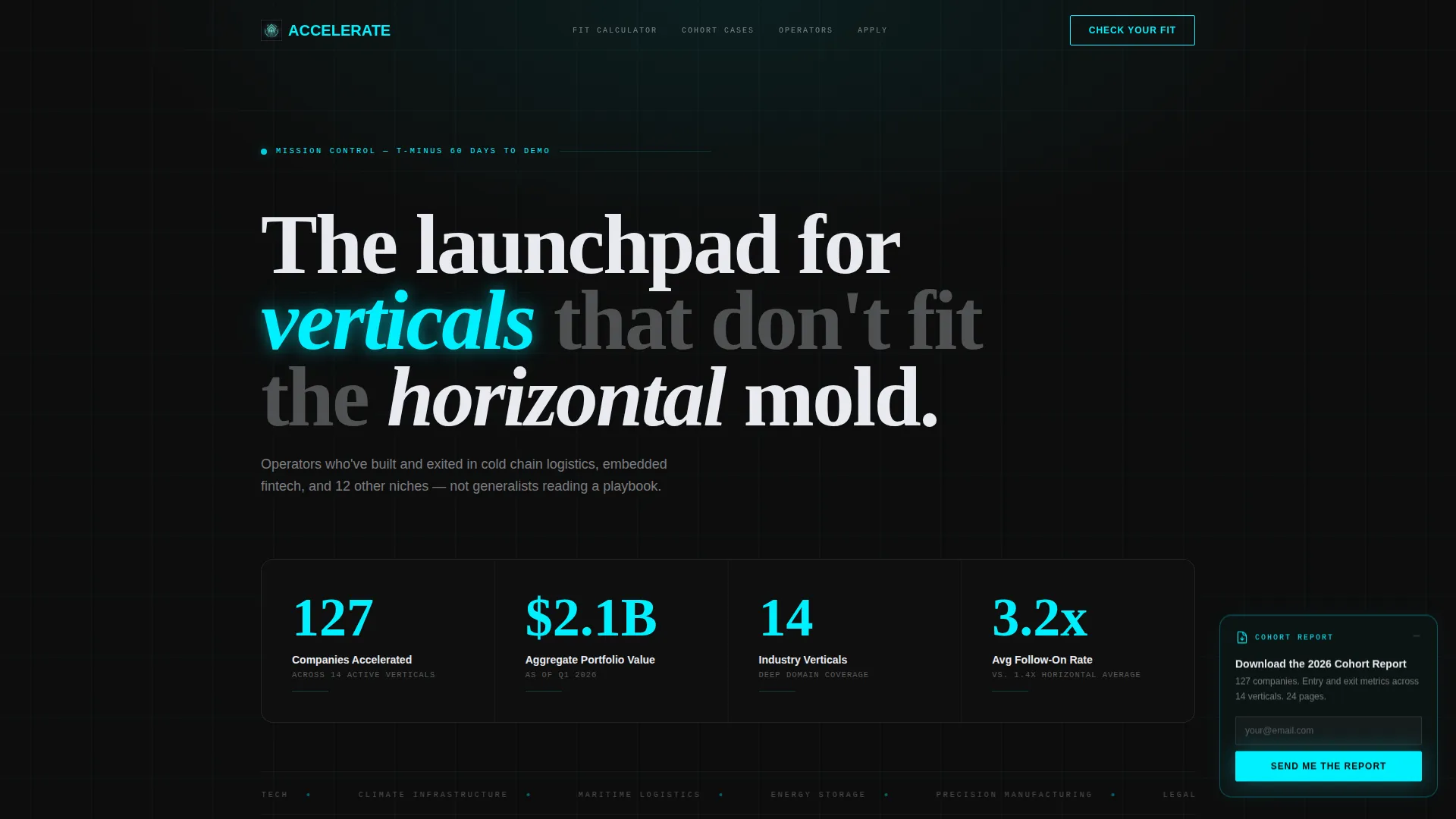
- A stats and metrics header wall displaying live-feeling counters for portfolio value, cohort size, verticals covered, and follow-on investment rates
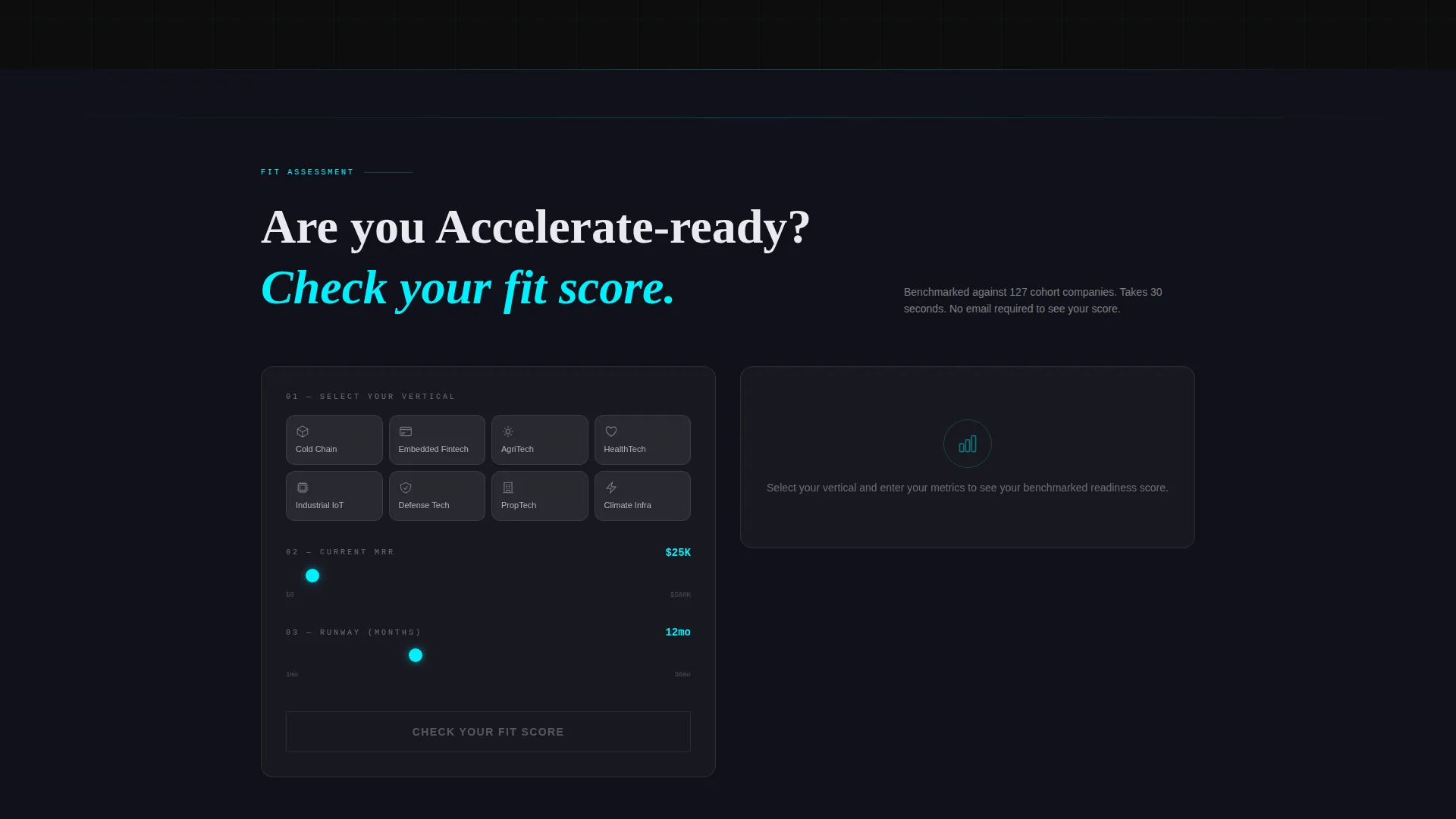
- An interactive fit assessment calculator where visitors select their vertical, input current monthly recurring revenue and runway, and receive a benchmarked readiness score
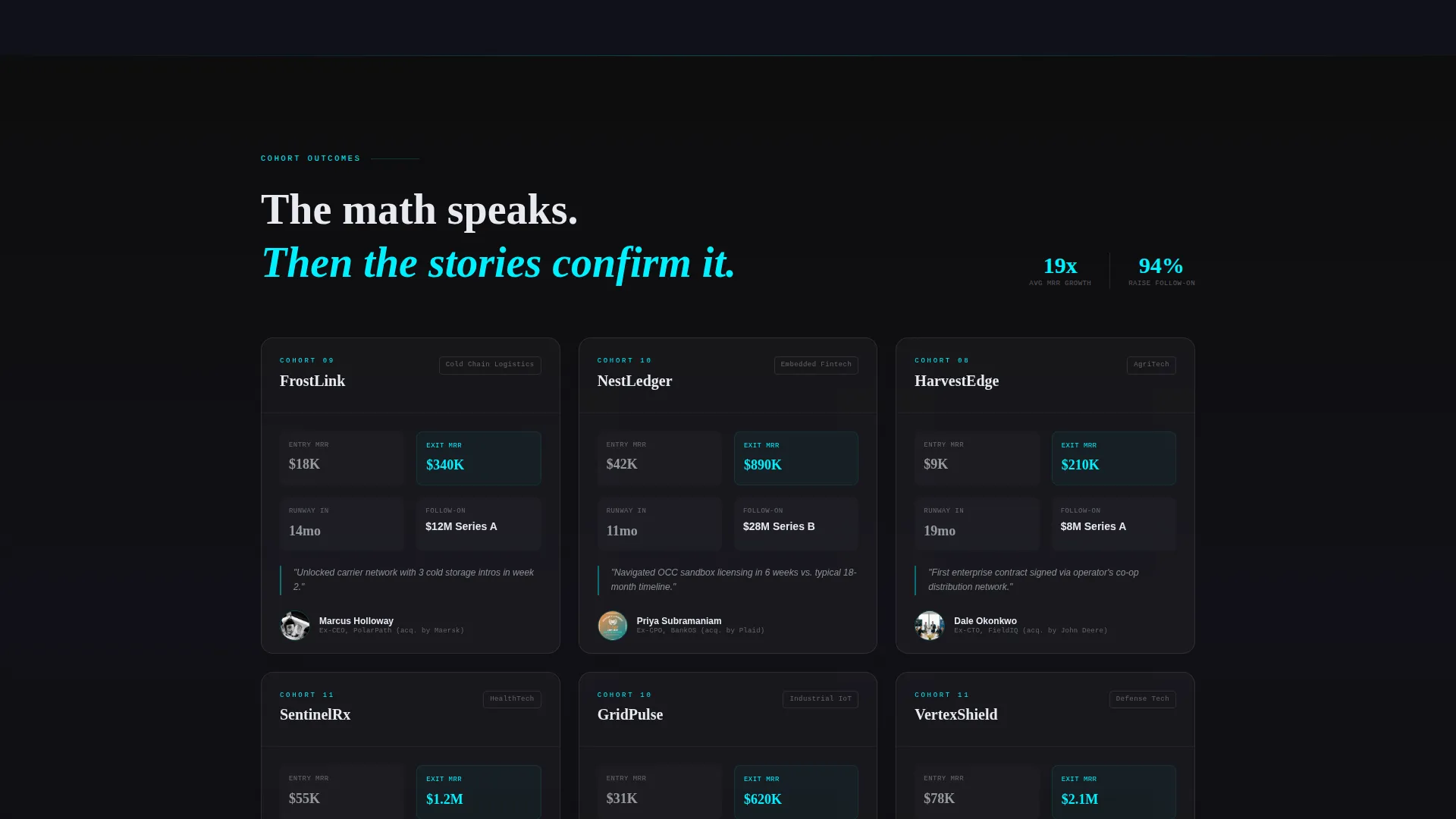
- A modular card grid of cohort case studies, each showing entry metrics, exit metrics, vertical context, and an operator mentor headshot
Feature list
This section covers the core functional and design capabilities built into the template.
Live Metrics Header Wall
The header opens with a grid of oversized counters rendered in electric teal on deep carbon black. Numbers include portfolio companies accelerated, aggregate portfolio value, verticals served, and average follow-on investment rate. A subtle odometer-style tick animation resolves each figure on page load, giving the header the energy of a live data terminal.
Interactive Fit Assessment Calculator
Visitors select their industry vertical from a visual card grid, then input their current monthly recurring revenue and runway in months. The tool instantly returns a benchmarked readiness score against historical cohort data. This makes the tool itself the primary content, delivering value before asking for anything in return.
Contextual Slide-In Application Form
Once the fit score renders, a contextual form slides into view. It asks for founder name, company URL, vertical confirmation, and a single open-ended question: what is the hardest problem your industry has not yet solved. This structure converts curiosity into a qualified micro-commitment without a heavy multi-field form.
Modular Cohort Case Study Cards
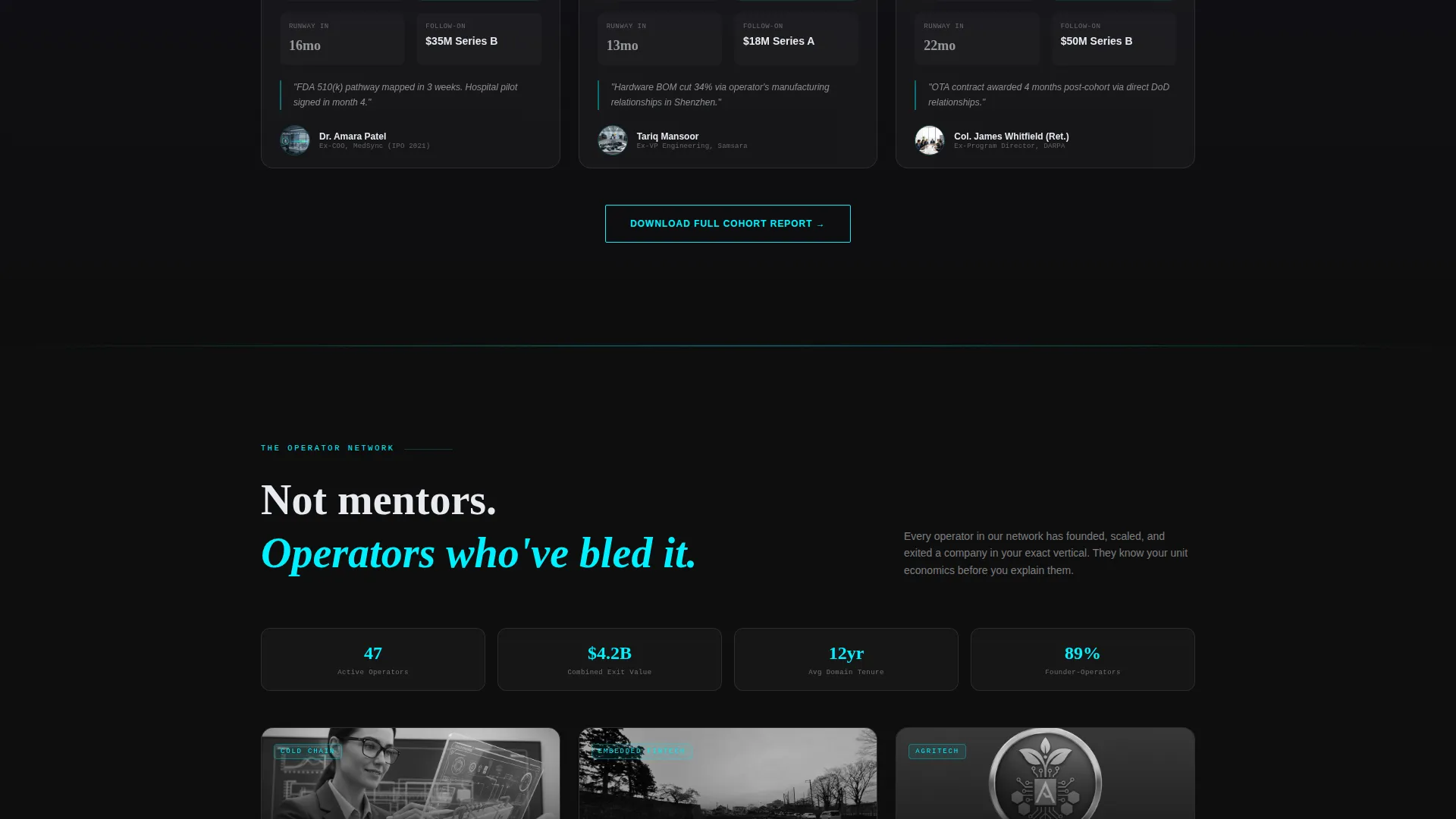
Below the calculator, rows of glass-card tiles display cohort companies in a structured format. Each card shows the startup's vertical, entry metrics, exit metrics, and a headshot of the operator mentor assigned. The scroll rhythm moves from outcomes to people to infrastructure, building conviction at each level.
Persistent Secondary Lead Capture
A frosted-glass card lives in the bottom corner of the page throughout the scroll experience. It offers a downloadable cohort report gated only behind an email field. This catches visitors who want supporting data before committing to the primary application flow.
Tech Glass Card Grid Layout
Every content module floats on a deep carbon black ground using glass-morphism borders. Teal glows faintly at card seams and interactive edges, reinforcing the engineered aesthetic on every hover state. The layout is fully modular, so cohort cards, mentor cards, and calculator sections can be arranged in rows without breaking the visual system.
Page sections overview
| Section | Purpose |
|---|---|
| Metrics header wall | Opens with live-feeling counters to establish credibility instantly |
| Fit assessment calculator | Qualifies visitors through an interactive readiness scoring tool |
| Vertical selection grid | Lets visitors choose their industry before entering calculator inputs |
| Cohort case study cards | Shows entry and exit metrics paired with operator mentor headshots |
| Contextual application form | Slides in after score renders to capture qualified founder details |
| Persistent report download | Bottom-corner glass card captures emails with a low-friction offer |
Design & branding system
The visual identity follows a Tech Glass theme built on a Carbon Fiber color system. The palette is engineered to feel precise and industrial, not decorative.
- Base colors: deep carbon black (#0D0D0D) as the page ground, woven graphite (#1A1A2E) for layered surfaces, and translucent glass white (#E8EAF0) for card faces with a frosted-glass blur effect
- Accent system: electric teal (#00F0FF) is the sole accent color, used on all interactive edges, hover states, counter figures, and card border glows
- Card treatment: glass-morphism borders with teal glowing faintly at the seams, creating the impression of circuitry just beneath the surface
Mobile & speed optimization
The modular card grid layout adapts naturally across screen sizes. Every section is structured to remain readable and functional on smaller viewports without losing the impact of the dark, data-dense design.
- Card rows reflow into single-column stacks on mobile, keeping the fit calculator and case study cards fully usable on touch screens
- The persistent secondary lead capture card repositions cleanly on smaller screens so it does not obscure primary content
- Oversized teal counter typography scales proportionally, preserving the metrics wall impact on both desktop and mobile viewports
How this template helps you convert
Every section in this template is sequenced to move a visitor from curiosity to commitment, using proof before ask.
- The metrics wall opens with hard numbers rendered in a format that commands attention, establishing authority before a single word of body copy is read
- The interactive calculator gives value immediately, earning attention and trust by benchmarking the visitor's own startup against real cohort data before requesting contact details
- The contextual form and persistent download card offer two distinct conversion paths at different commitment levels, capturing both ready applicants and research-stage visitors in the same session
Other information about this template
This template is categorized under Startup and Launch, specifically within the Incubator and Accelerator subcategory, with a niche focus on industry-specific accelerator programs. It was designed to serve programs that compete on vertical depth rather than broad brand recognition.
- The template style is a card grid with modular layout, meaning sections can be reordered or expanded to match your cohort size and program structure
- The creative direction is Calculator and Tool First, a pattern that places an interactive utility ahead of traditional hero copy to generate qualified engagement early in the scroll
- The header concept is a Stats and Metrics wall, a deliberate choice to let performance data replace founder photography or brand storytelling as the opening statement
- The lead generation direction means both conversion paths, the fit score form and the cohort report download, are designed to capture contact details at different intent levels
Theme
Tech Glass
Creative direction
Calculator/Tool First
Color system
Carbon Fiber
Style
Card Grid (Modular)
Direction
Lead Generation
Page Sections
Live Metrics Header Wall
Interactive Fit Assessment Calculator
Contextual Slide-in Application Form
Modular Cohort Case Study Cards
Persistent Secondary Lead Capture
Tech Glass Card Grid System
Related questions
Can I update the metrics in the stats wall to reflect my own program data?
Does the fit calculator connect to a live database?
How many cohort case study cards does the template include?
Is this template suitable for an accelerator that serves more than one vertical?
What conversion paths does this template provide?



