Restoration & Preservation Booking Website Template
Abate is a gallery-and-detail landing page built for licensed asbestos removal specialists. It walks anxious building managers, homeowners, and developers through a five-step abatement process, from site inspection to final clearance certificate, using real-work imagery, clinical evidence displays, and a sticky booking form designed to convert dread into a scheduled site survey.
by Rocket studio
Quick summary
Abate is a single-page template for asbestos abatement contractors. It pairs a full-bleed containment-zone hero with a five-step scroll journey, evidence gallery, credentials section, and a sticky booking form. The design uses deep charcoal and caution-tape amber to project industrial authority and turn urgent visitor anxiety into a booked site survey.
Who this template is for
This template is built for environmental and specialty contractors who handle asbestos-containing material (ACM) removal. It speaks to the exact moment a potential client realizes they can no longer delay the call.
- Building managers and commercial developers facing pre-demolition survey deadlines
- Homeowners who have just received an inspection report with asbestos findings
- Industrial facility operators who need a licensed abatement team on-site quickly
What problem this template solves
Most abatement contractor websites feel clinical and cold, or vague and generic. Neither converts a frightened building owner. Visitors arrive with real anxiety, legal liability, health risk, delayed timelines, and leave without booking because no one explained what actually happens.
- Visitors do not understand the abatement process and abandon before contacting anyone
- Emergency clients cannot find a fast call-to-action when they already have lab results
- Developers and building managers need visible proof of compliance before committing
What you get with this template
You get a fully structured landing page that walks each visitor through the entire abatement process in logical, reassuring steps. Every section resolves a specific fear before asking for a commitment.
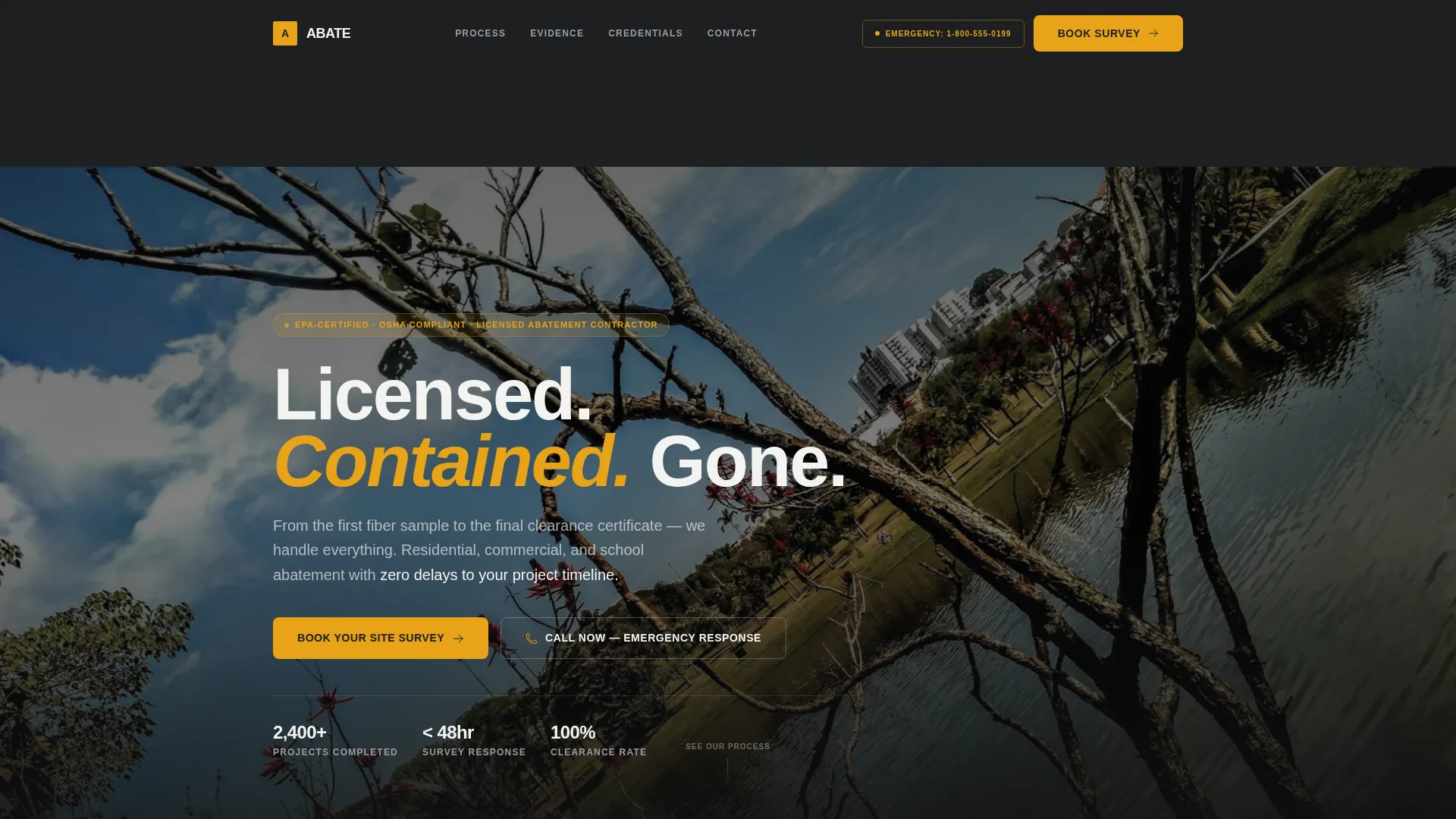
- A full-bleed hero section with headline, emergency tap-to-dial call-to-action, and an immersive containment-zone photo
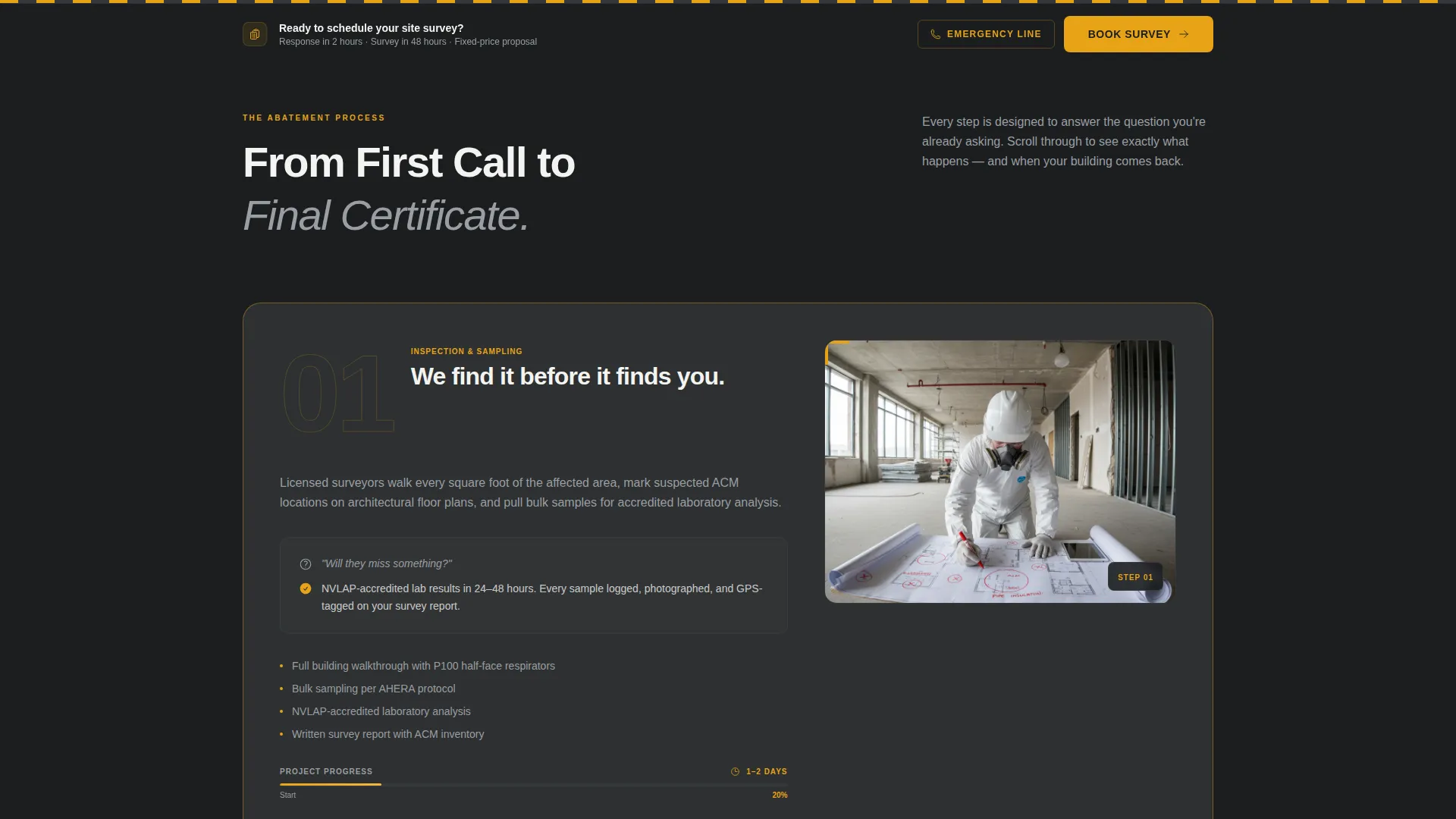
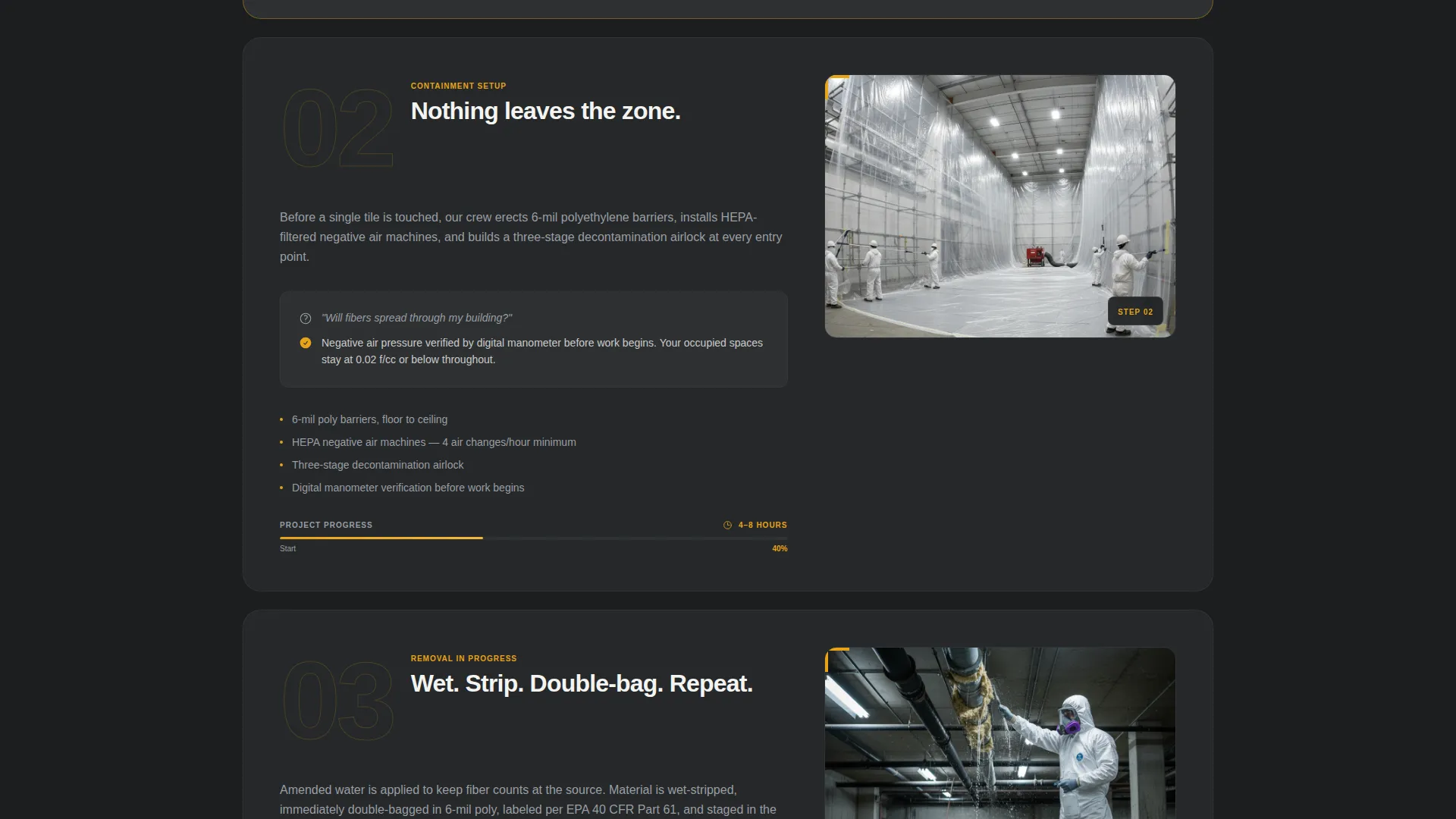
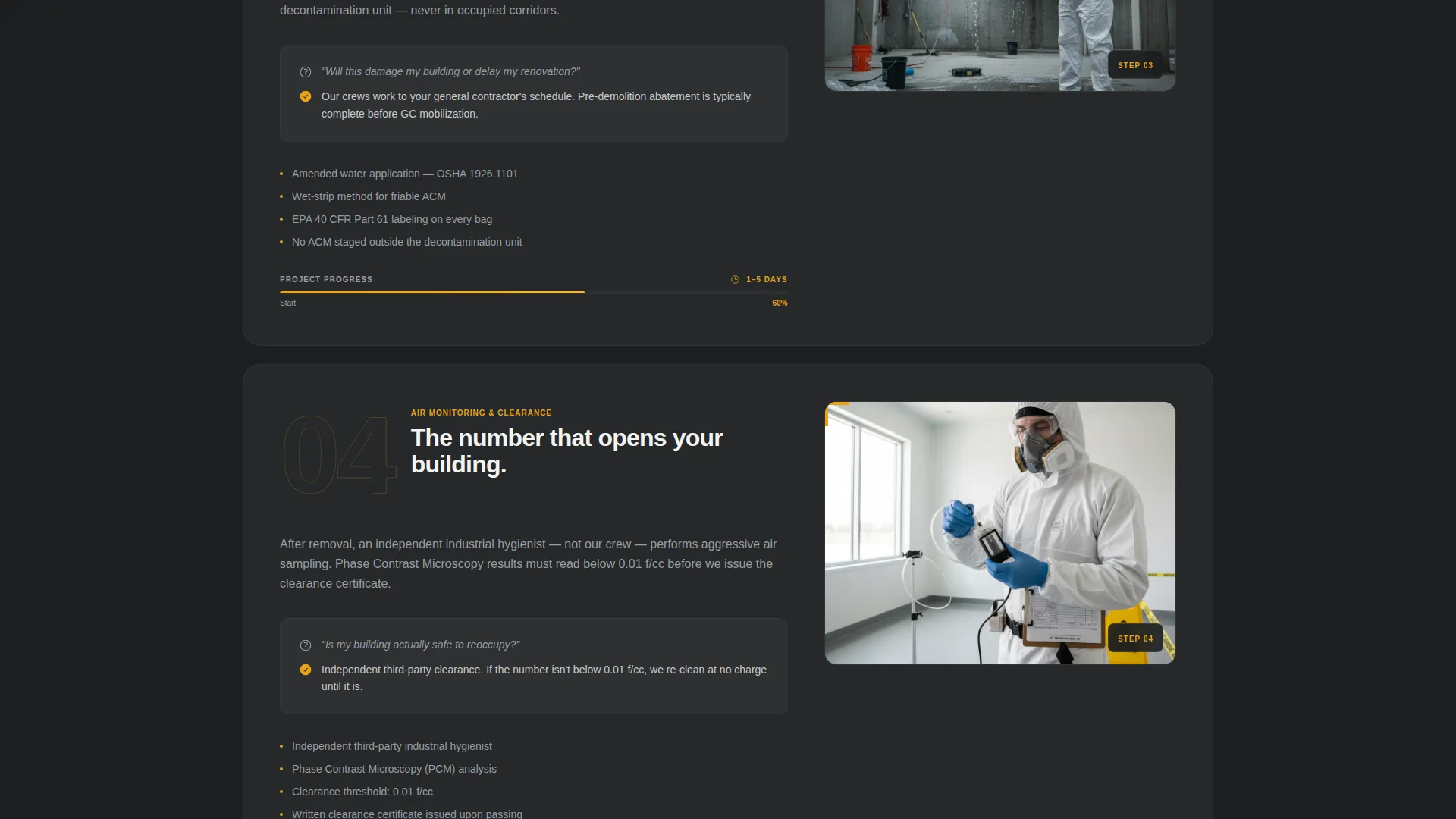
- A five-step scroll journey covering inspection, containment, removal, air monitoring, and EPA documentation
- A sticky booking bar with a property type selector, building age field, material location options, and a survey date picker
Feature list
This section describes every built-in component this template delivers.
Full-Bleed Hero with Dual Call-to-Action
The header fills the screen with a wide-angle containment-zone photograph and the headline "Licensed. Contained. Gone." A primary "Book Your Site Survey" button and a secondary "Call Now for Emergency Abatement" tap-to-dial link sit side by side, so urgent visitors get immediate access without scrolling.
Five-Step Process Scroll Journey
Scroll-triggered sections guide visitors through each phase of abatement work: site inspection and sampling, containment setup, active removal, air monitoring and clearance testing, and waste transport documentation. Each step uses a dedicated gallery panel and resolves one specific visitor anxiety with visible evidence.
Evidence Gallery in Bento Grid Layout
A bento-style image grid displays real-work photography alongside clinical data: fiber-count readings, waste transport manifests, EPA documentation, and clearance certificates. The layout makes compliance proof visible and scannable rather than buried in a PDF.
Sticky Booking Bar with Survey Form
After the visitor scrolls past the containment setup section, a sticky bar appears at the bottom of the screen. It anchors the "Book Your Site Survey" call-to-action and opens a form collecting property type, building age decade, suspected material location, and a preferred survey date. The bar stays visible through the rest of the scroll.
Credentials and Coverage Section
A dedicated section displays certifications, service area details, and response-time statistics. It gives developers and building managers the compliance snapshot they need to justify choosing this contractor over a competitor.
GSAP Scroll-Triggered Animations
Step reveals are staggered using GSAP scroll triggers. Each process section animates into view as the visitor scrolls, maintaining a paced, procedural feeling that reinforces the "we handle everything" message without overwhelming the page.
Page sections overview
| Section | Purpose |
|---|---|
| Hero with call to action | Establish authority and surface emergency contact immediately |
| Five-Step Process | Walk visitors through each abatement phase with gallery imagery |
| Evidence Gallery | Display fiber counts, manifests, and clearance certificates visually |
| Credentials and Coverage | Show certifications, service area, and response time stats |
| Booking Form | Collect property type, age, material, and preferred survey date |
| Footer | Linear single-row footer with contact and legal links |
Design & branding system
The visual identity follows a Service Utility theme. Every design choice references the look of a job site at 6 AM, hazard tape catching early light against dark polyethylene sheeting.
- Deep PPE charcoal (#2B2D2F) dominates backgrounds and text blocks; containment-barrier gray (#4A4E54) provides mid-tone structure; caution-tape amber (#E8A317) marks every interactive element, progress indicator, and safety stripe; decontamination white (#F4F4F2) opens breathing room between dense content sections
- Typography uses Manrope for bold utility headings and DM Sans for clear, readable body copy
- Photography direction avoids stock warmth entirely, images show real containment zones, fluorescent industrial lighting, and technicians in full-face P100 respirators and white Tyvek suits
Mobile & speed optimization
The template is built mobile-first, reflecting how homeowners and on-site managers typically access contractor pages, on a phone, mid-problem.
- Tap-to-dial emergency contact is prominent in the hero so mobile users reach the contractor without extra steps
- GSAP animations use scroll triggers sized for mobile viewports, keeping step reveals smooth on smaller screens
- Server Components handle all static sections, while Client Components are scoped to animations and the interactive booking form
How this template helps you convert
Conversion is built into the page structure. Every scroll earns the next ask by resolving a fear before presenting a call-to-action.
- The hero surfaces both booking and emergency contact paths immediately, so no visitor leaves the page without a clear next step from the first second.
- The five-step process transforms an overwhelming subject into a visible, manageable procedure, reducing drop-off from visitor anxiety before the booking form appears.
- The sticky booking bar appears only after the visitor has seen containment setup evidence, earning the click through demonstrated competence rather than leading with it.
Other information about this template
This template is designed for the United States market. All date fields use the MM/DD/YYYY format, pricing and documentation references use USD and EPA compliance language, and copy conventions follow US English.
- The footer uses Pattern 1: a linear single-row layout keeping the page structure clean and uncluttered
- The template supports a B2B and B2C hybrid audience, messaging scales from a single homeowner bathroom renovation to a multi-building commercial pre-demolition project
- Animation intensity is set to high by default, with GSAP scroll triggers controlling every staggered step reveal and the sticky bar entrance
Theme
Service Utility
Creative direction
Step-by-Step Guide
Color system
Charcoal & Amber
Style
Gallery + Detail
Direction
Booking/Scheduling
Page Sections
Full-bleed Hero with Dual Call-to-action
Five-step Abatement Process Scroll
Bento Grid Evidence Gallery
Sticky Booking Bar with Survey Form
Credentials and Coverage Display
GSAP Scroll-triggered Step Animations
Related questions
What type of contractor is this landing page built for?
Can I customize the booking form fields?
How does the sticky booking bar work?
Is there a fast contact option for emergency abatement requests?
What image style works best with this template?